AddToAny Share Buttons is the best WordPress social media plugin for most sites, offering free standard and floating share buttons across 300,000+ active installs without an account. Choose Hubbub Lite for blog share tracking and Spotlight Social Photo Feed for Instagram feed galleries.
How we make this list: we compare pricing pages, product documentation and public user reviews, then re-check every price before each update. No product paid for a place. Disclosure.
AddToAny Share Buttons runs on 300,000+ WordPress sites with 1,114 ratings and no paid tier.
Hubbub Lite powers 30,000+ sites with 4.7/5 on WordPress.org and offers Hubbub Pro at $99/yr.
Spotlight Social Photo Feed holds a 4.7/5 rating across 50,000+ installs, with Essentials at $59/yr.
WP Social Ninja combines social feeds, review widgets, and chat buttons, starting at $89/yr regular.
Buttonizer builds floating action menus and chat buttons across 70,000+ installs with a 4.5/5 rating.
Blog2Social adds multi-network scheduling across 40,000+ installs and holds 4.5/5 from 1,731 ratings.
What to look for in a WordPress social media plugin
WordPress social media plugins generally fall into three jobs: sharing buttons for readers, live social feed embeds, and scheduled posting to social accounts. Mixing all three into one bloated plugin often adds extra scripts and slows page rendering.
For sharing buttons, check whether the plugin loads icons asynchronously, supports mobile floating bars, and avoids forcing visitor cookies or external accounts. Many blogs only need clean share and follow links rather than heavy analytics.
For social feed and auto-posting tools, pay close attention to API limits and network gates. Free tiers often cover basic feeds or a couple of networks, while hashtag feeds, calendars, or extra accounts sit on paid plans.
Always verify regular renewal prices rather than first-year discounts or promotional sales. Some plugins discount year one heavily or bundle extra add-ons separately.
For simple in-editor auto-sharing on main networks
$120/yr
Free plan
3.3/5
Price ladder: cheapest paid plan per year
List prices, USD, checked Nov 2026
AddToAnyFree
SpotlightFREE$59
WP Social NinjaFREE$89
Blog2SocialFREE$96
Hubbub LiteFREE$99
ButtonizerFREE$120
Jetpack SocialFREE$120
The 7 best wordpress social media plugin
01
AddToAny Share Buttons
4.7/5on WordPress.org (1,114 reviews, checked Nov 2026)
PriceFree
Best free share buttons with no account needed
Active installs300,000+
Ratings1,114 (4.7/5)
Free planYes, full plugin
Paid entryNo paid plan
addtoany.com
AddToAny Share Buttons homepage, captured Nov 2026.
AddToAny Share Buttons is a WordPress sharing plugin with 300,000+ active installations and 1,114 WordPress.org ratings. The plugin is completely free with no account required, offering standard buttons, floating bars, image share buttons, and Google Analytics integration.
The trade off is that it focuses on share and follow buttons rather than social feed embeds or scheduled social posting, and it has no paid upgrade tier at $0/yr. It suits publishers who want fast, account-free share buttons without subscription fees.
What we like
No account or signup required to add share and follow buttons
Includes inline buttons, floating bars, and image sharing options
Connects with Google Analytics and URL shorteners
Completely free with no paid tier
Watch out for
Does not embed live social media feeds or schedule posts
Settings screen offers many options that take time to tune
4.7/5on WordPress.org (173 reviews, checked Nov 2026)
Paid from$99/yr
Best for content blogs wanting share tracking
Active installs30,000+
Ratings173 (4.7/5)
Free planYes, Hubbub Lite
Paid entry$99/yr (Pro)
morehubbub.com
Hubbub Lite homepage, captured Nov 2026.
Hubbub Lite is a WordPress social sharing and follow button plugin running on 30,000+ sites with 173 WordPress.org ratings. Its free Lite version covers inline and floating buttons across four networks plus an analytics dashboard.
The trade off is that the free plan limits you to four networks and basic placement controls, while Hubbub Pro starts at $99/yr for one site. It suits bloggers and content sites that want clean button layouts and per-post share stats.
What we like
Includes an analytics dashboard even on the free Lite version
Supports both inline content buttons and floating sidebars
Maintained with regular WordPress compatibility updates
Watch out for
Free Lite version is limited to four social networks
Pro plan at $99/yr covers a single website
Hubbub Pro ($99/yr) adds 18+ social networks and extra sharing features.Visit morehubbub.com
03
Spotlight Social Photo Feed
4.7/5on WordPress.org (170 reviews, checked Nov 2026)
Paid from$59/yr
Best for embedding Instagram photo and reel feeds
Active installs50,000+
Ratings170+ (4.7/5)
Free planYes, unlimited feeds
Paid entry$59/yr (Essentials)
spotlightwp.com
Spotlight Social Photo Feed homepage, captured Nov 2026.
Spotlight Social Photo Feed is a WordPress Instagram feed plugin with 50,000+ active installations and 170+ WordPress.org ratings. The free version supports unlimited Instagram accounts and feeds with seven layouts, lightbox popups, and block or shortcode embedding.
The trade off is that it covers Instagram only and gates hashtag, tagged, and shoppable feeds to higher tiers, with Essentials starting at $59/yr (a 50% first-year discount has been offered on promotions). It suits visual brands and creators focused on Instagram.
What we like
Free version allows unlimited Instagram accounts and feeds
Includes a live visual customizer for desktop, tablet, and mobile
Caches images locally to help avoid external Instagram load delays
Watch out for
Limited to Instagram rather than multi-network social feeds
Hashtag, tagged, and shoppable feeds require PRO at $99/yr
Essentials ($59/yr) adds ten layouts, stories, and an Elementor widget.Visit spotlightwp.com
04
WP Social Ninja
4.8/5on WordPress.org (1,000+ reviews, checked Nov 2026)
Paid from$89/yr
Best all-in-one feeds, reviews, and chat widgets
Active installs30,000+
FocusFeeds, reviews, chat
Free planYes, on WP.org
Paid entry$89/yr regular
wpsocialninja.com
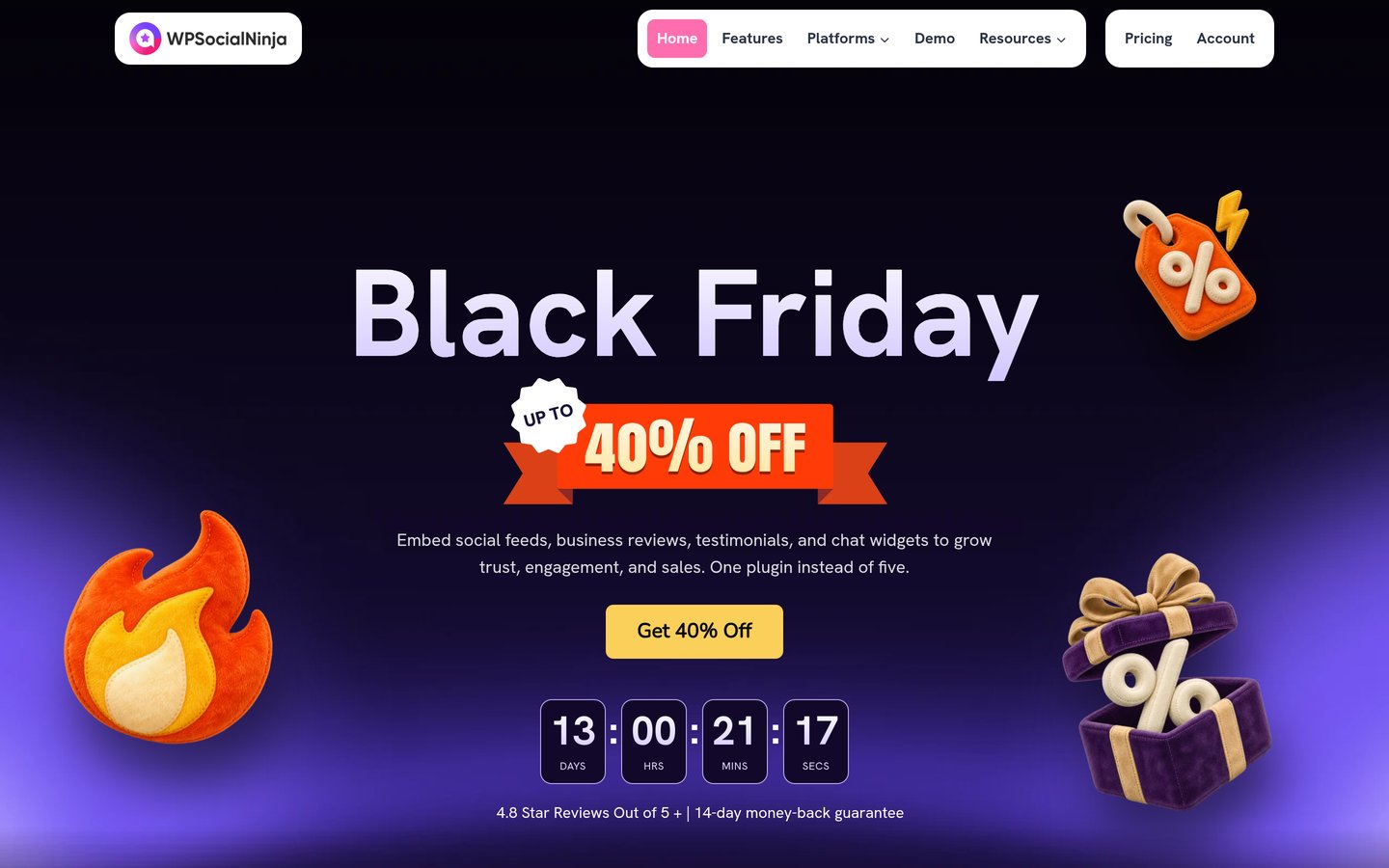
WP Social Ninja homepage, captured Nov 2026.
WP Social Ninja is a WordPress social plugin with 30,000+ active installations that combines social feeds, business reviews, and chat widgets. Its free version lets you connect social feeds and test the builder before upgrading.
The trade off is that many chat channels, review sources, and shoppable feed options sit behind Pro, which lists a regular price of $89/yr for one site (with discounted sale pricing sometimes shown). It suits businesses that want feeds and chat in one plugin.
What we like
Combines social media feeds, customer reviews, and chat widgets in one tool
Includes a visual template customizer and shortcode support
Actively maintained with frequent WordPress releases
Watch out for
Free tier restricts several advanced feed and chat options
Regular single-site pricing at $89/yr is higher than basic feed plugins
4.5/5on WordPress.org (130+ reviews, checked Nov 2026)
Paid from$120/yr
Best for floating action menus and chat buttons
Active installs70,000+
Ratings4.5/5 on WP.org
Free planYes, up to 5,000 views/mo
Paid entry$120/yr (Growth)
buttonizer.io
Buttonizer homepage, captured Nov 2026.
Buttonizer is a floating button and action menu plugin with 70,000+ active installations and a 4.5/5 WordPress.org rating. Its free tier includes a live chat widget, unlimited buttons and groups, and up to 5,000 monthly page views and popup views.
The trade off is that monthly view caps and scheduling rules apply, with the Growth plan listed at $120/yr for one site and 50,000 monthly page views. It suits sites that want sticky social, chat, and contact menus.
What we like
Supports floating action buttons, menus, and chat widgets in one editor
Free tier lets you build button groups without paying upfront
Includes scroll, time delay, and exit-intent trigger options
Watch out for
Traffic limits apply by monthly page views and popup views
Growth plan at $120/yr is pricier than simple share button plugins
Growth ($120/yr) raises the limit to 50,000 monthly page views and adds page rules.Visit buttonizer.io
06
Blog2Social
4.5/5on WordPress.org (1,731 reviews, checked Nov 2026)
Paid from$96/yr
Best for multi-network scheduling and calendars
Active installs40,000+
Ratings1,731 (4.5/5)
Free planYes, manual sharing
Paid entry$96/yr (Smart)
blog2social.com
Blog2Social homepage, captured Nov 2026.
Blog2Social is a WordPress social media scheduler and auto-poster with 40,000+ active installations and 1,731 WordPress.org ratings. The free version supports manual sharing across 12 networks with one account per network and basic calendar viewing.
The trade off is that automated posting on publish, drag-and-drop calendar rescheduling, and extra networks require a paid plan starting around $96/yr for Smart, with X posting sold as a separate add-on. It suits teams that publish and schedule across many networks.
What we like
Large review base of 1,731 ratings and 40,000+ active installs
Lets you tailor post text and formatting per social network
Paid plans add content calendars and best-time scheduling
Watch out for
Automated posting on publish is not included on the free tier
Extra add-ons such as X posting cost extra on top of base plans
Smart unlocks automated posting on publish, calendar rescheduling, and 16 networks.Visit blog2social.com
07
Jetpack Social
3.3/5on WordPress.org (74 reviews, checked Nov 2026)
Paid from$120/yr
Best for simple in-editor auto-sharing on main networks
Active installs30,000
Ratings74 (3.3/5)
Free planYes, 8 networks
Paid entry~$120/yr renewal
jetpack.com
Jetpack Social homepage, captured Nov 2026.
Jetpack Social is a WordPress auto-sharing plugin from Automattic with 30,000 active installations and 74 WordPress.org ratings. Its free tier lets you auto-share posts and schedule reshares across eight networks directly from the editor.
The trade off is a mixed 3.3/5 rating on WordPress.org and a narrower network list than dedicated schedulers, with paid plans around $120/yr on renewal after first-year discounts. It suits solo writers who want quick auto-sharing from the post editor.
What we like
Works directly inside the WordPress post editor
Free tier covers eight social networks without a monthly share cap
Supports scheduled reshares and link preview checks
Watch out for
Lower 3.3/5 rating on WordPress.org compared with top rivals
Omits several networks such as Pinterest, TikTok, and YouTube
Paid Social plans add extra media options and broader sharing tools.Visit jetpack.com
Share buttons vs auto-posters vs feeds
Sharing plugins help readers pass your articles to other people, while auto-posters push your new or older posts out to your own social accounts. Conflating the two often leads people to install heavy schedulers when they only need share icons.
Feed plugins pull posts from profiles or hashtags onto your WordPress pages. If your main goal is keeping visitors on your site or showing social proof, pick a dedicated feed plugin rather than a sharing bar.
How we chose
We built this shortlist by reviewing maintained WordPress social media plugins across sharing buttons, social feeds, floating action buttons, and social schedulers, focusing on active WordPress.org listings and clear vendor pricing pages.
Every rating, review count, active install figure, and regular plan price was checked on 22 Nov 2026 across WordPress.org listings and official product pricing pages, noting promotional discounts where present.
We excluded closed or unmaintained plugins, plugins without verifiable pricing or directory metrics, and tools whose primary focus falls outside social sharing, feeds, or social publishing. No vendor paid for a place, and we do not claim practical testing for this list.
How to choose the right social media plugin
Follow four practical checks before installing a social media plugin on your site.
Match the plugin to your primary social goal. Decide whether you need reader share buttons, live social feeds, floating contact menus, or scheduled social posting so you do not pay for unused tools.
Check which social networks are free versus paid. Many plugins include core networks on the free version and charge extra for specific feeds, calendars, or additional accounts.
Watch for renewal prices and add-on fees. Compare regular annual pricing rather than first-year sale rates, and check whether extra channels or higher traffic tiers cost more later.
Keep your site speed and script load in mind. Test pages after activating buttons or feeds to make sure third-party embeds and scripts do not slow down key pages.
FAQ
What is the best free WordPress social media plugin?
AddToAny Share Buttons is a strong free choice for reader sharing across 300,000+ active installs with no account required. If you want blog share analytics or Instagram feeds, Hubbub Lite and Spotlight Social Photo Feed also offer capable free versions.
Do social media plugins slow down WordPress?
They can if they load extra scripts, external widgets, or uncached social feeds on every page. Lightweight sharing plugins and tools with local caching or conditional loading help keep page load times lower.
Can I embed Instagram feeds on WordPress for free?
Yes. Spotlight Social Photo Feed offers a free version on WordPress.org that supports unlimited Instagram accounts and feeds with several layouts and lightbox popups, while paid plans add extra templates, stories, and hashtag or shoppable feeds.
Do I need a paid plugin to schedule social media posts?
Free versions of scheduling plugins often cover manual sharing or basic limits, while automated publishing on publish, calendar rescheduling, and extra accounts usually require a paid tier such as Blog2Social Smart.
Should I install both a share button plugin and a feed plugin?
Yes, if you need both features, as long as each one is actively maintained and only loads where needed. Using separate focused tools is often cleaner than forcing one plugin to handle every task.
Why do social feed and auto-posting plugins change features over time?
Social networks frequently update their APIs, permissions, and rate limits. Picking plugins that receive regular updates helps keep connections and embeds working smoothly.
SaaS SEO and WordPress specialist with about 8 years of experience. Rakib compares WordPress plugins, themes, hosting and software using public pricing, documentation and user reviews. See how we rank.