Best WooCommerce Payment Gateway Plugins in 2026: 7 Tools Compared
WLWPLegible EditorsLast verified 22 Nov 2026How we rank5 min read
★ Short answer
Payment Plugins for Stripe WooCommerce is the top pick for flexible Stripe checkout and express buttons on product and cart pages, rated 4.8 out of 5 across 301 WordPress.org reviews with 100,000+ active installs. For native store dashboard management choose WooPayments, or pick Mollie Payments for WooCommerce for European and UK local payment methods.
How we make this list: we compare pricing pages, product documentation and public user reviews, then re-check every price before each update. No product paid for a place. Disclosure.
Payment Plugins for Stripe WooCommerce holds a 4.8/5 rating from 301 WordPress.org reviews and 100,000+ active installs.
WooPayments runs on 800,000+ sites with no monthly plugin fee and built-in multi-currency support in 135+ currencies.
WooCommerce Stripe Payment Gateway runs on 700,000+ sites and supports 23 payment methods including Apple Pay, Google Pay, and Link.
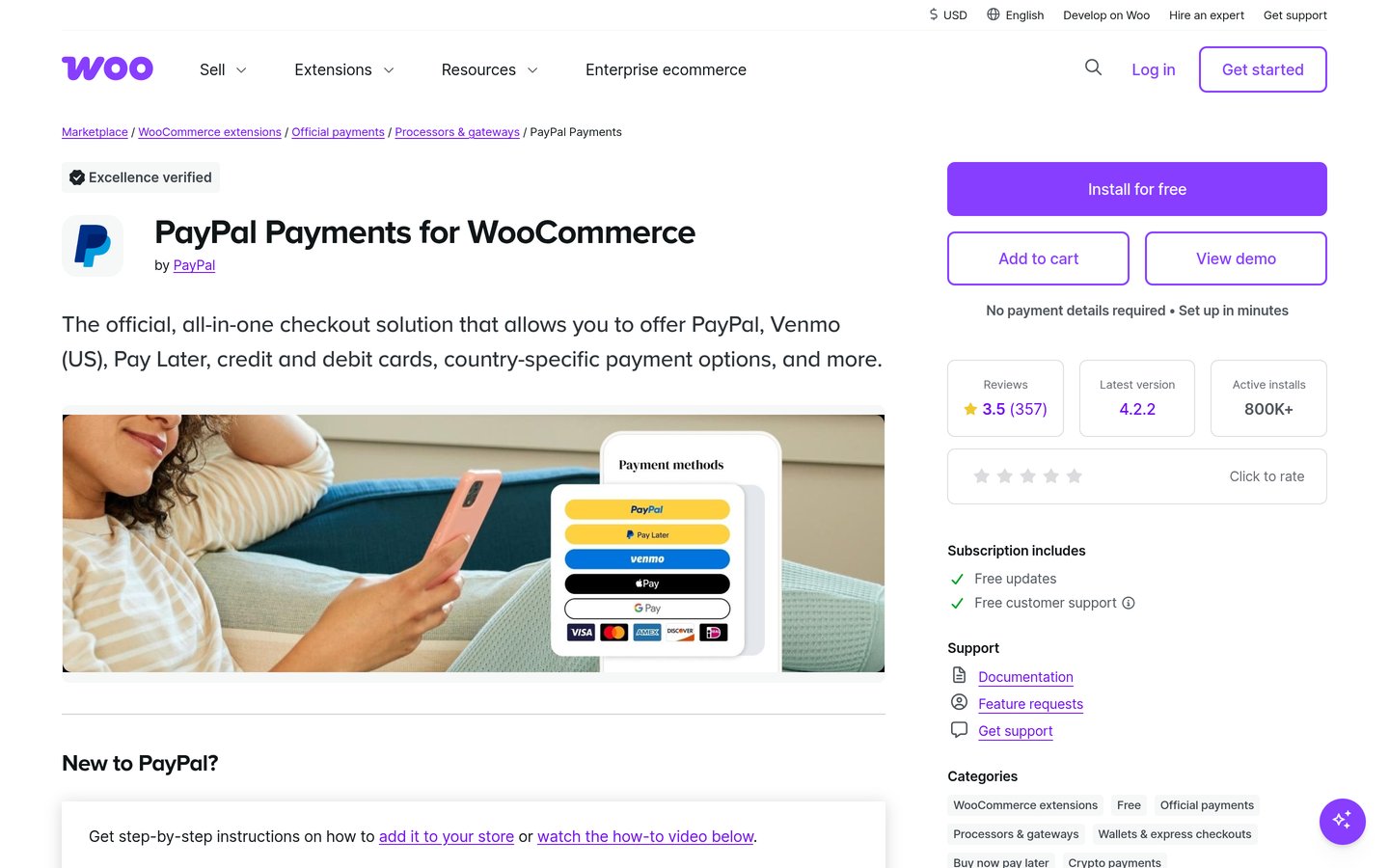
WooCommerce PayPal Payments has 800,000+ active installs and supports PayPal, Pay Later, Venmo, and Fastlane.
Mollie Payments for WooCommerce has 100,000+ active installs and supports 35+ local and global payment methods across Europe and the UK.
What to look for in a WooCommerce payment gateway plugin
A WooCommerce payment gateway connects your store checkout to a processor or payment network so buyers can pay by card, digital wallet, bank transfer, or local method. Processor transaction fees still apply on top of any plugin pricing.
Checkout blocks and High-Performance Order Storage compatibility matter as WooCommerce moves away from legacy templates. Check whether a plugin supports express buttons on product and cart pages, recurring subscriptions, and refunds inside WordPress admin.
Merchant country eligibility and supported currencies vary sharply across gateways. A gateway that works well for some regions may not support merchants in Latin America, Africa, or other markets.
For cards, bank transfers, and mobile money in supported African markets
Free
Free plan
4.5/5
Price ladder: cheapest paid plan per year
List prices, USD, checked Nov 2026
Stripe PayPlgFree
WooPaymentsFree
WC StripeFree
WC PayPalFree
Mollie WCFree
Mercado PagoFree
Paystack WCFree
The 7 best woocommerce payment gateway plugins
01
Payment Plugins for Stripe WooCommerce
4.8/5on WordPress.org (301 reviews, checked Nov 2026)
PriceFree
Best for Stripe express buttons and custom checkout placement
Active installs100,000+
WordPress.org rating4.8 / 5 (301)
Plugin license costFree (no paid plan)
Checkout supportBlocks & Subscriptions
paymentplugins.com
Payment Plugins for Stripe WooCommerce homepage, captured Nov 2026.
Payment Plugins for Stripe WooCommerce is a Stripe integration plugin for WooCommerce that is free to install with no paid plan listed on WordPress.org. It supports credit cards, Google Pay, Apple Pay, ACH, Klarna, Affirm, Afterpay, and local methods alongside WooCommerce Subscriptions.
The trade off is that it relies on your Stripe account and does not provide a standalone non-Stripe processor option. It suits WooCommerce stores that want express wallet buttons on product and cart pages at zero plugin cost.
What we like
Free plugin with no paid tier required on WordPress.org
Supports Apple Pay, Google Pay, and Link on product and cart pages
Compatible with WooCommerce Blocks and WooCommerce Subscriptions
High 4.8 out of 5 rating across 301 WordPress.org reviews
Watch out for
Requires an eligible Stripe account and standard Stripe processing fees
Apple Pay and Google Pay display depend on supported browsers and HTTPS
3.5/5on WordPress.org (182 reviews, checked Nov 2026)
PriceFree
Best for managing payments and payouts inside WooCommerce admin
Active installs800,000+
WordPress.org rating3.5 / 5 (182)
Monthly plugin feeFree (pay-as-you-go)
Currency support135+ currencies
woocommerce.com
WooPayments homepage, captured Nov 2026.
WooPayments is WooCommerce's integrated payment extension that is free to install with no setup or monthly plugin fees, using pay-as-you-go transaction fees. It supports 135+ currencies, express wallets such as Apple Pay and Google Pay, buy now pay later options, and in-person payments via the Woo mobile app.
The trade off is that it requires a WordPress.com connection and account verification in a supported country, with mixed user feedback on account reviews and edge-case bugs. It suits store owners who want transactions, disputes, and payouts inside one WordPress dashboard.
What we like
No setup or monthly plugin fees with pay-as-you-go transaction pricing
Manage transactions, refunds, disputes, and payouts in WordPress admin
Built-in multi-currency support across 135+ currencies
Supports in-person payments via the Woo mobile app in supported regions
Watch out for
Requires a WordPress.com account connection and business verification
Merchant eligibility is limited to supported countries
Mixed 3.5 out of 5 rating across 182 WordPress.org reviews
Free to install with no monthly fee; pay-as-you-go transaction and optional payout fees apply.Visit woocommerce.com
03
WooCommerce Stripe Payment Gateway
3.1/5on WordPress.org (238 reviews, checked Nov 2026)
PriceFree
Best for official Stripe checkout and Adaptive Pricing across 150+ countries
Active installs700,000+
WordPress.org rating3.1 / 5 (238)
Plugin license costFree (no paid plan)
Merchant availability46 countries
woocommerce.com
WooCommerce Stripe Payment Gateway homepage, captured Nov 2026.
WooCommerce Stripe Payment Gateway is the official integration built by Stripe and WooCommerce and is free to install with no paid plan. It supports 23 payment methods including cards, Apple Pay, Google Pay, Link, Klarna, Affirm, Afterpay, and Adaptive Pricing across 150+ countries.
The trade off is a lower 3.1 out of 5 rating from 238 reviews, with recent feedback noting configuration friction and feature toggles turning back on after updates. It suits merchants in 46 supported countries who want direct official Stripe support and wide payment method coverage.
What we like
Free official plugin maintained by WooCommerce and Stripe
Works with WooCommerce Subscriptions and Stripe Terminal or Tap to Pay
Watch out for
Lower 3.1 out of 5 rating across 238 WordPress.org reviews
Some users report setup complexity and feature toggle resets after updates
Free plugin with no paid tier; standard Stripe processing fees apply per transaction.Visit woocommerce.com
04
WooCommerce PayPal Payments
2.9/5on WordPress.org (591 reviews, checked Nov 2026)
PriceFree
Best for offering PayPal, Pay Later, and Venmo alongside cards
Active installs800,000+
WordPress.org rating2.9 / 5 (591)
Plugin license costFree (no paid plan)
Card processingStandard & Advanced
woocommerce.com
WooCommerce PayPal Payments homepage, captured Nov 2026.
WooCommerce PayPal Payments is PayPal's official extension for WooCommerce and is free to install with no monthly or setup fees listed on WordPress.org. It adds PayPal buttons, Pay Later options, Venmo, Fastlane, and standard or advanced card processing.
The trade off is a 2.9 out of 5 rating across 591 reviews, with reviewers pointing to checkout conflicts, caching sensitivity, and occasional regressions after updates. It suits stores that need PayPal wallet and Pay Later options for shoppers who prefer familiar PayPal flows.
What we like
Free official plugin with no monthly or setup fees from the plugin
Supports PayPal, Pay Later messaging, Venmo, Fastlane, and card fields
Compatible with WooCommerce Subscriptions and vaulting
Watch out for
2.9 out of 5 rating across 591 reviews on WordPress.org
Requires excluding payment pages from aggressive caching or JS minification
Free to install with no plugin fee; PayPal transaction fees apply per payment.Visit woocommerce.com
05
Mollie Payments for WooCommerce
3.6/5on WordPress.org (69 reviews, checked Nov 2026)
PriceFree
Best for European and UK local payment methods and bank transfers
Active installs100,000+
WordPress.org rating3.6 / 5 (69)
Plugin license costFree (no paid plan)
Payment methods35+ local & global
mollie.com
Mollie Payments for WooCommerce homepage, captured Nov 2026.
Mollie Payments for WooCommerce is a free plugin with no startup or monthly fees, charging only per successful transaction through Mollie. It supports 35+ payment methods including iDEAL, Bancontact, SEPA, Klarna, Apple Pay, and cards across Europe and the UK.
The trade off is regional merchant focus in Europe and the UK, plus occasional complaints in reviews about update bugs and support response times. It suits European and UK stores that want country-based payment rules and native WooCommerce Subscriptions support.
What we like
Free plugin with no setup or monthly fees from the gateway
Supports 35+ local bank, wallet, and buy now pay later methods
Native WooCommerce Blocks and WooCommerce Subscriptions integration
Watch out for
Focused on merchants operating across Europe and the UK
Some users report occasional update bugs and uneven support
Free plugin with no monthly fee; Mollie transaction fees apply per order.Visit mollie.com
06
Mercado Pago payments for WooCommerce
3.9/5on WordPress.org (693 reviews, checked Nov 2026)
PriceFree
Best for Latin American payments including Pix, Boleto, and OXXO
Active installs100,000+
WordPress.org rating3.9 / 5 (693)
Plugin license costFree (no paid plan)
Region focusLatin America
mercadopago.com
Mercado Pago payments for WooCommerce homepage, captured Nov 2026.
Mercado Pago payments for WooCommerce is the official free extension for accepting payments through Mercado Pago across Latin America. It offers Checkout Pro and Custom Checkout with cards, account balance, installments, Pix, and offline or cash methods like Boleto and OXXO.
The trade off is regional availability in Latin America and occasional user reports of configuration hurdles or order status sync delays. It suits merchants selling in Latin America who need local methods and installment options.
What we like
Free official plugin with no paid tier on WordPress.org
Supports Checkout Pro and Custom Checkout with local methods like Pix and OXXO
Includes a Sandbox environment for testing before going live
Watch out for
Built for Latin American merchant accounts and regional payment rails
Some reviewers mention setup complexity and order status sync issues
Free to install; Mercado Pago transaction and installment terms apply per account.Visit mercadopago.com
07
Paystack WooCommerce Payment Gateway
4.5/5on WordPress.org (25 reviews, checked Nov 2026)
PriceFree
Best for cards, bank transfers, and mobile money in supported African markets
Active installs20,000+
WordPress.org rating4.5 / 5 (25)
Plugin license costFree (no paid plan)
Checkout modesPopup & Redirect
paystack.com
Paystack WooCommerce Payment Gateway homepage, captured Nov 2026.
Paystack WooCommerce Payment Gateway is a free plugin that connects WooCommerce stores to Paystack with no monthly plugin charges. It supports cards, bank transfer, USSD, mobile money, EFT, and Visa QR depending on supported country and currency settings.
The trade off is that it is intended for merchants in supported markets and requires matching store currencies enabled on your Paystack account. It suits merchants in those markets who want popup or redirect checkout and saved cards.
What we like
Free plugin with no monthly plugin fee
Supports bank transfers, USSD, mobile money, EFT, and cards
4.5 out of 5 rating across 25 WordPress.org reviews
Watch out for
Restricted to supported merchant countries and enabled store currencies
Smaller review sample on WordPress.org with 25 total ratings
Free plugin with no paid tier; Paystack transaction fees apply per charge.Visit paystack.com
Plugin fees vs. payment processor fees
All 7 plugins on this list are free to install from WordPress.org with no paid plugin tier listed on their directory pages. That does not make payment processing free, because the underlying gateway charges per transaction.
Watch for regional eligibility, currency rules, and extra add-on costs such as recurring billing extensions. Always check whether your store currency and country match the gateway before going live.
How we chose
We started from active WooCommerce payment gateway plugins in the WordPress.org directory and WooCommerce Marketplace, looking for established tools with recent maintenance.
Every rating, review count, install count, and plugin pricing detail on this list was checked on 22 Nov 2026 from live WordPress.org, WooCommerce.com, and payment processor fee pages.
We excluded closed plugins such as the legacy woo-braintree-payment-gateway listing on WordPress.org and skipped tools without verified pricing or active maintenance. No vendor paid for a place, and we do not claim testing for this list.
How to pick the right WooCommerce payment gateway
Follow four practical checks before adding a gateway to a live store.
Confirm merchant country and currency support first. Check that your business location and store currency are supported by the payment processor before installing the plugin.
Match checkout and wallet options to your buyers. Decide whether you need Apple Pay, Google Pay, local bank methods, or buy now pay later options on your product, cart, or checkout pages.
Check subscription and block checkout compatibility. Verify that the gateway supports WooCommerce Blocks and any recurring subscription or installment setup your catalog uses.
Test in sandbox or test mode before taking real orders. Run test transactions and check webhooks and order status updates so payments do not stall in pending or failed states.
FAQ
Are WooCommerce payment gateway plugins free to install?
Yes, all 7 plugins in this guide are free to install from WordPress.org with no paid plugin tier listed. However, the payment processor charges per transaction, and some setups require separate subscription or currency extensions.
Can I run more than one payment gateway in WooCommerce?
Yes, WooCommerce lets you enable multiple payment gateways at once so shoppers can choose between cards, express wallets, or local methods. Enable only the methods you have tested and verified in your processor account.
Do I need an SSL certificate for WooCommerce payments?
Yes, live payment processing requires an active SSL certificate and HTTPS on your store. Plugins also use hosted fields or payment tokens so card data is handled securely.
Why do some official gateway plugins have lower WordPress.org ratings?
High-volume official gateways often receive critical reviews alongside positive ones when updates change checkout behavior, conflict with caching or third-party plugins, or trigger account checks. Checking recent reviews and changelogs helps spot current issues before updating.
Which plugin is best if I sell across Europe and the UK?
Mollie Payments for WooCommerce is built around European and UK payment methods, supporting 35+ local bank, wallet, and pay later options. You can also configure which payment methods appear based on customer country.
How should I test a new WooCommerce payment gateway?
Use the plugin's test or sandbox mode with test credentials before switching to live keys. Confirm that orders, refunds, and webhook status updates record properly in WooCommerce.