Best WooCommerce AJAX Filter Plugins in 2026: 7 Tools Compared
WLWPLegible EditorsLast verified 22 Nov 2026How we rank6 min read
★ Short answer
Filter Everything leads our list for filtering WooCommerce products alongside posts and custom post types with 50,000+ active installs. HUSKY suits stores needing deep attribute and SKU options, while Product Filter by WBW fits shops wanting a dedicated facet index.
How we make this list: we compare pricing pages, product documentation and public user reviews, then re-check every price before each update. No product paid for a place. Disclosure.
Filter Everything holds a 4.6 out of 5 rating across 153 WordPress.org reviews and starts at $69/yr for one site.
HUSKY (formerly WOOF) leads active adoption at 80,000+ installs on WordPress.org with a premium license at $49 one-time.
Product Filter by WBW earns 4.8 out of 5 across 325 reviews and offers a $99 one-time single-site Pro license.
Advanced AJAX Product Filters by BeRocket holds a 4.7 rating across 387 reviews with paid plans starting at $44/yr.
Premmerce Product Filter for WooCommerce lists a regular single-site price of $69.99/yr on its pricing page.
What to look for in a WooCommerce AJAX filter plugin
Shoppers abandon slow catalog pages quickly when narrowing down products by price, size, color, or stock status. AJAX filtering updates product grids and counts without forcing a full page reload on every click.
Before picking a plugin, check how it handles variable products and out-of-stock items. Filtering parent products can display items whose matching color and size combination is sold out unless variation-level filtering is supported.
Catalog size and caching matter on larger stores. Plugins that rely on uncached database queries or heavy scripts can slow down archive pages when dozens of attributes or custom taxonomies are active.
Consider SEO rules for filtered URLs early. Generating thousands of crawlable filter combinations can waste crawl budget unless noindex rules, clean URLs, or SEO filter controls are available.
4.6/5on WordPress.org (153 reviews, checked Nov 2026)
Paid from$69/yr
Best for filtering products and custom content
Free versionYes (up to 2 filter sets per post type)
Entry paid plan$69/yr (1 site + 1 dev site)
Filter targetsProducts, posts, custom post types
SEO featuresSEO Rules and clean URLs in Pro
filtereverything.pro
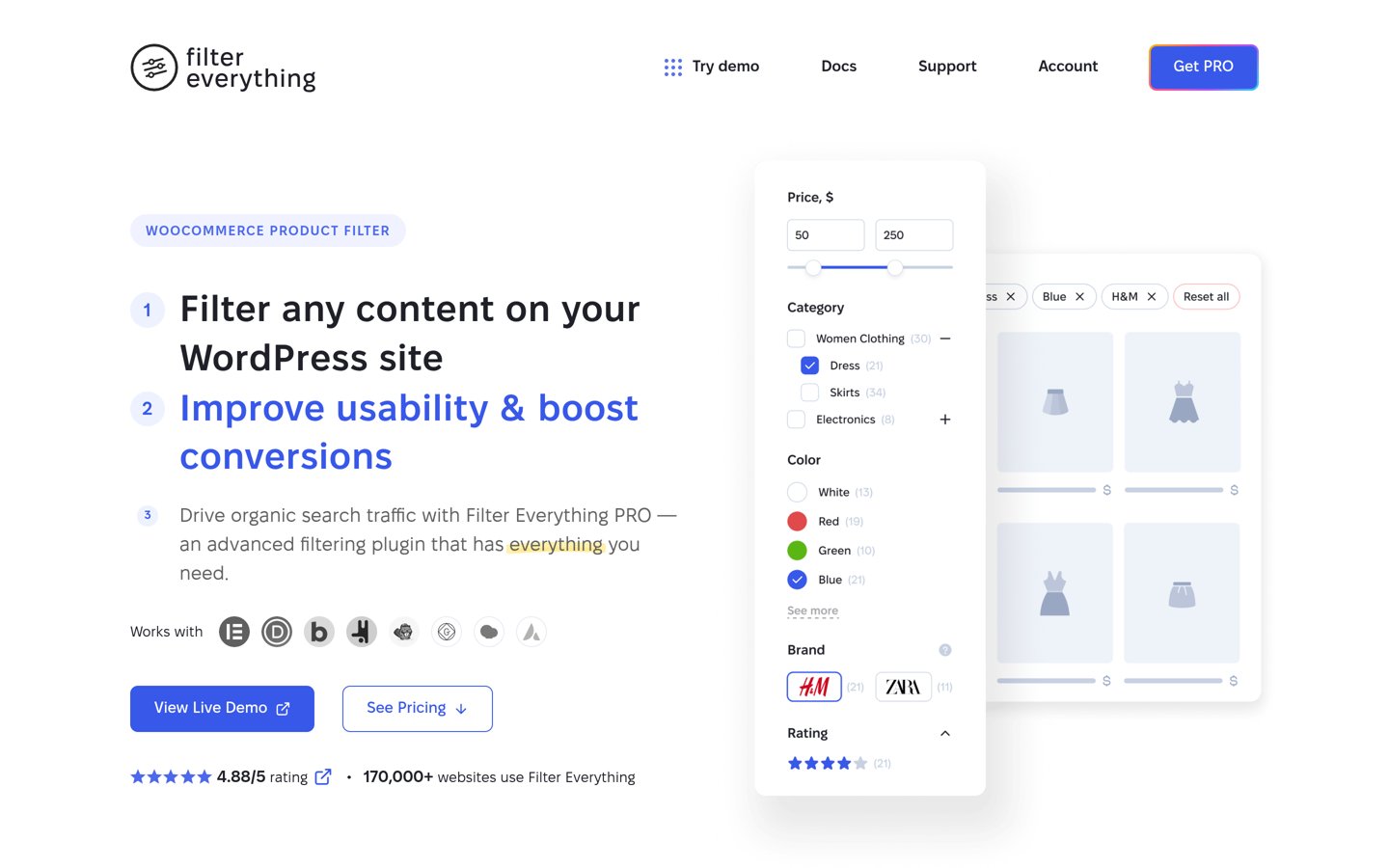
Filter Everything homepage, captured Nov 2026.
Filter Everything is a WordPress and WooCommerce filtering plugin with 50,000+ active installs and a 4.6 rating from 153 reviews on WordPress.org. The free version includes AJAX filtering, sorting, search, and up to two filter sets per post type.
The trade off is that unlimited filter sets, variation filtering, and SEO Rules require the Personal plan at $69/yr. It suits stores that also filter non-product posts, listings, or custom post types.
What we like
Filters WooCommerce products as well as posts and custom post types
Supports checkboxes, dropdowns, sliders, swatches, and rating filters
Includes 12-hour results caching and noindex defaults in the free tier
Watch out for
Free version limits you to two filter sets per post type
Variation filtering and SEO URL rules sit behind the Pro upgrade
Paid Personal plan at $69/yr adds unlimited filter sets, variation filtering, and SEO Rules.Visit filtereverything.pro
02
HUSKY
4.6/5on WordPress.org (337 reviews, checked Nov 2026)
Paid from$49 one-time
Best for deep attribute and SKU filtering
Free versionYes (core taxonomies, price, SKU)
Entry paid plan$49 one-time (1 site)
Search & metaText, SKU, meta fields, ACF support
Layout toolsShortcodes, widgets, front builder
products-filter.com
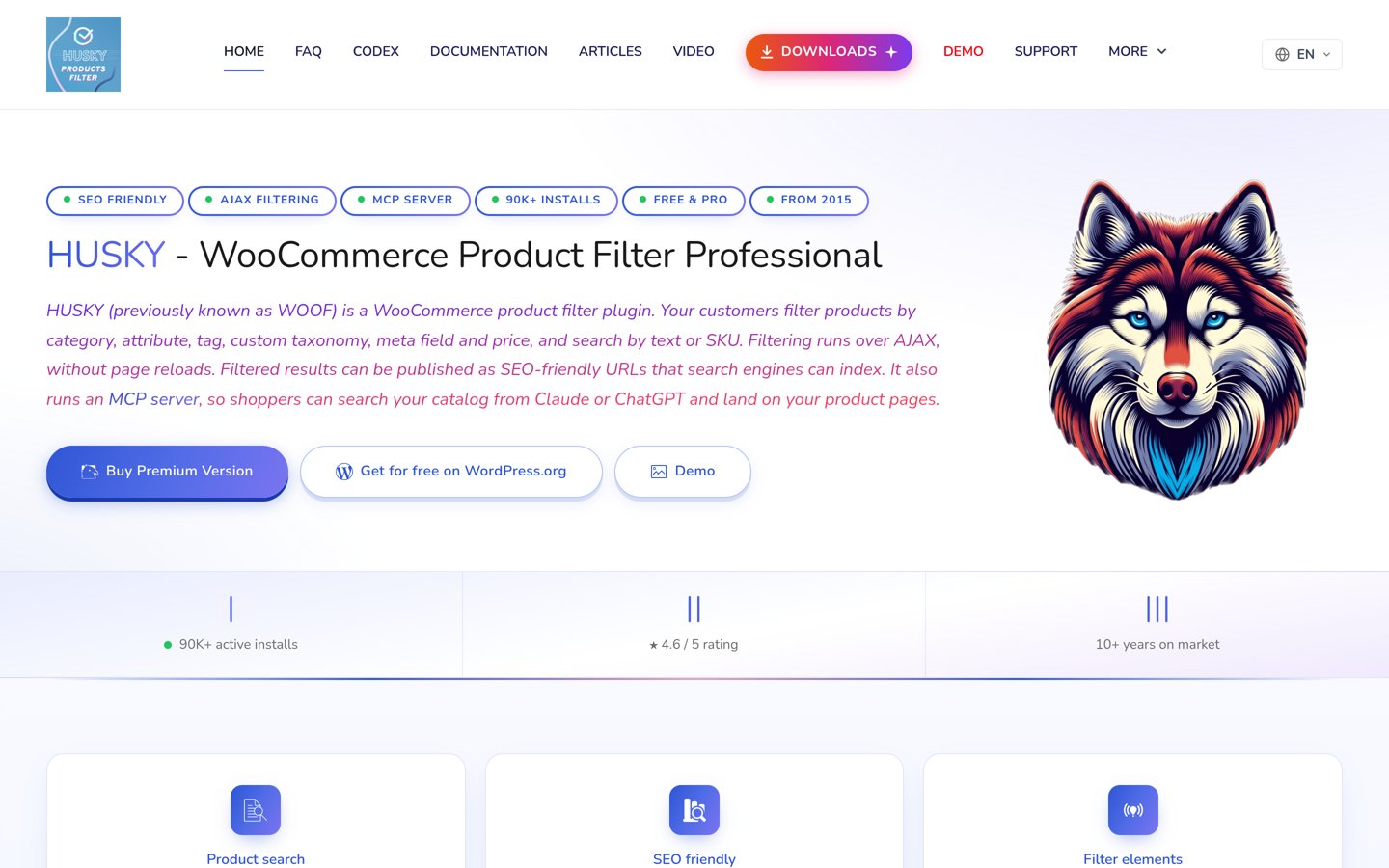
HUSKY homepage, captured Nov 2026.
HUSKY (formerly WOOF) is a WooCommerce product filter and search plugin with 80,000+ active installs and a 4.6 rating across 337 WordPress.org reviews. Its free version supports category, attribute, tag, price, and SKU filtering with dynamic product counts.
The trade off is a dense settings panel that takes time to configure, while the premium license costs $49 one-time for a single site. It suits larger catalogs that need granular filter controls and built-in product search.
What we like
Largest active install base on WordPress.org in this category at 80,000+
Includes SKU search, meta field filtering, and dynamic recount options
Premium is a one-time $49 license per site, with optional support renewal
Watch out for
Extensive settings screens can feel overwhelming on initial setup
Some swatch and range filter styles require the paid version
Paid license ($49 one-time) adds extra filter elements, extensions, and priority updates.Visit products-filter.com
03
Product Filter by WBW
4.8/5on WordPress.org (325 reviews, checked Nov 2026)
Paid from$59/yr
Best for facet indexing and one-time pricing
Free versionYes (smart setup, swatches, drawer)
Entry paid plan$59/yr (or $99 one-time)
PerformanceDedicated facet index tables
Mobile UXBuilt-in bottom-sheet filter drawer
woobewoo.com
Product Filter by WBW homepage, captured Nov 2026.
Product Filter by WBW is a WooCommerce filtering plugin with 50,000+ active installs and a 4.8 rating from 325 WordPress.org reviews. Its free version includes one-click smart setup, AJAX updates, swatches, and a mobile filter drawer.
The trade off is that advanced custom field ranges, saved searches, and demand analytics require Pro starting at $59/yr or $99 one-time. It suits stores wanting a dedicated facet index and a non-subscription option.
What we like
Higher rating than most major filter plugins at 4.8 out of 5 across 325 reviews
Uses a facet index designed for large catalogs and accurate variation counts
Offers a $99 one-time single-site license alongside the $59/yr plan
Watch out for
Custom field range controls and demand insights require Pro
Large feature set means some modules must be toggled selectively
Paid Pro plan from $59/yr (or $99 one-time) adds custom field ranges, saved searches, and Pro tools.Visit woobewoo.com
04
Advanced AJAX Product Filters
4.7/5on WordPress.org (387 reviews, checked Nov 2026)
Advanced AJAX Product Filters homepage, captured Nov 2026.
Advanced AJAX Product Filters by BeRocket is a WooCommerce filter plugin with 50,000+ active installs and a 4.7 rating across 387 WordPress.org reviews. The free version scans your catalog to build initial desktop and mobile filter groups automatically.
The trade off is that multi-site tiers rise to $69/yr for three sites and $99/yr for expanded styling and SEO features, with the lowest paid tier at $44/yr. It suits store owners wanting quick setup and low entry pricing.
What we like
One-click setup wizard generates starter filters from existing attributes and categories
Lowest entry annual price on this list at $44/yr for one site
Includes filter usage statistics and compatibility with major page builders
Watch out for
Stock status filters, custom taxonomies, and SEO URLs require paid tiers
Higher site counts and SEO styling bump pricing into higher brackets
Paid plans from $44/yr add stock and sale filters, custom taxonomies, and filter analytics.Visit berocket.com
05
WCAPF
4.3/5on WordPress.org (44 reviews, checked Nov 2026)
WCAPF is an AJAX product filter plugin for WooCommerce with 8,000+ active installs and a 4.3 rating from 44 reviews on WordPress.org. The free version supports filtering by categories, tags, attributes, price sliders, ratings, and stock status.
The trade off is a smaller review count and fewer enterprise indexing tools than larger plugins, with Pro priced at $39/yr for one domain. It suits small to mid-sized stores that want a clean form builder without bloat.
What we like
Lowest annual starting price on this list at $39/yr for one domain
Automatically hides empty filter groups and irrelevant terms
Supports dynamic counts, keyword filtering, and CSS variable styling
Watch out for
Smaller user base and review count than top-tier filter plugins
Archive-specific filter sets and custom product layouts require Pro
Paid Personal plan at $39/yr adds archive-specific filters, custom product shortcodes, and multi-vendor support.Visit wptools.io
06
Premmerce Product Filter for WooCommerce
3.4/5on WordPress.org (22 reviews, checked Nov 2026)
Premmerce Product Filter for WooCommerce homepage, captured Nov 2026.
Premmerce Product Filter for WooCommerce has 2,000+ active installs and a 3.4 rating across 22 reviews on WordPress.org. Its free tier offers AJAX filtering, a single widget for all filters, and deferred filter loading.
The trade off is a lower rating on WordPress.org and a regular price of $69.99/yr for a single site (often discounted on promotional pages). It suits stores focused on generating SEO landing pages from attribute combinations.
What we like
Caches filter query results in JSON files to reduce database load
Supports clean filter URLs and SEO landing page generation in the paid tier
Displays all active filters cleanly inside a single sidebar widget
Watch out for
Mixed rating of 3.4 out of 5 across 22 WordPress.org reviews
Custom taxonomies, color/label layouts, and SEO rules require a paid license
Paid single-site plan ($69.99/yr regular price) adds custom taxonomies, color/label filters, and SEO rules.Visit premmerce.com
07
YITH WooCommerce Ajax Product Filter
3.5/5on WordPress.org (98 reviews, checked Nov 2026)
Paid from$89.99/yr
Best for YITH plugin ecosystems and presets
Free versionYes (presets, attributes, price)
Entry paid plan$89.99/yr (1 site)
Filter presetsUnlimited presets per page or category
EcosystemIntegrates with YITH brands and wishlists
yithemes.com
YITH WooCommerce Ajax Product Filter homepage, captured Nov 2026.
YITH WooCommerce Ajax Product Filter has 70,000+ active installs and a 3.5 rating from 98 reviews on WordPress.org. The free plugin lets you build filter presets for categories, tags, attributes, and prices with AJAX updates.
The trade off is a higher starting price of $89.99/yr and a 3.5-star rating on WordPress.org. It suits stores already running other YITH plugins that want preset-driven filter layouts.
What we like
Wide adoption at 70,000+ active installs with preset-based configuration
Supports blocks, widgets, shortcodes, and color swatches
Pairs naturally with other YITH WooCommerce add-ons
Watch out for
Highest starting annual price on this list at $89.99/yr
WordPress.org rating sits at 3.5 out of 5 with 31 one-star reviews
Paid plan at $89.99/yr adds variation-matching results, rating filters, horizontal layouts, and custom permalinks.Visit yithemes.com
Handling variable products and large catalogs without lag
Variable products cause a common filtering trap when a shirt is listed as in stock overall, but only available in small while a shopper filters for large. Look for filter engines that check variation availability and attributes rather than parent product flags alone.
Catalog size also dictates whether standard WordPress queries stay fast. Stores with tens of thousands of SKUs or many attributes benefit from dedicated facet indexes, count caching, or result caching so AJAX requests return quickly.
How we chose
We selected established WooCommerce AJAX filter plugins from WordPress.org plugin tags and vendor product pages, focusing on plugins actively maintained in 2026 with verified install and review figures.
All ratings, review counts, active install ranges, and regular starting prices were checked on 22 Nov 2026 from WordPress.org listings and official vendor pricing or product pages.
We skipped plugins with fewer than 1,000 active installs, unverified pricing pages, or stale maintenance histories. No vendor paid for a place, and we do not claim hands-on testing for this list.
How to choose the right AJAX filter plugin
Follow these four steps to match a filter plugin to your store catalog:
Audit your filterable attributes and custom fields. List every criterion shoppers use—such as size, color, price range, stock status, or custom specs—and verify which ones are supported in the free tier.
Check variable product and stock accuracy. Confirm whether the plugin accurately reflects variation stock and attributes so shoppers do not click into sold-out combinations.
Test compatibility with your theme and page builder. Make sure AJAX loop selectors and pagination work cleanly with your theme, block editor, Elementor, or Divi layout.
Set SEO indexing rules for filtered URLs. Decide whether filtered pages should stay noindexed to prevent duplicate URLs or use controlled SEO rules for high-intent searches.
FAQ
What is a WooCommerce AJAX filter plugin?
It lets shoppers narrow down products by category, price, attribute, rating, or stock status and updates the product grid without reloading the full page. That keeps browsing faster on desktop and mobile shop pages.
Can I add AJAX product filters for free?
Yes. Every plugin in this guide offers a free version on WordPress.org that covers basic AJAX filtering for attributes, categories, or price ranges, while paid tiers add features like SEO rules, custom field ranges, or extra layouts.
Do AJAX filter plugins hurt WooCommerce SEO?
They can if search engines crawl thousands of parameter URLs with thin or duplicate content. Using noindex rules on filter combinations or clean SEO URL rules with controlled indexing helps avoid crawl waste.
Why do product counts change after selecting a filter?
Dynamic recounting recalculates how many matching products remain for each other option based on the active filter selection. That prevents shoppers from picking combinations that return zero products.
How do AJAX filters work with page builders like Elementor?
Most modern filter plugins provide widgets, blocks, or shortcodes that target your product loop container. Checking loop selector compatibility helps ensure AJAX updates refresh both products and pagination smoothly.
Should I buy a yearly subscription or a lifetime license?
Yearly plans keep costs lower upfront if you only need updates and support for a year or test a store first. Lifetime licenses can pay off over multiple years if you keep the same plugin on an active store.