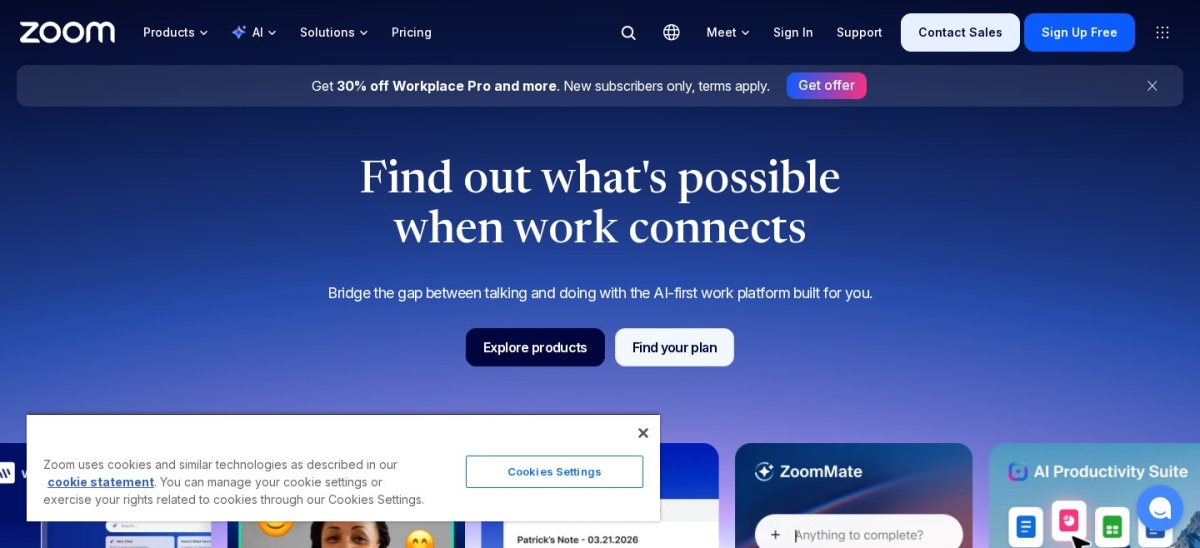
Zoom Workplace is the top virtual classroom pick in 2026, supporting 100 participants on its free tier and 30-hour sessions with cloud recording from $14.16/mo billed annually. Choose Google Meet if your school runs on Google Workspace, or LearnCube for dedicated browser-based tutoring whiteboards.
How we make this list: we compare pricing pages, product documentation and public user reviews, then re-check every price before each update. No product paid for a place. Disclosure.
Zoom Workplace gives you 100-person rooms with breakout sessions on the free tier and 30-hour sessions on Pro at $169.92/yr.
Microsoft Teams Essentials is the lowest-cost paid platform at $48/yr per user for up to 300 participants.
Google Meet bundles breakout rooms, polls, and Drive recordings inside Google Workspace Business Standard at $168/yr per user.
LearnCube and Lessonspace add subject-specific whiteboards and browser-only entry starting at $228/yr and $108/yr.
BigBlueButton is free open-source software built specifically for Moodle and LMS classrooms if you self-host.
What to look for in virtual classroom software
General video conferencing tools let people talk, but live instruction demands structured classroom controls. Look for breakout rooms that split students into small discussion groups, hand-raising queues, attendee mute locks, and interactive whiteboards where learners can annotate slides together.
Browser-based access matters more in education than in corporate meetings. Students join from school Chromebooks, shared family tablets, and locked-down devices where installing desktop clients causes delays at the start of every lesson.
Check how pricing scales before committing to a platform. Meeting suites like Zoom, Google Meet, and Microsoft Teams charge per licensed host, while dedicated tutoring platforms such as Lessonspace meter active classroom hours and Adobe Connect bills per host per year.
Zoom Workplace is a video conferencing and collaboration suite widely used for live classes and lectures. Its free Basic plan hosts up to 100 participants with breakout rooms, screen sharing, waiting rooms, and co-annotation, capped at 40 minutes per group session.
The trade off is that group lessons longer than 40 minutes require Zoom Pro at $14.16/user/mo billed annually ($16.99 monthly), which extends sessions to 30 hours and adds 10 GB of cloud recording. It suits schools and instructors running multi-group classes.
What we like
Includes breakout rooms and co-annotation on the free plan
Supports up to 100 participants on Basic and Pro, or 300 on Business
Automated captions and AI meeting summaries included on Pro
Integrates with major LMS platforms via LTI on Business plans
Watch out for
40-minute cutoff on free group sessions
LMS LTI integration requires upgrading to Business at $18.33/mo
Zoom Pro ($14.16/mo annual) unlocks 30-hour classes, polling, and 10 GB cloud recording.Visit zoom.us
02
Google Meet
4.6/5on G2 (48,322 reviews, checked Nov 2026)
Paid from$7/mo
Best for schools already on Google Workspace
Free tier100 seats, 60-min group limit
Entry paidBusiness Starter $7/mo (annual)
Recording tierBusiness Standard $14/mo (annual)
Storage30 GB Starter / 2 TB Standard
workspace.google.com
Google Meet homepage, captured Nov 2026.
Google Meet is Google's browser-based video classroom built into Google Workspace. A free personal account supports 100 participants for up to 60 minutes, while Business Starter ($7/user/mo billed annually) extends meetings to 24 hours and adds custom domain email and 30 GB storage.
The trade off is that breakout rooms, polls, Q&A, and Drive recordings are withheld until Business Standard at $14/user/mo billed annually ($16.80 monthly). It suits schools and teachers already collaborating in Google Docs and Calendar.
What we like
Runs directly in web browsers with zero client downloads
60-minute free group calls beat Zoom's 40-minute limit
Business Standard includes 2 TB pooled storage per user for recordings
Watch out for
No class recording or breakout rooms on Business Starter
Attendance tracking requires Business Plus at $22/user/mo
Business Starter ($7/mo annual) removes the 60-minute timer; Standard ($14/mo) adds recording.Visit workspace.google.com
03
Microsoft Teams
4.4/5on G2 (18,445 reviews, checked Nov 2026)
Paid from$4/mo
Best budget option for large cohorts
Free tier100 seats, 60-min group limit
Entry paidTeams Essentials $4/mo (annual)
Max capacityUp to 300 participants
CollaborationMicrosoft Whiteboard and chat
microsoft.com
Microsoft Teams homepage, captured Nov 2026.
Microsoft Teams is a unified communication and virtual classroom hub that pairs video meetings with persistent channels and file co-editing. Teams Essentials costs $4/user/mo billed annually and supports up to 300 participants per session alongside Microsoft Whiteboard.
The trade off is a heavier desktop client and complex admin settings compared with browser-only classrooms, while full Office desktop apps require Microsoft 365 Business Standard at $23.50/user/mo. It suits institutions standardized on Microsoft accounts.
What we like
Lowest entry price among major suites at $4/user/mo paid yearly
Supports 300 participants on the entry paid plan
Includes persistent class channels and collaborative Whiteboard
Watch out for
Desktop app uses substantial memory on older laptops
Channel navigation and tenant permissions feel complex for new teachers
Teams Essentials ($4/mo annual) unlocks 300-person sessions and extended meeting durations.Visit microsoft.com
04
LearnCube
4.7/5on G2 (24 reviews, checked Nov 2026)
Paid from$19/mo
Best for language teachers and small schools
Free tier1-on-1 lessons, 10 saved files
Entry paidVirtual Classroom Pro $19/mo
Class sizeUp to 8 students per class on Pro
Subject toolsWolfram Alpha, math, ESL modes
learncube.com
LearnCube homepage, captured Nov 2026.
LearnCube is a browser-based virtual classroom built specifically for online tutoring and language instruction. Its free Basic tier covers unlimited one-to-one sessions with an interactive whiteboard, synchronized YouTube playback, and storage for 10 teaching files.
The trade off is a strict cap of 8 students per class on Virtual Classroom Pro ($19/mo, or $17.10/mo billed annually), plus an extra $19/mo add-on for plugin-free cloud recordings. It suits solo tutors and boutique language schools.
What we like
Purpose-built teaching tools including Wolfram Alpha and conjugation tables
Custom logo and color branding included on Pro
Automatic low-bandwidth audio mode keeps classes running on slow connections
Watch out for
Capped at 8 students per session on the Pro plan
Cloud recording without a Chrome plugin costs an extra $19/mo
Virtual Classroom Pro ($19/mo) adds 8-student group classes, 1,000 library files, and branding.Visit learncube.com
05
Lessonspace
4.5/5on Capterra (240 reviews, checked Nov 2026)
Starts at$9/mo
Best for part-time tutors paying by the hour
Free tier14-day free trial only
Entry paidBasic $9/mo (10 hours included)
Overage rate$1.95/hr after 10 hours
Storage90 days free recording retention
thelessonspace.com
Lessonspace homepage, captured Nov 2026.
Lessonspace is a browser-only tutoring workspace combining video chat, an infinite multi-tab whiteboard, LaTeX math equations, and live code editors. The Basic plan costs $9/mo and includes 10 classroom hours, unlimited Spaces, and 90 days of recording storage.
The trade off is metered billing: unused hours expire monthly, extra hours cost $1.95 each on Basic, and sessions with more than 4 participants incur $0.25 per extra participant-hour. It suits part-time private tutors and small tutoring agencies.
What we like
One-click browser entry with zero student sign-up or downloads
Specialized tabs for LaTeX equations, graphing, and collaborative coding
Direct integrations with TutorCruncher, Teachworks, and TutorBird
Watch out for
No permanent free plan after the 14-day trial
Hourly metering makes large group classes expensive
Basic ($9/mo) includes 10 teaching hours, white-labeling, and 90-day session recordings.Visit thelessonspace.com
06
Adobe Connect
4/5on G2 (974 reviews, checked Nov 2026)
Starts at$190/yr
Best for persistent classroom layouts
Free tierFree trial only
Entry paidStandard $190/yr per host
Room capacity100 participants on Standard
Cloud storage5 GB on Standard / 10 GB Premium
adobe.com
Adobe Connect homepage, captured Nov 2026.
Adobe Connect is a virtual training platform built around persistent rooms where instructors arrange modular pods for slides, polls, notes, and chat. Standard costs $190/yr per host for a 100-seat room, 5 GB cloud storage, and automated captions.
The trade off is annual per-host billing with no free tier, plus a steeper setup curve and higher cost for advanced training packs ($600/yr add-on on Standard). It suits corporate L&D teams and universities running repeatable workshops.
What we like
Persistent room URLs keep layouts, files, and polls saved between sessions
Granular host, presenter, and participant role controls
Built-in automated transcription and multi-language closed captions
Watch out for
No permanent free plan and billed strictly per year
Training Pro Pack costs an extra $600/yr per host on Standard
Standard ($190/yr per host) provides a 100-seat persistent room, recordings, and 5 GB storage.Visit adobe.com
BigBlueButton is an open-source virtual classroom engineered specifically for online teaching and built natively into Moodle. It provides a multi-user whiteboard, breakout rooms, live polling, shared collaborative notes, and raise-hand engagement indicators at zero software license cost.
The trade off is infrastructure overhead: because BigBlueButton has no vendor-hosted plan, your IT team must deploy and maintain Linux servers or pay a third-party hosting partner. It suits schools and universities running Moodle with technical staff.
What we like
Zero software licensing fees under an open-source license
Built directly into Moodle and integrates with Canvas and WordPress
Multi-user whiteboard and shared notes designed for pedagogy
Watch out for
Requires self-hosting on dedicated servers or hiring a managed host
Setup and scaling demand Linux server administration skills
Open-source software is 100% free; budget separately for cloud server hosting.Visit bigbluebutton.org
08
BrainCert
4.6/5on G2 (82 reviews, checked Nov 2026)
Starts at$49/mo
Best all-in-one LMS and live classroom
Free tier14-day free trial only
Entry paidPro $49/mo (billed annually)
Live minutes2,000 classroom mins/mo on Pro
Attendance cap10 attendees/session on Pro
braincert.com
BrainCert homepage, captured Nov 2026.
BrainCert combines a full learning management system, online testing engine, and HTML5 virtual classroom in one platform. Its Pro creator plan starts at $49/mo billed annually and includes 2,000 live classroom minutes per month, breakout rooms, and interactive whiteboards.
The trade off is a strict cap of 10 attendees per live session on Pro, requiring the $119/mo Elite plan for 50-person classes. It suits training academies that want course sales, quizzes, and live classes without an external LMS.
What we like
Combines course hosting, assessments, and live video in one subscription
Zero platform transaction fees when selling courses
Includes server-side class recording and multi-tab whiteboards
Watch out for
Pro plan limits live classes to 10 simultaneous attendees
Steeper initial setup due to combined LMS and classroom settings
Pro ($49/mo annual) includes 2,000 monthly classroom minutes for up to 10 attendees.Visit braincert.com
General video conferencing vs. purpose-built virtual classrooms
General meeting suites like Zoom Workplace, Google Meet, and Microsoft Teams offer higher participant caps and lower per-host prices because they serve corporate offices alongside schools. They work well for lectures, office hours, and breakout group discussions, especially when your institution already pays for Google Workspace or Microsoft 365.
Purpose-built platforms like LearnCube, Lessonspace, and BigBlueButton trade high headcount for instructional workflow tools. Features such as persistent multi-tab whiteboards, LaTeX equation editors, synced audio/video playback, and student-level annotation locks reduce tab-switching during active tutoring and language classes.
How we chose
We evaluated virtual classroom platforms across general video conferencing suites with education features, browser-based tutoring rooms, and open-source LMS classrooms. Each candidate had to support live audio/video, screen sharing, and active classroom controls such as whiteboards or breakout rooms.
All prices, participant limits, review ratings, and review counts were verified directly against official vendor pricing pages and public G2 or Capterra listings on 22 Nov 2026. Regular annual-equivalent pricing was recorded for each platform's lowest paid tier.
We excluded platforms that hide all pricing behind enterprise sales quotes—such as Class and Kaltura—as well as tools with fewer than 20 verified public reviews. No vendor paid for a place, and we do not claim testing for this list.
How to choose virtual classroom software
Match your teaching format, average class size, and existing LMS stack to the pricing model before subscribing.
Count your maximum concurrent students per class. Solo tutors teaching fewer than 8 students fit comfortably on LearnCube or Lessonspace, whereas lectures with 50 to 300 learners need Zoom Workplace, Google Meet, or Microsoft Teams.
Check whether students join from Chromebooks or locked tablets. Browser-based platforms like Google Meet, LearnCube, Lessonspace, and BigBlueButton let students join via a link with zero software installation.
Verify recording storage and retention rules. Zoom Pro includes 10 GB of cloud recording, Google Workspace Business Standard includes 2 TB of pooled Drive storage, and Lessonspace deletes recordings after 90 days unless you pay for storage add-ons.
Compare per-host subscriptions against hourly billing. If you teach fewer than 10 hours a month, Lessonspace at $9/mo costs less than an annual Zoom Pro license; full-time teachers save money with flat monthly host plans.
FAQ
What is the best free virtual classroom software?
Zoom Workplace and Google Meet offer the strongest free plans for live classes, supporting up to 100 participants for 40 and 60 minutes per group session. Schools with IT support can also self-host BigBlueButton completely free.
Which virtual classroom works best for one-on-one tutoring?
LearnCube and Lessonspace are built specifically for tutoring, offering browser-only entry, persistent whiteboards, and math or language tools. LearnCube even allows unlimited one-on-one lessons on its free plan.
Do students need to download an app to join a virtual classroom?
No, browser-based tools including Google Meet, LearnCube, Lessonspace, and BigBlueButton run directly inside Chrome, Safari, or Edge. Zoom and Microsoft Teams also offer web clients, though desktop apps unlock fuller controls.
Which virtual classroom software integrates directly with Moodle?
BigBlueButton is built natively into Moodle core, allowing teachers to launch rooms and access recordings inside course modules. Zoom Workplace also supports LMS integration via LTI on Business plans.
How much does virtual classroom software cost per year?
Entry paid plans range from $48/yr per user for Microsoft Teams Essentials and $84/yr for Google Workspace Business Starter to $170/yr for Zoom Pro and $190/yr per host for Adobe Connect.
SaaS SEO and WordPress specialist with about 8 years of experience. Rakib compares WordPress plugins, themes, hosting and software using public pricing, documentation and user reviews. See how we rank.