Lucidchart is a strong starting point for drawing architecture diagrams, holding a 4.5 out of 5 rating across 2,269 Capterra reviews and starting at $9/month on its Individual plan. For teams that want other workflows, Miro fits collaborative whiteboarding and draw.io suits unlimited free diagramming.
How we make this list: we compare pricing pages, product documentation and public user reviews, then re-check every price before each update. No product paid for a place. Disclosure.
#2 Runner-up
Miro
Visual canvas with 3 free boards and $8/mo Starter
Lucidchart starts at $9/mo on its Individual plan with a 4.5/5 rating from 2,269 Capterra reviews.
Miro holds a 4.6/5 rating across 13,828 G2 reviews and starts at $8/member/mo billed annually on Starter.
draw.io offers a free web and desktop editor with no paid tier for standalone diagramming and a 4.4/5 G2 rating.
SmartDraw starts at $9.95/mo billed annually for Individual users with a 4.5/5 rating from 410 G2 reviews.
Creately offers paid plans starting at $5/mo for Personal and holds a 4.4/5 rating across 1,398 G2 reviews.
How do you choose the best tools for drawing architecture diagrams?
Structured diagramming tools separate system components and data flows cleanly without turning into messy whiteboards. Teams documenting microservices, cloud topologies, or database schemas usually need crisp connectors, shape libraries, and consistent layout rules.
Free tiers often cap active files or shape counts early. Several platforms restrict free workspaces to three editable boards or documents, so solo builders and growing engineering teams should check limits before committing.
Collaboration style shapes which tool fits best. Live multiplayer editing, Jira or Confluence embeds, and Git or code workflows matter far more on active teams than extra decorative templates.
Per-seat pricing adds up quickly as headcount grows. A low entry rate for one person can change once multiple engineers, product managers, or reviewers need editing access.
The 7 best tools for drawing architecture diagrams
01
Lucidchart
4.5/5on Capterra (2,269 reviews, checked Nov 2026)
Paid from$9/mo
Best for structured technical and cloud diagrams
Starting paid$9/mo (Individual)
Free tier3 editable docs
Capterra rating4.5/5 (2,269)
Format supportVisio import/export
lucid.app
Lucidchart homepage, captured Nov 2026.
Lucidchart is a cloud diagramming platform built for flowcharts, network maps, and technical workflows. Its free tier includes 3 editable documents and 100 basic templates, while Individual starts at $9/month with unlimited documents and shapes.
The trade off is that larger diagrams can feel sluggish and the free tier caps document count early at $9/month. It suits engineers and analysts who want structured diagrams and Visio file compatibility.
What we like
Clear drag-and-drop editing for technical and process diagrams
Free plan available with 100 basic templates
Supports Visio import and export on Individual
Watch out for
Free tier limits editable documents to 3
Performance can slow down on larger, complex diagrams
Best for collaborative whiteboarding and system mapping
Starting paid$8/member/mo (annual)
Free tier3 editable boards
G2 rating4.6/5 (13,828)
WorkspaceInfinite visual canvas
miro.com
Miro homepage, captured Nov 2026.
Miro is a visual collaboration workspace where teams sketch systems, map workflows, and run planning sessions together. The free plan provides 3 editable boards and premade templates, while Starter begins at $8 per member per month billed annually.
The trade off is that heavy boards can slow down and per-member pricing scales up with team size at $8/member/month. It suits distributed product and engineering teams that diagram live together.
What we like
Strong real-time collaboration for group architecture sessions
Large library of premade templates and integrations
Free tier lets teams test boards before upgrading
Watch out for
Free plan is capped at 3 editable boards
Large boards can experience lag or navigation friction
Paid plans add unlimited boards, board version history, and expanded team controls.Visit miro.com
03
draw.io
4.4/5on G2 (450 reviews, checked Nov 2026)
PriceFree
Best for free, unlimited diagramming without a subscription
Starting paidFree core editor
Free tierWeb and desktop apps
G2 rating4.4/5 (450)
File storageDevice or cloud drive
diagrams.net
draw.io homepage, captured Nov 2026.
draw.io is a diagram editor available on the web and desktop that lets users build flowcharts and technical diagrams without a paid subscription. Users can save files to their own device or connected cloud storage without paying a seat fee.
The trade off is a denser interface and less smooth real-time co-editing than dedicated collaborative boards, with no paid plan needed for the core editor. It suits developers and solo builders who want free diagrams with full file control.
What we like
Core web and desktop diagramming is free with no seat subscription
Flexible file saving to local storage or cloud drives
Wide shape and connector options for technical charts
Watch out for
Interface can feel crowded for new users
Real-time multi-user co-editing is less seamless than collaboration suites
Core diagramming requires no paid subscription; optional integrations vary by host platform.Visit diagrams.net
04
Creately
4.4/5on G2 (1,398 reviews, checked Nov 2026)
Paid from$5/mo
Best for budget-friendly visual diagramming and workflows
Starting paid$5/mo (Personal)
Free tierFree plan available
G2 rating4.4/5 (1,398)
Diagram typesFlowcharts, UML, ER
creately.com
Creately homepage, captured Nov 2026.
Creately is an online diagramming and visual collaboration tool covering flowcharts, UML diagrams, and database models. It offers a free plan to start and a Personal paid tier starting at $5/month for a single user.
The trade off is that complex diagrams can feel cluttered and free-plan export or storage limits are tight at $5/month. It suits individuals and small teams mapping workflows on a tight budget.
What we like
Low entry price starting at $5/month on Personal
Supports flowcharts, UML, and database modeling templates
Free plan available for basic diagramming
Watch out for
Complex or large diagrams can become harder to manage
Free tier restricts exports and storage compared to paid plans
Best for template-driven technical and business diagrams
Starting paid$9.95/mo (annual)
Free tierFree trial only
G2 rating4.5/5 (410)
StrengthReady-made templates
smartdraw.com
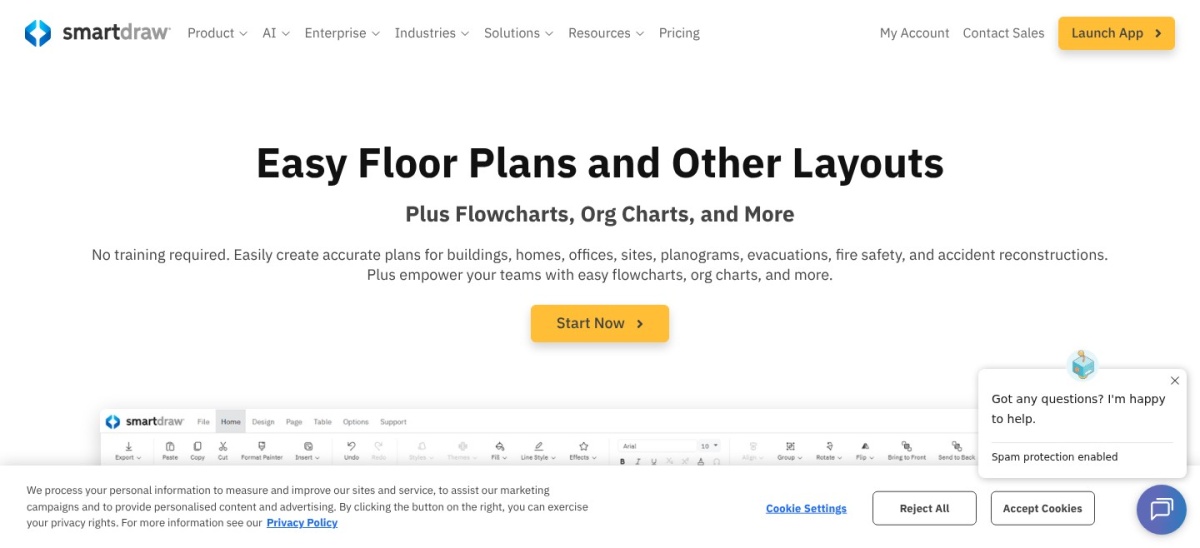
SmartDraw homepage, captured Nov 2026.
SmartDraw is a diagramming tool focused on fast setup using pre-built templates for network diagrams, flowcharts, and layouts. Individual pricing starts at $9.95/month billed annually, with a free trial rather than a permanent free plan.
The trade off is no permanent free tier and occasional version-tracking friction at $9.95/month billed annually. It suits teams that prefer starting from structured templates rather than a blank canvas.
What we like
Large template library speeds up diagram creation
Straightforward onboarding without steep training requirements
Supports technical and operational diagram layouts
Watch out for
Offers a free trial rather than a free-forever plan
Some users report minor friction tracking revised file versions
Paid plans unlock full diagramming access, templates, and team administration options.Visit smartdraw.com
06
FigJam
4.6/5on G2 (464 reviews, checked Nov 2026)
Paid from$3/mo
Best for quick user flows alongside Figma design work
Starting paid$3/editor/mo (annual)
Free tier3 FigJam files
G2 rating4.6/5 (464)
EcosystemPairs with Figma
figma.com
FigJam homepage, captured Nov 2026.
FigJam is Figma's digital whiteboard and diagramming tool for mapping flows, system sketches, and team sessions. The Starter tier is free for up to 3 FigJam files, and paid plans start at $3 per editor per month billed annually.
The trade off is that large or deeply technical architecture diagrams can feel less specialized than dedicated diagram tools at $3/editor/month. It suits product and design teams already working inside Figma.
What we like
Fast, clean interface that is easy for non-designers to join
Low entry price starting at $3/editor/month billed annually
Works smoothly alongside Figma design files and libraries
Watch out for
Free Starter plan caps FigJam files at 3
Less suited to heavy or complex technical architecture diagrams
Paid plans remove the 3-file cap and add shared team libraries and permissions.Visit figma.com
07
Microsoft Visio
4.2/5on G2 (693 reviews, checked Nov 2026)
Starts at$5/mo
Best for organizations standardized on Microsoft 365
Starting paid$5/user/mo (Plan 1)
Free tierFree trial only
G2 rating4.2/5 (693)
EcosystemMicrosoft 365 aligned
microsoft.com
Microsoft Visio homepage, captured Nov 2026.
Microsoft Visio is a diagramming application used for flowcharts, network diagrams, and structured technical charts in business environments. Visio Plan 1 starts at $5 per user per month billed annually, while desktop capabilities require higher tiers.
The trade off is that desktop editing requires upgrading beyond Plan 1 and there is no standalone free plan at $5/user/month. It suits IT and operations teams already standardized on Microsoft 365.
What we like
Fits organizations already running Microsoft 365 and Teams
Supports structured flowcharts, network maps, and shape data
Low entry rate on Visio Plan 1 for web-based diagramming
Watch out for
No standalone free tier outside trials or bundled Microsoft 365 access
Desktop diagramming features require a higher-priced plan
Paid plans expand diagramming capabilities, templates, and desktop or enterprise options.Visit microsoft.com
How we chose
This shortlist comes from established diagramming tools widely used for technical workflows, process mapping, and visual system planning. Each option was checked against its current pricing and public review profile.
All prices, free-tier limits, and review ratings were checked on 29 Nov 2026 using G2 and Capterra listings alongside published pricing details. Tools without verifiable current pricing or ratings were left out.
Options were excluded if they lacked clear public pricing details or were not a fit for general architecture diagramming. No vendor paid for a place, and we do not claim testing for this list.
How to pick the right tool for your team
Follow these four steps before paying for a diagramming subscription.
Match the canvas to your diagram style. Pick structured connectors and shape libraries for system and network diagrams, or a whiteboard canvas for group sessions.
Check free-tier file and board caps first. Test your workflow on free tiers, keeping in mind that several tools limit free workspaces to three editable files or boards.
Calculate multi-seat costs early. Multiply the per-user monthly or annual rate by everyone who needs edit access rather than looking only at a single-seat price.
Confirm export and integration needs. Check whether your team needs Visio compatibility, shared drive storage, or easy embedding into team docs.
FAQ
What are the best tools for drawing architecture diagrams in 2026?
Lucidchart is a top pick for structured technical diagrams with a 4.5/5 Capterra rating and a $9/mo Individual plan. Miro suits collaborative whiteboarding, while draw.io works well for free diagramming.
Is there a completely free tool for architecture diagrams?
Yes. draw.io offers a free web and desktop diagramming editor without a paid seat subscription, and tools like Lucidchart, Miro, and Creately also offer free plans with usage limits.
How much do paid diagramming tools cost?
Entry-level paid plans in this list start between $3 and $9.95 per month depending on the tool, billing cycle, and whether pricing is per user or per individual.
Which tool is better for small teams or solo builders?
Solo builders who want zero subscription cost can start with draw.io or a free tier, while small teams collaborating visually often compare Miro, Creately, or Lucidchart based on workflow needs.
Lucidchart vs Miro: which should you choose?
Lucidchart fits structured technical diagrams and Visio compatibility with a 4.5/5 Capterra rating from $9/mo. Miro fits live collaborative whiteboarding on an infinite canvas with a 4.6/5 G2 rating from $8/member/mo billed annually.
SaaS SEO and WordPress specialist with about 8 years of experience. Rakib compares WordPress plugins, themes, hosting and software using public pricing, documentation and user reviews. See how we rank.