Best Tools for Digital Illustration in 2026: 7 Tools Compared
WLWPLegible EditorsLast verified 22 Nov 2026How we rank12 min read
★ Short answer
Clip Studio Paint is our best digital illustration tool overall, with a $63 one-time desktop license for PRO and dedicated comic, drawing and animation features. Procreate is better for iPad artists at $12.99 once, while Krita offers a free, open-source painting application for desktop illustrators.
How we make this list: we compare pricing pages, product documentation and public user reviews, then re-check every price before each update. No product paid for a place. Disclosure.
Clip Studio Paint PRO costs $63 for a perpetual desktop license and earns 4.4/5 from 56 G2 reviews.
Procreate costs $12.99 once on iPad and has a 4.4/5 App Store rating from approximately 51,000 ratings.
Krita is free from its official website; the optional Steam edition costs $9.99 and has the same illustration features.
Sketchbook's optional Premium Bundle costs $2.99 once on iOS, while G2 rates the product 4.4/5 from 177 reviews.
Adobe Illustrator costs $22.99/month on an annual contract and holds a 4.6/5 G2 rating from 6,209 reviews.
CorelDRAW Graphics Suite costs $269/year or $549 for a perpetual license, while Photoshop's standalone plan starts at $22.99/month on an annual contract.
What to look for in digital illustration software
Digital illustration software generally falls into two categories: raster painting applications and vector drawing tools. Raster software works with pixels and is suited to painting, sketching and textured artwork. Vector software creates editable shapes and paths that can scale without losing sharpness.
Brush behavior matters for hand-drawn illustrations. Look for pressure sensitivity, brush stabilization, customizable textures, blending modes and reliable layer management. These features help artists control line quality, shading and color.
For comics and character art, useful features include perspective rulers, pose references, panel creation and lettering tools. For logos, icons and commercial graphics, prioritize vector paths, precise alignment and export formats.
Your device also affects the choice. Procreate is designed for iPad, while Clip Studio Paint offers broader device support. Krita, Illustrator and Photoshop are useful for desktop workflows with drawing tablets.
Finally, compare subscription costs with one-time licenses. Free software may cover your entire workflow, while paid applications can offer specialized tools, additional assets, cloud features or stronger compatibility with client requirements.
For commercial vector illustration and print design
$269/yr
No free plan
4.3/5
Price ladder: cheapest paid plan per year
List prices, USD, checked Nov 2026
SketchbookFREE$3
KritaFREE$10
Procreate$13
Clip Studio$63
CorelDRAW$269
Illustrator$276
Photoshop$276
The 7 best tools for digital illustration
01
Clip Studio Paint
4.4/5on G2 (56 reviews, checked Nov 2026)
Starts at$63 one-time
Best digital illustration tool overall
DrawingRaster brushes and vector layers
Comic toolsPanels, rulers and lettering
LicensePerpetual desktop license
Paid planPRO, $63 one-time
clipstudio.net
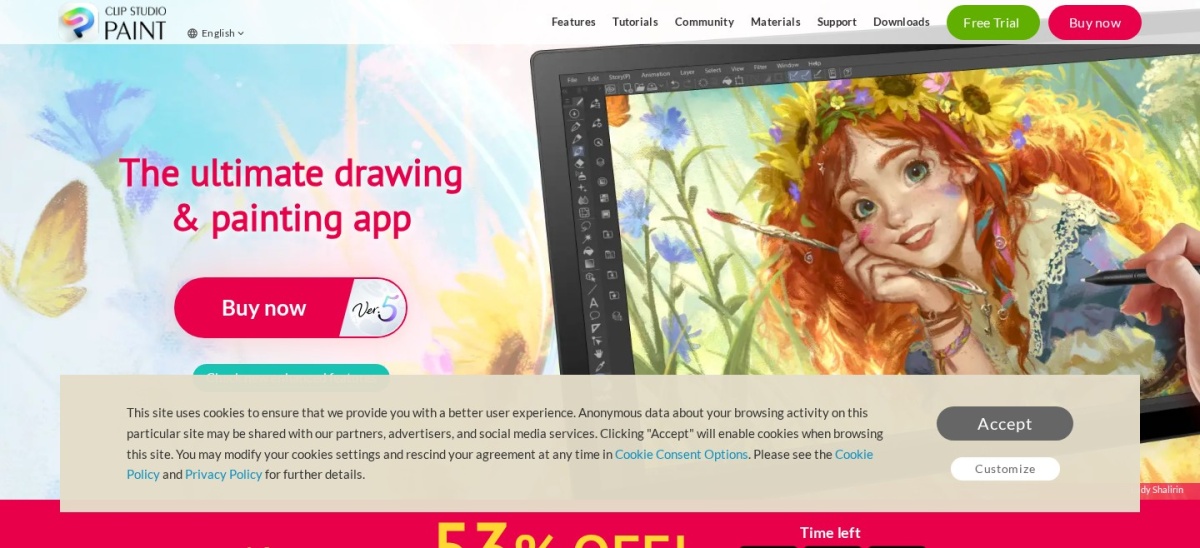
Clip Studio Paint homepage, captured Nov 2026.
Clip Studio Paint is a digital drawing, painting and comic creation application for illustrators and character artists. PRO includes customizable brushes, vector layers, perspective rulers, 3D drawing references and animation tools. Its perpetual desktop license costs $63 for the current major version, with subscription options for other devices.
The trade off is that perpetual licenses do not automatically include every future feature update, while advanced multipage comic management and extended animation require EX. PRO costs $63 once for desktop use, and a separate subscription provides ongoing updates. It suits illustrators producing detailed line art, comics, manga and character designs.
What we like
Dedicated tools for illustration and comics
Raster brushes and editable vector layers
3D models and perspective references
Perpetual desktop license available
Large collection of downloadable drawing materials
Watch out for
Interface can take time to learn
Future feature updates may require another purchase
Advanced comic and animation features require EX
Perpetual desktop license does not cover every device
EX adds multipage comic management and expanded animation capabilities.Visit clipstudio.net
02
Procreate
4.4/5on App Store (51K reviews, checked Nov 2026)
Starts at$12.99 one-time
Best for drawing and painting on iPad
PlatformiPad
BrushesHundreds included
AnimationAnimation Assist
Purchase price$12.99 one-time
procreate.com
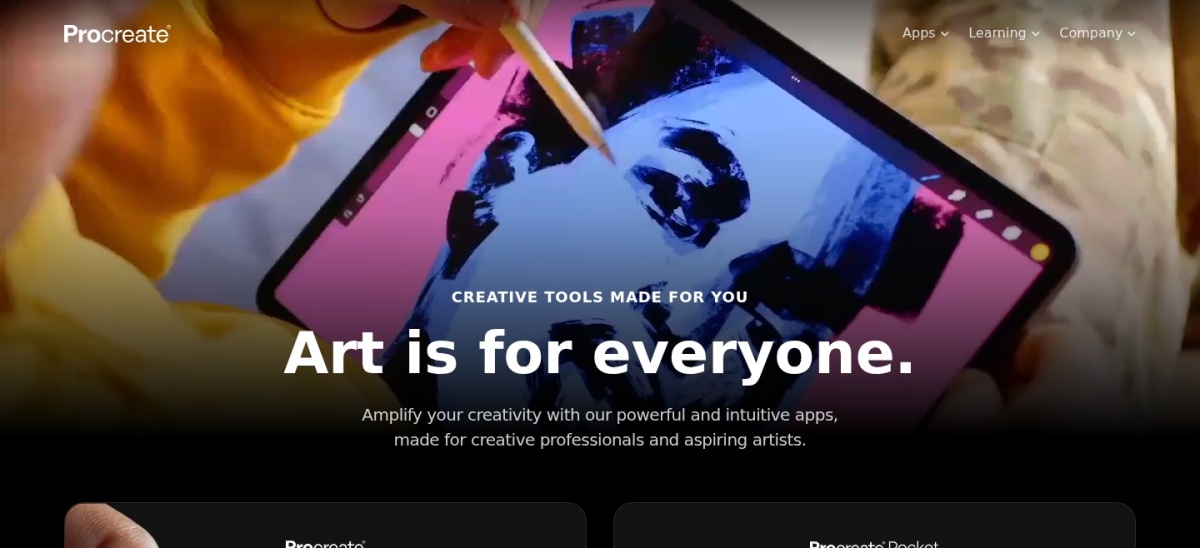
Procreate homepage, captured Nov 2026.
Procreate is an iPad illustration and painting app designed for touch and Apple Pencil workflows. Its $12.99 one-time purchase includes hundreds of brushes, layer masks, customizable brush settings, perspective guides, Animation Assist and time-lapse recording. Artists can import Photoshop brushes and export layered PSD files.
The trade off is platform availability: Procreate runs on iPad rather than desktop computers, and its drawing workflow focuses on raster artwork instead of fully editable vector illustrations. The complete app costs $12.99 once without a recurring subscription. It suits illustrators, concept artists and hobbyists who prefer drawing directly on a tablet.
What we like
Affordable one-time purchase
Drawing interface designed for Apple Pencil
Hundreds of brushes and customizable settings
Layer masks and blending modes
PSD export and time-lapse recording
Watch out for
Available only on iPad
No full vector illustration workflow
Canvas and layer capacity depend on device hardware
No native desktop edition
The one-time purchase unlocks the complete app; no paid feature subscription is required.Visit procreate.com
03
Krita
4.4/5on G2 (64 reviews, checked Nov 2026)
Paid from$9.99 one-time
Best free digital painting and illustration software
Official downloadFree, open source
Desktop platformsWindows, macOS and Linux
AnimationFrame-by-frame
Optional paid editionSteam, $9.99 one-time
krita.org
Krita homepage, captured Nov 2026.
Krita is a free, open-source digital painting and illustration application for concept artists, comic creators and animators. Its official download includes customizable brushes, layer management, painting assistants, color tools and frame-by-frame animation. The optional Steam edition costs $9.99 and provides convenient installation and automatic updates.
The trade off is that Krita concentrates on raster painting rather than providing the comprehensive vector design workflows found in Illustrator. Its Steam purchase costs $9.99 once but does not unlock additional painting features over the free download. It suits beginners, students and professional artists who want illustration tools without a required subscription.
What we like
Full-featured free and open-source application
Customizable brush engines
Frame-by-frame animation tools
Available on major desktop platforms
Optional paid edition supports development
Watch out for
Not designed primarily for vector graphics
Interface may feel complicated initially
Some animation workflows require additional setup
Fewer integrated commercial services than Adobe
Steam adds convenient installation and updates, not exclusive illustration features.Visit krita.org
04
Sketchbook
4.4/5on G2 (177 reviews, checked Nov 2026)
Paid from$2.99 one-time
Best for straightforward sketching and drawing
Free mobile appDrawing and sketching tools
Brush controlsCustom brushes on Premium
Layer toolsAdvanced masks on Premium
Paid upgradePremium Bundle, $2.99 once
sketchbook.com
Sketchbook homepage, captured Nov 2026.
Sketchbook is a digital drawing application that emphasizes a clean workspace and natural-feeling brushes. Its mobile app offers free drawing tools, layers and sketching features. The optional Premium Bundle adds custom brush creation, brush imports, layer masks, expanded color tools and time-lapse features.
The trade off is that Sketchbook provides fewer specialized comic, animation and vector editing tools than more extensive illustration suites. The mobile Premium Bundle is available as a $2.99 one-time purchase on iOS, while desktop products have separate licensing. It suits beginners and artists who primarily want to sketch, ink and develop visual ideas.
What we like
Minimal interface keeps attention on drawing
Free mobile drawing features
Custom brushes available with Premium
Layer masks and color tools in Premium
Low-cost one-time mobile upgrade
Watch out for
Mobile and desktop licensing differ
Advanced features require Premium
Limited dedicated comic production tools
Not a full vector graphics editor
Premium unlocks brush creation, advanced layer controls, color tools and time-lapse features.Visit sketchbook.com
05
Adobe Illustrator
4.6/5on G2 (6,209 reviews, checked Nov 2026)
Starts at$22.99/mo
Best for vector illustration, logos and icons
Artwork typeVector graphics
Drawing toolsPen, Pencil and shape tools
File formatsAI, SVG, PDF and EPS
Paid plan$22.99/mo, annual contract
adobe.com
Adobe Illustrator homepage, captured Nov 2026.
Adobe Illustrator is a professional vector graphics application for producing illustrations, logos, icons and scalable artwork. Its standalone plan includes desktop Illustrator, vector drawing tools, typography controls, editable paths and Adobe Express Premium. The annual contract billed monthly costs $22.99 per month.
The trade off is that Illustrator uses recurring subscription pricing and focuses on vector workflows rather than natural-media painting. Its $22.99 monthly annual-contract price equals $275.88 over a year, with higher costs for flexible monthly arrangements. It suits professional illustrators and designers producing artwork that must scale across print and digital formats.
What we like
Precise editable vector paths
Scalable artwork for print and digital use
Advanced typography and shape tools
Established professional file formats
Integration with other Adobe applications
Watch out for
Subscription required
More complicated than basic drawing apps
Less suited to natural brush painting
Annual contracts have cancellation conditions
The standalone subscription includes Illustrator and Adobe Express Premium.Visit adobe.com
06
Adobe Photoshop
4.6/5on G2 (13,444 reviews, checked Nov 2026)
Starts at$22.99/mo
Best for painted illustrations and mixed-media artwork
Artwork typeRaster and layered composites
PaintingCustom brushes and blending
EditingMasks and adjustment layers
Paid plan$22.99/mo, annual contract
adobe.com
Adobe Photoshop homepage, captured Nov 2026.
Adobe Photoshop is an image editing and digital painting application used for illustrations, concept art and mixed-media compositions. Its standalone subscription includes Photoshop on desktop, web and mobile, along with Adobe Express Premium. Artists can use customizable brushes, layers, masks, blending modes and image adjustments to develop detailed artwork.
The trade off is that Photoshop includes extensive photo editing features that illustrators may not need, while scalable vector drawing is better handled in Illustrator. The standalone plan costs $22.99 monthly on an annual contract, equivalent to $275.88 annually. It suits professional artists combining painted textures, photography and detailed image manipulation.
What we like
Extensive digital painting controls
Layer masks and nondestructive adjustments
Supports custom brushes and PSD workflows
Useful for photo-based illustration
Integration with Adobe creative applications
Watch out for
Recurring subscription cost
Not primarily a vector illustration application
Large files can require substantial hardware resources
Interface can overwhelm beginners
The standalone plan provides ongoing Photoshop access and Adobe Express Premium.Visit adobe.com
07
CorelDRAW
4.3/5on G2 (557 reviews, checked Nov 2026)
Starts at$269/yr
Best for commercial vector illustration and print design
Artwork typeVector illustration
ApplicationsCorelDRAW and PHOTO-PAINT
Perpetual purchase$549
Paid planGraphics Suite, $269/yr
coreldraw.com
CorelDRAW homepage, captured Nov 2026.
CorelDRAW is a professional graphics suite for vector illustration, page layout and commercial artwork. Graphics Suite 2026 includes CorelDRAW for vector design, PHOTO-PAINT for raster editing and font management tools. The annual subscription costs $269, while a perpetual version is available for $549.
The trade off is that CorelDRAW includes commercial design and layout features that may be unnecessary for artists focused on freehand painting. The $269 annual subscription provides ongoing access to supported releases, while the $549 perpetual license has different update entitlements. It suits illustrators creating signage, packaging, marketing graphics and print-ready vector designs.
What we like
Precise vector illustration tools
Includes raster editing through PHOTO-PAINT
Suitable for commercial print workflows
Subscription and perpetual purchase options
Typography and page layout capabilities
Watch out for
Higher cost than dedicated drawing applications
Perpetual licenses have update limitations
More design-focused than painting-focused
Broad feature set requires learning time
The annual subscription includes ongoing updates and subscriber-only features.Visit coreldraw.com
Should you choose raster or vector illustration software?
Raster applications create artwork using pixels. They are well suited to painted illustrations, textured brushes, concept art and detailed shading. Procreate, Krita, Sketchbook and Photoshop concentrate on these workflows.
Vector software creates editable paths and shapes. The artwork can be resized without the pixelation associated with raster images. Illustrator and CorelDRAW are useful for logos, icons, packaging and technical illustrations.
Clip Studio Paint combines raster drawing with specialized vector layers, making it useful for line art and comics. However, its vector workflow is different from a dedicated vector graphics editor.
Choose based on the finished artwork. For expressive digital paintings, start with raster tools. For graphics requiring frequent resizing or precision editing, prioritize vector software.
Do you need paid digital illustration software?
Paid software is not essential for making professional-looking illustrations. Krita offers a complete open-source painting environment with brushes, layers, drawing assistants and animation features.
A paid application can become worthwhile when it provides a specific workflow advantage. Clip Studio Paint offers dedicated comic creation tools, while Procreate provides a drawing experience designed around iPad and Apple Pencil.
Illustrator and CorelDRAW make more sense for commercial vector artwork and client deliverables. Their advanced file handling, typography and print workflows can justify the cost for designers who use them regularly.
Before subscribing, review the supported devices, export formats and licensing conditions. The lowest purchase price does not necessarily represent the lowest cost for your intended workflow.
How we chose
We selected established illustration applications covering raster painting, vector drawing, comics, character art and commercial design. We compared their documented drawing features, supported devices, licensing models, export capabilities and public user feedback.
Official vendor pages, the App Store, Steam and G2 review listings were checked on 24 Nov 2026 for this article dated 22 Nov 2026. We used published regular prices rather than promotional discounts and distinguished recurring subscriptions, perpetual licenses and optional paid distribution editions.
We excluded discontinued applications, products without sufficient public review evidence and options whose current pricing could not be established. Free trials were not treated as permanent free plans, and paid distribution versions were distinguished from free software downloads. No vendor paid for a place, and we do not claim testing for this list.
How to choose the right digital illustration tool
Match your artwork, device and preferred drawing workflow to the software before paying for additional features.
Choose between raster and vector artwork. Select Procreate, Krita, Sketchbook or Photoshop for painting and textured illustrations. Choose Illustrator or CorelDRAW when you need editable vector graphics. Clip Studio Paint works particularly well for comics and detailed line art.
Check your drawing hardware. Confirm support for your operating system, tablet and pressure-sensitive stylus. Procreate requires iPad, while desktop applications support different graphics tablet configurations. Check device requirements before purchasing.
Identify the features your artwork requires. Look for brushes, layer masks, selection tools, perspective guides, animation support and export options. Comic artists may need panel and lettering tools, while commercial illustrators may prioritize vector editing and print-ready formats.
Compare purchase and update costs. Free applications avoid mandatory subscriptions, while one-time purchases may have version-specific update restrictions. Subscription tools provide ongoing access but create recurring expenses. Select the model that fits how frequently you produce illustrations.
FAQ
What is the best software for digital illustration in 2026?
Clip Studio Paint is our top choice for illustrators who create character art, comics and detailed drawings. Its PRO desktop license costs $63 once and includes brushes, vector layers and perspective tools. Procreate is better for iPad painting, while Krita is a strong free option.
What is the best free digital illustration software?
Krita is one of the strongest free options for digital painting and illustration. Its official download includes brushes, layers, drawing assistants and animation tools. The optional $9.99 Steam edition offers easier installation and updates but does not unlock exclusive painting features.
Is Procreate better than Photoshop for illustration?
Procreate is often more convenient for artists who draw directly on an iPad with Apple Pencil. Photoshop offers broader image editing, compositing and desktop workflows. Procreate costs $12.99 once, while Photoshop requires a subscription, so the better choice depends on your device and artwork.
Which illustration software is best for beginners?
Sketchbook, Procreate and Krita are practical starting points. Sketchbook emphasizes straightforward sketching controls, Procreate offers an iPad-focused drawing experience, and Krita provides free painting tools. Beginners should prioritize an application that works comfortably with their available hardware.
Can I create professional illustrations with Krita?
Yes. Krita includes customizable brushes, layer management, painting assistants and animation tools suitable for detailed illustration work. Professional output depends on artistic skill and workflow requirements, not only software price. Dedicated vector or publishing tasks may require additional applications.
What is the difference between Illustrator and Procreate?
Illustrator primarily creates scalable vector graphics using editable paths, making it useful for logos, icons and print artwork. Procreate focuses on raster painting and drawing with brushes on iPad. The applications serve different workflows, although both can produce commercial illustrations.
Is Clip Studio Paint worth buying for comics?
Clip Studio Paint is particularly relevant for comic artists because it includes panel tools, perspective rulers, lettering support and drawing references. PRO costs $63 once on desktop, while EX adds advanced multipage comic and animation features. The right edition depends on the complexity of your projects.
Do I need a drawing tablet for digital illustration?
A drawing tablet is helpful for pressure-sensitive brush strokes and natural hand movement, but it is not mandatory for every illustration style. Vector artists can work with a mouse, while iPad artists can draw directly on the screen. Check software compatibility before buying hardware.