Best 3D Software for 3D Printing in 2026: 7 Tools Compared
WLWPLegible EditorsLast verified 22 Nov 2026How we rank13 min read
★ Short answer
Autodesk Fusion is the best 3D software for 3D printing overall, combining parametric modeling, mesh tools, and STL export. Its commercial subscription costs $680 per year, with free personal-use access for qualifying hobbyists. Tinkercad is easier for beginners, while Blender is better for printable sculptures and detailed organic models.
How we make this list: we compare pricing pages, product documentation and public user reviews, then re-check every price before each update. No product paid for a place. Disclosure.
Autodesk Fusion earns 4.5/5 from 552 G2 reviews and costs $680/year for commercial CAD, with free personal-use access for eligible hobbyists.
Tinkercad is completely free and earns 4.5/5 from 119 G2 reviews, making it an accessible starting point for simple printable objects.
Blender is free and open source, with a 4.6/5 G2 rating from 321 reviews and dedicated sculpting and mesh-editing tools.
FreeCAD earns 4.1/5 from 61 G2 reviews and provides free parametric modeling without a required commercial subscription.
Shapr3D Pro costs $299/year, includes high-resolution STL and 3MF exports, and earns 4.8/5 from 173 G2 reviews.
Onshape Standard costs $1,500/year for private commercial CAD projects, while SketchUp Go starts at $129/year.
What to look for in 3D software for 3D printing
3D modeling software lets you design objects before preparing them for a physical printer. The right program depends on whether you want functional replacement parts, decorative objects, miniatures, prototypes, or complex mechanical assemblies.
For functional parts, prioritize parametric modeling. This approach lets you define measurements, constraints, and relationships so you can change dimensions without rebuilding the entire design.
For figurines, characters, and organic objects, sculpting tools are often more suitable. They allow artists to shape curved surfaces and fine details without constructing every feature through technical sketches.
Check export support before committing to a platform. STL and 3MF are commonly used for 3D printing, but file resolution, geometry quality, and compatibility with slicing software can affect the final result.
Remember that modeling software and slicers serve different purposes. Modeling tools create geometry, while slicers generate printer instructions. You may need both applications to complete a printing project.
Autodesk Fusion is an integrated CAD, CAM, and engineering platform for designing functional 3D printed parts. It combines parametric modeling, direct modeling, mesh editing, assemblies, and manufacturing tools, while eligible hobbyists can use a limited personal-use edition without paying for a commercial subscription.
The trade off is that commercial licensing costs $680 per year, or $85 monthly, and some advanced manufacturing features require additional access. The personal-use edition also has licensing and functionality restrictions. It suits makers, engineers, and product designers creating measured parts that may need dimensional revisions.
What we like
Parametric modeling for accurately dimensioned parts
Supports STL and other manufacturing formats
Combines solid modeling and mesh workflows
Free personal-use edition for qualifying hobbyists
Integrated design and manufacturing environment
Watch out for
Commercial subscription costs more than hobbyist alternatives
Personal-use license has eligibility restrictions
Advanced manufacturing capabilities can require additional purchases
Learning the complete interface takes time
The commercial subscription removes personal-use restrictions and provides professional CAD and manufacturing capabilities.Visit autodesk.com
02
Tinkercad
4.5/5on G2 (119 reviews, checked Nov 2026)
PriceFree
Best for beginners learning 3D printing
PriceFree
Modeling methodShape-based solid modeling
3D printing exportSTL
G2 rating4.5/5 from 119 reviews
tinkercad.com
Tinkercad homepage, captured Nov 2026.
Tinkercad is Autodesk's free browser-based design application for creating printable models from basic geometric shapes. Users can combine solids, subtract holes, align objects, and export designs for 3D printing. Its drag-and-drop modeling approach makes it accessible without previous CAD experience.
The trade off is limited control over complex surfaces, assemblies, and parametric design history. Tinkercad is free without a required paid upgrade, but advanced mechanical projects may eventually need another application. It suits students, first-time printer owners, and hobbyists creating simple organizers, brackets, nameplates, or decorative objects.
What we like
Completely free to use
Runs directly in a browser
Easy shape-based modeling workflow
Exports models for 3D printing
Beginner tutorials and educational resources
Watch out for
Limited advanced parametric modeling
Not designed for complex mechanical assemblies
Organic sculpting tools are minimal
Less suitable for detailed professional CAD projects
No paid plan is required; core 3D design and export features remain free.Visit tinkercad.com
03
Blender
4.6/5on G2 (321 reviews, checked Nov 2026)
PriceFree
Best for sculptures, miniatures, and organic models
LicenseFree and open source
ModelingMesh and sculpting
3D printing exportSTL
G2 rating4.6/5 from 321 reviews
blender.org
Blender homepage, captured Nov 2026.
Blender is free, open-source 3D creation software with polygon modeling, digital sculpting, modifiers, and mesh-editing tools. Its Sculpt Mode supports organic forms and detailed surfaces, while its modeling features help prepare characters, figurines, terrain, and decorative objects for export to 3D printing workflows.
The trade off is that Blender does not center its interface on parametric mechanical CAD, making dimension-controlled engineering work less convenient. The application itself costs nothing, although optional add-ons and assets may be paid. It suits miniature makers, character artists, and creators printing detailed organic models.
What we like
Free for personal and commercial projects
Detailed digital sculpting tools
Mesh repair and editing capabilities
Large add-on and tutorial ecosystem
Useful for miniatures, figures, and decorative prints
Watch out for
Steeper learning curve than Tinkercad
Less convenient for precise parametric engineering
Detailed meshes can require significant computing resources
Users must check geometry before slicing
No paid license is required; optional add-ons, assets, and training are separate.Visit blender.org
04
FreeCAD
4.1/5on G2 (61 reviews, checked Nov 2026)
PriceFree
Best free open-source parametric CAD software
LicenseFree and open source
Modeling methodParametric solid CAD
3D printing exportSTL
G2 rating4.1/5 from 61 reviews
freecad.org
FreeCAD homepage, captured Nov 2026.
FreeCAD is a free, open-source parametric 3D modeler for creating accurately dimensioned physical objects. Its Sketcher and Part Design tools let users build constrained profiles, extrusions, pockets, and other features that can be edited later, making it useful for functional 3D printed parts.
The trade off is a technical interface and workflow that can feel less approachable than browser-based modeling apps. FreeCAD has no mandatory subscription or paid commercial license. It suits hobbyists and technically minded makers who want reusable parametric designs without depending on commercial CAD software.
What we like
Free for commercial and personal use
Parametric modeling with editable dimensions
Supports engineering-oriented part design
Open-source development and extensions
Useful for functional replacement parts
Watch out for
Interface requires practice
Some modeling workflows are less intuitive than commercial alternatives
Not primarily designed for organic sculpting
Complex projects can require familiarity with multiple workbenches
No paid plan is required; the complete open-source application is available without a subscription.Visit freecad.org
05
Shapr3D
4.8/5on G2 (173 reviews, checked Nov 2026)
Paid from$299/yr
Best for intuitive CAD on tablets and desktops
Free Basic planUp to 2 projects
Pro subscription$299/year
Free exportBasic-resolution STL and 3MF
G2 rating4.8/5 from 173 reviews
shapr3d.com
Shapr3D homepage, captured Nov 2026.
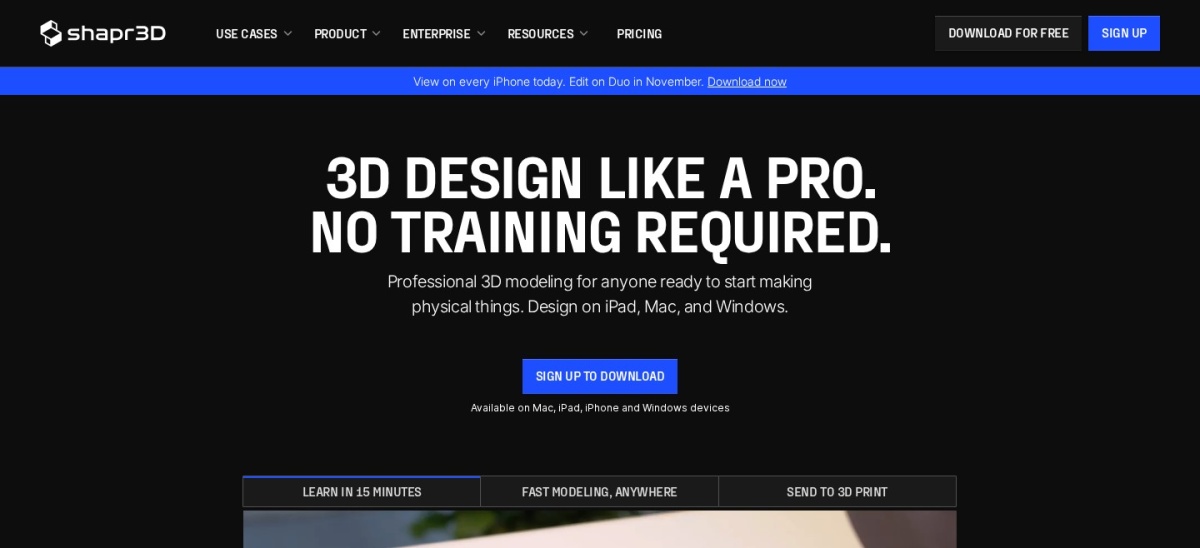
Shapr3D is a 3D CAD application designed for direct modeling with touch, pen, mouse, and keyboard controls. Its free Basic plan allows up to 2 projects and basic-resolution STL and 3MF exports, while Shapr3D Pro adds unlimited projects and high-resolution manufacturing exports.
The trade off is that the free plan restricts project capacity and export quality. Pro costs $299 per year, making it more expensive than free CAD alternatives but less costly than several professional engineering subscriptions. It suits product designers and makers who prefer sketch-driven modeling on tablets or desktop computers.
What we like
Touch and pen-friendly CAD interface
Free Basic plan for trying the workflow
STL and 3MF export support
Parametric and direct modeling tools
Available across major desktop and tablet platforms
Pro adds unlimited projects, high-resolution exports, advanced visualization, and additional professional tools.Visit shapr3d.com
06
Onshape
4.7/5on G2 (724 reviews, checked Nov 2026)
Paid from$1,500/yr
Best for collaborative cloud-based CAD
Free planNoncommercial, public projects
Standard subscription$1,500/user/year
Professional subscription$2,500/user/year
G2 rating4.7/5 from 724 reviews
onshape.com
Onshape homepage, captured Nov 2026.
Onshape is a cloud-native CAD platform for designing mechanical parts and assemblies directly through a browser. Its free plan supports noncommercial work with publicly accessible documents, while the paid Standard subscription adds private storage, commercial-use licensing, and product support.
The trade off is that free projects are public and cannot be used commercially, while Standard costs $1,500 per user annually. The software also relies on cloud connectivity for its main workflows. It suits engineering teams, collaborative makers, and product designers who need shared access and controlled revisions.
What we like
Browser-based parametric CAD
Free noncommercial plan
Built-in version management
Real-time team collaboration
Supports mechanical parts and assemblies
Watch out for
Free projects are publicly accessible
Commercial licensing is expensive for casual makers
Cloud connectivity is central to the workflow
More engineering-focused than sculpting-oriented tools
Standard adds private commercial projects and support; Professional adds advanced data management and team features.Visit onshape.com
07
SketchUp
4.5/5on G2 (1,328 reviews, checked Nov 2026)
Paid from$129/yr
Best for simple structures and architectural prints
Free versionSketchUp Free, web
Go subscription$129/year
Pro subscription$399/year regular
G2 rating4.5/5 from 1,328 reviews
sketchup.trimble.com
SketchUp homepage, captured Nov 2026.
SketchUp is a 3D modeling application built around drawing shapes and extending them into solids using Push/Pull tools. Its free web edition provides basic modeling, while SketchUp Go costs $129 annually and supports modeling through web and iPad workflows.
The trade off is that SketchUp is not a dedicated parametric engineering system, so revising precise mechanical dimensions can be less convenient. Go costs $129 per year, while the regular Pro subscription costs $399 annually and adds desktop modeling and extensions. It suits makers printing architectural models, simple enclosures, and structured decorative objects.
What we like
Approachable push-pull modeling tools
Free web-based version
Suitable for architectural and geometric objects
Paid options for web, tablet, and desktop workflows
Large ecosystem of extensions and model resources
Watch out for
Not a full parametric mechanical CAD system
Complex models may need geometry cleanup before printing
Desktop software requires Pro
Dedicated sculpting capabilities are limited
Go adds paid web and iPad capabilities; Pro adds desktop modeling, extensions, and documentation tools.Visit sketchup.trimble.com
CAD vs. sculpting: which is better for 3D printing?
Parametric CAD is usually preferable when your object must fit another part. Brackets, adapters, housings, mounting plates, and mechanical replacements benefit from dimension constraints and editable feature histories.
Sculpting software is better for objects defined by organic shapes. Figurines, creatures, artistic sculptures, and decorative details often require flexible mesh manipulation rather than exact mechanical dimensions.
Autodesk Fusion, FreeCAD, Onshape, and Shapr3D emphasize CAD workflows. Blender focuses more broadly on polygon modeling and sculpting, while Tinkercad provides a simpler shape-based introduction.
Some makers use more than one program. A CAD application can create a precisely fitted base, while sculpting software adds decorative details before the completed model is prepared for printing.
How to prepare a 3D model for printing
A model that looks correct on screen is not automatically printable. Check for closed geometry, unintended holes, intersecting surfaces, and walls that are too thin for the intended printing process.
Export the completed geometry using a format supported by your slicing software. STL is widely used for mesh geometry, while 3MF can retain additional information that may be useful in supported workflows.
Open the exported model in a slicer to inspect orientation, supports, scale, and expected material usage. Check small details and critical tolerances before starting the print.
For functional objects, consider printing a small test section before committing to a complete assembly. Physical fit, printer calibration, material shrinkage, and manufacturing tolerances can affect the result.
How we chose
We selected established CAD and 3D modeling applications used for designing printable objects, including mechanical parts, beginner projects, and organic models. Candidates came from official developer websites, product documentation, and G2's public software reviews. We prioritized active products with usable modeling and export workflows.
Pricing and review data were checked on 24 Nov 2026 for the 22 Nov 2026 editorial reference date. Vendor pricing pages supplied commercial license costs and free-plan restrictions, while G2 supplied numeric ratings and review counts. SketchUp's promotional discount was excluded in favor of regular pricing.
We excluded software focused exclusively on slicing or printer control because those applications do not replace 3D modeling software. We also avoided products without sufficiently verifiable current pricing or public review data. No vendor paid for a place, and we do not claim testing for this list.
How to choose 3D software for 3D printing
Match your software to the objects you want to print, then compare modeling methods, file exports, licensing, and learning requirements.
Identify the objects you want to create. Choose parametric CAD for accurately measured functional parts, sculpting software for artistic figures, and beginner shape-modeling tools for simple projects. Your typical object type should guide the decision.
Check the modeling and editing workflow. Look for dimensional constraints when you need precision, direct manipulation when you want fast concept modeling, or sculpting brushes when creating organic shapes. Consider how easily you can revise a completed design.
Verify printing exports and geometry tools. Confirm STL or 3MF support, appropriate export resolution, solid geometry creation, and compatibility with your slicer. Good modeling tools should make it practical to inspect and correct geometry before printing.
Compare license restrictions and total costs. Check whether free plans permit commercial work, private projects, and high-resolution exports. Compare annual subscriptions with free open-source alternatives, then account for optional add-ons and learning time.
FAQ
What is the best 3D software for 3D printing?
Autodesk Fusion is a strong overall choice for designing functional parts because it combines parametric CAD, mesh tools, and manufacturing-oriented workflows. Tinkercad is easier for beginners, while Blender is better suited to organic sculptures and figurines. The best choice depends on the type of model you want to print.
What is the best free 3D modeling software for 3D printing?
Blender and FreeCAD are strong free choices with different strengths. Blender handles sculpting and organic models, while FreeCAD provides parametric tools for mechanical parts. Tinkercad is simpler for beginners. Autodesk Fusion also offers a restricted personal-use edition for eligible noncommercial makers.
Is Blender good for 3D printing?
Yes. Blender provides mesh modeling, sculpting, modifiers, and STL export tools that support printable objects. It is especially useful for figurines, miniatures, and decorative sculptures. However, artists should check mesh integrity and wall thickness before slicing because attractive visual models are not always physically printable.
Is Fusion better than FreeCAD for 3D printing?
Fusion provides an integrated commercial CAD and manufacturing environment, while FreeCAD offers free open-source parametric modeling. Both can create precisely dimensioned functional parts. Fusion may fit professional workflows and existing engineering processes, while FreeCAD appeals to makers who want unrestricted access without recurring licensing fees.
Can I use Tinkercad to design objects for a 3D printer?
Yes. Tinkercad allows you to combine shapes, cut holes, adjust dimensions, and export models for slicing. It is particularly suitable for beginner projects such as nameplates, containers, basic brackets, and simple decorative objects. More complex assemblies may require a dedicated parametric CAD application.
What file format is best for 3D printing?
STL is widely supported and works well for transferring mesh geometry into slicing software. 3MF is another useful option because it can carry additional model and project information in supported workflows. Check which formats your chosen slicer accepts and whether the export preserves the detail your model requires.
Do I need CAD software and a slicer for 3D printing?
Usually, yes. CAD or modeling software creates the object's geometry, while slicing software converts that geometry into printer-specific instructions. Some platforms combine parts of these workflows, but designing and slicing remain different tasks. Printer manufacturers often provide slicers for their supported machines.
Which 3D modeling software is best for printing miniatures?
Blender is a strong free option because its digital sculpting tools can create detailed figures, terrain, creatures, and decorative objects. Miniature printing also requires attention to wall thickness, support placement, and small features. A suitable slicer helps prepare the finished model for the intended printing process.
Can I sell 3D printed products designed with free software?
Many free applications permit commercial use, including Blender and FreeCAD. However, some free plans, such as Onshape Free and Fusion's personal-use license, restrict commercial activity. Review the current license terms before selling printed objects, and confirm that any third-party models or assets permit commercial reproduction.