Best 3D Virtual Tour Software in 2026: 7 Tools Compared
WLWPLegible EditorsLast verified 22 Nov 2026How we rank5 min read
★ Short answer
Kuula is our top pick for 3D virtual tour software, earning a 4.9 out of 5 rating from 62 Capterra reviewers while starting at $20/mo billed annually. For measurable 3D digital twins, choose Matterport; for a generous free tier, pick Panoee.
How we make this list: we compare pricing pages, product documentation and public user reviews, then re-check every price before each update. No product paid for a place. Disclosure.
Kuula holds a 4.9/5 rating across 62 Capterra reviews and starts at $20/mo billed annually on Pro.
Matterport starts at $90/mo billed yearly for 10 active spaces and powers measurable 3D dollhouse scans.
Panoee offers a free plan with unlimited projects and 3 GB storage, with Pro at $22/mo.
CloudPano starts at $22.50/mo billed annually on Pro for up to three published projects.
3DVista sells a one-time $499 license for desktop tour creation with optional hosting starting at €99/year.
What to look for in 3D virtual tour software
Many tools marketed as 3D virtual tour software stitch 360-degree panoramic photos into interactive walkthroughs rather than building full three-dimensional meshes. True 3D scanning and dollhouse views usually require specialized capture hardware or depth sensors, whereas 360 panorama editors work with standard 360 cameras or rendered images.
Check how a platform counts active spaces versus total projects. Some subscriptions cap how many tours can stay live at once, while others limit storage or monthly credits.
Branding, privacy, and publishing targets also separate entry tiers from business plans. Look for custom domain support, password protection, MLS-friendly unbranded links, or direct Google Street View publishing if clients require them.
Finally, weigh recurring cloud subscriptions against one-time desktop licenses. Hosted SaaS tools handle streaming and mobile viewing out of the box, while desktop licenses can lower long-term costs if you self-host.
For interactive 360 tours in education and training
$108/yr
No free plan
4.8/5
Price ladder: cheapest paid plan per year
List prices, USD, checked Nov 2026
ThingLink$108
RoomSketcherFREE$144
KuulaFREE$240
PanoeeFREE$264
CloudPanoFREE$270
3DVista$499
MatterportFREE$1,080
The 7 best 3d virtual tour software
01
Kuula
4.9/5on Capterra (62 reviews, checked Nov 2026)
Paid from$20/mo
Best for fast browser-based 360 virtual tours
EditorWeb browser
Free PlanBasic (up to 300 posts)
Entry Paid PlanPro at $20/mo billed yearly
Pro Post LimitUp to 100,000 posts
kuula.co
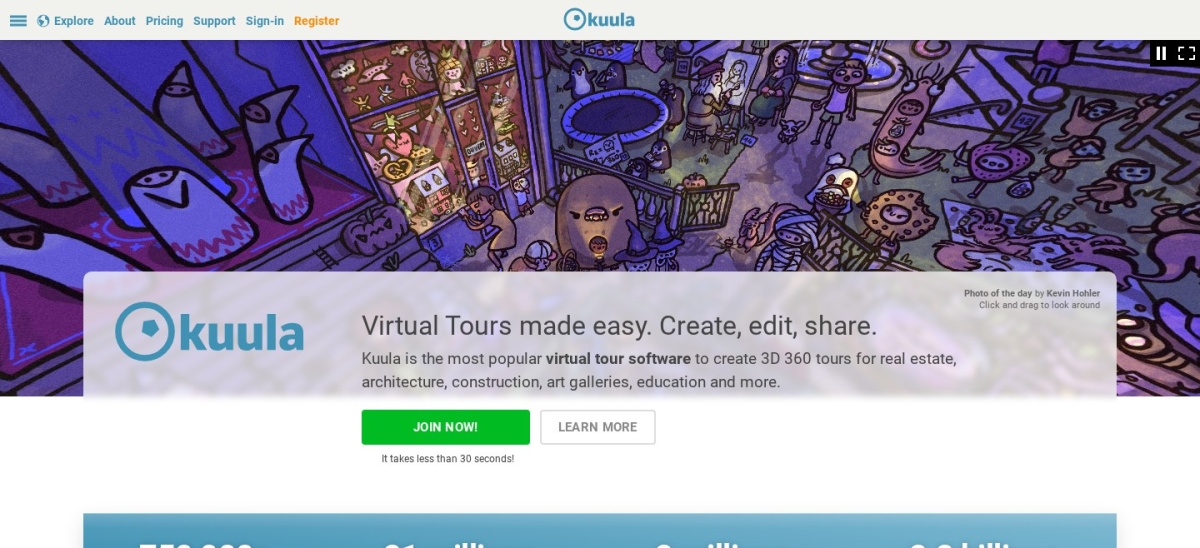
Kuula homepage, captured Nov 2026.
Kuula is a cloud-based 360 virtual tour platform used by over 800,000 professionals, photographers, and businesses. Its free Basic plan supports up to 300 posts with 100 uploads per month, while Pro starts at $20/mo billed annually ($24/mo monthly) with up to 100,000 posts and virtual tour editing.
The trade off is that custom domains and password-protected tours require the Business plan at $36/mo billed annually ($48/mo monthly) rather than the $240/yr Pro tier. It suits photographers, real estate teams, and agencies publishing 360 panoramas quickly.
What we like
High 4.9/5 rating across 62 Capterra reviews
Browser-based tour editor with custom logo branding on Pro
Up to 100,000 posts on Pro with no monthly upload cap
Free Basic tier available to start
Watch out for
Custom domains require upgrading to Business
Built around 360 panoramas rather than 3D mesh scans
Kuula Pro adds the virtual tour editor, custom logo branding, audio support, and up to 100,000 posts.Visit kuula.co
02
Matterport
4.1/5on G2 (97 reviews, checked Nov 2026)
Paid from$90/mo
Best for measurable 3D digital twins and dollhouse views
Capture3D cameras, 360s, mobile
Free PlanFree account with space limits
Entry Paid PlanProfessional 10 at $1,080/yr ($90/mo)
MeasurementRoom and object dimensions
matterport.com
Matterport homepage, captured Nov 2026.
Matterport is a 3D spatial capture and virtual tour platform that generates interactive digital twins, dollhouse views, and measurements. It offers a limited free account, while paid plans start with Professional 10 at $90/mo billed yearly ($1,080/yr) or $108/mo monthly for 10 active spaces.
The trade off is ongoing subscription pricing tied to active spaces at $1,080/yr on the entry tier, plus hardware costs if you buy dedicated scanners. It suits real estate, architecture, construction, and facilities teams needing accurate 3D models.
What we like
Produces 3D dollhouse views, guided tours, and room measurements
Supports Matterport cameras, select 360 cameras, and mobile capture
Includes 10 users on Professional plans
Watch out for
Higher annual cost than panorama-only tour editors
Active space limits require archiving or upgrading as inventory grows
Matterport Professional 10 unlocks 10 active spaces, Pro camera uploads, and measurement tools.Visit matterport.com
03
Panoee
4.8/5on Capterra (123 reviews, checked Nov 2026)
Paid from$22/mo
Best free tier for publishing 360 virtual tours
EditorWeb browser
Free PlanUnlimited projects, 3 GB storage
Entry Paid PlanPro at $22/mo ($264/yr)
Street ViewIncluded on Pro
panoee.com
Panoee homepage, captured Nov 2026.
Panoee is a browser-based 360 virtual tour platform with hotspot editing, floor plans, and cloud hosting. Its free plan includes unlimited projects, 3 GB of storage, and up to 32K panoramas, while Pro is $22/mo ($264/yr).
The trade off is that full white-label domains sit on the $99/mo Enterprise plan rather than the $264/yr Pro tier. It suits photographers, agencies, and real estate creators wanting a free starting point with room to grow.
What we like
Rated 4.8/5 across 123 Capterra reviews
Free tier supports unlimited projects and up to 32K panoramas
Pro includes Google Street View publishing and password-protected tours
Watch out for
Free plan carries a platform badge and 3 GB storage cap
Full white-label domain requires the Enterprise tier
Panoee Pro adds Google Street View publishing, custom domains, password protection, and detailed analytics.Visit panoee.com
04
CloudPano
4.9/5on Capterra (61 reviews, checked Nov 2026)
Paid from$22.50/mo
Best for real estate walkthroughs and live video chat
EditorWeb app
Free PlanFree account to build tours
Entry Paid PlanPro at $22.50/mo billed yearly ($270/yr)
Pro Publish LimitUp to 3 published projects
cloudpano.com
CloudPano homepage, captured Nov 2026.
CloudPano is a web-based 360 virtual tour platform built around property marketing, hotspots, and interactive embeds. You can build tours on a free account, while Pro starts at $22.50/mo billed annually ($270/yr) or $27/mo monthly for up to three published projects.
The trade off is that Pro caps active published projects at three and leaves white-label URLs and live video chat for Pro Plus at $33/mo billed annually. It suits real estate agents and tour creators focused on property showcases.
What we like
Rated 4.9/5 across 61 Capterra reviews
Supports 360 photos, 360 spins, 360 video, and 2D media
Lets you swap which tours are live within the Pro publishing limit
Watch out for
Pro restricts you to three published projects at once
White-label domain and Google Street View tours sit on higher tiers
CloudPano Pro removes the platform watermark and lets you publish up to three projects at a time.Visit cloudpano.com
05
3DVista
4.2/5on Capterra (13 reviews, checked Nov 2026)
Starts at$499 one-time
Best for a one-time license and custom offline tours
SoftwareWindows and Mac desktop
Free PlanFree trial (no free tier)
LicenseVirtual Tour Pro at $499 one-time
HostingSelf-host or optional from €99/yr
3dvista.com
3DVista homepage, captured Nov 2026.
3DVista is desktop software for Windows and Mac that builds customizable 360 virtual tours for online or offline viewing. Virtual Tour Pro costs $499 as a one-time payment for unlimited tours, with optional cloud hosting starting at €99/year.
The trade off is a steeper upfront $499 fee and a desktop workflow rather than instant browser-only editing, with add-ons for optional hosting and branded apps. It suits studios and technical creators wanting custom interfaces and self-hosting.
What we like
One-time $499 license for unlimited tours without recurring tour fees
Supports online, offline, and VR viewing plus custom skins and hotspots
Lets you host tours on your own server or use 3DVista hosting
Watch out for
No permanent free tier—only a trial before buying
Steeper learning curve than simple web-based tour builders
3DVista Virtual Tour Pro includes a perpetual license for unlimited tours, custom skins, and offline or web export.Visit 3dvista.com
06
RoomSketcher
4.5/5on G2 (150 reviews, checked Nov 2026)
Paid from$12/mo
Best for 3D floor plans, room layouts, and 360 views
AppsWindows, Mac, and web
Free PlanFree tier with 2 starter credits
Entry Paid PlanPro at $144/yr ($12/mo) or $24/mo
Monthly Credits5 credits/mo on Pro
roomsketcher.com
RoomSketcher homepage, captured Nov 2026.
RoomSketcher is a floor plan and 3D visualization tool for creating 2D/3D floor plans, 3D snapshots, and Live 3D walkthroughs. Its free plan includes two starter credits and watermarked snapshots, while Pro is $144/yr billed annually ($12/mo) or $24/mo monthly with five monthly credits.
The trade off is that renders, 360 views, and floor plan orders use credits on top of the $144/yr Pro subscription. It suits interior designers, remodelers, and real estate agents planning layouts before or alongside photos.
What we like
Rated 4.5/5 across 150 G2 reviews
Lowest annual entry price on this list at $144/yr on Pro
Combines floor plans, furniture staging, 3D photos, and Live 3D views
Watch out for
Credit usage adds extra cost for high-volume 360 views and renders
Focused on floor plans and interior layouts rather than 360 camera stitching
RoomSketcher Pro unlocks the full furniture catalog, custom branding, print-to-scale plans, and 5 monthly credits.Visit roomsketcher.com
07
ThingLink
4.8/5on Capterra (94 reviews, checked Nov 2026)
Starts at$108/yr
Best for interactive 360 tours in education and training
EditorWeb browser and VR/AR
Free Plan14-day or 30-day free trial
Entry Paid PlanTeacher at $108/yr; Team from $4,800/yr
LMS SupportLTI 1.3 and xAPI on higher tiers
thinglink.com
ThingLink homepage, captured Nov 2026.
ThingLink turns 360-degree images, videos, and 3D models into interactive tours with clickable media and text hotspots. Individual education licensing starts at $108/yr ($9/mo billed annually), while business Team plans start at $4,800/yr billed annually ($500/mo monthly).
The trade off is a sharp jump in price for business teams—starting at $4,800/yr on Team—while the $108/yr Teacher plan caps 360 uploads at 25 images and 5,000 views. It suits educators, trainers, and organizations building guided interactive tours.
What we like
Rated 4.8/5 across 94 Capterra reviews
Strong hotspot authoring for images, 360 media, and 3D models
Supports LMS embeds and VR/AR viewing across devices
Watch out for
No permanent free tier—only time-limited trials
Business Team pricing is much higher than solo 360 tour tools
ThingLink paid plans add interactive hotspot publishing, analytics, and multi-device or LMS delivery.Visit thinglink.com
360 panoramas vs. 3D scans
Tools like Kuula, Panoee, and CloudPano focus on linking 360-degree spherical photos with hotspots, floor maps, and media overlays. They load fast in a browser and work with standard 360 cameras or 3D renders.
Platforms like Matterport capture spatial depth and room geometry to create 3D dollhouse views and measurements. Choose 3D scanning when spatial dimensions matter, and choose 360 tour editors when speed, visual polish, and lower recurring costs matter most.
How we chose
We selected these 7 tools from established 3D and 360 virtual tour platforms listed across Capterra, G2, and vendor documentation.
All prices, plan tiers, review counts, and ratings were checked on 22 Nov 2026 from official pricing pages, help centers, and review directories.
We excluded unverified tools, products without confirmed pricing, and tools focused solely on single-scene captures without multi-room tour workflows. No vendor paid for a place, and we do not claim testing for this list.
How to choose virtual tour software
Follow these four steps to pick a platform that fits your workflow and budget:
Match the tour format to your camera workflow. Decide whether you need 360-degree panorama tours from a standard 360 camera or 3D spatial scans with measurements.
Check active tour, storage, and credit limits. Compare how many published tours, active spaces, gigabytes, or monthly credits are included on the plan you intend to keep.
Verify branding and publishing requirements. Confirm whether you need custom domains, white-label links, password protection, or Google Street View publishing.
Compare recurring subscriptions against one-time licenses. Calculate your annual cost across active tours, and check if a one-time desktop license plus self-hosting fits better.
FAQ
What is the best 3D virtual tour software overall?
Kuula is our top pick overall with a 4.9/5 rating from 62 Capterra reviews and Pro starting at $20/mo billed annually. If you need 3D dollhouse models and spatial measurements, Matterport is the stronger choice.
Is there free 3D virtual tour software?
Yes. Panoee offers a free plan with unlimited projects and 3 GB of storage, Kuula offers a free Basic plan up to 300 posts, and Matterport offers a free account with space limits.
Do I need an expensive 3D camera to make a virtual tour?
Not always. Many platforms work with 360-degree cameras or let you upload panoramas and floor plans created from photos or design tools, while 3D scanners are used when you need 3D geometry and measurements.
What is the difference between a 360 virtual tour and a 3D tour?
A 360 virtual tour links spherical panoramic views with hotspots, whereas a 3D tour can generate a 3D dollhouse model or spatial walkthrough with room dimensions.
Which virtual tour tool offers a one-time payment?
3DVista sells Virtual Tour Pro for a one-time $499 fee for unlimited tours, with optional hosting starting at €99/year if you do not host files yourself.
How do virtual tour platforms handle active tour limits?
Some plans cap how many tours can be published or active at the same time—such as 3 published projects on CloudPano Pro or 10 active spaces on Matterport Professional 10—requiring you to archive older tours or upgrade.