HeyGen is the best text to video software overall, turning a written script into a presenter video with realistic avatars. Pictory is the best pick for turning blog posts and scripts into social videos, while Fliki suits narrated videos at scale.
How we make this list: we compare pricing pages, product documentation and public user reviews, then re-check every price before each update. No product paid for a place. Disclosure.
HeyGen is the top pick for script-to-presenter video, with a 4.8 G2 rating and Creator from $29 a month.
Synthesia suits training scripts, with 2,804 G2 reviews and Starter at $18 a month billed annually.
Pictory turns blog posts and scripts into captioned social videos from $29 a month, with a 14-day trial and no free plan.
Fliki and Lumen5 cover narrated and blog-to-video work from $21 and $19 a month; Descript and VEED add full editing.
Runway is the pick for original generative footage from text prompts, from $15 a month with 125 free credits.
What text to video software actually does
Text to video software takes words as its main input and returns a watchable video. You paste a script, a blog post link or a short prompt, and the tool assembles scenes, voices, captions and music without a camera.
The tools split into two kinds. Script-to-video tools assemble stock footage and AI voices around your words, while generative tools invent original footage from a prompt. Most creators end up using one of each.
Every tool here meters its output. Some charge by credits, some by video minutes, and some by seats, so the headline monthly price rarely tells the whole cost story.
A free plan is the best way to judge a tool. Watermarked exports still show whether the voices, avatars and captions fit your brand before you pay.
HeyGen is an AI avatar and video studio that turns a written script into a presenter-led video in minutes. The free plan includes 3 watermarked videos a month up to 1 minute each, plus 1 custom avatar and 1 voice clone. Creator at $29 a month unlocks 600 monthly credits, watermark-free 1080p exports up to 30 minutes, and more than 700 stock avatars.
The trade off is credit burn. Newer avatar engines drain credits faster than the headline rate suggests, and 4K exports need the Pro plan at $49 a month. It suits marketers and sales teams that need a human face on video without filming anyone.
Synthesia is an AI video platform for corporate training and explainer videos that turns a training script into a presenter video with a realistic avatar. The free plan covers 10 minutes of video a month, and the Starter plan starts at $18 a month billed annually with 1,250 credits a month. Brand kits, roles and approval workflows come built in.
The trade off is price at scale. The Starter credit pool covers short training clips, and longer courses or more seats push the bill up fast. It suits learning and development teams that need compliant, on-brand video without a studio.
Pictory is a browser-based video suite that converts blog URLs, scripts and slides into captioned videos using stock footage, stock avatars and AI voices. The Starter plan costs $29 a month and includes 24,000 annual credits and up to 360 video minutes. A 14-day free trial with 300 credits lets you test the workflow first.
The trade off is the missing free plan. Pictory is the only tool here with no ongoing free tier, and its G2 base is small at 81 reviews. It suits marketers who repurpose articles and webinars into social clips every week.
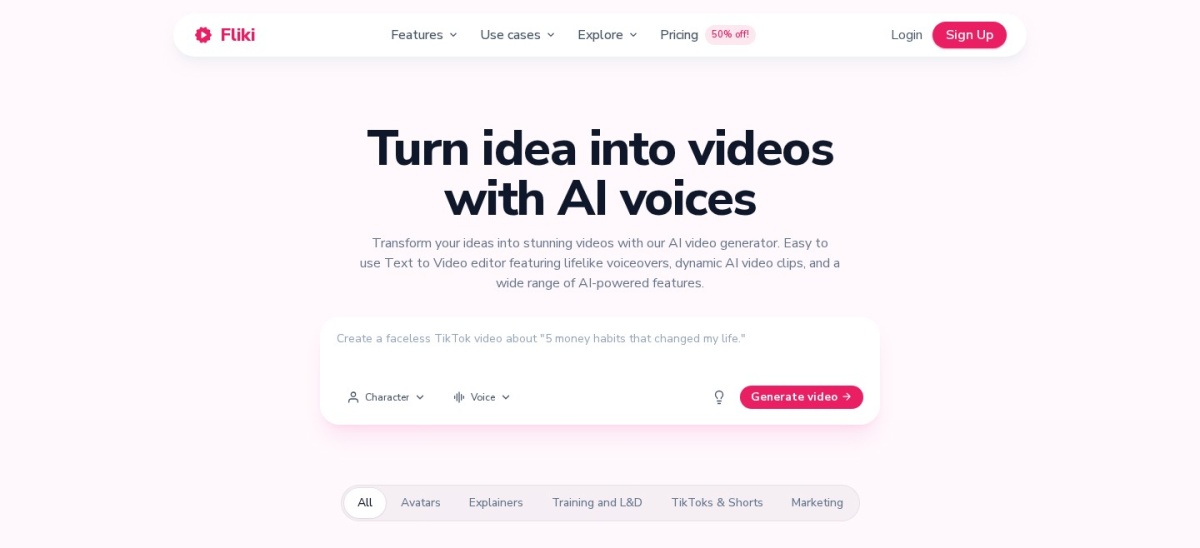
Fliki is a text-to-video tool that turns a script into a finished voiceover video with stock footage or AI images matched to each scene. Its voice library is one of the largest in this category, with more than 2,000 AI voices in 75-plus languages. The free plan includes 3 credits a month, and Standard starts at $21 a month billed annually.
The trade off is scale. The free credit pool is tiny, and the Standard plan's monthly credit limit suits regular creators rather than occasional users. It suits faceless video channels and product explainers that lean on narration.
Descript is a video and podcast editor that works by editing text. Delete a sentence from the transcript and it disappears from the footage, which makes cutting talking-head video and podcasts far faster than a timeline editor. The free plan includes 1 hour of transcription a month, and Creator starts at $16 a month billed annually.
The trade off is generation. Descript edits brilliantly but does not generate full videos from a prompt the way InVideo or Fliki do, and 4K export needs the Creator plan at $35 a month in some listings. It suits podcasters and creators who film themselves and want fast cuts.
VEED is a browser-based video editor that covers the full journey from script to published video. Its text-to-video tools create a rough cut, AI avatars and voices add presentation, and the editor handles subtitles, translation, branding and trimming. The free plan includes basic editing with a watermark, and Lite starts at $12 a month billed annually.
The trade off is automation depth. VEED still needs manual structuring and does not generate full videos from prompts like InVideo or Fliki, and its pricing page hides the entry price behind a quote in some listings. It suits social teams that want one editor for clips, captions and translation.
What we like
Full editor plus text-to-video in one browser tool
InVideo is a prompt-to-video platform that turns a short text description into a finished marketing video with stock footage, voiceover, captions and transitions in minutes. The free plan is watermarked, and the Plus plan starts at $20 a month billed annually, with multi-model access and newer AI video engines bundled in. It suits faceless content and social ads.
The trade off is control. The AI assembles the video for you, so fine-tuning a scene takes more work than in a timeline editor like VEED, and the starting price is listed as $25 a month in some roundups against $20 here. It suits creators who publish often and want speed over precision.
Lumen5 is a video maker that turns a blog post link or a short script into captioned social video scenes with stock visuals and branding. Its storyboard workflow asks for almost no editing decisions, so the learning curve is the shortest on this list. The free plan includes basic videos, and Basic starts at $19 a month billed annually.
The trade off is flexibility. Lumen5 lacks the depth for fast-paced TikTok-style video, and its G2 base is the smallest here at 69 reviews. It suits teams that post social video regularly but have nobody on editing duty.
Runway is a generative video workspace centred on text-to-video, image-to-video and camera motion control. The free plan provides 125 one-time credits to test the studio, and Standard at $15 a month refills 625 credits every month and removes watermarks. Its Gen-4.5 model sets the quality bar for original AI footage.
The trade off is that credits buy seconds, not minutes. Standard covers roughly 52 seconds of Gen-4.5 footage a month, so heavy users pay more than the headline price, and long videos need stitching. It suits filmmakers and creatives who want original footage, not stock.
Script-to-video tools like Pictory, Fliki and Lumen5 start from words you wrote and assemble a finished video from stock footage, voices and captions. You control the message, and the tool handles the production.
Generative tools like Runway start from a short prompt and create original footage that never existed. You control the idea, and the model invents the visuals.
Most creators need both. Use a script tool for weekly marketing videos and a generative tool for the shots stock footage cannot cover.
How we chose
We started from the highest-rated video tools on G2 that accept text as the main input and return a watchable video without filming, then kept those with a published price and a free plan or trial.
Prices come from vendor pricing pages quoted by independent roundups in October and November 2026, including the live WPLegible AI video articles. Ratings come from G2 on the same dates.
We left out tools with no published price or no verifiable G2 rating. No vendor paid for a place, and we do not claim hands-on testing for this list.
How to choose text to video software
Start from the words you already have, then check what one finished video actually costs on each plan.
Start from your script. If the words already exist as a blog post or training script, Pictory, Lumen5 or Synthesia will turn them into video fastest.
Check the credit math. HeyGen, Runway and Pictory all meter by credits or minutes. Work out what one finished video costs before you commit.
Test the free plan on a real video. Free plans are watermarked and short, but they show whether the voices, avatars and captions fit your brand.
Keep one editor for finishing. Generate the draft in one tool, then trim, caption and brand it in the same place instead of exporting between three apps.
FAQ
What is the best text to video software?
HeyGen is the best text to video software overall, turning a script into a presenter video with realistic avatars from $29 a month. Pictory is the best pick for blog posts and scripts, and Fliki suits narrated videos at scale.
Is there a free text to video tool?
Yes. HeyGen, Synthesia, Fliki, Descript, VEED, InVideo, Lumen5 and Runway all have free plans, though exports are watermarked and short. Pictory has no free plan, only a 14-day trial with 300 credits.
Can text to video software replace filming?
For presenter and training videos, yes. Synthesia and HeyGen replace a studio for scripted talking-head content. For product demos or events, real footage still looks better, and generated clips are usually only seconds long.
How much does text to video software cost?
Entry plans run from $12 a month for VEED Lite to $29 a month for HeyGen Creator and Pictory Starter. Most tools also sell credits or minutes, so the real cost depends on how many videos you make each month.
What is the difference between Pictory and Lumen5?
Both turn blog posts into social videos, but Pictory offers stronger repurposing with URL-to-video, webinars and a larger stock library. Lumen5 is simpler and cheaper, with the shortest learning curve on this list.
Do I need Runway if I already use Pictory?
Only if you need original footage. Pictory assembles stock footage, while Runway generates new clips from text prompts. Most marketers use a script tool weekly and a generative tool only for shots stock cannot cover.
SaaS SEO and WordPress specialist with about 8 years of experience. Rakib compares WordPress plugins, themes, hosting and software using public pricing, documentation and user reviews. See how we rank.