TurboTax Business leads for complex filers thanks to step-by-step guidance across business entities and investment schedules, with a 4.4 out of 5 rating across 94 G2 reviews. Intuit ProConnect Tax fits cloud-based preparers managing multi-client returns, while Drake Tax suits high-volume practices filing across all states.
How we make this list: we compare pricing pages, product documentation and public user reviews, then re-check every price before each update. No product paid for a place. Disclosure.
TurboTax Business holds a 4.4/5 rating across 94 reviews on G2 with starting federal pricing at $229/yr.
Intuit ProConnect Tax earns a 4.4/5 rating across 277 G2 reviews for cloud workflow and QuickBooks integration.
Intuit Lacerte Tax holds a 4.3/5 rating across 187 G2 reviews and includes over 25,000 built-in return diagnostics.
Drake Tax holds a 4.6/5 rating across 27 G2 reviews with Drake Tax Online starting at $299.99/yr.
TaxAct Self-Employed lists federal pricing at $109.99/yr with support for Schedule C and business deductions.
FreeTaxUSA charges $0 for federal returns across tax situations and $15.99 per state return.
What to look for in software for complex returns
Complex tax returns involve more than standard wage income and a single W-2. Filers often juggle Schedule C self-employment income, Schedule D investment sales, Schedule E rental properties, partnership K-1 forms, or multi-state returns.
Check whether a tool supports the exact business or investment forms you need before entering data. Consumer tiers frequently lock out rental depreciation, multi-state allocations, or business entity returns until you upgrade.
Pay close attention to state filing fees and per-return charges. Some platforms include all states or low flat fees, while others charge separate fees for each additional state return or refund processing.
Decide whether you prefer guided interview prompts, direct form entry, or cloud collaboration with a tax preparer. High-volume practices often prioritize diagnostic checks and batch e-filing over step-by-step consumer walkthroughs.
TurboTax Business is a tax preparation platform from Intuit built for sole proprietors, freelancers, and business entities filing complex returns. Reviewers on G2 give it 4.4 out of 5 across 94 reviews for guided deduction prompts and QuickBooks data import.
The trade off is higher starting and add-on costs than basic DIY tools, with entry federal pricing starting at $229/yr and separate fees for state returns or optional live expert help. It suits self-employed filers and small businesses that want structured guidance through complex forms.
What we like
Step-by-step prompts help identify self-employed and business deductions
Imports prior-year data and connects with accounting records to cut manual entry
Offers optional access to live tax experts for tricky situations
Watch out for
Costs more than basic DIY tax tools once state fees are added
Optional live assistance and extra features increase total cost
Intuit ProConnect Tax homepage, captured Nov 2026.
Intuit ProConnect Tax is a cloud-based tax preparation platform designed for accounting professionals handling individual, business, and multi-state returns. It holds a 4.4 out of 5 rating across 277 reviews on G2, with users highlighting remote access and QuickBooks integration.
The trade off is a workflow aimed at tax preparers rather than casual one-off filers, alongside per-return costs that can add up at volume. It suits practices and preparers who want browser access, client document collection, and batch e-filing.
What we like
Runs in the browser without local desktop installation or manual updates
Supports client document collection and batch printing or e-filing
Syncs client data from QuickBooks and carries forward prior-year figures
Watch out for
Built for tax professionals rather than first-time individual filers
Per-return pricing can feel expensive as client volume grows
Paid professional access provides cloud client management, diagnostics, and e-filing.Visit g2.com
03
Drake Tax
4.6/5on G2 (27 reviews, checked Nov 2026)
Starts at$299.99/yr
Best for high-volume & all-state filings
Entry price$299.99/yr online
G2 rating4.6/5 (27)
Form coverage4,300+ forms
State coverageAll 50 states
drakesoftware.com
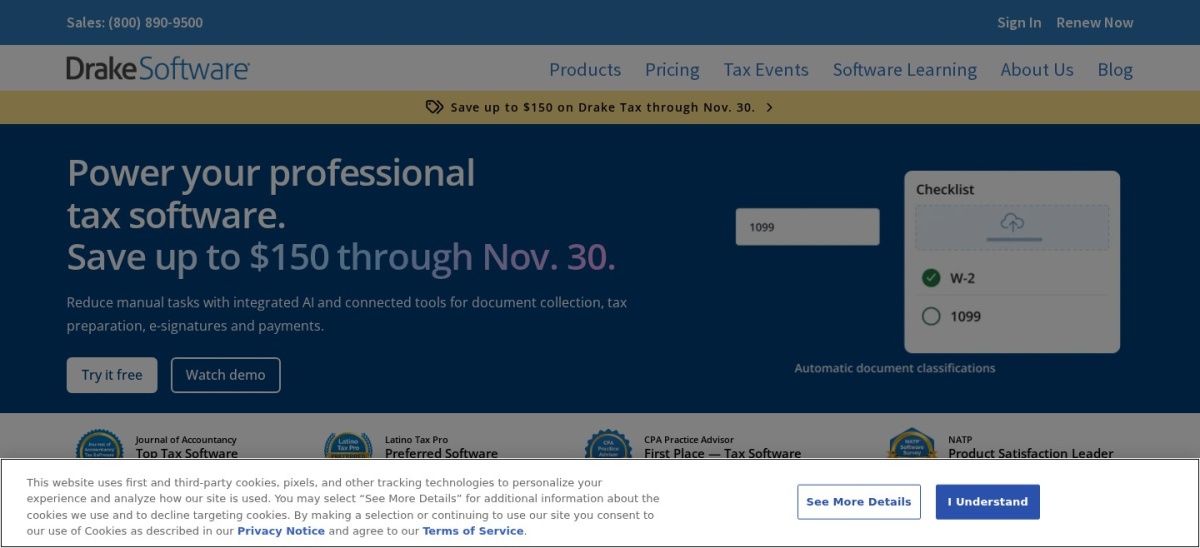
Drake Tax homepage, captured Nov 2026.
Drake Tax is a professional tax preparation suite offering desktop and browser-based options across more than 4,300 federal and state forms. Drake Tax Online starts at $299.99/yr, and reviewers on G2 rate it 4.6 out of 5 across 27 reviews.
The trade off is a denser form-oriented interface and per-return charges on Drake Tax Online ($49.99 individual and $74.99 business) or higher upfront bundle licenses. It suits tax preparers and firms handling heavy workloads, business returns, and multi-state filings.
What we like
Includes all 50 states and built-in tax planning tools in its plans
Offers diagnostics and review tools to catch missing entries before filing
Available as Drake Tax Online for Mac or browser access alongside desktop
Watch out for
Interface feels less guided than consumer interview software
Per-return fees or higher-tier bundles add up for small return counts
Paid plans include 4,300+ forms, diagnostics, all-state access, and e-filing.Visit drakesoftware.com
04
Intuit Lacerte Tax
4.3/5on G2 (187 reviews, checked Nov 2026)
Starts at$129/yr
Best for complex individual & entity depth
G2 rating4.3/5 (187)
Diagnostics25,000+ checks
Return typesIndividual & entity
Data rolloverPrior-year proforma
g2.com
Intuit Lacerte Tax homepage, captured Nov 2026.
Intuit Lacerte Tax is a professional tax preparation application built for complex individual, partnership, corporate, estate, and trust returns. It holds a 4.3 out of 5 rating across 187 reviews on G2, with users praising its depth and over 25,000 built-in diagnostics.
The trade off is a steep learning curve and higher package costs that can strain smaller practices, along with frequent seasonal updates. It suits experienced preparers and accounting firms managing intricate multi-form returns.
What we like
Extensive diagnostic checks help flag errors across complex schedules
Covers individual, corporate, partnership, estate, and trust filings
Carries forward prior-year data to speed up recurring client returns
Watch out for
Package pricing and add-ons can be costly for smaller practices
Frequent software updates during tax season can interrupt workflows
Paid professional packages unlock deep entity forms, diagnostics, and planning tools.Visit g2.com
05
H&R Block Online
4.3/5on G2 (21 reviews, checked Nov 2026)
Paid from$65/yr
Best for hybrid online & in-person support
Entry paid plan$65/yr Deluxe
G2 rating4.3/5 (21)
Free tierSimple returns only
Support pathOnline & office pros
hrblock.com
H&R Block Online homepage, captured Nov 2026.
H&R Block Online is a guided tax filing service with a Free Online tier for simple returns and paid plans starting at $65/yr for Deluxe. On G2, it holds a 4.3 out of 5 rating across 21 reviews for its clear interview flow and support options.
The trade off is that complex scenarios like rental property, investments, or self-employment require higher tiers plus state filing fees. It suits filers who want straightforward guided steps with an option to escalate to human help.
What we like
Offers a clear step-by-step question flow and document uploads
Lets you add expert review or connect with local and online tax pros
Includes accuracy and maximum refund guarantees on returns
Watch out for
Self-employment, investment, and rental schedules require higher tiers
State returns and certain add-ons cost extra on paid plans
TaxAct is an online tax preparation platform with a qualifying free federal tier, Deluxe starting at $59.99/yr, and Self-Employed at $109.99/yr for federal returns. It holds a 4.6 out of 5 rating on Capterra and covers Schedule C, business deductions, and depreciation.
The trade off is per-state filing fees on top of federal pricing and extra charges if you add live tax expert help or refund transfer options. It suits self-employed filers and investors who want lower federal prices and are comfortable filing mostly on their own.
What we like
Lower federal prices than several major rivals for self-employed filers
Supports Schedule C income, business expenses, and depreciation rules
Includes error alerts to flag missing entries before e-filing
Watch out for
State return fees add noticeable cost, especially across multiple states
Live expert guidance and refund-deduction options cost extra
FreeTaxUSA is an online tax filing service that charges $0 for federal returns across tax situations—including Schedule C, Schedule E, and K-1 forms—and $15.99 per state return. It holds a 4.8 out of 5 rating on G2 across 3 reviews and 4.5 out of 5 on Capterra.
The trade off is less hand-holding on complex rules than premium guided suites, with live tax pro chat or review costing extra via optional add-ons. It suits budget-conscious filers and self-employed users who know their tax basics and want low-cost filing.
What we like
Charges $0 for federal returns even with self-employed and investment forms
Low $15.99 state filing fee keeps total costs down compared with rivals
Carries over prior-year return information to save setup time
Watch out for
Offers less step-by-step hand-holding on unusual tax edge cases
Live tax pro assistance and audit defense are paid add-ons
Paid add-ons cover state returns, priority chat, live tax pro review, and audit defense.Visit freetaxusa.com
Consumer suites vs. professional tax software
Consumer tax tools use guided interviews to translate tax forms into everyday questions. They work well for freelancers, side businesses, and individual investors with straightforward multi-form returns.
Professional tax software focuses on speed, form density, and multi-client management. CPA and enrolled agent platforms add bulk e-filing, client portals, and deep diagnostic checks suited to complex entity filings.
How we chose
We built this list around tax preparation platforms that support complex filing scenarios such as self-employment, investments, rental properties, multi-state returns, or business entities.
Ratings, review counts, and pricing details were checked on 22 Nov 2026 using G2, Capterra, and official vendor pricing pages, noting regular entry prices rather than promotional discounts.
We excluded simple-only free tools that lack support for complex schedules or business filings, as well as platforms where public pricing was unavailable. No vendor paid for a place, and we do not claim testing for this list.
How to choose tax software for complex returns
Follow four practical steps to match a tax platform to your filing complexity:
List every income source and schedule first. Check whether you need Schedule C for self-employment, Schedule D for investments, Schedule E for rentals, K-1s, or multiple state returns before picking a tier.
Calculate total cost including state returns. Compare base federal prices alongside per-state filing fees, refund processing charges, and any support add-ons you plan to use.
Match guidance depth to your comfort level. Choose interview-style tools if you want step-by-step explanations, or form-driven platforms if you already know which schedules and deductions apply.
Verify e-file and prior-year import support. Confirm that the platform imports last year's return cleanly and supports electronic filing for your required federal and state forms.
FAQ
What makes a tax return complex?
Returns beyond a single W-2 and standard deduction often become complex when they include self-employment income, investment sales, rental properties, partnership K-1 forms, itemized deductions, or filings across more than one state.
Do I need business or self-employed software for 1099 income?
If you earn contractor or freelance income and claim business expenses or depreciation on Schedule C, you generally need a tier or platform that supports Schedule C rather than a basic simple-return tier.
Why do state filing fees change the real price of tax software?
Some services advertise a low or free federal tier but charge per state return filed. If you live in one state and work in another, state fees can quickly exceed the federal cost.
Should self-employed filers use consumer software or pro software?
Sole proprietors and freelancers filing their own return usually do best with consumer or self-employed plans, while accountants and firms filing for many clients or complex entities use professional platforms.
Can I import last year's tax return into new software?
Most established tax platforms let you upload or import prior-year return data to carry over personal details, asset depreciation schedules, and loss carryforwards, reducing manual entry.
Are accuracy and maximum refund guarantees automatic?
Many providers offer accuracy or maximum refund guarantees, but each sets its own terms, such as reimbursing software fees or penalties caused by a calculation error in the program rather than user input mistakes.
SaaS SEO and WordPress specialist with about 8 years of experience. Rakib compares WordPress plugins, themes, hosting and software using public pricing, documentation and user reviews. See how we rank.