Okta is the best SSO software for most organizations, with a 4.5/5 G2 rating from more than 1,400 reviews and extensive workforce identity management capabilities. Choose Microsoft Entra ID for Microsoft-centered environments or Cisco Duo for affordable single sign-on with phishing-resistant authentication.
How we make this list: we compare pricing pages, product documentation and public user reviews, then re-check every price before each update. No product paid for a place. Disclosure.
Microsoft Entra ID P1 costs $7 per user monthly with annual billing.
Cisco Duo Essentials includes SSO and phishing-resistant MFA for $3 per user monthly.
JumpCloud's dedicated SSO package costs $11 per user monthly with annual billing.
OneLogin Basic provides single sign-on starting at $3 per user monthly.
What to look for in SSO software
Single sign-on software allows employees to authenticate through a central identity provider instead of maintaining separate credentials for every business application. It simplifies application access and gives administrators greater control over authentication policies.
Look for support for SAML, OpenID Connect and existing directory services. These capabilities determine whether your identity provider can integrate with your current business applications and internal systems.
Single sign-on should be combined with multi-factor authentication, appropriate session policies and secure account recovery. Centralizing authentication makes protecting the primary identity account particularly important.
Compare user provisioning, application assignments and employee offboarding workflows. Automated account removal can reduce the risk of former employees retaining access to business systems.
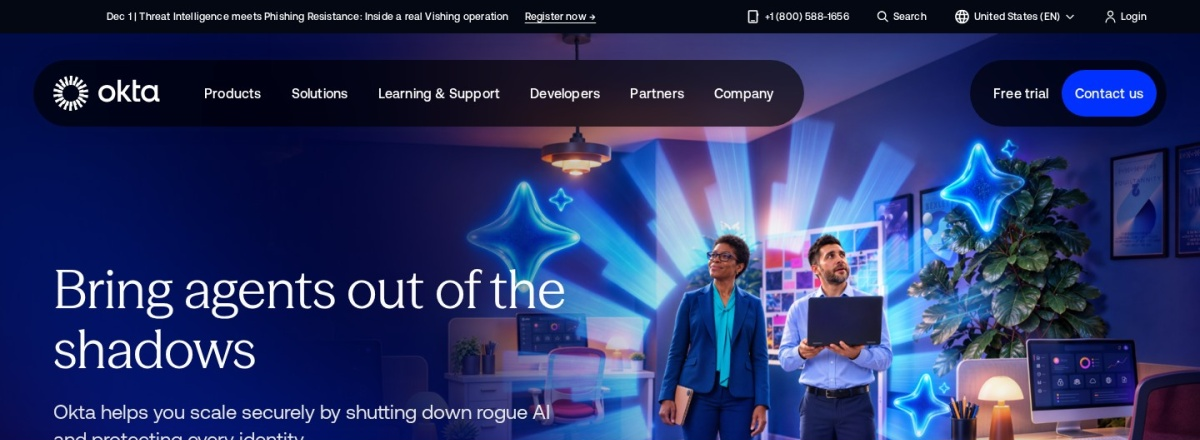
Okta is a workforce identity management platform that centralizes application access, authentication and employee identities. Its Starter subscription includes single sign-on, multi-factor authentication, Universal Directory and 5 automated workflows for $6 per user monthly.
The trade off is that advanced lifecycle management and adaptive authentication increase subscription costs, with Essentials priced at $17 per user monthly. It suits organizations seeking a dedicated identity provider that supports diverse business applications and centralized access policies.
Essentials adds adaptive authentication, lifecycle management and 50 workflows.Visit okta.com
02
Microsoft Entra ID
4.5/5on G2 (910 reviews, checked Nov 2026)
Paid from$7/mo
Best for Microsoft-centered organizations
Entry paid planEntra ID P1
Conditional AccessIncluded in P1
Passwordless authenticationSupported
BillingPer user, annually
microsoft.com
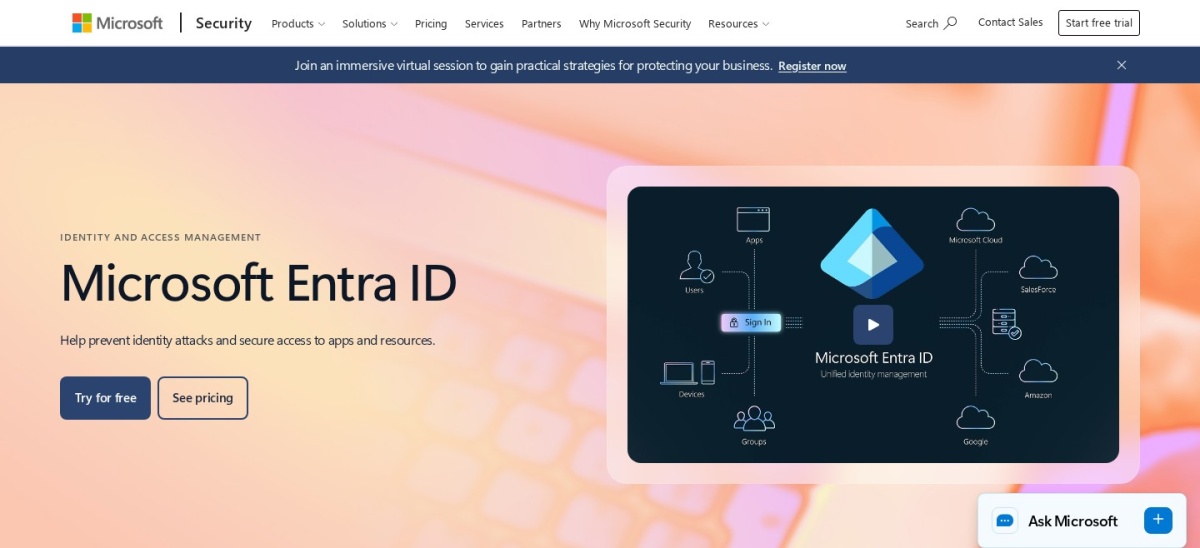
Microsoft Entra ID homepage, captured Nov 2026.
Microsoft Entra ID is a cloud identity and access management service that connects employee accounts with business applications. Its free edition provides basic identity management, while P1 costs $7 per user monthly with annual billing and includes Conditional Access and advanced authentication capabilities.
The trade off is licensing complexity, particularly when combining identity subscriptions with existing Microsoft products or advanced governance services. It suits organizations already using Microsoft 365, Azure or hybrid Active Directory environments.
What we like
Native Microsoft ecosystem integration
Permanent free identity management edition
Conditional Access policies on P1
Passwordless and phishing-resistant authentication
Cisco Duo is an identity security platform combining single sign-on, passwordless authentication and device verification. Its Essentials plan costs $3 per user monthly and supports unlimited applications, phishing-resistant MFA and a centralized identity directory.
The trade off is that its free edition provides MFA for up to 10 users but does not include SSO, while risk-based authentication requires Advantage at $6 per user monthly. It suits businesses seeking affordable application authentication and stronger login protection.
What we like
Affordable SSO subscription
Phishing-resistant authentication
Unlimited applications on Essentials
Device verification capabilities
Free MFA edition for small teams
Watch out for
SSO is unavailable on the free plan
Risk-based policies require Advantage
Less focused on complete employee lifecycle management
Essentials adds SSO, passwordless authentication and trusted endpoint controls.Visit duo.com
04
JumpCloud
4.5/5on G2 (3,973 reviews, checked Nov 2026)
Starts at$3/mo
Best for combined identity and device management
Standalone SSO module$3/user/month annually
Monthly module billing$4/user/month
Dedicated SSO package$11/user/month annually
Device managementAvailable separately
jumpcloud.com
JumpCloud homepage, captured Nov 2026.
JumpCloud is a cloud identity and device management platform that centralizes employee accounts, application access and endpoint administration. Its standalone SSO module lists at $3 per user monthly with annual billing, while the dedicated SSO package combines authentication, directory capabilities and password management.
The trade off is modular licensing, meaning the standalone $3 rate may not cover every required identity component. The dedicated SSO package costs $11 per user monthly with annual billing. It suits IT departments managing mixed operating systems and distributed workforces.
What we like
Flexible identity management modules
Centralized cloud directory capabilities
Cross-platform endpoint management
Large public review base
Watch out for
Standalone modules may require additional components
Complete identity packages cost more
Advanced configuration requires IT expertise
The SSO package combines application authentication, MFA and password management.Visit jumpcloud.com
05
OneLogin
4.4/5on G2 (290 reviews, checked Nov 2026)
Starts at$3/mo
Best for straightforward workforce SSO
Entry planBasic
Billing unitPer user
Single sign-onIncluded
Advanced MFAAvailable on higher plans
onelogin.com
OneLogin homepage, captured Nov 2026.
OneLogin is a workforce identity platform that provides centralized application authentication and access management. Its Basic package is advertised at $3 per user monthly and includes SSO for organizations seeking a dedicated application login service.
The trade off is that advanced authentication and employee provisioning capabilities require higher packages. The $3 Basic price appears in the official pricing search snapshot, although the direct pricing page returned an error. It suits businesses prioritizing straightforward workforce application access.
What we like
Affordable advertised entry price
Centralized application access
Supports enterprise authentication standards
Additional identity management packages available
Watch out for
Direct pricing page could not be retrieved
Advanced MFA requires additional capabilities
Lifecycle automation increases subscription costs
Higher packages add MFA, provisioning and expanded identity administration.Visit onelogin.com
06
Ping Identity
4.4/5on G2 (173 reviews, checked Nov 2026)
PricingCustom pricing
Best for complex enterprise authentication
DeploymentCloud, hybrid or self-managed
AuthenticationSSO and MFA
Identity orchestrationAvailable
Pricing modelIdentity-based custom quote
pingidentity.com
Ping Identity homepage, captured Nov 2026.
Ping Identity is an enterprise identity platform supporting workforce authentication, customer identity and federated application access. Its G2 profile has a 4.4/5 rating from 173 reviews, and its deployment options include managed cloud services and self-managed infrastructure.
The trade off is custom pricing based on deployment requirements, identity volumes and selected capabilities. It suits larger organizations that need flexible authentication architecture, enterprise federation and support for complicated identity environments.
What we like
Flexible enterprise deployment options
Supports workforce and customer identities
Identity federation and orchestration capabilities
Suitable for complex authentication architectures
Watch out for
No public fixed entry subscription price
Implementation may require specialist resources
Less suitable for small businesses seeking simple SSO
Rippling IT is an identity, access and device management platform that connects technology administration with employee records. Its G2 profile has a 4.7/5 rating from 1,187 reviews, and its workflows support automated application provisioning and employee offboarding.
The trade off is custom pricing based on selected products and employee counts, rather than a publicly available standalone SSO subscription. It suits organizations that want employee identity management closely connected to onboarding, HR records and device administration.
What we like
Automated employee onboarding and offboarding
Application access linked to employee records
Integrated identity and device administration
Strong public user rating
Watch out for
Subscription costs require a custom quote
Additional platform components can increase costs
May be excessive for organizations needing only SSO
Paid IT packages combine identity management with employee lifecycle automation.Visit rippling.com
How much does SSO software cost?
Cisco Duo Essentials costs $36 per user annually, while Okta Workforce Identity Starter costs $72 per user annually. Microsoft Entra ID P1 costs $84 per user annually.
JumpCloud lists its standalone SSO module at $36 per user annually, but its dedicated SSO package costs $132 per user annually. Check whether additional directory and authentication modules are necessary for your deployment.
Ping Identity and Rippling IT provide custom quotes. Their total subscription costs depend on selected capabilities, deployment requirements and the number of managed identities.
What is the difference between SSO and MFA?
Single sign-on allows employees to access connected applications through a central authentication process. Multi-factor authentication verifies identity using additional evidence, such as a security key or an authentication application.
These technologies complement each other rather than replace each other. Organizations should protect their central identity provider with phishing-resistant authentication, appropriate session restrictions and secure account recovery procedures.
How we chose
We compared established identity providers based on SSO capabilities, authentication standards, application integrations, workforce administration, security controls and subscription pricing. The selection focuses on business identity management rather than consumer password managers.
Official pricing information and G2 ratings were checked on 25 Nov 2026. G2 category and comparison pages supplied rating snapshots. OneLogin's official pricing search result confirmed its advertised Basic rate, but its direct pricing page returned an error, so that entry requires direct verification before publication.
We excluded products without meaningful SSO functionality or sufficient public review evidence. Custom-priced enterprise platforms were ranked below products with published entry prices. No vendor paid for a place, and we do not claim testing for this list.
How to choose the best SSO software
Compare identity providers against your application inventory, existing directories, security requirements and employee lifecycle workflows.
Identify your application integration requirements. List the cloud applications, internal systems and development platforms employees use. Confirm support for relevant authentication standards and existing directory integrations.
Evaluate authentication and security policies. Check phishing-resistant MFA, passwordless authentication, session controls and account recovery capabilities. Determine whether advanced security policies require a higher subscription.
Review employee lifecycle management. Assess automated account provisioning, role-based access assignments and offboarding. Ensure departing employees can have application access revoked promptly.
Calculate the total identity management cost. Include employee licenses, required directory components, minimum contractual commitments, application integrations and advanced security features when comparing annual subscriptions.
FAQ
What is the best SSO software?
Okta is our top SSO software pick because it combines centralized application authentication, workforce identity management and multi-factor authentication. Its Workforce Identity Starter subscription costs $6 per user monthly with annual billing.
Is there free SSO software for businesses?
Microsoft Entra ID provides a free identity management edition that supports basic application access capabilities. Cisco Duo also offers free authentication for small teams, although its single sign-on functionality requires the paid Essentials subscription.
What is the cheapest SSO software?
Cisco Duo Essentials is among the cheapest publicly priced SSO subscriptions at $3 per user monthly. JumpCloud advertises a standalone SSO module at the same annual billing rate, although additional identity components may increase the total cost.
Is Microsoft Entra ID better than Okta?
Microsoft Entra ID is particularly suitable for organizations already using Microsoft cloud services and Active Directory. Okta is attractive for businesses seeking a dedicated identity provider that supports a diverse application environment without relying heavily on one productivity ecosystem.
Does SSO software improve security?
SSO can improve security by centralizing authentication policies, reducing separate passwords and simplifying employee access removal. However, organizations must protect the central identity provider with strong MFA, secure administrative permissions and appropriate session management.
Which SSO software is best for small businesses?
Cisco Duo Essentials is a suitable starting point for small businesses because it includes SSO, phishing-resistant MFA and unlimited applications for $3 per user monthly. Microsoft Entra ID is another practical option for companies already using Microsoft services.
SaaS SEO and WordPress specialist with about 8 years of experience. Rakib compares WordPress plugins, themes, hosting and software using public pricing, documentation and user reviews. See how we rank.