Patchstack is our top pick for dedicated vulnerability scanning because its free tier monitors core, plugin, and theme flaws with zero server load. Wordfence suits sites wanting an all-in-one firewall and malware scanner, while WPVulnerability gives a completely free dashboard check with no paid upsells.
How we make this list: we compare pricing pages, product documentation and public user reviews, then re-check every price before each update. No product paid for a place. Disclosure.
Patchstack tracks disclosed plugin and theme flaws for free on 200,000+ sites, while its Developer tier adds virtual patching at $69/mo billed yearly ($828/yr).
Wordfence pairs vulnerability checks with a PHP-level firewall and malware scanner; Premium removes the 30-day rule delay for $149/yr.
WPVulnerability has 10,000+ active installs and a 5.0-star rating across 20 reviews, delivering free vulnerability alerts with no paid tier.
Defender Pro and Security Ninja Pro start at $50/yr and $119/yr respectively, bundling vulnerability monitoring with hardening and login tools.
MalCare checks installed components for known flaws on its free tier and adds daily automated scans and geo-blocking on its Protect plan at $99/yr.
What makes a good WordPress vulnerability scanner
Most WordPress compromises happen through outdated or unpatched plugins and themes rather than brute-force password guessing. A vulnerability scanner compares the exact versions of WordPress core, plugins, and themes on your site against an active database of disclosed Common Vulnerabilities and Exposures (CVEs).
Database speed and coverage matter most. A scanner is only as accurate as its threat intelligence feed, so tools backed by active bug-bounty programs or dedicated research teams flag newly disclosed flaws hours or days earlier than aggregators relying solely on public feeds.
Decide whether you only want detection alerts or automated virtual patching. Free scanners notify you when an installed plugin has a known security hole so you can update or deactivate it, whereas paid plans often inject targeted firewall rules to block exploit attempts before a vendor patch exists.
4.8/5on WordPress.org (62 reviews, checked Nov 2026)
Paid from$69/mo
Best for early vulnerability alerts and virtual patching
Free tierCore, plugin & theme alerts
Paid entry$69/mo billed yearly ($828/yr)
ProtectionAutomated virtual patching
Active installs200,000+ sites
patchstack.com
Patchstack homepage, captured Nov 2026.
Patchstack is a dedicated vulnerability management plugin that matches your installed WordPress core, plugins, and themes against its threat intelligence database. Its free Personal tier runs scheduled checks with minimal server load, sending email alerts and generating snapshot PDF security reports whenever a disclosed flaw affects your stack.
The trade off is the jump to direct paid plans, as the Developer tier costs $69/mo billed annually ($828/yr) for automated virtual patching, 2FA, and white-label reports. It suits agencies, WooCommerce stores, and site owners who want instant CVE warnings for free or lightweight exploit blocking without running a heavy full-site malware scanner.
What we like
Free plan covers core, plugin, and theme vulnerability detection
Maintains one of WordPress's largest ethical hacker bug-bounty feeds
Lightweight scheduled checks avoid slowing down page loads
4.8 out of 5 rating across 62 WordPress.org reviews
Watch out for
No full file-level malware cleanup tool included
Direct paid plans start at $828/yr aimed at developers and agencies
Developer plan adds automated virtual patching, 2FA, and API/WP-CLI tools.Visit patchstack.com
02
Wordfence Security
4.7/5on WordPress.org (4,300+ reviews, checked Nov 2026)
Paid from$149/yr
Best all-in-one firewall and vulnerability scanner
Free tierScanner + WAF (30-day rule delay)
Paid entry$149/yr (Premium, 1 site)
Scan scheduleEvery 3 days (free) / unlimited
Active installs5M+ sites
wordfence.com
Wordfence Security homepage, captured Nov 2026.
Wordfence Security is an endpoint web application firewall and security scanner that checks WordPress core, plugins, and themes for known vulnerabilities alongside file integrity and malware checks. The free version includes automated vulnerability monitoring, brute-force protection, and two-factor authentication, though new firewall rules and malware signatures arrive on a 30-day delay.
The trade off is that upgrading to Wordfence Premium costs $149/yr per site to unlock real-time Threat Defense Feed updates, country blocking, and live IP blocklists. It suits self-administered websites that want vulnerability alerts bundled directly with a local firewall and deep file scanner in one dashboard.
What we like
Combines vulnerability alerts with malware scanning and login 2FA
Free tier covers essential scanning for single-site owners
Wordfence Central manages multi-site security alerts in one dashboard
Watch out for
Free firewall rules and malware signatures are delayed by 30 days
Running PHP-level scans can use noticeable resources on shared hosting
Premium removes the 30-day threat feed delay and adds country blocking.Visit wordfence.com
03
WPVulnerability
5/5on WordPress.org (20 reviews, checked Nov 2026)
PriceFree
Best completely free open-source vulnerability checker
Pricing100% free, no paid tiers
DatabasePublic WPVulnerability API
Rating5.0 / 5 (20 reviews)
Active installs10,000+ sites
wpvulnerability.com
WPVulnerability homepage, captured Nov 2026.
WPVulnerability is an open-source WordPress plugin that audits your installed core version, plugins, themes, PHP, and web server software against the free WPVulnerability database. It displays CVE details and severity directly inside the WordPress admin dashboard and sends email, Slack, or Teams notifications without requiring an account or API key.
The trade off is that it is strictly an informational alerting tool with no firewall, malware scanner, or virtual patching—and no paid tier to add them. It suits developers and site owners who already use server-level protection and want clean, zero-cost CVE notifications.
What we like
Completely free with no premium upsells or account registration
Checks core, plugins, themes, and underlying PHP/server versions
Perfect 5.0-star rating across 20 reviews on WordPress.org
Watch out for
Does not block exploit attempts or clean infected files
Relies strictly on published database records rather than proprietary feeds
4.8/5on WordPress.org (335 reviews, checked Nov 2026)
Paid from$50/yr
Best budget bundle with hardening and login tools
Free tierCore integrity & login security
Paid entry$50/yr (Basic, 1 site)
Rating4.8 / 5 (335 reviews)
Active installs80,000+ sites
wpmudev.com
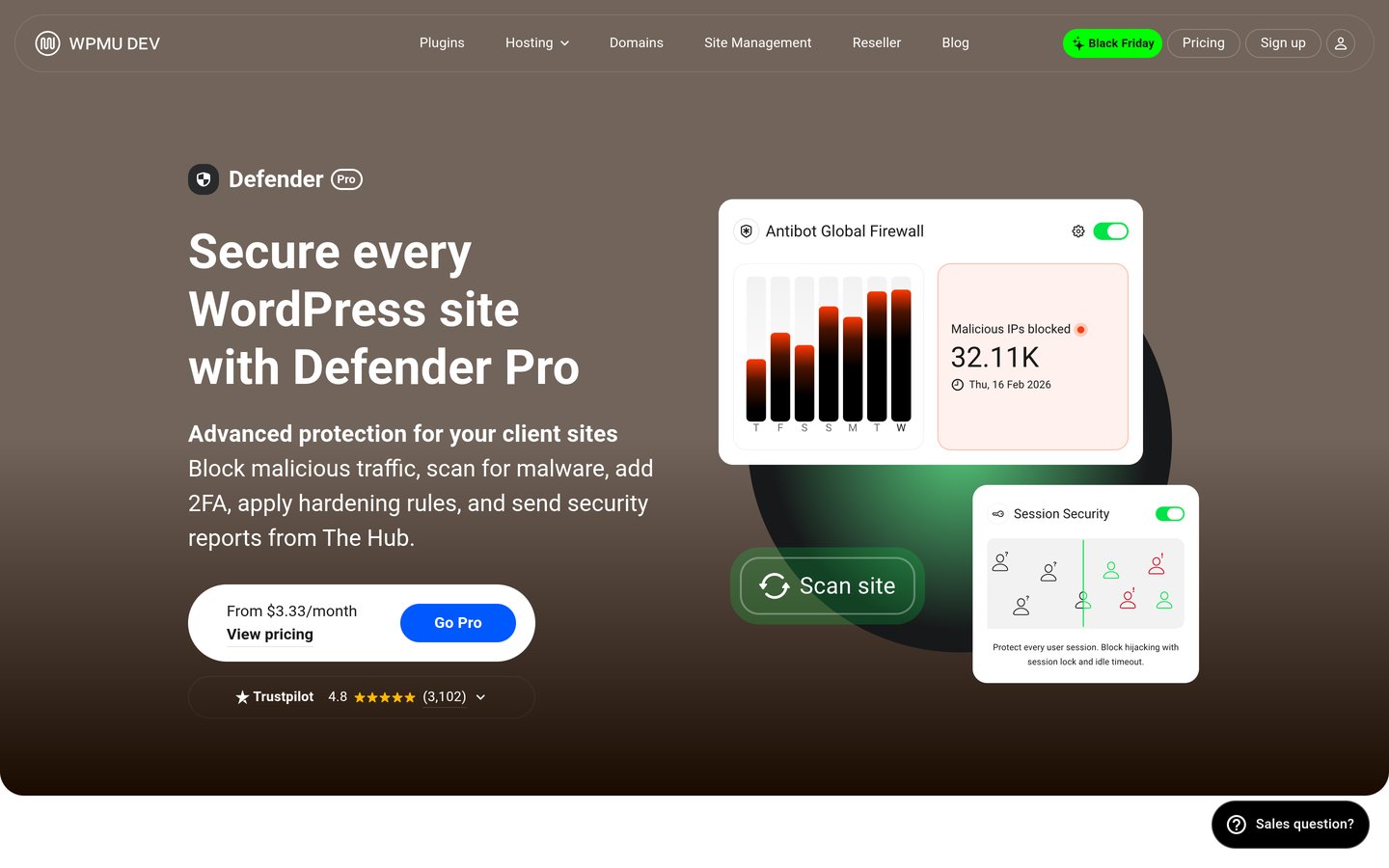
Defender Security homepage, captured Nov 2026.
Defender Security is WPMU DEV's security plugin combining malware and core file scanning, IP blocklists, two-factor authentication, and one-click hardening recommendations. Its free tier flags modified WordPress core files and includes basic firewall rules and login masking out of the box.
The trade off is that plugin and theme vulnerability scanning, scheduled automated scans, and audit logs require upgrading to Defender Pro, which starts at $50/yr for 1 site. It suits budget-conscious site owners who want vulnerability checks bundled with WPMU DEV's broader Pro plugin suite.
What we like
Lowest entry price among major commercial security suites at $50/yr
Includes 50GB CDN and 5GB backup storage on WPMU DEV Pro Basic
Strong 4.8 out of 5 rating across 335 reviews
Watch out for
Plugin and theme vulnerability checks are locked behind Pro
Multi-site licenses scale up to $75/yr (3 sites) and $100/yr (10 sites)
Defender Pro ($50/yr) unlocks plugin/theme vulnerability scanning and scheduled scans.Visit wpmudev.com
05
MalCare Security
4.4/5on WordPress.org (561 reviews, checked Nov 2026)
Paid from$99/yr
Best for cloud-based scanning with zero server load
Free tierInstant vulnerability alerts + basic WAF
Paid entry$99/yr (Protect, 1 site)
Scan engineOff-site cloud servers
Active installs100,000+ sites
malcare.com
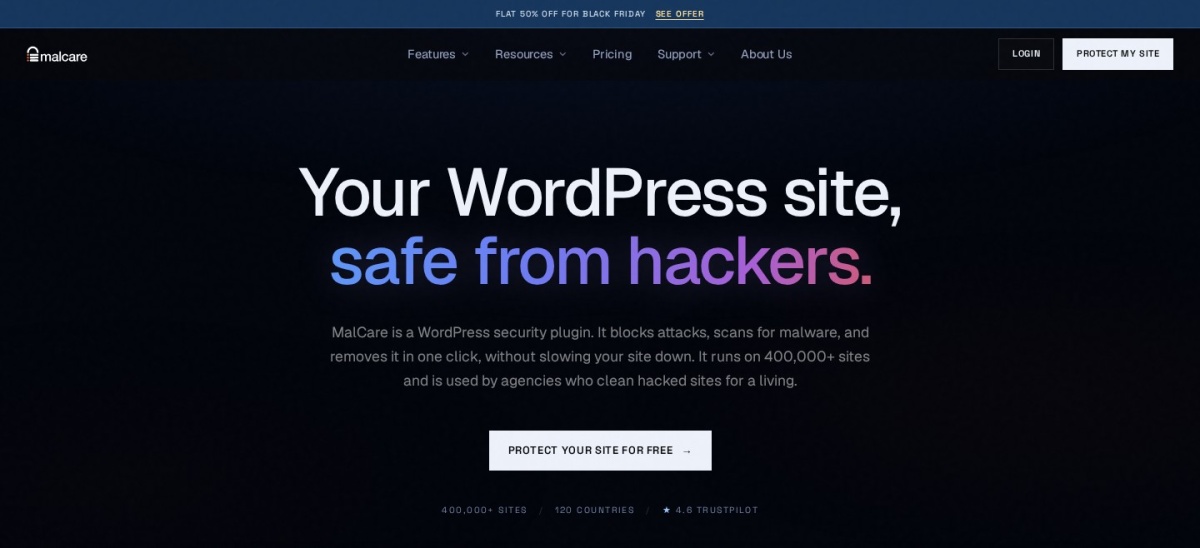
MalCare Security homepage, captured Nov 2026.
MalCare runs its scanning engine on external cloud servers so vulnerability and malware checks do not consume your hosting CPU or memory. Its free plan includes instant vulnerability alerts for installed plugins and themes, SSL monitoring, and a basic firewall with virtual patching after 7 days.
The trade off is that daily cloud malware scans, geo-blocking, and 1-click backup restores require the Protect plan at $99/yr, while automated malware cleanup jumps to the Repair plan at $299/yr. It suits sites on resource-limited shared hosting that need off-site scanning.
What we like
Off-site scanning architecture avoids slowing down your web server
Free tier includes instant plugin and theme vulnerability alerts
100,000+ active installs with regular updates
Watch out for
Automated malware removal requires the $299/yr Repair tier
Free plan virtual patching applies on a 7-day delay
Security Ninja audits your WordPress installation across more than 50 configuration, file-permission, database, and version tests to produce an actionable security score. Its free plugin on WordPress.org includes basic firewall rules alongside vulnerability checks for installed plugins and themes.
The trade off is that the cloud firewall, country blocking, scheduled scans, malware scanner, and 2FA require Security Ninja Pro at $119/yr for 1 site. It suits site administrators who want a clear checklist of server and WordPress misconfigurations alongside CVE alerts.
What we like
Runs 50+ configuration and hardening checks in one audit
Free version includes basic vulnerability checks and firewall rules
14-day free trial and 30-day refund policy on Pro
Watch out for
Malware scanner, 2FA, and scheduled scans are Pro-only
Smaller install base (7,000+) than Wordfence or Patchstack
4.2/5on WordPress.org (400+ reviews, checked Nov 2026)
Paid from$229/yr
Best for cloud proxy WAF and DDoS mitigation
Free tierRemote scanner & file integrity plugin
Paid entry$229/yr (Basic Platform, 1 site)
ProtectionDNS-level cloud WAF & DDoS shield
Active installs700,000+ sites
sucuri.net
Sucuri Website Security homepage, captured Nov 2026.
Sucuri offers a free WordPress auditing and remote scanning plugin alongside its paid Website Security Platform, which routes site traffic through a global cloud proxy firewall. The free plugin monitors core file integrity, tracks login activity, and checks external blocklist status.
The trade off is that DNS-level virtual patching, DDoS mitigation, and malware cleanup start at $229/yr on the Basic Platform plan (or $9.99/mo for the standalone Basic Firewall). It suits business sites willing to change DNS records to block exploit traffic before it hits their origin server.
What we like
Cloud WAF filters malicious traffic and DDoS attacks before reaching your host
Paid platform plans include malware cleanup and blocklist removal
Free plugin provides clean activity auditing and file integrity checks
Watch out for
Full platform starts at $229/yr, higher than most plugin-only competitors
Cloud proxy setup requires updating your domain's DNS records
Vulnerability scanner vs. malware scanner: what is the difference?
A vulnerability scanner is preventive: it checks the version numbers of your WordPress core, plugins, and themes against a catalog of known security flaws before an attacker exploits them. Fixing a flagged vulnerability usually means updating the plugin or applying a virtual patch.
A malware scanner is detective: it inspects your files and database for malicious code, backdoors, or spam injections that have already been planted on your site. Running both—either in one suite like Wordfence or by pairing Patchstack with a malware scanner—covers both prevention and incident detection.
How we chose
We reviewed the most widely adopted WordPress security and vulnerability scanning plugins listed on WordPress.org, cross-referencing their vulnerability databases, alerting methods, and virtual patching capabilities.
All active installation figures, star ratings, review counts, and regular annual subscription prices were verified directly against WordPress.org plugin pages and official vendor pricing pages on 22 Nov 2026.
We excluded plugins with fewer than 1,000 active installs, unmaintained tools without updates in the past 12 months, and enterprise-only APIs without transparent self-serve pricing. No vendor paid for a place, and we do not claim testing for this list.
How to choose a WordPress vulnerability scanner
Pick the right scanner by matching its detection method and firewall coverage to your hosting setup.
Decide between alerts only or virtual patching. If you update plugins daily, a free alert tool like Patchstack or WPVulnerability is enough. If you manage client sites or slow-to-update plugins, pay for virtual patching to block exploits automatically.
Check whether you already run a firewall. Avoid stacking two heavy PHP-level firewalls on the same site. Pair a lightweight alert plugin like Patchstack or WPVulnerability with an existing WAF, or choose an all-in-one suite like Wordfence.
Match scan architecture to your hosting limits. Local scanners like Wordfence inspect files directly on your server, while cloud tools like MalCare and Patchstack offload checks externally so shared hosting stays responsive.
Verify multi-site and agency pricing. Single-site licenses vary widely from $50/yr to $229/yr, while agency bundles from Security Ninja or WPMU DEV lower the per-site cost once you manage five or more websites.
FAQ
What is the best free WordPress vulnerability scanner?
Patchstack and WPVulnerability are the strongest free choices. Patchstack monitors core, plugin, and theme flaws with email alerts and PDF reports on 200,000+ sites, while WPVulnerability offers a 100% open-source dashboard checker with zero paid tiers.
Can I run Patchstack alongside Wordfence?
Yes, many site owners run Patchstack's free vulnerability monitor alongside Wordfence. Patchstack only runs lightweight scheduled version checks on its free tier, avoiding conflicts with Wordfence's endpoint firewall and malware scanner.
What does virtual patching mean in WordPress security?
Virtual patching deploys a targeted firewall rule that blocks exploit attempts against a newly discovered plugin or theme vulnerability at the HTTP request level, protecting your site even before the plugin developer releases an official code update.
Does a vulnerability scanner remove malware if my site is already hacked?
No. A vulnerability scanner only flags outdated or insecure software versions so you can patch them. To detect and clean existing infections, you need a malware scanner and removal service such as Wordfence, MalCare, or Sucuri.
How often should WordPress be scanned for vulnerabilities?
Daily automated checks are ideal because new plugin vulnerabilities are disclosed almost every day. Tools like Patchstack, WPVulnerability, and MalCare check your installed component versions automatically and send email alerts whenever a new CVE matches.
SaaS SEO and WordPress specialist with about 8 years of experience. Rakib compares WordPress plugins, themes, hosting and software using public pricing, documentation and user reviews. See how we rank.