Best Sound Design Software in 2026: 7 Tools Compared
WLWPLegible EditorsLast verified 22 Nov 2026How we rank11 min read
★ Short answer
Ableton Live is the best sound design software overall for electronic synthesis, clip warping, and modular modulation, backed by a 4.7/5 G2 rating across 159 reviews. Choose REAPER for a full multitrack DAW at $60 one-time, or Audacity for free cross-platform audio editing.
How we make this list: we compare pricing pages, product documentation and public user reviews, then re-check every price before each update. No product paid for a place. Disclosure.
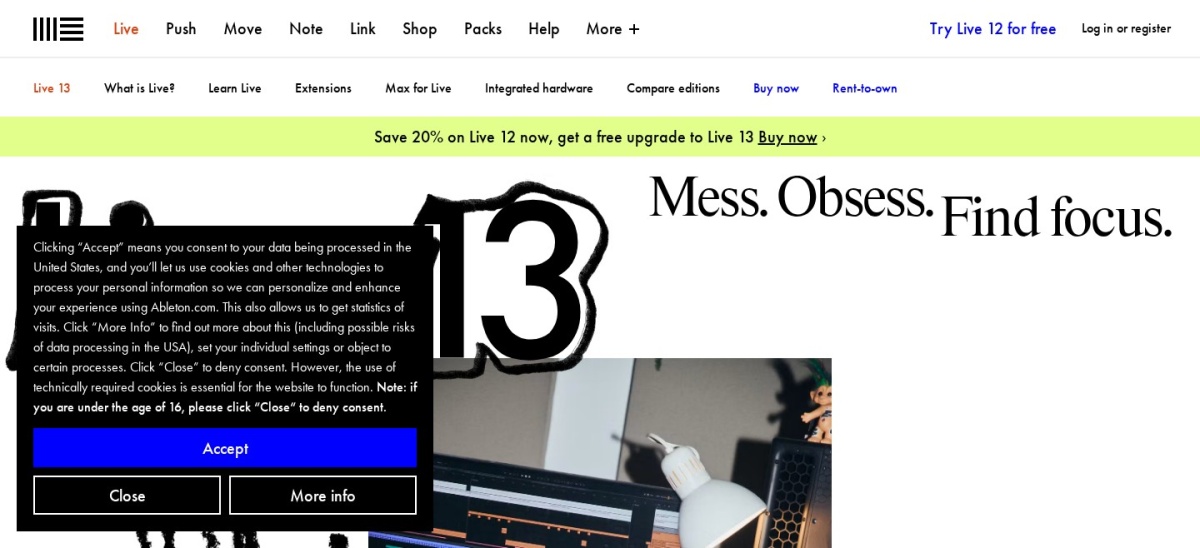
Ableton Live holds the highest G2 rating on this list at 4.7/5 across 159 reviews, starting at $99 one-time for the 16-track Intro edition.
REAPER gives personal and small-business creators a full multitrack DAW with scripting and VST3 support for a $60 one-time license.
Logic Pro delivers a complete Mac studio with Stem Splitter and ChromaGlow for $199.99 one-time, avoiding recurring DAW subscriptions.
Avid Pro Tools and Adobe Audition anchor commercial post-production and dialogue cleanup at $99/yr and $22.99/mo respectively.
Audacity remains the top zero-cost desktop audio editor, scoring 4.5/5 across 460 G2 reviews with full VST3 and open-source support.
What to look for in sound design software
Sound design covers three distinct workflows: synthesizing and layering original textures, editing and repairing recorded waveforms, and mixing multitrack audio to picture. A full digital audio workstation (DAW) like Ableton Live or REAPER handles synthesis, MIDI routing, and multitrack layering in one session, whereas dedicated waveform editors focus on surgical cuts and spectral cleanup.
Licensing models split sharply between perpetual one-time licenses and ongoing subscriptions. Buying a one-time license for REAPER, Logic Pro, or FL Studio avoids recurring charges, though you should check whether major version upgrades or audio recording features require higher tiers.
Plugin compatibility and CPU efficiency matter once you stack granular processors, convolution reverbs, and spectral repair tools. Look for native VST3 or AU support, track freezing or bouncing, and non-destructive editing so you can audition variations without committing early.
Ableton Live is a dual-view DAW built for real-time audio warping, rack-based effect chains, and rapid sound sculpting. Its regular $99 Intro edition includes 16 audio and MIDI tracks, 2 send tracks, and over 5 GB of sounds, while a 20% promotion currently drops entry pricing to $79 with a free Live 13 upgrade.
The trade off is that Intro caps projects at 16 tracks and omits Max for Live plus flagship synths like Wavetable and Operator, which require the $749 Suite edition. It suits electronic sound designers and game audio creators who prioritize fast modulation and non-linear experimentation.
What we like
Industry-leading audio warping and tempo manipulation tools
Effect Racks let you build macro-controlled multi-effect chains
Dual Session and Arrangement views speed up texture iteration
One-time perpetual licensing with no mandatory subscription
Watch out for
16-track cap on the $99 Intro edition fills up quickly
Full Suite with Max for Live costs $749 at regular price
Less specialized for linear film post-production than Pro Tools
Standard ($349) unlocks unlimited tracks; Suite ($749) adds 71+ GB of sounds and Max for Live.Visit ableton.com
02
REAPER
4.5/5on G2 (28 reviews, checked Nov 2026)
Starts at$60 one-time
Best value full DAW for sound designers
Entry LicenseDiscounted ($60 personal / under $20k revenue)
PlatformsWindows, macOS, Linux
Plugin FormatsVST, VST3, AU, CLAP, LV2
Free Trial60-day unrestricted evaluation
reaper.fm
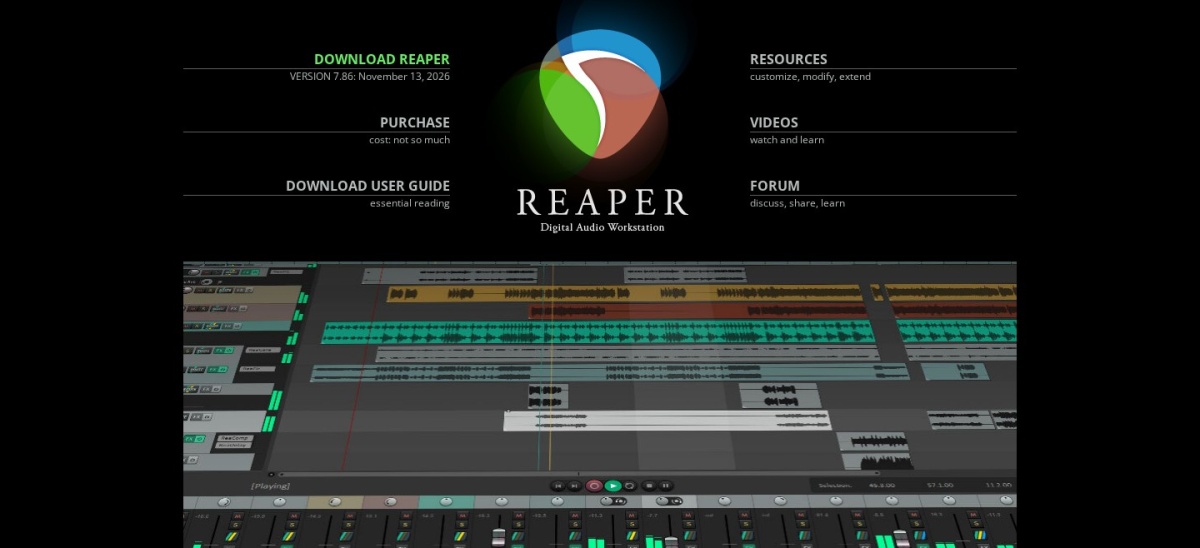
REAPER homepage, captured Nov 2026.
REAPER is a lightweight, scriptable digital audio workstation favored by game audio designers for batch rendering and customizable workflows. There is only one feature-complete edition, priced at $60 one-time for personal use or commercial work under $20,000 yearly gross revenue, with free upgrades through version 8.99.
The trade off is a utilitarian default interface and a steeper initial setup because it ships without large bundled sample libraries or virtual instruments. It suits technical sound designers and indie studios running heavy third-party plugin chains on Windows, macOS, or Linux.
What we like
Unrestricted 60-day evaluation and $60 one-time entry license
Extremely low CPU footprint with fast batch item rendering
Deep customizability via ReaScript and community extensions
Supports VST3, AU, CLAP, and Linux native formats
Watch out for
Lacks bundled virtual instruments and commercial sound libraries
Plain interface and deep menus take time to configure
Full commercial license jumps to $225 above $20,000 revenue
Commercial license ($225 one-time) covers businesses earning over $20,000 in annual gross revenue.Visit reaper.fm
03
Logic Pro
4.6/5on G2 (179 reviews, checked Nov 2026)
Starts at$199.99 one-time
Best all-in-one Mac studio
License Model$199.99 one-time Mac App Store purchase
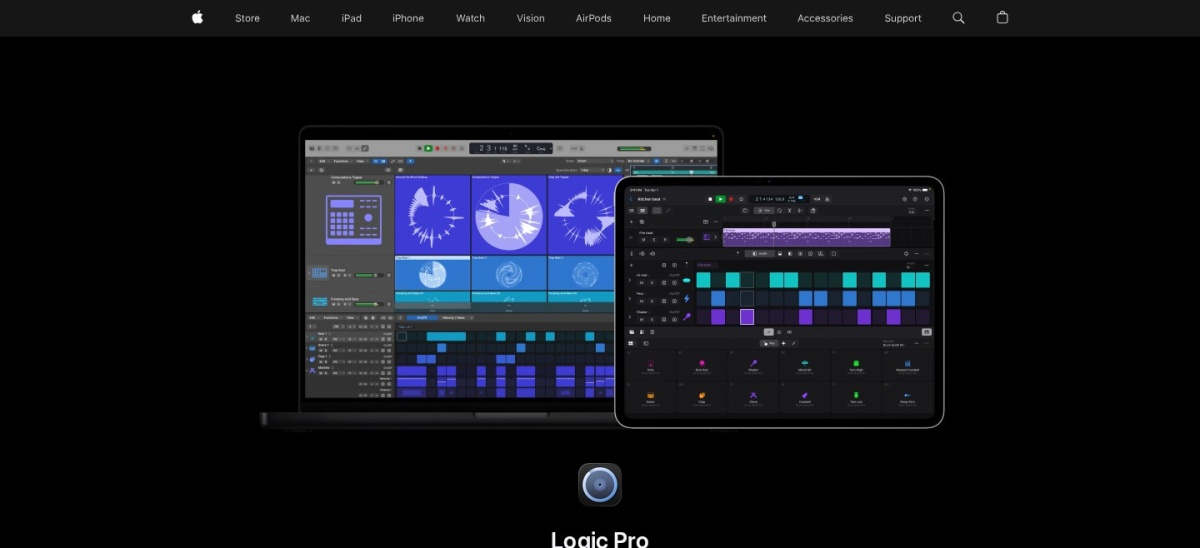
Logic Pro is Apple's flagship workstation, bundling deep synthesizers like Alchemy and Sculpture, Stem Splitter, and ChromaGlow analog saturation into one $199.99 Mac App Store purchase. There are no tiered feature lockouts on macOS, giving buyers immediate access to spatial audio mixing and a massive sound library.
The trade off is strict Apple hardware exclusivity and support only for Audio Units (AU) plugins rather than VST3. It suits Mac-based sound designers and composers who want a full suite of built-in instruments and effects without paying recurring fees.
What we like
Single $199.99 one-time purchase includes all features and instruments
Built-in Alchemy granular synth and physical modeling tools
Native Stem Splitter and Mastering Assistant run locally on Apple silicon
Supports Dolby Atmos spatial audio mixing out of the box
Watch out for
Exclusive to macOS and iPadOS with no Windows support
Only loads AU plugins, excluding VST-only freeware tools
Also accessible via the Apple Creator Studio bundle at $12.99/mo or $129/yr.Visit apple.com
04
FL Studio
4.6/5on G2 (103 reviews, checked Nov 2026)
Starts at$99 one-time
Best for pattern sequencing & lifetime updates
Entry EditionFruity Edition ($99 one-time)
PlatformsWindows, macOS
Update PolicyLifetime free updates included
Included Plugins81 instruments and effects in Fruity
image-line.com
FL Studio homepage, captured Nov 2026.
FL Studio is a pattern-based workstation known for its fast piano roll, modular Patcher routing, and lifetime free updates across all editions. The $99 Fruity Edition includes 81 instruments and effects, though Image-Line's seasonal sale currently discounts higher tiers like Producer Edition from $179 to $139.
The trade off is that the $99 Fruity Edition disables direct audio recording, omits stem separation, and caps projects at 8 audio clips. It suits synth-focused sound designers and beatmakers who plan to step up to the $179 Producer Edition for full audio tracking.
What we like
Lifetime free version updates included with every one-time purchase
Patcher environment lets you chain custom synth and FX networks
Fast piano roll and automation clip editing
Unlimited time free trial lets you test all features before buying
Watch out for
$99 Fruity Edition lacks audio recording and stem separation
Linear multitrack audio editing feels less direct than traditional DAWs
Producer Edition ($179 regular) unlocks full audio recording, unlimited clips, and stem separation.Visit image-line.com
05
Avid Pro Tools
4.3/5on G2 (123 reviews, checked Nov 2026)
Paid from$99/yr
Best for film & TV audio post-production
Free TierPro Tools Intro (8 audio, 8 MIDI tracks)
Paid EntryPro Tools Artist ($99/yr or $9.99/mo)
PlatformsWindows, macOS
Plugin FormatAAX
avid.com
Avid Pro Tools homepage, captured Nov 2026.
Avid Pro Tools is the commercial post-production standard for film, television, and game dialogue editing. Creators can start on the free Pro Tools Intro tier with 8 audio and 8 MIDI tracks, or step up to Pro Tools Artist at $99/yr regular price ($79/yr during November promotions) for 32 audio tracks and 110+ plugins.
The trade off is subscription-heavy pricing and reliance on Avid's AAX plugin format rather than VST3. It suits post-production editors and studios exchanging sessions with external dubbing stages, though video tracks require the $299/yr Studio tier.
What we like
Free Pro Tools Intro tier lets you learn the interface indefinitely
Precision clip gain, Elastic Audio, and Smart Tool editing
Universal session compatibility across commercial post facilities
ARA 2 integration streamlines vocal and spectral repair workflows
Watch out for
Lapsing a paid subscription reverts sessions to 8-track Intro limits
Requires AAX plugins instead of standard VST3 formats
Video track support requires upgrading to Studio ($299/yr regular)
Studio ($299/yr regular) expands capacity to 512 audio tracks, 1 video track, and immersive mixing.Visit avid.com
06
Adobe Audition
4.4/5on G2 (430 reviews, checked Nov 2026)
Starts at$22.99/mo
Best for spectral repair & Premiere workflows
Pricing$22.99/mo (annual plan, billed monthly)
PlatformsWindows, macOS
Key ToolsSpectral Frequency Display, Essential Sound
Free Trial7-day free trial
adobe.com
Adobe Audition homepage, captured Nov 2026.
Adobe Audition is a dedicated waveform and multitrack audio editor engineered for surgical noise cleanup, dialogue leveling, and video post-production. A standalone annual subscription costs $22.99/mo ($275.88/yr), or it comes bundled inside Creative Cloud All Apps plans.
The trade off is complete absence of MIDI sequencing or virtual instruments, making it unsuitable for synthesizer-based sound creation. It suits video editors and podcast producers who want Spectral Frequency Display repair and round-trip Premiere Pro integration.
What we like
Spectral Frequency Display visually isolates and erases hums or clicks
Direct Dynamic Link round-tripping with Adobe Premiere Pro
Batch processing speeds up file conversion and loudness normalization
High user satisfaction backed by 430 G2 reviews
Watch out for
No MIDI support or virtual instrument hosting
Subscription-only licensing with no perpetual purchase option
Included at no extra cost if you already hold an Adobe Creative Cloud All Apps membership.Visit adobe.com
07
Audacity
4.5/5on G2 (460 reviews, checked Nov 2026)
PriceFree
Best free open-source audio editor
PriceFree and open-source (GPL v3)
PlatformsWindows, macOS, Linux
Plugin FormatsVST2, VST3, AU, LV2, Nyquist
Current ReleaseAudacity 4.0.2
audacityteam.org
Audacity homepage, captured Nov 2026.
Audacity is a free, open-source multitrack audio editor and recorder used for trimming field recordings, removing background noise, and batch-converting sound assets. Now at version 4.0.2, it runs natively on Windows, macOS, and Linux and loads third-party VST3, AU, and LV2 plugins without paywalls.
The trade off is limited MIDI composition features and a simpler real-time mixing engine than commercial DAWs. It suits budget-conscious creators, podcasters, and game developers who need fast sample slicing and basic restoration at zero cost.
What we like
Completely free and open-source with zero subscription or feature locks
Supports VST3, AU, LV2, and Nyquist effects across desktop OSes
Lightweight install runs smoothly on older or low-resource laptops
Proven reliability across 460 G2 reviews
Watch out for
Not built for complex MIDI arrangement or virtual synth design
Spectral editing and noise repair are less surgical than Audition
All core editing features are free; optional MuseHub add-ons are sold separately.Visit audacityteam.org
Full DAW vs dedicated waveform editor
Choose a full DAW like Ableton Live, REAPER, or Logic Pro when your sound design relies on synthesizers, MIDI controllers, layered busses, and real-time modulation. DAWs let you automate filter sweeps, pitch envelopes, and parallel effect racks across dozens of tracks simultaneously.
Choose a waveform editor like Adobe Audition or Audacity when you primarily record field audio, cut dialogue, remove room noise, or batch-export individual sound effect assets. Many professionals pair both: designing complex textures in a DAW and cleaning raw field recordings in a dedicated editor.
How we chose
We built this shortlist by evaluating established digital audio workstations and dedicated audio editors widely used in game audio, film post-production, and electronic sound design. Every candidate had to maintain active updates within the past 12 months and hold verifiable public user ratings.
All prices, edition limits, G2 ratings, and review counts were verified directly against official vendor pricing pages and G2 product listings on 22 Nov 2026. Where vendors ran temporary seasonal discounts, we listed regular retail prices in the comparison ladder and noted active promotions in the text.
We excluded discontinued software, unmaintained freeware, and closed-beta AI audio generators lacking transparent public pricing or established user review histories. No vendor paid for a place, and we do not claim testing for this list.
How to choose sound design software
Match your primary audio workflow and operating system to the right licensing tier before committing to a purchase.
Define whether you synthesize sounds or edit recordings. Pick Ableton Live, Logic Pro, or FL Studio if you build textures with synths and MIDI; pick Adobe Audition or Audacity if you mostly clean and cut recorded audio.
Check entry-tier track and recording limits. Lower-priced editions like Ableton Live Intro (16 tracks) and FL Studio Fruity Edition (no audio recording) restrict key workflows compared to mid-tier versions.
Verify plugin format compatibility. Confirm whether your third-party effects require VST3 (REAPER, Ableton, Audacity), AU (Logic Pro), or AAX (Pro Tools) before buying.
Test CPU performance with free trials first. Use REAPER's 60-day evaluation, Ableton's 30-day Suite trial, or Audacity to verify how smoothly your computer handles heavy reverb and granular chains.
FAQ
What is the best free sound design software?
Audacity is the best completely free sound design editor, supporting multitrack recording, VST3 plugins, and cross-platform desktop use with no paid tiers. If you only need temporary access, REAPER offers an unrestricted 60-day evaluation and Pro Tools Intro provides a permanent free 8-track tier.
Which DAW is best for game audio sound design?
REAPER and Ableton Live are the two most popular DAWs for game audio. REAPER excels at fast batch rendering, custom scripting, and low CPU overhead for $60 one-time, while Ableton Live speeds up creative synthesis and modular effect routing.
Do I need a subscription for sound design software?
No. Ableton Live ($99+ one-time), REAPER ($60 one-time), Logic Pro ($199.99 one-time), and FL Studio ($99+ one-time) all sell perpetual licenses. Subscriptions are mainly required for Avid Pro Tools ($99/yr+) and Adobe Audition ($22.99/mo).
Is Adobe Audition good for making synth sound effects?
No. Adobe Audition does not support MIDI tracks or virtual instrument plugins, so it cannot host software synthesizers. It is built specifically for recording, spectral noise repair, and multitrack editing of existing audio files.
What is the best sound design software for Mac users?
Logic Pro is the strongest Mac-specific value at $199.99 one-time, bundling the Alchemy granular synth, Sculpture physical modeling, Stem Splitter, and spatial audio tools without any recurring subscription fees.