Zapier is the best Slack integration for most teams, connecting Slack to 7,000+ apps with a 4.5 out of 5 G2 rating from 2,079 reviews. Pick Make for cheaper visual automation, or Trello for simple shared boards inside Slack.
How we make this list: we compare pricing pages, product documentation and public user reviews, then re-check every price before each update. No product paid for a place. Disclosure.
Zapier is the top pick: it links Slack to 7,000+ apps and is rated 4.5/5 on G2 from 2,079 reviews.
Make is the value pick at $9 a month, with visual scenarios and 1,000 free credits a month.
Trello Standard is the cheapest paid plan here at $5 per user a month, with a free plan for up to 10 collaborators.
Asana, Trello, Notion and ClickUp all post task and page updates to Slack, so the channel becomes the status feed.
Per-seat pricing adds up fast: HubSpot Starter at $20 a user and Zoom Pro at $13.33 a user cost far more for a team of ten than the headline price suggests.
What makes a Slack integration worth adding
Slack works best when other tools feed into it. A good integration posts the right update to the right channel, so the team sees it without opening another app.
Automation tools such as Zapier and Make sit at the top of this list because they connect Slack to thousands of apps. Work tools such as Asana, Trello and Notion post task and page updates, while Calendly and Zoom handle the meeting side.
Price matters more than it first looks. Most of these tools charge per user, so a $10 plan costs $100 a month for a team of ten. Our guide on adding Calendly to WordPress shows how one scheduling link can cut that back-and-forth, and the same logic applies inside Slack.
Free plans are worth checking first. Every tool in this list has one, but limits on users, event types and automation runs decide how long the free plan lasts.
Zapier is an automation platform that connects Slack to more than 7,000 apps without code. Its free plan covers 100 tasks a month across single-step Zaps, and the Slack integration can post channel messages, create tasks from messages and send alerts when another app changes.
The trade off is price. Starter costs $19.99 a month billed yearly, or $29.99 month to month, and costs climb fast once task volume grows. It suits teams that want the widest choice of Slack automations and do not want to build them by hand.
Make is a visual automation tool that links Slack to other apps through drag-and-drop scenarios. Its free plan includes 1,000 credits a month, and the Slack modules can watch channels, send messages and route data between Slack and tools such as Google Sheets and Airtable.
The trade off is the learning curve. Building branching scenarios takes longer to learn than Zapier, and the credit model means heavy workflows burn through the Core allowance of 10,000 credits a month. It suits teams that want deeper logic for less money.
What we like
Cheapest paid automation plan in this list
Visual builder shows the whole workflow
Free plan covers 1,000 credits a month
Watch out for
Takes longer to learn than Zapier
Heavy workflows use credits fast
Core adds 10,000 credits a month and unlimited scenariosVisit make.com
03
Asana
4.4/5on G2 (13,870 reviews, checked Nov 2026)
Paid from$10.99/mo
Best for task work from Slack
Free planYes, Personal
Timeline and GanttStarter
AutomationsStarter
Paid planStarter $10.99/user/mo
asana.com
Asana homepage, captured Nov 2026.
Asana is a work management platform with a Slack integration that turns messages into tasks. The free Personal plan covers unlimited tasks and projects, and from Slack you can create tasks, get notifications about due dates and see project updates without leaving the channel.
The trade off is the per-seat price. Starter costs $10.99 per user a month billed yearly, so a large team pays for every seat, and timeline views and the workflow builder only unlock on Starter. It suits teams that plan most of their work in Asana already.
What we like
Turns any Slack message into a tracked task
Strong timeline and project views on Starter
Free plan covers unlimited tasks
Watch out for
Timeline and workflow builder need Starter
Per-seat price adds up for large teams
Starter adds timeline views, Gantt and the workflow builderVisit asana.com
04
Trello
4.4/5on G2 (14,078 reviews, checked Nov 2026)
Paid from$5/mo
Best simple boards for Slack
Free plan10 collaborators
Butler automationStandard
BoardsUnlimited cards
Paid planStandard $5/user/mo
trello.com
Trello homepage, captured Nov 2026.
Trello is a visual board tool whose Slack integration posts card updates to channels. The free plan covers up to 10 collaborators per workspace, and from Slack you can create cards, attach conversations to cards and get alerts when cards move between lists.
The trade off is depth. Trello stays simple, so reporting, timeline views and heavier automation sit behind Standard at $5 per user a month or higher plans. It suits small teams that want a light shared board beside Slack.
What we like
Cheapest paid plan in this list
Easiest board tool to learn here
Card alerts keep channels up to date
Watch out for
No timeline or reporting on the free plan
Butler automation needs Standard
Standard adds Butler automation and unlimited boardsVisit trello.com
05
Notion
4.6/5on G2 (13,767 reviews, checked Nov 2026)
Paid from$10/mo
Best docs and wiki for Slack
Free planSolo use
Collaborative blocksPlus
File uploads5 GB on Plus
Paid planPlus $10/user/mo
notion.com
Notion homepage, captured Nov 2026.
Notion is a docs and wiki workspace with a Slack integration that shares pages and updates. The free plan works for solo use with basic blocks, and the Slack integration can unfurl Notion links, post page updates to channels and let teams search Notion from Slack.
The trade off is the team cost. Plus costs $10 per user a month and unlocks unlimited collaborative blocks and larger file uploads, so the bill grows with every teammate. It suits teams that keep specs, notes and project docs in Notion.
What we like
Links unfurl into rich previews in Slack
One place for docs, wikis and light tasks
Free plan is generous for solo use
Watch out for
Collaboration limits push teams to Plus
Takes time to set up well
Plus adds unlimited collaborative blocks and 5 GB uploadsVisit notion.com
06
ClickUp
4.7/5on G2 (10,956 reviews, checked Nov 2026)
Paid from$12/mo
Best all-in-one workspace for Slack
Free planUnlimited tasks
Slack syncTwo-way comments
Automations1,000 runs/mo on Core
Paid planCore, regular $12/mo
clickup.com
ClickUp homepage, captured Nov 2026.
ClickUp is an all-in-one workspace that connects tasks, docs and chat with Slack. The free plan covers unlimited tasks and members, and its Slack integration can create tasks from messages, post updates to channels and keep comments in sync between the two tools.
The trade off is price confusion. Core lists at $9 per user a month billed yearly against a regular price of $12, and the full feature set only opens on higher plans. It suits teams that want one workspace for docs, tasks and chat beside Slack.
What we like
Highest G2 rating in this list at 4.7/5
Free plan covers unlimited tasks and members
Two-way comment sync with Slack
Watch out for
Pricing pages show more than one figure for Core
Interface can feel crowded for new users
Core adds unlimited storage, integrations and Gantt chartsVisit clickup.com
07
HubSpot
4.4/5on G2 (13,892 reviews, checked Nov 2026)
Paid from$20/mo
Best CRM alerts for Slack
Free CRM2 users
Contacts1,000 on free
Slack alertsDeals and tickets
Paid planStarter $20/user/mo
hubspot.com
HubSpot homepage, captured Nov 2026.
HubSpot is a CRM platform whose Slack integration sends deal and ticket alerts to channels. The free CRM covers two users and 1,000 contacts, and from Slack the team can see deal updates, get notified about new leads and search contacts without opening HubSpot.
The trade off is the upgrade cliff. Starter costs $20 per user a month, and the jump to Professional is steep, so growing teams can face a large bill for features that were free. It suits sales-led teams that live in HubSpot already.
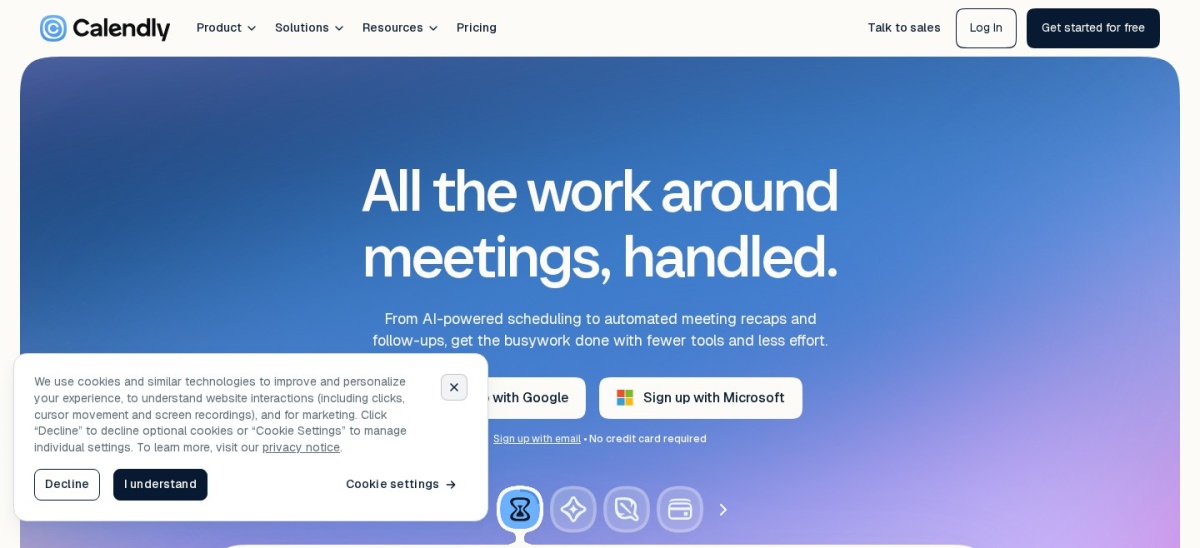
Calendly is a scheduling tool whose Slack integration lets people book meetings from a channel. The free plan covers one event type and one calendar connection, and the Slack app can share booking links, send reminders and post confirmations when someone books.
The trade off is the paid tier. Standard costs $10 per seat a month and adds unlimited event types, multiple calendars and workflows, while round-robin routing needs the Teams plan at $16. It suits client-facing teams that book most meetings through Slack.
Zoom is a video meeting platform with a Slack integration that starts and joins calls from channels. The free Basic plan covers group meetings of up to 40 minutes, and the Slack app can start instant meetings, share join links and post recordings to a channel.
The trade off is the per-user price. Pro costs $13.33 per user a month billed yearly and lifts the meeting limit to 30 hours with 5 GB of cloud recording, so the cost scales with every host. It suits teams that run most meetings from Slack.
What we like
Most reviewed tool here, 55,863 G2 reviews
Calls start from any channel in one click
AI Companion summaries included on paid plans
Watch out for
Free group meetings cut off at 40 minutes
Per-host pricing gets costly for big teams
Pro adds 30-hour meetings and 5 GB cloud recordingVisit zoom.us
Automation tools vs native Slack apps: which to pick
Zapier and Make are general automation tools. They connect Slack to apps that have no Slack app of their own, and they can chain several steps together, such as saving a form reply to a sheet and then posting it to a channel.
Native integrations such as Asana, Trello and Calendly are narrower but simpler. They do one job well, need less setup and usually cost less than a separate automation plan.
A good rule is to start native. Add Zapier or Make only when the same manual step keeps coming up across three or more apps, or when no native integration exists for the tool you need.
How we chose
We started from the most widely used Slack integrations across automation, project work, docs, CRM, scheduling and meetings, then kept the nine with a public rating, a free plan and clear pricing.
Prices come from each vendor pricing page and G2, checked on 26 November 2026. Ratings and review counts come from G2 on the same day. Where a vendor shows a sale or a country-specific price, the list shows the regular price.
We left out integrations with no public rating and tools that need a sales call for a price. No vendor paid for a place, and we do not claim to have used these tools ourselves.
How to choose a Slack integration
Start with the work your team already does in Slack, then pick the integration that removes the most switching.
List the apps your team opens every day. If Slack already carries the conversation, the integration should bring the work to Slack, not the other way round.
Try the free plan with one channel first. Connect a single channel and watch the alerts for a week before rolling the integration out to the whole workspace.
Check the per-seat maths before you pay. Multiply the monthly price by your team size, since most tools in this list charge per user and the total adds up fast.
Keep the alert noise down. Turn off low-value notifications early, or the channel fills with updates nobody reads.
FAQ
What is the best Slack integration?
Zapier is the best Slack integration for most teams. It connects Slack to more than 7,000 apps, covers 100 tasks a month on its free plan and is rated 4.5 out of 5 on G2 from 2,079 reviews.
Is there a free Slack integration for automation?
Yes. Zapier and Make both have free plans, with Zapier covering 100 tasks a month and Make covering 1,000 credits a month. Make is the cheaper paid option at $9 a month, while Zapier starts at $19.99 a month billed yearly.
Can Slack replace a project management tool?
No. Slack is good for conversation and alerts, but tasks, deadlines and reporting still need a tool such as Asana, Trello or ClickUp. The best setup is a project tool that posts updates into Slack, so the team sees progress without leaving the channel.
Which Slack integration is cheapest?
Trello is the cheapest paid option in this list at $5 per user a month for Standard, and its free plan covers up to 10 collaborators. Make follows at $9 a month, and both keep a useful free plan for small teams.
Do I need Zapier or Make for Slack?
Pick one automation tool, not both. Zapier is easier to set up and connects to more apps, while Make is cheaper and handles branching logic better. Teams that only need simple alerts can often use the built-in Slack integration of each app instead.
Can I book meetings from Slack?
Yes. Calendly posts booking links in Slack and confirms bookings in the channel, while Zoom starts video calls straight from a channel. Calendly Standard costs $10 per seat a month, and Zoom Pro costs $13.33 per user a month billed yearly.
SaaS SEO and WordPress specialist with about 8 years of experience. Rakib compares WordPress plugins, themes, hosting and software using public pricing, documentation and user reviews. See how we rank.