WLWPLegible EditorsLast verified 22 Nov 2026How we rank6 min read
★ Short answer
Nextcloud is the top pick for self-hosted apps in 2026, offering file sync, calendars, and groupware under an AGPL license with a 4.4 rating on G2. For workflow automation, n8n provides a free self-hosted Community edition, while Bitwarden offers audited password management starting at $4 per user per month on Teams.
How we make this list: we compare pricing pages, product documentation and public user reviews, then re-check every price before each update. No product paid for a place. Disclosure.
Nextcloud holds a 4.4 out of 5 rating across 199 reviews on G2 and starts at €71.29 (about $82) per user per year for 100-user Enterprise Standard.
n8n holds a 4.7 out of 5 rating across 327 reviews on G2 with a free self-hosted Community edition and paid plans starting at €20 per month billed annually.
Bitwarden holds a 4.6 out of 5 rating across 1,523 reviews on G2 and starts at $4 per user per month billed annually on Teams.
Matomo holds a 4.2 out of 5 rating across 96 reviews on G2 with a free GPL v3+ self-hosted edition and Cloud Business starting at $19 per month.
Ghost holds a 4.0 out of 5 rating across 40 reviews on G2, with open-source self-hosting and managed Ghost(Pro) Starter at $15 per month billed yearly.
What to look for when choosing self-hosted apps
Self-hosting software moves data ownership and recurring per-seat licensing onto infrastructure you control. Teams often adopt self-hosted apps to meet compliance rules, avoid per-task automation markups, or consolidate file sync, analytics, and publishing on their own servers.
A free open-source download rarely means zero cost. You still need to budget for server compute, storage, backups, TLS certificates, and ongoing software updates, plus paid support or cloud add-ons when you want vendor SLAs or hosted convenience.
Licensing and team features also separate community builds from commercial tiers. Some projects keep core features open source while gating single sign-on, Git version control, shared team folders, or priority support behind paid subscriptions.
Nextcloud is a self-hosted content collaboration platform that provides file sync, calendars, contacts, and group chat under an AGPL license with no software license fee. It includes free desktop and mobile clients alongside optional office and AI collaboration tools.
The trade off is that official Enterprise subscriptions start at €71.29 (about $82) per user per year from 100 users, while smaller teams manage updates and storage themselves. It suits organizations and households that want full control over files and collaboration data.
What we like
Full data ownership and self-hosted control over files and collaboration
Free AGPL server software plus free desktop and mobile sync apps
Supports enterprise features such as SAML authentication and audit logging
Watch out for
Official enterprise subscriptions start at a 100-user minimum
Self-hosting requires server storage, backups, and ongoing maintenance
n8n is a workflow automation platform that connects apps and AI nodes, offering a free self-hosted Community edition and a hosted Starter plan at €20 per month billed annually for 2,500 monthly workflow executions. Each full workflow run counts as one execution regardless of how many steps it contains.
The trade off is that self-hosting takes server upkeep, and features like SSO, multiple environments, and Git version control sit on the Business tier at €667 per month billed annually. It suits technical builders and teams automating multi-step processes without per-step billing.
What we like
Free self-hosted Community edition with full workflow editor and integrations
Counts a single execution per complete workflow run rather than per step
Includes AI nodes and workflow orchestration tools
Watch out for
Steeper learning curve than basic no-code automation tools
Self-hosted SSO and Git version control require the higher-priced Business tier
Paid plans add managed cloud hosting or self-hosted Business controls such as SSO, Git version control, and shared projects.Visit n8n.io
03
Bitwarden
4.6/5on G2 (1,523 reviews, checked Nov 2026)
Paid from$48/user/yr
Best for open-source credential management
Individual free tier$0 personal plan
Entry business plan$4/user/mo billed annually
Enterprise plan$6/user/mo billed annually
Security modelOpen-source zero-knowledge
bitwarden.com
Bitwarden homepage, captured Nov 2026.
Bitwarden is an open-source password manager that offers a free individual tier, a $19.80 per year individual Premium option, and business plans starting at $4 per user per month billed annually on Teams. It supports vault sharing, browser extensions, and self-hosted enterprise deployment.
The trade off is that passwordless SSO and enterprise policies require the $6 per user per month Enterprise tier, and some users find the interface more utilitarian. It suits individuals, IT teams, and organizations wanting auditable credential storage.
What we like
Open-source client and server code with independent security audits
Low per-seat pricing starting at $4 per user per month billed annually on Teams
Supports shared folders, directory sync, and audit logs for organizations
Watch out for
Interface feels more functional than polished compared with some commercial rivals
SSO integration and granular enterprise policies sit on the Enterprise tier
Paid business plans add shared organizational collections, directory sync, audit logs, and enterprise SSO controls.Visit bitwarden.com
04
Gitea
4.7/5on G2 (17 reviews, checked Nov 2026)
Paid from$114/seat/yr
Best for lightweight self-hosted Git repositories
Open-source edition$0 MIT-licensed self-host
Enterprise tierStarting at $114/seat/yr
Cloud tierStarting at $9.50/seat/mo
FootprintLightweight Git server
about.gitea.com
Gitea homepage, captured Nov 2026.
Gitea is a lightweight Git hosting platform that offers a free MIT-licensed self-hosted edition alongside hosted cloud and Enterprise tiers starting at $114 per seat per year. Developers use it for repositories, issues, wikis, and lightweight version control without heavy resource demands.
The trade off is that self-hosted upgrades and backups require manual setup or scripts, and enterprise support starts at $114 per seat per year. It suits developers and engineering teams that want a fast, low-overhead Git server on their own hardware.
What we like
Free MIT-licensed open-source edition for self-hosting
Low server resource footprint compared with heavier Git platforms
Includes core repository tools such as issues, wikis, and user management
Watch out for
Fewer built-in third-party integrations than larger developer platforms
Backup and restore workflows often require custom scripting on self-hosted setups
Paid Enterprise and Cloud plans add managed infrastructure or dedicated support and enterprise features.Visit about.gitea.com
05
Ghost
4/5on G2 (40 reviews, checked Nov 2026)
Paid from$15/mo
Best for independent publishing and newsletters
Self-hosted softwareOpen-source core
Managed entry plan$15/mo billed yearly (Starter)
Paid membershipsPublisher from $29/mo yearly
Subscription cut0% Ghost fee on Publisher+
ghost.org
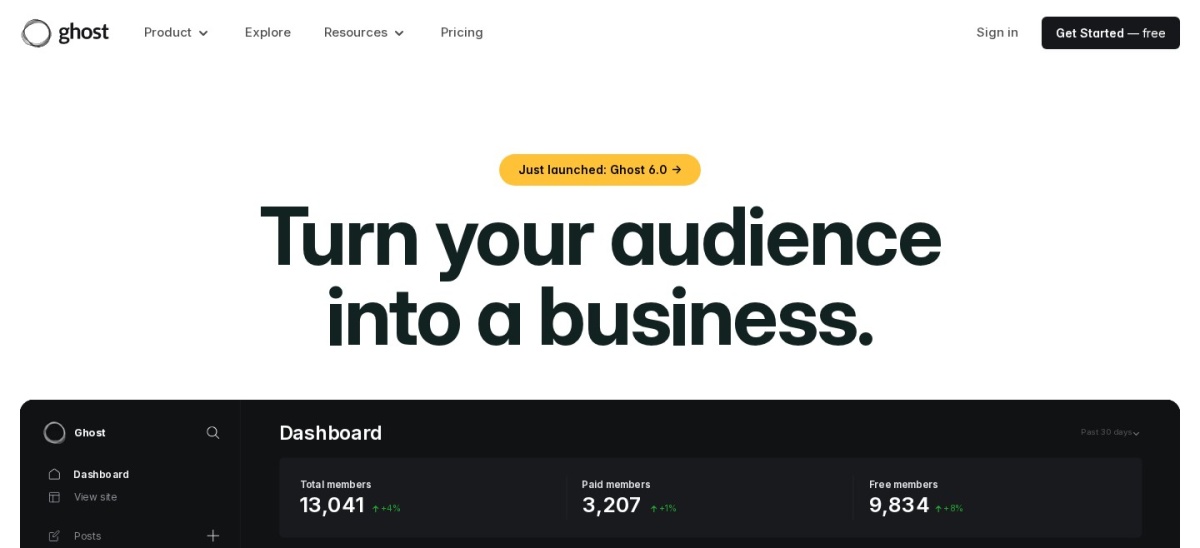
Ghost homepage, captured Nov 2026.
Ghost is a publishing platform for blogs and newsletters whose core software can be self-hosted or run on managed Ghost(Pro) Starter starting at $15 per month billed yearly for up to 1,000 members. It focuses on editorial writing, newsletters, and audience memberships.
The trade off is that Ghost(Pro) Starter does not support paid subscriptions, which require Publisher from $29 per month billed yearly, and member tiers scale with total registered members. It suits writers and publishers who want full control over their publication and subscriber list.
What we like
Open-source core available for self-hosting on your own server
0% platform transaction fee on paid subscriptions on Publisher and higher plans
Built-in publishing and newsletter tools in one workflow
Watch out for
Starter plan at $15 per month yearly omits paid subscriptions
Pricing tiers step up as total free and paid member counts grow
Paid Ghost(Pro) plans handle hosting and maintenance, with Publisher adding paid member subscriptions and custom fields.Visit ghost.org
06
Matomo
4.2/5on G2 (96 reviews, checked Nov 2026)
Paid from$19/mo
Best for full-featured self-hosted web analytics
On-premise licenseFree GPL v3+ download
Managed cloud tierCloud Business from $19/mo
Analytics depthTraffic, heatmaps, goals
Data ownership100% on your database
matomo.org
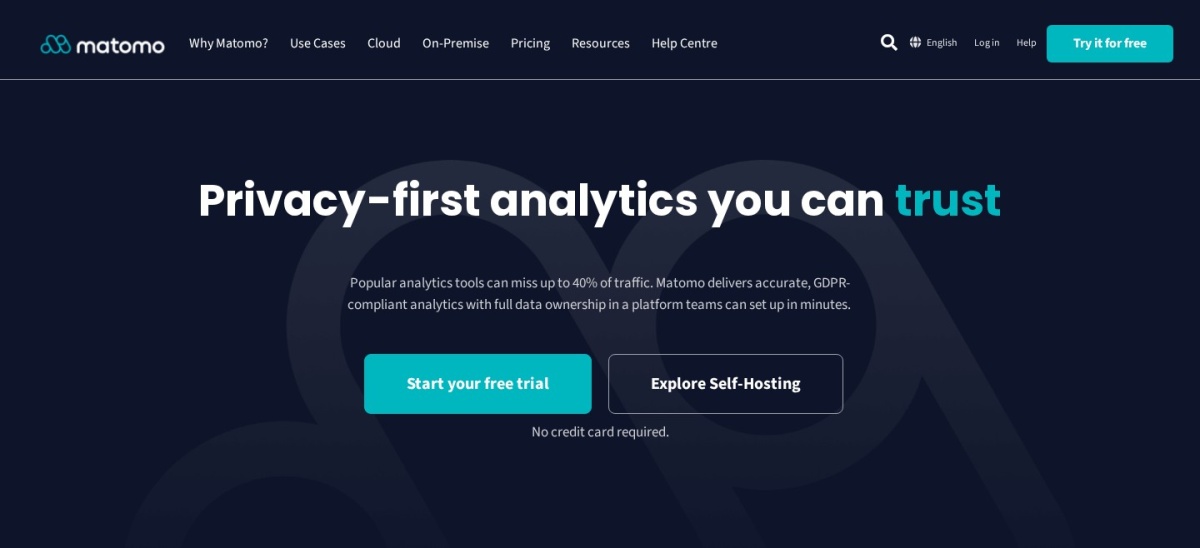
Matomo homepage, captured Nov 2026.
Matomo is a web analytics platform offering a free GPL v3+ self-hosted edition alongside Cloud Business starting at $19 per month. It provides visitor reporting, goal tracking, user journeys, and heatmaps while keeping raw analytics data under your control.
The trade off is that self-hosting requires managing database growth and server resources, while managed plans scale with traffic volume. It suits site owners and privacy-conscious teams that want detailed analytics without sending data to third-party ad networks.
What we like
Free GPL v3+ on-premise software with full ownership of collected data
Includes heatmaps, goal tracking, and visitor journey reports
Offers both self-hosted and managed cloud deployment paths
Watch out for
Self-hosted databases require ongoing storage and performance tuning as traffic grows
Heavier feature set than minimal single-metric analytics tools
Paid cloud plans remove server maintenance and add hosted analytics features with custom enterprise options.Visit matomo.org
07
Plausible
4.9/5on G2 (8 reviews, checked Nov 2026)
Paid from$9/mo
Best for lightweight privacy-first traffic analytics
Self-hosted optionOpen-source edition
Hosted entry planStarter from $9/mo
Privacy designCookie-free, GDPR-ready
Funnels & APIBusiness tier ($19/mo)
plausible.io
Plausible homepage, captured Nov 2026.
Plausible is a lightweight web analytics tool available as an open-source self-hosted option and as a hosted service starting at $9 per month on Starter. It focuses on clean traffic dashboards without third-party tracking cookies.
The trade off is that team invitations, funnels, and Stats API access require higher hosted tiers, and prices scale with monthly pageview volume. It suits site owners who want straightforward traffic metrics and minimal setup overhead.
What we like
Clean interface with cookie-free tracking and straightforward setup
Low-overhead reporting focused on core traffic and referral metrics
Watch out for
Funnels, revenue tracking, and API access are restricted to higher hosted plans
Monthly cost increases as tracked traffic volume grows
Paid hosted plans add multi-site allowances, team access, funnels, and Stats API access as traffic scales.Visit plausible.io
When to self-host vs. use managed cloud
Self-hosting makes the most sense when data residency, compliance, or recurring SaaS seat and task fees outweigh server maintenance time. Tools like Nextcloud, n8n, Gitea, and Matomo give you full control over your environment when you have a reliable server and tested backups.
Managed cloud plans or commercial support tiers fit better when uptime SLAs, zero server patching, or team governance features matter more than running raw infrastructure. Many teams start on a hosted tier or small server first and migrate once their usage pattern is clear.
How we chose
We selected established self-hosted applications across file collaboration, workflow automation, password management, Git hosting, publishing, and web analytics based on active maintenance and public software directories.
Ratings, review counts, and starting prices were checked on 22 Nov 2026 across G2, Capterra, and official product pricing pages, using regular non-promotional plan rates where applicable.
We excluded unmaintained tools, products without verifiable public pricing or review data, and tools with small review footprints where they did not fit the core lineup. No vendor paid for a place, and we do not claim testing for this list.
How to choose a self-hosted app
Follow four practical checks before deploying any self-hosted stack.
Match the app to your core workload. Pick a tool built for the primary job—such as Nextcloud for files and groupware, n8n for automations, or Gitea for Git—rather than forcing one app into every role.
Account for server and backup overhead. Factor in VPS or hardware costs, storage growth, TLS certificates, and tested backups alongside any free open-source license.
Check license and team feature limits. Review which capabilities remain free and which team controls—such as SSO, shared projects, or audit logs—require a paid tier.
Plan upgrades before production traffic grows. Set a clear update routine and monitor resource or execution limits so growing traffic does not catch your instance off guard.
FAQ
Are self-hosted apps always completely free?
Not always. Many self-hosted apps offer a free open-source or community edition, but you still pay for server hosting and backups, and commercial support or cloud plans carry recurring fees.
What is the best self-hosted app for files and team collaboration?
Nextcloud is a leading choice for self-hosted file sync, calendars, contacts, and group chat, with an AGPL open-source option and enterprise subscriptions starting from 100 users.
How does n8n charge for workflows compared with step-based tools?
n8n counts a single execution per complete workflow run rather than charging for every individual step inside a workflow, with a free self-hosted Community edition and Starter from €20 per month billed annually.
Can you self-host Bitwarden for an organization?
Yes, Bitwarden supports self-hosted enterprise deployment alongside cloud plans, with Teams starting at $4 per user per month billed annually and Enterprise at $6 per user per month billed annually.
When should you pick Matomo over Plausible for analytics?
Choose Matomo if you want built-in heatmaps, visitor journey reports, and deeper reporting on a GPL v3+ self-hosted or Cloud Business plan, or Plausible if you prefer a lighter cookie-free setup.
Does Ghost charge a fee on paid newsletter subscriptions?
Ghost charges 0% in platform transaction fees on paid memberships starting on its Publisher plan, while Starter at $15 per month billed yearly covers publishing and free members without paid subscriptions.