Best Restaurant Reservation Software in 2026: 7 Tools Compared
WLWPLegible EditorsLast verified 22 Nov 2026How we rank10 min read
★ Short answer
Eat App is the best restaurant reservation software overall because it includes a permanent free tier for 100 monthly covers and charges zero per-cover fees on paid plans starting at $99/mo. Independent venues on tight budgets should pick resOS from $47/mo, while WordPress sites needing built-in table forms should use Five Star Restaurant Reservations.
How we make this list: we compare pricing pages, product documentation and public user reviews, then re-check every price before each update. No product paid for a place. Disclosure.
Eat App leads for independent restaurants with a free plan up to 100 covers per month and flat paid plans starting at $99/mo with zero cover commissions.
resOS offers the lowest paid SaaS entry at $47/mo regular ($24/mo promo) for up to 350 bookings, plus a free plan for 25 monthly bookings.
Five Star Restaurant Reservations runs on 10,000+ WordPress sites with a free core plugin and a $67 one-time Premium license.
WPCafe combines WooCommerce food ordering and table booking on 5,000+ WordPress sites, with Pro licenses starting at $99/yr.
OpenTable gives access to the largest diner marketplace starting at $149/mo plus $1.50 per network cover, making it pricey at high volume.
What to look for in restaurant reservation software
Pricing structure is the single biggest factor separating restaurant booking platforms. Commission-based marketplaces charge per seated guest from their diner directory, which drives up costs during peak months, while flat-rate SaaS tools and WordPress plugins keep monthly expenses predictable regardless of party size.
Guest data ownership directly affects repeat business. Direct booking widgets embedded on your website or Google Business Profile let you keep diner emails, phone numbers, and dietary preferences in your own CRM, whereas third-party consumer apps often restrict access to marketplace diner profiles.
No-show protection and floor management determine how smoothly busy shifts run. Look for automated SMS or email reminders, customizable table-turn times, party-size rules, and optional credit card holds or deposits for peak Friday and Saturday services.
WordPress workflow automation for deposits & branches
$89/yr
No free plan
4.91/5
Price ladder: cheapest paid plan per year
List prices, USD, checked Nov 2026
Five StarFREE$67
Booknetic$89
WPCafeFREE$99
resOSFREE$564
Eat AppFREE$1,188
Hostme$1,308
OpenTable$1,788
The 7 best restaurant reservation software
01
Eat App
4.7/5on G2 (66 reviews, checked Nov 2026)
Paid from$99/mo
Best overall for commission-free table management
Free tierUp to 100 covers/mo
Cover fees$0 across all tiers
MessagingEmail, SMS, WhatsApp
POS sync+$39/mo on Lite & Core
restaurant.eatapp.co
Eat App homepage, captured Nov 2026.
Eat App is a cloud restaurant reservation and table management system used by 5,000+ restaurants. Its permanent free tier handles up to 100 covers per month with online booking widgets, digital floor plans, and basic guest tracking without requiring a credit card.
The trade off is that POS integration and payment deposits cost $39/mo each on the Lite plan at $99/mo regular ($69/mo billed yearly). It suits single-location restaurants and small groups that want first-party guest data and zero per-cover commissions.
What we like
Permanent free tier supports up to 100 covers monthly
Zero per-cover commissions on direct or widget bookings
Built-in guest CRM with VIP tagging and WhatsApp messaging
Month-to-month billing with no auto-renewing lock-in
Watch out for
POS integration and deposits require paid add-ons on lower tiers
Lacks a massive consumer dining marketplace like OpenTable
resOS is a flat-fee restaurant booking and table management platform trusted by 3,000+ restaurants, cafes, and bars. The free plan includes all core features for up to 25 bookings per month, including visual floor plans, automated email reminders, and waitlist tools.
The trade off is that lower paid tiers cap monthly volume, starting with Basic at $47/mo regular ($24/mo promo) for 350 bookings, and features like Reserve with Google or deposits cost extra as add-ons. It suits smaller venues watching monthly software overhead.
What we like
Lowest regular starting price among standalone SaaS tools at $47/mo
Zero per-cover or commission fees on any tier
90-day money-back guarantee and cancel-anytime terms
Includes takeaway ordering and waitlist tools in core plans
Watch out for
Basic (350 bookings) and Plus (750 bookings) enforce monthly caps
Deposits, custom branding, and Google booking require paid add-ons
Basic ($47/mo regular) raises capacity to 350 monthly bookings and unlocks paid add-ons.Visit resos.com
03
Five Star Restaurant Reservations
4.8/5on WordPress.org (211 reviews, checked Nov 2026)
Paid from$67 one-time
Best dedicated WordPress table booking plugin
Active installs10,000+ on WordPress
Free tierUnlimited bookings
Entry license$67 one-time (Premium)
Table assignmentUltimate plan ($297/yr)
fivestarplugins.com
Five Star Restaurant Reservations homepage, captured Nov 2026.
Five Star Restaurant Reservations is a dedicated WordPress table booking plugin active on 10,000+ sites. The free version adds a mobile-friendly reservation form to any page, lets staff confirm or reject requests from the dashboard, and blocks bookings during closed hours.
The trade off is that table-specific seating, booking deposits, SMS reminders, and the companion mobile app require the Ultimate tier at $297/yr, while Premium is $67 one-time. It suits WordPress site owners who want full control without monthly SaaS fees.
What we like
Free version supports unlimited reservation requests with no cover fees
Includes abusive guest banning and automatic small-party confirmation
Built specifically for restaurant schedules and holiday exceptions
Watch out for
Visual table selection and deposits are locked behind the $297/yr Ultimate tier
No consumer marketplace discovery or built-in POS sync
Premium ($67 one-time) adds custom form fields, Mailchimp sync, and CSV/PDF exports.Visit fivestarplugins.com
04
WPCafe
4.5/5on WordPress.org (113 reviews, checked Nov 2026)
Paid from$99/yr
Best WordPress plugin for reservations plus food ordering
Active installs5,000+ on WordPress
Menu layouts34+ templates in free
Entry license$99/yr (Standard, 2 sites)
Lifetime option$119 one-time (1 site)
themewinter.com
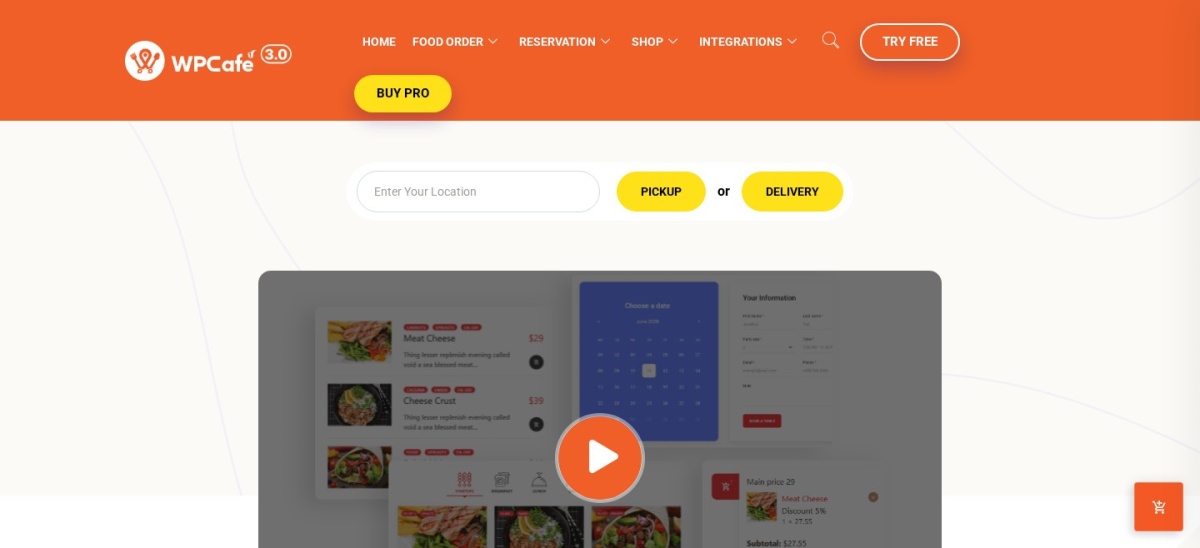
WPCafe homepage, captured Nov 2026.
WPCafe is a WordPress restaurant management plugin used on 5,000+ websites that pairs table reservations with WooCommerce food ordering. Its free version provides single and multi-slot booking schedules, seat capacity limits, automated email notifications, and 34+ menu templates.
The trade off is that visual interactive table selection, food pre-ordering inside reservation forms, and multi-branch booking require WPCafe Pro at $99/yr for 2 sites. It suits restaurants running WooCommerce that want dining room bookings and delivery in one plugin.
What we like
Combines table reservations, digital menus, and WooCommerce ordering
Affordable $99/yr Standard plan covers 2 sites or $119 lifetime for 1 site
Supports QR code dine-in ordering and pickup/delivery time slots
Works natively with Gutenberg blocks and Elementor widgets
Watch out for
Requires WooCommerce for payment processing and food ordering
Interactive floor-plan table picking is restricted to Pro tiers
Standard ($99/yr) unlocks visual table layouts, food pre-orders, and branch management.Visit themewinter.com
05
Hostme
4.4/5on G2 (5 reviews, checked Nov 2026)
Starts at$109/mo
Best flat-rate SaaS with server rotation and events
Free trial14 days, no card required
Monthly capUnlimited parties
Server toolsCover rotation included
POS syncIncluded on Grande ($169/mo)
hostmeapp.com
Hostme homepage, captured Nov 2026.
Hostme is a cloud reservation, waitlist, and table management platform built for independent full-service restaurants. Its entry Mezzo plan costs $109/mo regular ($98/mo billed annually) and includes unlimited monthly parties, digital floor plans, server rotation tracking, and 1 free event per month.
The trade off is that there is no permanent free tier, and direct POS integrations require upgrading to the Grande plan at $169/mo regular. It suits busy sit-down restaurants that need fair server cover rotation alongside commission-free bookings.
What we like
Unlimited monthly reservations and parties on the entry Mezzo plan
Includes server rotation and cover-count balancing for floor staff
Zero per-cover fees on direct website and widget reservations
Free US and Canada SMS templates included in subscription
Watch out for
No free plan after the 14-day trial ends
POS integration and custom email branding require the $169/mo Grande tier
Mezzo ($109/mo regular) includes unlimited covers, waitlist tools, and server rotation.Visit hostmeapp.com
06
OpenTable
4.4/5on G2 (381 reviews, checked Nov 2026)
Starts at$149/mo
Best for consumer diner discovery and network reach
Base plan$149/mo (Basic)
Network fee$1.50/cover on Basic
Website fee$0.25/cover or $49/mo
POS syncCore ($299/mo) & Pro ($499/mo)
restaurant.opentable.com
OpenTable homepage, captured Nov 2026.
OpenTable is the largest consumer restaurant discovery and reservation network, connecting diners to tens of thousands of venues worldwide. Its Basic plan starts at $149/mo and provides table management, shift pacing, and placement in the OpenTable diner app.
The trade off is variable cover fees: Basic charges $1.50 per seated network guest after 30 days plus $0.25 per website cover (or $49/mo flat), and POS integration requires Core at $299/mo. It suits urban restaurants prioritizing new tourist and diner discovery.
What we like
Unmatched consumer app traffic for filling empty seats with new diners
Mature shift pacing, private dining, and multi-restaurant group tools
Direct integrations with major POS platforms on Core and Pro tiers
Watch out for
Per-cover fees on both network and website bookings escalate total cost
Network guest data belongs primarily to the OpenTable marketplace
4.91/5on CodeCanyon (471 reviews, checked Nov 2026)
Starts at$89/yr
Best WordPress workflow automation for deposits & branches
CodeCanyon sales10,782+ licenses sold
Entry plan$89/yr regular ($45 promo)
Lifetime option$99 one-time (Basic)
PaymentsStripe, PayPal deposits
booknetic.com
Booknetic homepage, captured Nov 2026.
Booknetic is a WordPress appointment and reservation plugin with 10,782+ sales that restaurants configure to manage dining sections, table capacity, and service shifts. Its Basic annual plan costs $89/yr regular ($45/yr promo) and includes automated reminders, Stripe/PayPal deposits, and multi-location support.
The trade off is that Booknetic is a general scheduling engine rather than a restaurant-specific tool, so it lacks a visual dining room floor plan or POS sync. It suits WordPress operators who want automated WhatsApp/SMS workflows and deposit collection.
What we like
Strong workflow automation for SMS, WhatsApp, and email reminders
Supports upfront deposits and partial payments via Stripe and PayPal
Low entry cost at $89/yr regular or $99 for a Basic lifetime license
Handles multiple restaurant branches from one WordPress install
Watch out for
No interactive restaurant floor plan or table-combining map
Requires adapting staff/service settings to represent dining sections
Dedicated restaurant SaaS vs. WordPress booking plugins
Dedicated SaaS platforms like Eat App, resOS, and Hostme run independently of your website CMS and include interactive floor plans, iPad host-stand apps, walk-in waitlists, and shift pacing out of the box. They cost between $47/mo and $149/mo or more, making them worth the spend for busy dining rooms turning tables multiple times per night.
WordPress plugins like Five Star Restaurant Reservations and WPCafe install directly into your existing site for $67 one-time to $99/yr with zero monthly SaaS overhead. They work best for cafes, bistros, and single-room restaurants that mainly need an online booking form, email confirmations, and basic capacity limits without full host-stand hardware.
How we chose
We selected seven established restaurant reservation platforms and WordPress booking plugins that cover the main ways restaurants take table bookings in 2026: commission-free SaaS tools, consumer diner marketplaces, and self-hosted WordPress plugins.
Every rating, review count, install figure, and regular starting price was verified against official vendor pricing pages, WordPress.org, G2, Capterra, and CodeCanyon on 22 Nov 2026.
We excluded unmaintained plugins not updated in the past 12 months, tools with fewer than 1,000 active installs, and enterprise platforms like SevenRooms and Toast Tables that hide all pricing behind custom sales quotes. No vendor paid for a place, and we do not claim testing for this list.
How to choose restaurant reservation software
Calculate your monthly cover volume and host-stand workflow before committing to a subscription or per-cover fee.
Decide between flat SaaS fees and per-cover commissions. If your dining room already fills up through Google Search, social media, and repeat locals, choose a flat-rate tool like Eat App or resOS so you never pay $1.00 to $1.50 per seated guest.
Match floor-plan complexity to your dining room. High-turnover restaurants with patio sections, bar seating, and walk-in queues need real-time table status and turn-time pacing, while smaller cafes can run smoothly on a simple WordPress form.
Enable automated reminders and deposit rules. Combine automated SMS or email confirmations with credit card holds for large parties or Friday night prime slots to cut last-minute no-shows.
Verify POS integration and guest data ownership. Check whether POS sync is included or sold as a monthly add-on, and confirm you can export your full guest email and preference database anytime.
FAQ
What is the best free restaurant reservation software?
Eat App offers the strongest free plan for standalone restaurants, supporting up to 100 covers per month with a digital floor plan and zero cover fees. For WordPress sites, Five Star Restaurant Reservations allows unlimited free booking requests.
How much does restaurant reservation software cost per month?
Flat-rate SaaS platforms typically range from $47/mo for resOS Basic to $99/mo for Eat App Lite and $109/mo for Hostme Mezzo. Marketplace systems like OpenTable start at $149/mo plus $1.00 to $1.50 per seated network cover.
Are WordPress restaurant reservation plugins good enough for busy restaurants?
WordPress plugins like Five Star Restaurant Reservations and WPCafe handle online booking forms, party limits, and email alerts well for $67 to $99/yr. However, high-volume dining rooms with walk-in waitlists and live table pacing usually need a dedicated SaaS host-stand app.
How do reservation platforms reduce no-shows?
Most modern systems send automated email, SMS, or WhatsApp reminders 24 hours before seating so guests can confirm or cancel with one tap. Paid tiers also let you require booking deposits or store a credit card to charge late-cancellation fees.
Does OpenTable charge per reservation or per guest?
OpenTable charges per seated guest (per cover) rather than per booking. On the $149/mo Basic plan, network bookings cost $1.50 per seated cover after 30 days, and bookings from your own website widget cost $0.25 per cover or a $49/mo flat fee.