Monday is the best project management software for creative teams, with visual boards that clients can read at a glance. Pick Asana for timelines and portfolios, ClickUp for the most features per dollar, and Milanote when the work starts with mood boards.
How we make this list: we compare pricing pages, product documentation and public user reviews, then re-check every price before each update. No product paid for a place. Disclosure.
Monday holds the highest G2 rating here at 4.7 out of 5 from more than 17,000 reviews.
ClickUp packs the most features per dollar, with docs, chat and time tracking from $8 per user a month.
Wrike has the best proofing tools for formal review chains, though useful proofing needs its Business plan.
Milanote is the only visual-first idea tool here, built for mood boards rather than task lists.
Paid plans run $8 to $20 per user a month, with free plans on every tool except the flat-priced options.
What to look for in project management software for creative teams
Creative work arrives as a brief and leaves as approved work, so the tool must handle both ends. Intake forms, proofing and approvals matter as much as task lists.
Visual planning is the first test. Boards, timelines and calendars should show status at a glance, including to clients who never log in as full users.
Billing time changes the choice. Agencies that charge by the hour need time tracking and profitability views, which Teamwork and ClickUp include; see our time tracking apps guide for the standalone options.
Free plans vary widely. Some cover two users, some cover five, and some are unlimited, so check the seat limit before rolling a tool out to the team.
The 9 best project management software for creative teams
01
monday.com
4.7/5on G2 (17,182 reviews, checked Nov 2026)
Starts at$9/seat/mo
Best visual boards for creative agencies
Cheapest planBasic, $9/seat/mo
Free planYes, up to 2 seats
Minimum3 seats on paid plans
AutomationsFrom Standard
monday.com
monday.com homepage, captured Nov 2026.
monday.com is a visual work platform that turns creative work into colourful boards where status is visible at a glance, which is why creative and operations teams adopt it quickly. Columns, automations and dashboards bend to almost any workflow, from marketing campaigns to hiring pipelines. Basic starts at $9 per seat a month with a three-seat minimum.
The trade off is that the useful features sit higher up. Timeline views and automations need Standard at $12 a seat a month, and the free plan covers only two seats. It suits creative agencies that want visual boards running in a day.
Asana is a work management platform built around clear task ownership, timelines and portfolios, which suits studios that plan client work in phases. Tasks carry owners, due dates and dependencies, and managers see every project on one timeline. Starter costs $10.99 per user a month billed annually.
The trade off is price escalation. Portfolio views and approvals need Advanced at $24.99 a user a month, and the free Personal plan covers few users. It suits studios that plan in timelines and track portfolios of client work.
ClickUp is a platform that tries to replace several tools at once. Docs, whiteboards, goals, time tracking and chat sit beside tasks, so a team can cancel separate subscriptions and work in one place. The Core plan costs $8 per user a month billed annually, with a Free Forever plan for unlimited tasks.
The trade off is learning curve. Its depth takes longer to learn than simpler rivals, and some teams find the interface busy. Published figures conflict, with some listings showing $7 for the older Unlimited plan. It suits small creative teams that want docs, tasks and chat in one app.
Wrike is a work management platform for marketing and creative operations at scale, with intake forms, approval workflows and proofing tools built in. Work arrives as requests and leaves as approved creative, and reporting covers workload and project status in detail. The Team plan costs $10 per user a month billed annually.
The trade off is setup time. Reviewers consistently say initial setup needs dedicated admin time, and useful proofing sits on the Business plan at $24.80. It suits larger creative teams with formal review and approval chains.
Notion is a connected workspace that combines notes, docs, wikis and project management in one flexible system. Teams build databases, kanban boards and calendars from blocks, so the same tool holds the brief, the task list and the archive. Plus costs $10 per user a month billed annually.
The trade off is that everything must be built. There is no ready-made project template that fits out of the box, and native time tracking is missing. It suits creative teams that like to design their own system rather than adopt a fixed one.
Teamwork.com is a project management platform built for client work and agencies, with built-in time tracking, budgeting and invoicing beside standard tasks. Managers see profitability per client, and clients get free accounts to follow progress. Basics costs $9.99 per user a month billed annually.
The trade off is that it is less visual than monday.com, and some creative teams miss the board-first feel. It suits agencies and client-service teams that bill time and track profitability.
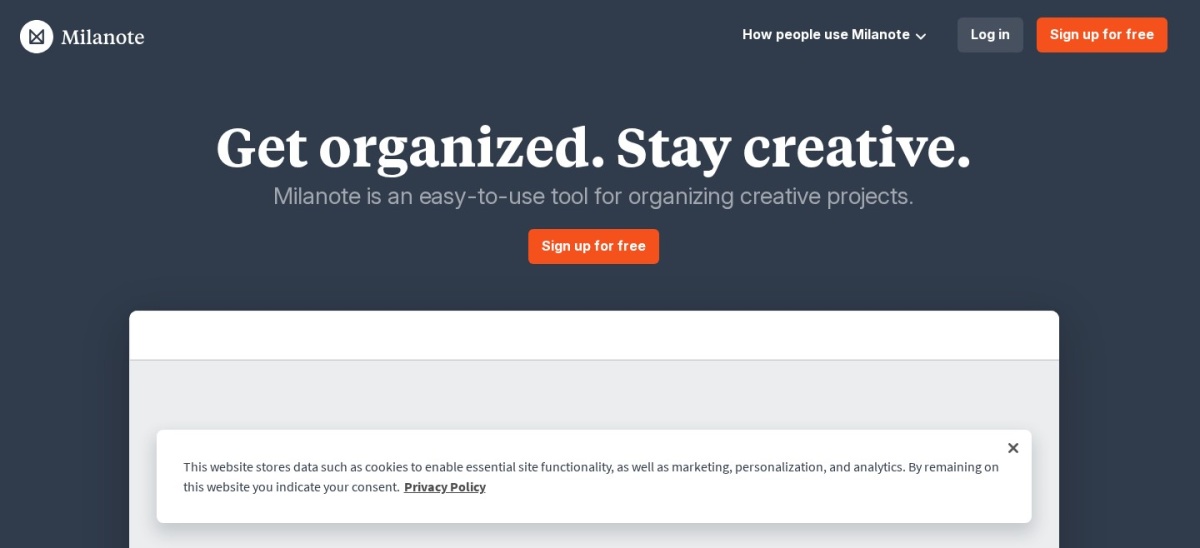
Milanote is the only pick here built specifically for visual idea work. Designers and art directors organise mood boards, reference images, notes and links on an infinite canvas instead of a task list. The free plan covers 100 cards, and Pro costs $9.99 per user a month billed annually.
The trade off is that it is not a project manager. There are no Gantt charts, time tracking or reporting, so teams pair it with a task tool. It suits designers organising ideas, mood boards and references before work starts.
Basecamp is a simple team hub that keeps projects, messages, to-do lists, schedules and files in one calm place. There are no subtasks or dependencies to configure, and clients can follow along without a seat on most plans. Plus costs $15 per user a month, with a flat $299 Pro Unlimited option.
The trade off is simplicity. There are no Gantt charts, dependencies or native time tracking, so larger creative teams outgrow it. It suits small creative teams that want one simple hub with flat pricing.
Airtable is a database-first platform that creative teams use to manage campaigns like databases, with records for assets, dates, owners and status. Grid, kanban, calendar and gallery views show the same data different ways, and automations move work along. Team costs $20 per user a month billed annually.
The trade off is price and learning curve. It is the dearest tool in this list per seat, and building a good base takes time. It suits teams that manage campaigns like databases and want every asset tracked.
We started from the established tools in this category, then kept those with a verifiable rating on G2, Capterra or Trustpilot and a published price or fee.
Prices and fees come from vendor pricing pages and public comparisons checked on 26 November 2026, with ratings and review counts from G2, Capterra or Trustpilot on the same day. Where a vendor shows a sale, the list shows the regular price.
We left out tools with no verifiable rating on any of the three review sites. No vendor paid for a place, and we do not claim hands-on testing for this list.
How to choose project management software for creative teams
Start with the job you need done every week, then match the tool to that job.
Map your creative workflow first. List how briefs arrive, who approves work and how clients see progress, then match the tool to that flow.
Check proofing and approvals. Make sure reviewers can comment on files and approve versions without extra seats or add-ons.
Test client access. Confirm clients can view boards or comment without paying for a full seat.
Add up the real per-seat cost. Include minimums, add-ons and the tier that unlocks timelines or automations before you compare prices.
FAQ
What is the best project management software for creative teams?
Monday is the best choice for most creative teams, with visual boards that clients can read at a glance and the highest G2 rating here at 4.7 out of 5. Asana suits timeline planning, ClickUp suits value, and Wrike suits formal proofing.
Which tool is best for creative agencies?
Teamwork is built for agencies that bill time, with profitability views per client and free client accounts. Monday suits agencies that want visual boards, while Wrike suits larger teams with formal approval chains.
Is there a free project management tool for creatives?
Yes. ClickUp, Monday, Asana, Notion, Teamwork, Milanote, Wrike, Basecamp and Airtable all offer free plans, though seat limits vary from two users to unlimited. Check the free tier limits before choosing.
What is the cheapest project management software for creative teams?
ClickUp is the cheapest paid option at $8 per user a month, followed by Monday at $9 and Teamwork at $9.99. Basecamp also offers a flat $299 a month Pro Unlimited plan for larger teams.
Do creative teams need proofing tools?
Teams that send work for client approval do. Wrike has the strongest proofing, with comments on files and approval workflows, while Monday and Asana handle approvals through status columns and comments instead.
Can clients see project progress without a paid seat?
On most tools, yes. Monday, Teamwork and Basecamp let clients view boards or projects without a full paid seat, though the exact guest rules differ by plan, so check the guest policy before inviting clients.
SaaS SEO and WordPress specialist with about 8 years of experience. Rakib compares WordPress plugins, themes, hosting and software using public pricing, documentation and user reviews. See how we rank.