Best Photo Collage Software in 2026: 9 Tools Compared
WLWPLegible EditorsLast verified 23 Nov 2026How we rank12 min read
★ Short answer
Canva is the best photo collage software for most people. Its Pro plan costs $15 a month, it is rated 4.7 out of 5 by more than 7,900 users, and it has the largest template library in this list. Pick Fotor for the cheapest paid plan at $8.99 a month, and Picsart for collages on your phone.
How we make this list: we compare pricing pages, product documentation and public user reviews, then re-check every price before each update. No product paid for a place. Disclosure.
Canva leads on rating (4.7/5 from 7,928 reviews) and template depth. Pro is $15 a month, or $120 a year billed annually.
Fotor has the cheapest paid plan in this list at $8.99 a month, with a $39.99 a year annual option.
Picsart is the strongest mobile-first pick. Plus costs $13 a month, or $60 a year billed annually.
FotoJet has the lowest monthly price at $6.99, but its own site shows that price struck through against $11.99, so check the checkout price before you buy.
Kapwing is video-first. Its collage tools are secondary, and at $24 a month it is the priciest paid plan here.
What good photo collage software should cover
A collage tool needs more than a grid. The layout should be flexible, the templates should fit the place you post, and exports should stay sharp at full size.
Look for ready-made layouts, drag-and-drop placement, text and stickers, and a background remover for cut-out collages. A free plan is fine for one-off collages, but most free plans add a watermark or cap export quality.
Mobile matters if you make collages from phone photos. A good mobile app should do the whole job, not just a preview of the desktop tool.
Canva has the largest template library in this list and the highest rating, 4.7 out of 5 from more than 7,900 G2 reviews. Its collage grids, frames and freeform layouts cover social posts, prints and photo books, and the free plan already includes a large set of layouts and stock photos.
The trade off is that the best collage features sit behind Pro. Background removal, premium templates and brand kits need the paid plan at $15 a month, or $120 a year billed annually. It fits anyone who makes collages often and wants the widest choice of starting points.
What we like
Largest template library in this list
Highest rating, 4.7 out of 5 from 7,900+ reviews
Strong mobile app and free plan
Watch out for
Background remover needs Pro
Free exports include premium watermarks on some assets
Pro adds background removal and premium templatesVisit canva.com
02
Fotor
4.5/5on Capterra (1,096 reviews, checked Nov 2026)
Paid from$8.99/mo
Best cheap paid plan
Collage layoutsClassic, artistic and funky grids
TemplatesThousands of templates
Background removerPro only
Paid planPro, $8.99/mo or $39.99/yr
fotor.com
Fotor homepage, captured Nov 2026.
Fotor is a collage-first tool with classic, artistic and funky grid layouts, plus batch editing and photo effects. It is rated 4.5 out of 5 from 1,096 Capterra reviews, and its Pro plan is the cheapest paid plan in this list at $8.99 a month, or $39.99 a year billed annually.
The trade off is scope. Fotor is a photo editor with collage tools, not a full design platform like Canva, so it has fewer templates for social posts and presentations. It fits people who want a simple collage maker at a low price.
What we like
Cheapest paid plan in this list
Collage-first layouts, not an afterthought
Batch editing included
Watch out for
Fewer design templates than Canva
Free plan shows ads and limits exports
Pro removes ads and unlocks the full template setVisit fotor.com
03
Picsart
4.5/5on G2 (800 reviews, checked Nov 2026)
Paid from$13/mo
Best collage app for mobile
Collage layoutsGrids, freestyle and frames
Mobile appiOS and Android, full editor
Background removerPlus only
Paid planPlus, $13/mo or $60/yr
picsart.com
Picsart homepage, captured Nov 2026.
Picsart is the most mobile-first collage tool in this list. Its app does the whole job on a phone: grids, freestyle collages, stickers, text and filters, with a large community of shared stickers and templates. It is rated 4.5 out of 5 from 800 G2 reviews.
The trade off is price clarity. Plus is listed at $13 a month, or $60 a year billed annually, but some comparison sites list a lower annual rate, and in-app prices differ by platform. It fits people who build collages on their phone and post straight to social media.
Adobe Express brings Adobe fonts, stock photos and templates into a simple collage maker that works in the browser and on mobile. It is rated 4.4 out of 5 from 1,110 G2 reviews, and the free plan covers basic collages with Adobe Fonts included.
The trade off is depth. Its collage layouts are simpler than Canva's, and premium templates, background removal and brand kits need Premium at $9.99 a month. It fits people who already use Adobe tools and want consistent fonts and assets.
Pixlr is a full browser-based photo editor with collage layouts built in, so you can edit each photo before placing it in the grid. It is rated 4.4 out of 5 from 750 G2 reviews, and the free plan covers basic collage work with no install.
The trade off is that collage is one feature inside a larger editor, not the main focus. The Creative Pack at $14.99 a month removes ads, unlocks AI tools and premium assets, and raises export quality. It fits people who want to edit photos and build collages in one browser tab.
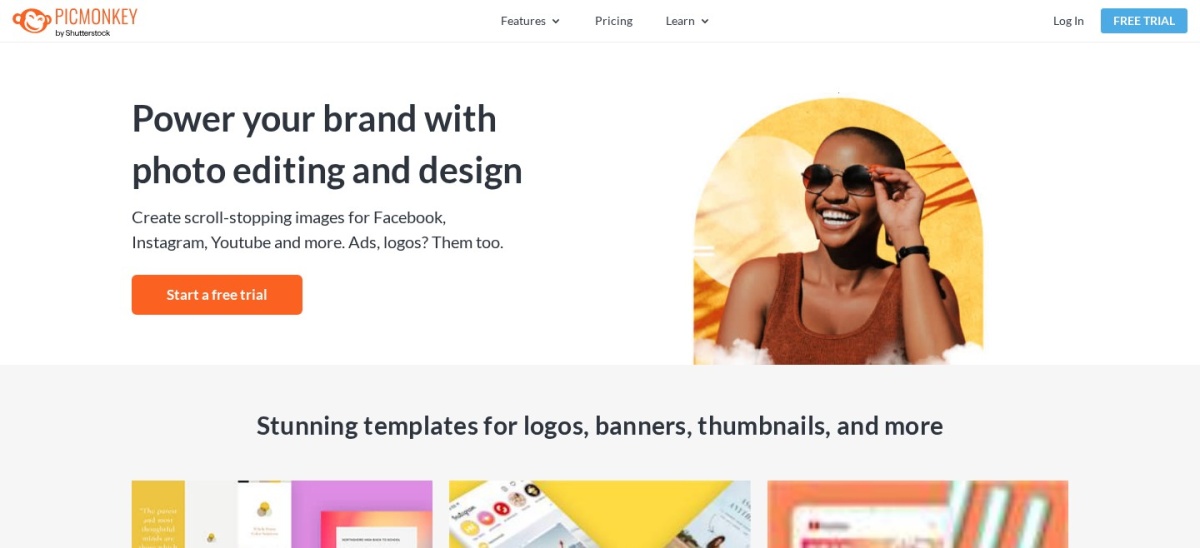
PicMonkey pairs collage grids with touch-up tools and print sizes, so a collage can go straight from the browser to a framed print. It is rated 4.4 out of 5 from 422 G2 reviews, and the Basic plan starts at $7.99 a month, one of the lowest in this list.
The trade off is that there is no free plan beyond a trial, and the template library is smaller than Canva's. It fits people who print collages or sell photo products and want a simple editor for that job.
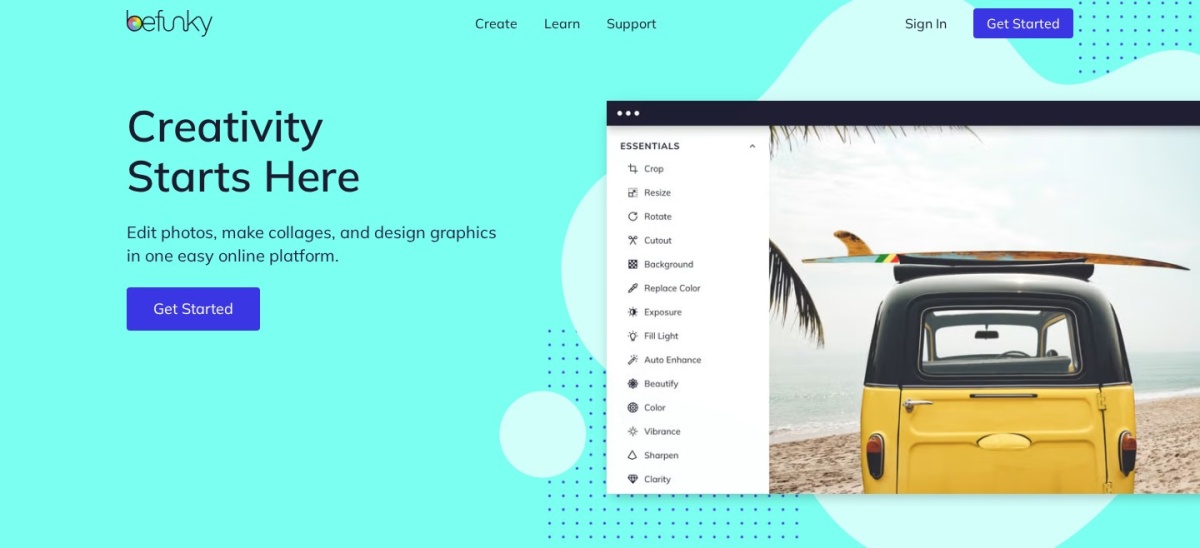
BeFunky is a fast browser collage maker with photo effects, frames and patterns, aimed at people who want a finished collage in minutes. It is rated 4.3 out of 5 from 106 G2 reviews, and the free plan covers basic grids and effects.
The trade off is scale. It has fewer templates than Canva and a smaller user base, so help and tutorials are thinner. Plus at $11.99 a month unlocks the full effect library and removes ads. It fits casual users who want quick, fun collages without learning a design tool.
FotoJet is a simple collage maker with classic and creative grids, plus design and photo editing modes in the same browser tool. It is rated 4.3 out of 5 from 73 G2 reviews, and Plus at $6.99 a month is the lowest monthly price in this list, with a $39.99 a year annual option.
The trade off is that the headline price is shown struck through against $11.99 on FotoJet's own site, so the $6.99 rate may be a sale price. It also has the fewest reviews in this list. It fits people who want the cheapest paid collage tool and a simple interface.
What we like
Lowest monthly price in this list
Simple, no-install browser tool
Design and photo editing in one place
Watch out for
Headline price may be a sale, not the regular rate
Kapwing is a video editor first, with collage layouts for social posts and video thumbnails. It is rated 3.9 out of 5 from 41 G2 reviews, the lowest rating in this list, and reviews often mention support and export limits on the free plan.
The trade off is price and focus. Pro at $24 a month is the priciest paid plan here, and its collage tools are simpler than the collage-first tools above. It fits creators who already use Kapwing for video and want collages in the same tool.
Free plans cover the basics well. Most include collage grids, basic templates and exports you can share online.
Paid plans mostly add clean exports and premium content. You lose the watermark, unlock premium templates and get higher export quality.
If you print collages or use them for a business, a paid plan is worth it for the export quality alone. For one-off social posts, a free plan is usually enough.
Check the checkout price before you buy. FotoJet shows its $6.99 rate struck through against $11.99, and Picsart prices differ between web and in-app plans.
How we chose
We started from collage tools with a rating on G2 or Capterra, then kept those with a real collage feature, not just photo editing.
Prices come from each vendor's pricing page or a G2 vendor listing, checked on 23 November 2026. Ratings and review counts come from G2 and Capterra on the same day. Where a vendor shows a sale, the list shows the regular price.
We left out tools with no rating on G2, Capterra or Trustpilot, including PicCollage and PhotoGrid, which are rated only in app stores. No vendor paid for a place, and this list is based on pricing, docs and reviews, not on using the tools ourselves.
How to choose photo collage software
Start with where you make collages most: phone, browser or desktop.
Pick your device first. Picsart is the strongest mobile pick. Canva, Fotor and FotoJet work best in a browser.
Check the free plan limits. Watermarks and export caps are the usual limits. If you print or sell collages, you need a paid plan.
Match the template style to your posts. Canva has the widest template range. Fotor and BeFunky are better for simple photo grids.
Check the checkout price. Some vendors show a sale price next to a higher regular price. Confirm the regular rate before you commit.
FAQ
What is the best photo collage software?
Canva is the best photo collage software for most people. It is rated 4.7 out of 5 by more than 7,900 users, has the largest template library in this list, and Pro costs $15 a month.
Is there a free photo collage maker?
Yes. Canva, Fotor, Picsart, Adobe Express, Pixlr, BeFunky, FotoJet and Kapwing all have a free plan. Free plans usually add a watermark or limit export quality and premium templates.
What is the cheapest photo collage software?
FotoJet Plus at $6.99 a month is the cheapest monthly plan in this list, and Fotor Pro at $8.99 a month is the cheapest widely confirmed paid plan. Both offer a $39.99 a year annual option.
Which collage app is best for mobile?
Picsart is the best mobile-first collage app in this list. It is rated 4.5 out of 5, and its app handles grids, freestyle collages, stickers and text on the phone.
Can I print collages made in these tools?
Yes. PicMonkey builds print sizes into its collage layouts, and Canva, Fotor and FotoJet all export at sizes that print well. Use a paid plan for the highest export quality.
Why are PicCollage and PhotoGrid not in this list?
Both are popular mobile collage apps, but they have no rating on G2, Capterra or Trustpilot. Their ratings exist only in app stores, so they do not meet this list's rating rule.