Homebase is the best payroll software that includes scheduling for most small teams: scheduling and time tracking are free for up to 10 staff, and payroll costs $49 a month plus $6 per employee. Pick Gusto for payroll-first depth and Square if your team already runs on Square POS.
How we make this list: we compare pricing pages, product documentation and public user reviews, then re-check every price before each update. No product paid for a place. Disclosure.
Homebase is the only pick with free scheduling: Basic covers 1 location and up to 10 employees, with payroll at $49 a month plus $6 per employee.
Gusto Simple costs $49 a month plus $6 per employee, and scheduling arrives through its Time & Attendance Plus add-on or integrations.
Square pairs free Shifts scheduling for up to 5 team members with payroll at $35 a month plus $6 per person.
Rippling is the highest rated at 4.8 out of 5 on G2, but its $8 per user payroll module sits on top of an $8 platform fee and a $40 base fee.
When I Work and Connecteam have no native payroll: they schedule well and hand timesheets to Gusto, QuickBooks or another payroll provider.
What payroll software with scheduling should cover
Payroll software that includes scheduling should do two jobs in one place: build the weekly rota and turn approved hours into pay runs without retyping timesheets. The tools below cover that in three ways: native scheduling and payroll, payroll with a scheduling add-on, and scheduling that hands hours to a separate payroll provider.
The billing model matters more than the headline price. Per-location tools such as Homebase charge a flat fee no matter how many staff you roster, while per-user tools such as Deputy and When I Work charge for every seat, including managers.
Check how hours reach payroll before you buy. Native pairs such as Homebase and Square move approved timesheets straight into pay runs, while Gusto and Deputy need an add-on or a payroll partner. Integration pairs work, but they add a second subscription and a second support line.
Payroll tax filing is the other split. Homebase, Gusto, Square and QuickBooks file federal, state and local taxes as part of the payroll price, while scheduling-first tools leave filing to the payroll provider you connect. Our guide on setting up taxes in WooCommerce shows what tax setup involves.
The 9 best payroll software tools that include scheduling
01
Homebase
4.6/5on G2 (586 reviews, checked Nov 2026)
Paid from$30/mo
Best payroll software with scheduling overall
Free planBasic, 1 location, 10 staff
SchedulingDrag-and-drop, free
Payroll add-on$49/mo + $6/employee
Paid planEssentials, $30/location/mo
joinhomebase.com
Homebase homepage, captured Nov 2026.
Homebase is an all-in-one app for hourly teams that pairs free scheduling with a native payroll add-on. Basic is free for one location with up to 10 employees and covers schedule building, a mobile time clock, team messaging and POS connections.
The trade off is that payroll is never included in a plan. The add-on costs $49 a month plus $6 per employee paid, with unlimited pay runs and tax filing across states, and the first 6 months are free. It suits cafes, shops and salons that want scheduling free to start.
What we like
Free scheduling for up to 10 staff
Per-location pricing stays flat as headcount grows
Gusto is a full-service payroll platform for US small businesses, with unlimited pay runs and tax filing on every plan. Simple costs $49 a month plus $6 per employee and covers W-2 and 1099 generation, direct deposit and benefits administration.
The trade off is scheduling. Gusto has no rota builder on Simple: scheduling comes through the Time & Attendance Plus add-on, which adds time tracking and scheduling, or through integrations with Homebase, Deputy and When I Work. It suits businesses that want payroll handled first and scheduling beside it.
What we like
Unlimited payroll runs with full-service tax filing
Transparent published pricing with no contracts
Deep integrations with Homebase and other schedulers
Trusted by more than 500,000 businesses
Watch out for
Scheduling is an add-on or an integration, not built in
Simple has four-day direct deposit and no multi-state support
Time tracking needs the Plus plan at $80 a month plus $12 per employee
Plus adds time tracking, scheduling and multi-state payrollVisit gusto.com
03
Square
4.6/5on G2 (1,208 reviews, checked Nov 2026)
Paid from$4.50/member/mo
Best for teams already on Square POS
SchedulingShifts Free, up to 5 staff
Payroll$35/mo + $6/person
Time clockGeofenced, on Plus
Paid planShifts Plus, $4.50/member/mo
squareup.com
Square homepage, captured Nov 2026.
Square is the register, the rota and payroll in one system for shops, cafes and restaurants on Square POS. Shifts Free covers basic scheduling and time tracking for up to five team members, and Square Payroll costs $35 a month plus $6 per person paid.
The trade off is the ecosystem. Hours, tips and overtime flow from the register into payroll, but that sync is the main reason to pick Square, and it fades if you leave Square POS. It suits restaurants and retailers that already take payments through Square.
What we like
Hours, tips and commissions flow from POS into payroll
Free scheduling tier for teams of five or fewer
No contracts, upgrade or cancel anytime
Watch out for
Scheduling value drops outside the Square ecosystem
Full-service payroll is a separate $35 base plus $6 per person
Deputy is a workforce platform built around scheduling, time clocking and labor rules for shift-based teams. Lite covers scheduling, timesheets, time clocking, shift swaps and leave at $5.50 per user a month, with a $30 minimum monthly invoice.
The trade off is payroll. Deputy Payroll, enabled by Paycor, costs $49 a month plus $8 per user and is only sold on annual Core and Pro plans in the US. It suits multi-site retail, hospitality and care teams that need demand forecasting built into the rota.
What we like
Auto-scheduling with demand forecasting and wage budgets on Core
Native payroll add-on in the US via Paycor
Biometric time clocking stops buddy punching
Watch out for
Per-user pricing climbs fast on big rosters
Payroll add-on only on annual Core and Pro plans
No free plan, only a trial
Core adds auto-scheduling, forecasting and labor budgetsVisit deputy.com
05
Rippling
4.8/5on G2 (13,464 reviews, checked Nov 2026)
Starts at$8/user/mo
Best for growing companies
Payroll module$8/user/mo, billed annually
Platform fee$8/user/mo + $40/mo base
SchedulingTime & Attendance module
Free trialNo, demo only
rippling.com
Rippling homepage, captured Nov 2026.
Rippling is a workforce platform that runs HR, payroll, IT and time on one employee record, so a raise or role change updates pay without re-entry. US payroll costs $8 per employee a month billed annually, with automatic tax filing and unlimited pay runs.
The trade off is the stack. The $8 platform fee plus a $40 monthly base sits under everything, and scheduling comes through the separate Time & Attendance module. It suits growing companies that want HR, IT and payroll consolidated, not scheduling alone.
What we like
One employee record drives payroll, HR, IT and time
Automatic tax filing with unlimited pay runs
Strong compliance coverage for growing teams
Watch out for
Modular pricing stacks on top of the platform fee and base fee
QuickBooks Payroll is Intuit's full-service payroll, now sold as Workforce Payroll at $50 a month plus $7 per employee, with payroll taxes calculated, filed and paid. Pay entries post straight into the QuickBooks Online ledger your accountant already opens.
The trade off is the stack. Scheduling and time tracking come through QuickBooks Time, bundled only in Premium at $88 a month plus $13 per employee, and you still pay for QuickBooks Online on top. It suits businesses whose books already live in QuickBooks.
What we like
Payroll entries sync straight into the accounting ledger
QuickBooks Time bundles into Premium and Elite plans
Full-service tax filing with penalty protection on Elite
Watch out for
Time tracking is a separate purchase on the base plan
You stack a QuickBooks Online subscription on top
70% off for 3 months is a sale price, not the regular rate
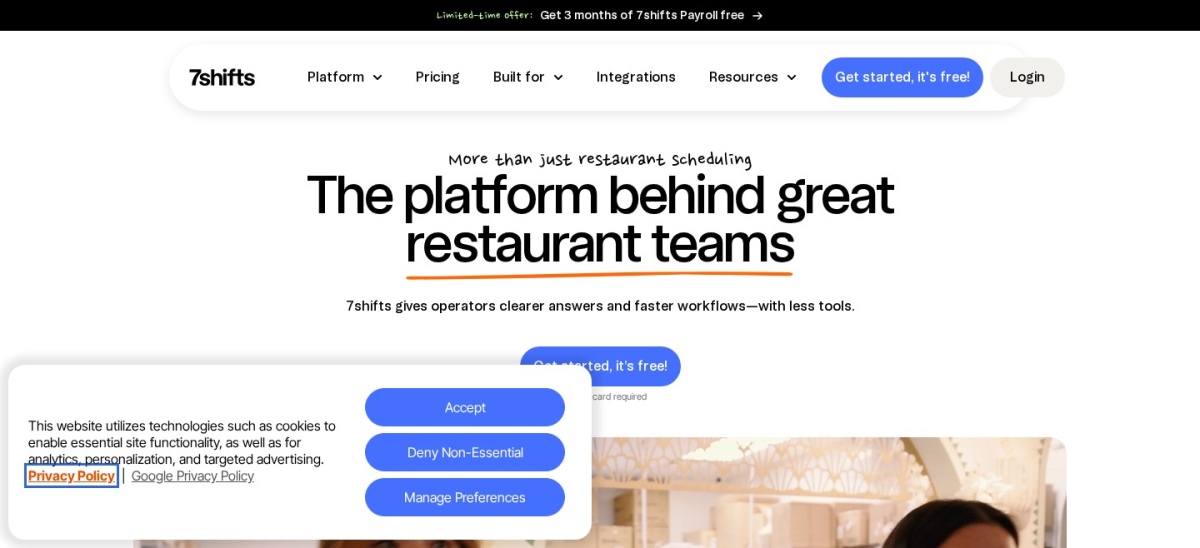
7shifts is scheduling built for restaurant life, with tip management, sales forecasting and shift swaps, and native 7shifts Payroll now runs pay inside the same platform. The free Comp plan covers basic scheduling, and paid plans start at $19.99 per location a month.
The trade off is focus. Restaurant workflows are the whole point, so offices or field-service teams will find it awkward, and plan details on the site need a signup to inspect fully. It suits restaurants that already schedule in 7shifts and want payroll without another export.
What we like
Purpose-built for restaurants with tip management and forecasting
Per-location pricing with unlimited staff on paid plans
Native 7shifts Payroll now available
Watch out for
Restaurant focus makes it awkward for offices or field services
Payroll pricing is not published on the pricing page
When I Work is scheduling-first software for hourly teams, with auto scheduling, time tracking and team messaging on every plan. Essentials costs $2.50 per user a month with unlimited users, and Pro at $5 adds advanced scheduling rules and custom reporting.
The trade off is payroll. There is no When I Work payroll product: timesheets export to Gusto, QuickBooks, ADP or Square, so you pay a second vendor to run pay. It suits small shift teams that want the cheapest credible rota and already have a payroll provider.
What we like
Lowest per-user starting price in this list
Unlimited users and auto scheduling on the entry plan
Direct integrations with Gusto, QuickBooks, ADP and Square
Watch out for
No native payroll, everything is an integration
No geofencing or biometric clock-in on lower tiers
Connecteam is a mobile-first app for deskless teams that puts scheduling, a GPS time clock, task checklists and team chat in one place. The free plan covers up to 10 users across every hub, and Operations Basic costs $35 a month for the first 30 users.
The trade off is payroll. Connecteam tracks time and exports clean timesheets, but it does not run payroll: you still need Gusto, QuickBooks or another provider to cut the checks. It suits field crews, cleaning, security and care teams that live on their phones.
What we like
Truly free for teams of 10 or fewer with real feature depth
Scheduling, GPS time clock, forms and team chat in one mobile app
Payroll integration built into paid plans
Watch out for
No native payroll processing, a separate vendor is required
Hubs are priced separately, so costs multiply if you need all three
Native pairs keep the schedule and the pay run in one account. Homebase, Square and 7shifts move approved timesheets into pay runs with no export step, so a swapped shift shows up in pay without anyone retyping hours.
Add-on pairs split the bill. Gusto, Deputy and QuickBooks run payroll well, but scheduling arrives through an add-on or a pricier tier, so check the combined monthly cost, not the headline plan price.
Integration pairs are honest about the split. When I Work and Connecteam schedule well and export clean timesheets, but you pay a second vendor to run payroll and you deal with two support lines when the sync breaks.
For a team under 15 people, a native pair is usually less work. Above that, the per-user cost of add-on and integration pairs can pass the flat per-location price of a native tool, so work out the total at your real headcount.
How we chose
We started from payroll and scheduling round-ups and vendor pricing pages, then kept tools that cover both sides of the job: payroll with tax filing, plus scheduling with a time clock.
Prices come from each vendor's pricing page, checked on 26 November 2026, and show the regular price, not sale prices. Ratings and review counts come from G2, checked in October and November 2026. Where a vendor shows a sale, the list shows the regular price.
We left out payroll tools with no scheduling path at all. No vendor paid for a place, and we do not claim to have used these tools ourselves.
How to choose payroll software that includes scheduling
Start with your roster size and how your team is paid, then match the billing model to it.
Count every seat you will pay for. Per-user tools charge for managers and admins too, so a 15-person roster can bill as 18 seats. Per-location tools stay flat as you hire.
Ask how hours reach payroll. Native pairs move approved timesheets into pay runs with no exports. Integration pairs need a clean sync to Gusto, QuickBooks or your payroll provider.
Check tax filing and tip handling. Make sure federal, state and local filing is included, and check tip pooling and overtime rules if your team earns tips.
Run the trial on the plan you will buy. Trial tiers often show premium features that vanish on the paid plan you pick. Build a real week of shifts and run one pay cycle before you commit.
FAQ
What is the best payroll software that includes scheduling?
Homebase is the best pick for most small teams. Scheduling and time tracking are free for up to 10 staff at one location, and its payroll add-on costs $49 a month plus $6 per employee, with tax filing included.
Do I need native payroll, or is an integration enough?
Native payroll is less work: approved timesheets become pay runs with no exports and one support line. An integration works if you already like your payroll provider, but it adds a second subscription and a sync that can break.
How much does payroll software with scheduling cost?
For a small team, expect $0 to $50 a month for scheduling plus $35 to $50 a month in payroll base fees, before per-employee charges of $6 to $13. Homebase is the floor: free scheduling and $49 plus $6 per employee for payroll.
Which payroll scheduling tool is best for restaurants?
7shifts is built for restaurant workflows, with tip management and sales forecasting, and native payroll is now included. Square is the better pick if the restaurant already runs Square POS, since hours and tips sync into payroll.
Can I start free and add payroll later?
Yes. Homebase, Square, 7shifts and Connecteam all have free scheduling tiers, and payroll can be added later as a paid add-on or plan. Check the free tier caps first: most stop at 5 to 10 staff or one location.
Does Gusto include scheduling?
Not on its own. Gusto Simple has no rota builder: scheduling comes through the Time & Attendance Plus add-on, or through integrations with Homebase, Deputy and When I Work. Payroll itself is the strongest part of Gusto.
What is the cheapest payroll software with scheduling?
When I Work has the cheapest scheduling at $2.50 per user a month, but it has no payroll, so you pay a second vendor. For one vendor, Homebase is cheapest: free scheduling and a $49 payroll add-on.
SaaS SEO and WordPress specialist with about 8 years of experience. Rakib compares WordPress plugins, themes, hosting and software using public pricing, documentation and user reviews. See how we rank.