Pushover leads for dependable notifications with a $4.99 one-time desktop license after a 30-day trial and 10,000 monthly messages. Notify.Events fits multi-channel routing starting at $0.83/mo billed yearly, while Pocket Alert suits webhook-heavy alerts from $6/mo.
How we make this list: we compare pricing pages, product documentation and public user reviews, then re-check every price before each update. No product paid for a place. Disclosure.
Pushover charges a $4.99 one-time license per platform after a 30-day trial and holds a 4.7 rating from 5.24K Google Play reviews.
Notify.Events starts at $0.83/mo billed annually for 300 monthly messages and holds a 4.6 rating from 101 Capterra reviews.
Pocket Alert offers a free tier with 50 daily notifications and paid plans starting at $6/mo for 1,000 daily messages.
Pushbullet Pro is priced at $3.33/mo billed yearly ($39.99/yr) or $4.99/mo for cross-device syncing and notification mirroring.
ntfy provides open-source self-hosting plus hosted plans starting at $5/mo with 2,500 daily messages.
What to look for in desktop alert software
Desktop notification tools fall into two practical groups: lightweight push services driven by scripts, webhooks, and monitoring checks, and workplace broadcast suites aimed at employee screens. Clarify whether your priority is alerting staff quickly or routing automated system events without email clutter.
Check delivery behavior and alert fatigue controls before rolling any tool out to users. Priority levels, quiet hours, repeat emergency alerts, and message limits determine whether critical notices get seen or ignored.
Review pricing structure carefully, since costs range from one-time per-platform licenses and monthly message tiers to per-user team subscriptions. Annual billing often lowers monthly rates, so check both monthly and yearly terms before committing.
Verify which operating systems and endpoints your recipients actually use. Some tools cover Windows, macOS, Android, and iOS together, while others focus on mobile apps, browser extensions, or enterprise workstations.
The 7 best notification software for desktop alerts
01
Pushover
4.7/5on Google Play (5,240 reviews, checked Nov 2026)
Paid from$4.99 one-time
Best for straightforward push alerts
Entry paid price$4.99 one-time
Free trial / tier30-day trial
Message allowance10,000/mo
Team pricing$5/user/mo
pushover.net
Pushover homepage, captured Nov 2026.
Pushover is a push notification service for desktop, iOS, and Android that starts with a 30-day free trial and includes up to 10,000 messages per month. It supports priority levels, emergency alerts that repeat until acknowledged, and integrations with scripts and monitoring tools.
The trade off is paying a $4.99 one-time license per platform after the trial, or $5 per user per month for Pushover for Teams. It suits individuals and technical teams wanting predictable, non-subscription push alerts.
Supports priority levels and emergency alerts that repeat until acknowledged
Includes 10,000 messages per month and wide third-party tool support
Watch out for
Requires a separate one-time purchase for each platform after the trial
Notification history stays on devices rather than syncing centrally on the account
Paid licenses unlock continued platform access past the 30-day trial, with team plans at $5/user/mo.Visit pushover.net
02
Notify.Events
4.6/5on Capterra (101 reviews, checked Nov 2026)
Paid from$0.83/mo
Best for multi-channel alert routing
Cheapest paid plan$0.83/mo yearly
Free plan50 msg/mo
Entry paid quota300 msg/mo
Channels & limits5 channels
notify.events
Notify.Events homepage, captured Nov 2026.
Notify.Events is a notification routing platform that collects alerts from external sources and forwards them across messaging apps and channels, with a free plan covering 50 messages per month and 2 channels. Its Individual plan adds 300 monthly messages, 5 channels, and priority and work-time filters.
The trade off is paying $0.83 per month billed annually ($1.00 monthly) for the Individual tier, with higher quotas on Family, Team, and Company plans. It suits small teams and site operators routing alerts from multiple sources.
What we like
Low entry pricing at $0.83/mo billed annually on the Individual plan
Includes a free tier and a 30-day trial of paid features
Offers priority, delay, and work-time filters to cut unnecessary noise
Watch out for
Free plan is capped at 50 messages per month across 2 channels
New users can face a learning curve during initial setup
4.2/5on Google Play (177,403 reviews, checked Nov 2026)
Paid from$3.33/mo
Best for phone-to-desktop notification sync
Cheapest paid plan$3.33/mo yearly
Free push limit500 pushes/mo
File size limit25MB free / 1GB Pro
Storage2GB free / 100GB Pro
pushbullet.com
Pushbullet homepage, captured Nov 2026.
Pushbullet is a cross-device utility for viewing phone notifications on a computer, sending links and files, and syncing across devices, with a free tier offering up to 500 pushes per month. Free accounts also include 2GB of storage, 25MB file transfers, and up to 100 messages per month.
The trade off is paying $3.33 per month billed annually ($39.99/yr) or $4.99 per month for Pushbullet Pro. It suits Android and desktop users who want phone notification mirroring and quick file or link sharing.
What we like
Mirrors mobile notifications to desktop and lets you dismiss them from your computer
Free tier covers up to 500 pushes per month and 2GB of storage
Supports optional end-to-end encryption and universal copy and paste
Watch out for
Monthly SMS and messaging limits apply on the free plan
Built primarily for personal device sync rather than team alerting workflows
Pushbullet Pro increases storage to 100GB, file uploads to 1GB, and removes message caps.Visit pushbullet.com
04
ntfy
4.9/5on GitHub (35,299 reviews, checked Nov 2026)
Paid from$5/mo
Best for open-source and self-hosted alerts
Cheapest paid plan$5/mo Supporter
Free optionSelf-host / ntfy.sh
Supporter quota2,500 msg/day
LicenseApache-2.0
ntfy.sh
ntfy homepage, captured Nov 2026.
ntfy is an open-source HTTP pub-sub notification service that sends push alerts to desktop and mobile apps from scripts or APIs, available for free self-hosting or via ntfy.sh. Users can subscribe to topics without registration on the public server and send notifications using standard HTTP requests.
The trade off is paying $5 per month for the Supporter plan (or $10/mo Pro and $20/mo Business) if you want hosted reserved topics and higher limits. It suits developers and sysadmins who want open-source control or script-driven alerts.
What we like
Apache-2.0 open-source software can be self-hosted at no license cost
Send alerts from scripts, cron jobs, or automation tools via simple HTTP calls
Hosted Supporter plan starts at $5/mo with 2,500 daily messages and 3 reserved topics
Watch out for
Public topics on ntfy.sh rely on unguessable topic names unless self-hosted or reserved
Self-hosting requires managing your own server infrastructure and uptime
5/5on Chrome Web Store (3 reviews, checked Nov 2026)
Paid from$6/mo
Best for webhook-driven alerts and call logs
Cheapest paid plan$6/mo Starter
Free plan50 msg/day
Starter quota1,000 msg/day
History retention7d free / 30d Starter
pocketalert.app
Pocket Alert homepage, captured Nov 2026.
Pocket Alert is a hosted push notification service for webhooks, monitoring, and developer alerts with a free plan covering 50 notifications per day, 1 device, and 1 webhook. It maps JSON payload fields into notifications and records incoming webhook calls with payloads and history.
The trade off is paying $6 per month for Starter (1,000 messages a day, 3 devices, and 5 webhooks), or $12/mo and $25/mo on higher tiers. It suits developers wiring webhooks from build or monitoring tools into alerts.
What we like
Maps fields from incoming JSON webhooks and keeps a call log
Free plan includes 50 daily notifications with no credit card required
Annual billing offers two months free on paid plans
Watch out for
Free tier is limited to 1 device, 1 application, and 1 webhook
Hosted-only service without self-hosting or end-to-end encryption
Paid plans raise daily message caps, device and webhook counts, history retention, and critical alert behavior.Visit pocketalert.app
06
SnapComms
4.7/5on G2 (62 reviews, checked Nov 2026)
PricingCustom quote/yr
Best for enterprise employee screen alerts
Pricing modelCustom quote
Free trial30-day trial
Alert formatsPop-ups, tickers, screensavers
Audience targetingGroups & schedules
snapcomms.com
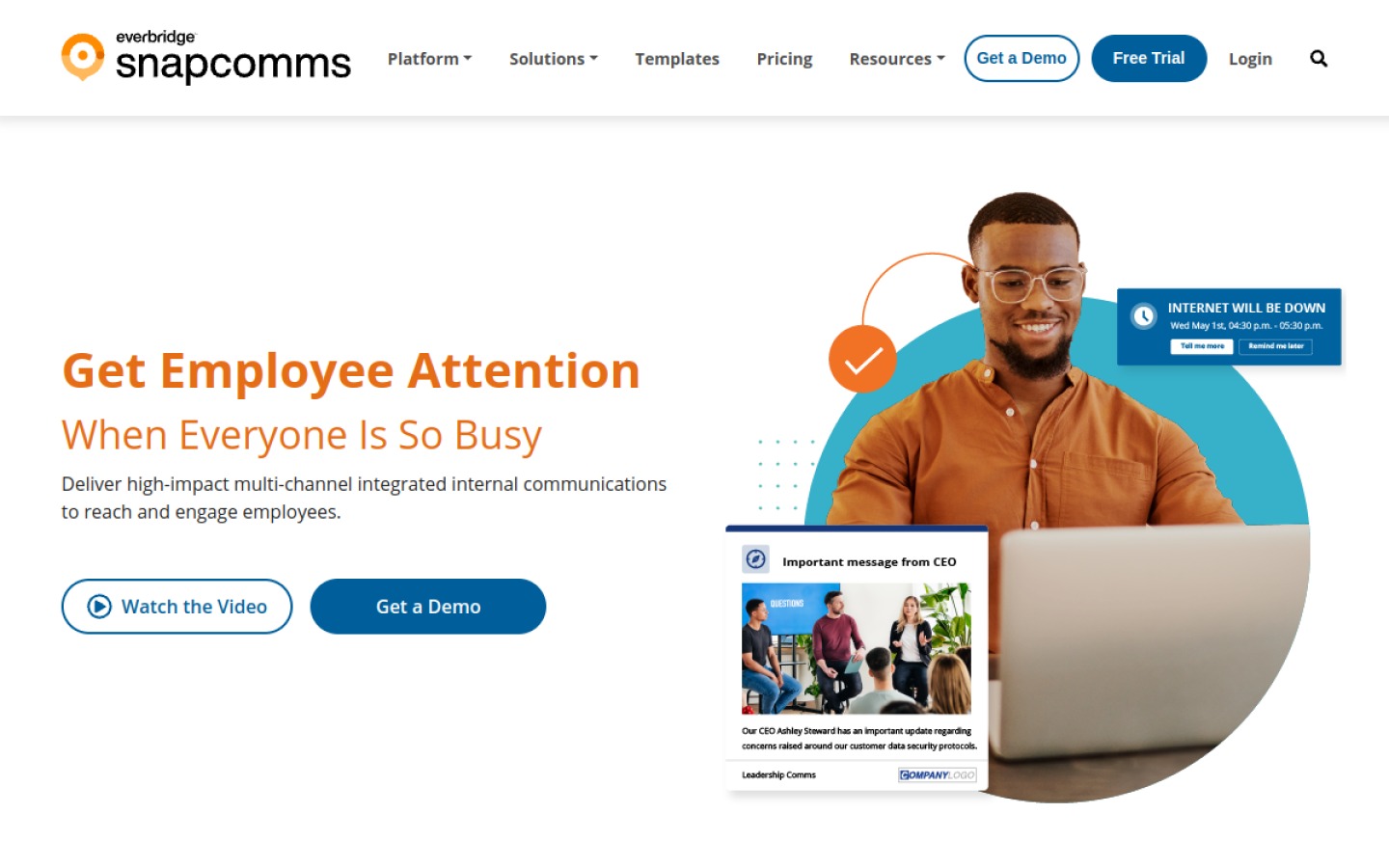
SnapComms homepage, captured Nov 2026.
SnapComms is an employee communication platform that delivers desktop alerts, scrolling tickers, screensavers, and mobile messages, starting with a 30-day free trial. It supports message scheduling, recurrence, audience targeting, and readership reporting across workplaces.
The trade off is quote-based package pricing tailored to employee count and modules rather than a published self-serve rate. It suits mid-sized and large organizations sending urgent updates to employee screens.
What we like
Supports pop-up alerts, tickers, screensavers, and digital signage from one platform
Tracks delivery and readership with reporting dashboards
Offers a 30-day free trial and 24/7 support on packages
Watch out for
Requires requesting a quote rather than showing public plan prices
Overuse of intrusive screen alerts can cause notification fatigue
Inform and Engage packages vary by employee headcount and optional add-ons such as SMS.Visit snapcomms.com
07
Alertus
4.7/5on G2 (590 reviews, checked Nov 2026)
Paid from$25/mo
Best for campus and facility screen takeovers
Listed starting price$25/user/mo
Trial / free optionFree trial listed
Alert displayScreen takeover & tickers
DeploymentCloud or on-premise
alertus.com
Alertus homepage, captured Nov 2026.
Alertus is a mass notification system built around desktop screen takeovers, tickers, and facility alerts, with a listed starting price of $25 per user per month and a free trial. It integrates with campus and workplace alert systems to display urgent notices across connected screens.
The trade off is a higher per-user price point and multi-system setup complexity compared with simple push apps. It suits institutions and facility-heavy organizations prioritizing high-visibility emergency alerts.
What we like
High-visibility desktop screen takeovers help critical notices stand out
Connects with broader emergency alerting and building systems
Supports cloud and on-premise deployment models
Watch out for
$25/user/mo starting pricing is steep for small teams or casual alerts
Complex multi-channel configurations can require significant initial setup
Enterprise contracts scale by organization size, channels, and hardware or system integrations.Visit alertus.com
Push APIs vs. workplace alert suites
Developer-focused tools such as Pushover, ntfy, and Pocket Alert focus on sending structured notifications from scripts, webhooks, and monitoring checks to user devices. They excel at low cost, fast setup, and clear priority or payload controls.
Workplace broadcast tools such as SnapComms and Alertus focus on reaching employees across company desktops, tickers, and shared screens with targeting and acknowledgment workflows. Pick the model that matches who sends the alerts and which screens must receive them.
How we chose
We built this shortlist by looking at established notification platforms and desktop alert tools with active maintenance and verifiable public pricing or review records.
All prices, plan tiers, ratings, and review counts were checked on 22 Nov 2026 from official vendor pages and public software or app directories.
We excluded tools lacking clear pricing confirmation or focused strictly on on-call incident escalation rather than desktop or push notifications.
No vendor paid for a place, and we do not claim testing for this list.
How to choose desktop alert software
Follow these four steps to narrow down the right alert tool for your setup:
Define your alert source and audience. Decide whether alerts come from automated scripts and webhooks for technical users or from communications teams reaching employees.
Check message limits and priority rules. Compare daily or monthly message quotas alongside priority levels, repeat alerts, and quiet hours so urgent messages are not missed.
Match billing to long-term usage. Weigh one-time platform licenses and annual discounts against monthly per-user or per-tier subscriptions.
Confirm device and hosting requirements. Verify support for your required operating systems, browsers, or self-hosted servers before rolling out to users.
FAQ
What is the cheapest paid option on this list?
Pushover costs $4.99 once for a desktop license after a 30-day trial with no recurring individual subscription. For ongoing plans, Notify.Events starts at $0.83 per month billed annually.
Can I send desktop alerts for free without paying?
Yes. ntfy can be self-hosted under its Apache-2.0 license or used on ntfy.sh, while Pocket Alert and Pushbullet offer free tiers with message caps.
Which tool is best if I only need webhook notifications?
Pocket Alert is built around incoming webhooks and JSON field mapping, starting free with 50 notifications per day and paid plans from $6 per month.
Do these tools require a monthly subscription per user?
Not all of them. Pushover charges a one-time license for individuals, and Notify.Events and Pocket Alert use tiered plans, whereas team or enterprise tools may bill by seat or headcount.
How do I avoid alert fatigue with desktop notifications?
Reserve high-priority or full-screen alerts for genuine incidents, group routine updates, and set quiet hours or message caps so users do not tune out alerts.
Why do some enterprise alert tools not list public prices?
Platforms like SnapComms price packages based on employee count, channels, and deployment needs, so they provide custom quotes after reviewing your requirements.
SaaS SEO and WordPress specialist with about 8 years of experience. Rakib compares WordPress plugins, themes, hosting and software using public pricing, documentation and user reviews. See how we rank.