Autodesk Fusion leads this list with a 4.5 out of 5 rating across 552 G2 reviews and commercial subscriptions starting at $85 per month. For dedicated sheet-metal fabrication and plasma cutting, SigmaNEST and ProNest stand out with established industry adoption.
How we make this list: we compare pricing pages, product documentation and public user reviews, then re-check every price before each update. No product paid for a place. Disclosure.
Autodesk Fusion holds a 4.5/5 rating across 552 G2 reviews with commercial pricing starting at $85/month.
SigmaNEST earns a 4.3/5 rating across 32 G2 reviews for sheet-metal nesting and remnant tracking.
ProNest holds a 4.4/5 rating across 9 Capterra reviews for plasma, laser, waterjet, and oxyfuel cutting.
AutoCAD carries a 4.4/5 rating across 2,017 G2 reviews with subscriptions starting at $260/month.
BobCAD-CAM holds a 3.6/5 rating across 13 G2 reviews with modular plans starting at $500/year.
What to look for in nesting software
Part nesting software arranges 2D profiles and panel parts onto stock sheets, plates, or boards to reduce scrap and cut machine runtime. True-shape packing matters whenever parts have curved or irregular contours rather than simple rectangles.
Check whether a tool focuses on standalone sheet nesting, broader 2D and 3D CAD/CAM toolpaths, or shop-floor production workflows. Some platforms keep nesting inside core CAM packages, while others sell nesting and advanced machining as separate extensions or modules.
Remnant and offcut tracking helps shops reuse leftover sheet stock on future jobs instead of ordering full plates every time. Post-processor support and clean DXF, DWG, or step file import also determine how smoothly layouts move to your controller.
Review licensing terms before committing, since vendors split between monthly or annual subscriptions, one-time licenses, and custom quote models. Add-on fees for machine modules, extra seats, or maintenance can change multi-year costs significantly.
Autodesk Fusion is a unified CAD and CAM platform with a 4.5 out of 5 rating across 552 G2 reviews. Commercial subscriptions start at $85 per user per month ($680 per year), while core nesting and fabrication capabilities are grouped under the Manufacturing Extension and Fusion for Manufacturing bundle.
The trade off is that monthly billing costs $85 per month ($1,020 per year equivalent), and nesting or advanced machining extensions add extra cost above the base seat. It suits small mechanical and fabrication teams that want design and machining in one workspace.
What we like
Combines 3D CAD modeling and CAM programming in one workspace
Strong 4.5/5 rating across 552 G2 reviews
Annual commercial plan lowers per-year cost compared with monthly billing
Watch out for
Advanced nesting and machining extensions cost extra beyond base Fusion
Cloud-based workspace requires ongoing connection for team workflows
Manufacturing Extension and Fusion for Manufacturing add nesting, fabrication, and multi-axis CAM.Visit autodesk.com
02
SigmaNEST
4.3/5on G2 (32 reviews, checked Nov 2026)
Starts at$49/mo
Best for sheet-metal nesting and remnant tracking
Rating4.3/5 (32 reviews)
Listed start$49/user/mo on Capterra
FocusSheet, plate, tube & beam
IntegrationsCAD, ERP & MRP
sigmateksystems.com
SigmaNEST homepage, captured Nov 2026.
SigmaNEST is a CAD/CAM nesting platform built for metal fabricators, laser and plasma shops, and cut-part manufacturers, holding a 4.3 out of 5 rating across 32 G2 reviews. Capterra lists a starting price of $49 per user per month, while full shop configurations are quoted by the vendor.
The trade off is that Capterra lists $49 per user per month ($588 per year equivalent) as a starting figure, and reviewers note initial setup and higher-tier costs. It suits fabrication shops managing offcuts, work orders, and mixed cutting machines.
What we like
Tracks offcuts and remnants for reuse across jobs
Supports laser, plasma, waterjet, punch, and beam workflows
Connects with CAD, ERP, and MRP systems
Watch out for
Higher cost and setup time compared with simple entry tools
Some users note internal CAD drawing tools are less comprehensive
Modular shop modules expand into quoting, ERP/MRP integration, and tube or beam cutting.Visit sigmateksystems.com
03
ProNest
4.4/5on Capterra (9 reviews, checked Nov 2026)
Starts at$95/mo
Best for plasma, laser, and waterjet profile cutting
Rating4.4/5 (9 reviews)
Listed start$95/mo flat on Capterra
ProcessesPlasma, laser, waterjet, oxyfuel
Trial optionFree trial available
hypertherm.com
ProNest homepage, captured Nov 2026.
ProNest is a CAD/CAM nesting solution from Hypertherm for plasma, laser, waterjet, and oxyfuel cutting, rated 4.4 out of 5 across 9 Capterra reviews. Capterra lists a starting rate of $95 per month flat rate alongside free trial and demo options.
The trade off is that Capterra shows a $95 per month flat-rate starting price ($1,140 per year equivalent), and reviewers point out add-on module fees. It suits sheet-metal and plate cutting shops focused on repeatable profile quality.
What we like
Built for plasma, laser, waterjet, and oxyfuel profile cutting
Strong 4.8/5 customer service score across 8 Capterra ratings
Integrates with CAD and fabrication tools such as SolidWorks and Creo
Watch out for
Optional modules such as autonesting and common-line cutting add cost
Smaller review count on Capterra than general-purpose CAD tools
Add-on modules expand automation, common-line cutting, and machine-specific process controls.Visit hypertherm.com
04
AutoCAD
4.4/5on G2 (2,017 reviews, checked Nov 2026)
Starts at$260/mo
Best for 2D DWG/DXF part preparation and layouts
Rating4.4/5 (2,017 reviews)
Entry price$260/mo ($2,095/yr)
Core formatDWG and DXF
Trial option30-day free trial
autodesk.com
AutoCAD homepage, captured Nov 2026.
AutoCAD is a 2D and 3D CAD platform widely used to clean and prepare DXF and DWG geometry for fabrication, holding a 4.4 out of 5 rating across 2,017 G2 reviews. Subscriptions start at $260 per user per month or $2,095 per year, with a 30-day free trial.
The trade off is that monthly billing costs $260 per month ($3,120 per year equivalent) and AutoCAD focuses on drafting rather than dedicated nesting CAM. It suits engineering and shop teams that need strict DWG/DXF drawing control before CAM handoff.
What we like
Extensive 4.4/5 rating across 2,017 G2 reviews
Industry-standard DWG and DXF editing and layer control
Annual billing reduces yearly cost compared with month-to-month
Watch out for
Higher subscription price than lightweight nesting or panel optimizers
Requires separate CAM or nesting software for machine toolpath generation
Annual subscriptions and specialized toolsets expand drafting automation and multi-year seat pricing.Visit autodesk.com
05
SolidWorks CAM
4.3/5on G2 (34 reviews, checked Nov 2026)
Starts at$2,820/yr
Best for SolidWorks users automating feature-based CAM
Rating4.3/5 (34 reviews)
Base seat refFrom $2,820/yr
WorkflowFeature-based CAM
Trial option30-day trial noted
solidworks.com
SolidWorks CAM homepage, captured Nov 2026.
SolidWorks CAM is a feature-based CAM tool integrated inside SolidWorks for turning CAD parts into machining operations, holding a 4.3 out of 5 rating across 34 G2 reviews. Single-user SolidWorks Design seats start at $2,820 per year, while CAM packaging and add-ons depend on your license setup.
The trade off is a $2,820 per year base seat reference and higher hardware demands on complex assemblies. It suits engineering teams already standardized on SolidWorks that want CAD-to-CAM continuity.
What we like
Direct integration with SolidWorks CAD models and features
Solid 4.3/5 rating across 34 G2 reviews
Helpful for teaching and standardizing CAM programming workflows
Watch out for
High overall software investment compared with standalone nesting tools
Can require capable workstation hardware for larger models
Higher-tier SolidWorks seats and CAM modules add expanded machining and estimation capabilities.Visit solidworks.com
06
Lantek Factory
4.8/5on Capterra (4 reviews, checked Nov 2026)
Starts at$1,000/mo
Best for sheet-metal shops connecting nesting and MES/ERP
Rating4.8/5 (4 reviews)
Listed start$1,000/user/mo on Capterra
ScopeCAM nesting, MES & ERP
IndustriesSheet metal, tube & steel
lantek.com
Lantek Factory homepage, captured Nov 2026.
Lantek Factory is a modular manufacturing and CAM nesting platform for sheet-metal, tube, and structural steel shops, rated 4.8 out of 5 across 4 Capterra reviews. Capterra lists a starting price of $1,000 per user per month across its modular manufacturing suite.
The trade off is a $1,000 per user per month starting price ($12,000 per year equivalent) and a small Capterra review sample. It suits mid-sized and larger fabrication plants tying nesting to scheduling, inventory, and shop-floor tracking.
What we like
Connects CAD/CAM nesting with production scheduling, inventory, and MES
High 4.8/5 rating and 4.8/5 customer service score on Capterra
Built around sheet-metal, tube, pipe, and structural steel workflows
Watch out for
High starting price for small shops or single-machine operators
Large multi-file loads can feel slow in heavy batch setups
Additional modules expand ERP/MES automation, work orders, and multi-machine sheet-metal operations.Visit lantek.com
07
BobCAD-CAM
3.6/5on G2 (13 reviews, checked Nov 2026)
Starts at$500/yr
Best for budget-conscious multi-process CNC shops
Rating3.6/5 (13 reviews)
Entry priceFrom $500/yr
MachinesMill, lathe, router, laser & plasma
Add-onsModular machining tiers
bobcad.com
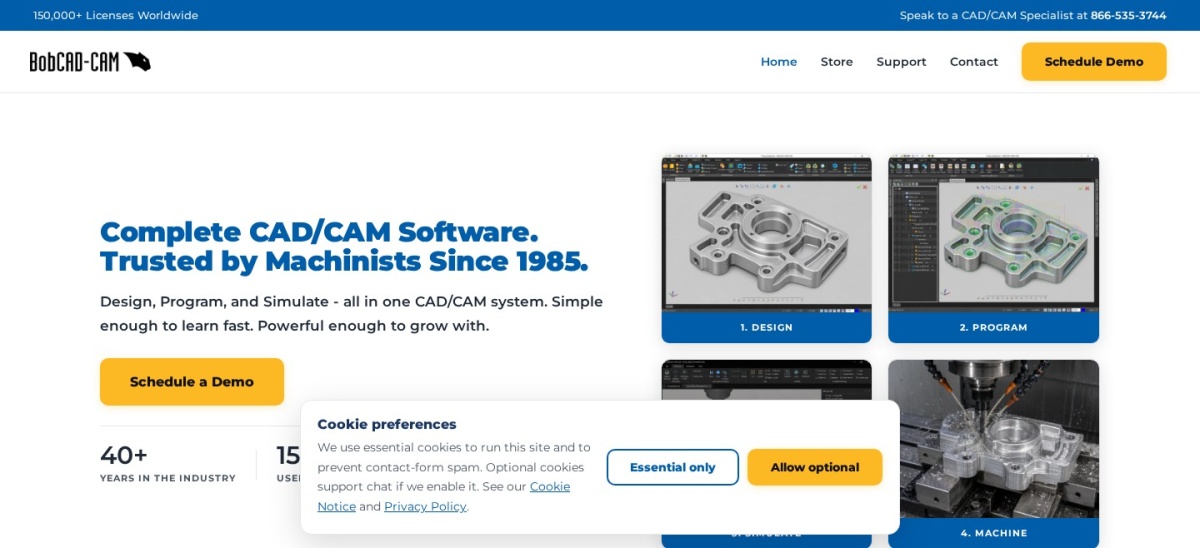
BobCAD-CAM homepage, captured Nov 2026.
BobCAD-CAM is a modular CAD/CAM programming suite for mills, lathes, routers, laser, plasma, and waterjet machines, holding a 3.6 out of 5 rating across 13 G2 reviews. Modular plans start from $500 for one year for budget-conscious CNC shops.
The trade off is a lower 3.6 out of 5 G2 rating across 13 reviews, and some workflows require extra steps or module upgrades. It suits smaller job shops looking for lower-cost multi-axis and cutting toolpaths.
What we like
Low entry pricing starting from $500 per year on modular plans
Covers mill, lathe, router, plasma, laser, and waterjet workflows
Active training resources and support praised by regular users
Watch out for
Mixed G2 rating at 3.6/5 across 13 reviews
Some users find specific editing or toolpath steps less direct
Nesting software pricing varies widely depending on whether nesting is bundled into a broad CAD/CAM subscription or sold as part of a fabrication suite. Shops running occasional jobs often prefer lower entry tiers, while high-volume shops prioritize machine integration and remnant tracking.
Always check whether listed prices apply per user, per month, or per year, and confirm which CAM or nesting modules are included. A lower starting price can still grow once extensions, extra seats, or machine modules are added.
How we chose
We selected established CAD, CAM, and fabrication software products relevant to CNC, sheet-metal, and part nesting workflows using public software directories and vendor details.
All ratings, review counts, and starting prices were checked on 22 Nov 2026 from G2, Capterra, and current vendor pricing sources.
We excluded products that lacked a verifiable numeric rating and review count or a confirmable starting price in our checked sources. No vendor paid for a place, and we do not claim testing for this list.
How to choose nesting software
Follow four practical steps to match nesting software to your machines and budget.
Match the software to your cutting process. Confirm whether your shop runs plasma, laser, waterjet, router, or mill workflows so post-processors and toolpaths fit your hardware.
Check part geometry and yield needs. Look for true-shape nesting and remnant tracking if you cut irregular parts or want to reuse offcuts across orders.
Verify file formats and CAD handoffs. Make sure your team can import DXF, DWG, or native CAD models cleanly without losing layers or dimensions.
Compare full-year and add-on costs. Check monthly versus annual billing, seat counts, and required CAM or nesting extensions before purchasing.
FAQ
What is nesting software used for?
Nesting software arranges parts onto sheets, plates, or stock material to improve material utilization, reduce scrap, and prepare layouts or toolpaths for cutting machines.
Which tool on this list has the most G2 reviews?
AutoCAD has 2,017 reviews on G2 with a 4.4 out of 5 rating, while Autodesk Fusion has 552 reviews with a 4.5 out of 5 rating.
Does Autodesk Fusion include nesting in its base commercial plan?
Commercial subscriptions for Autodesk Fusion start at $85 per month or $680 per year, while nesting and fabrication sit under the Manufacturing Extension and Fusion for Manufacturing bundle.
What makes SigmaNEST suited to sheet-metal shops?
SigmaNEST supports metal cutting and fabrication workflows with true-shape nesting, offcut and remnant tracking, and CAD, ERP, and MRP integrations.
Which cutting processes does ProNest support?
ProNest supports profile cutting across plasma, laser, waterjet, and oxyfuel machines, with a 4.4 out of 5 rating across 9 Capterra reviews.
What is the lowest annual starting price among these tools?
BobCAD-CAM lists modular plans starting from $500 for one year, and SigmaNEST lists a $49 per user per month starting price ($588 per year equivalent) on Capterra.
SaaS SEO and WordPress specialist with about 8 years of experience. Rakib compares WordPress plugins, themes, hosting and software using public pricing, documentation and user reviews. See how we rank.