Figma is the best mockup software for interface design and collaborative projects, with a 4.7/5 G2 rating from 1,600 reviews. Choose Adobe Photoshop for detailed product mockups and realistic image editing, or Visme for template-based product visuals and marketing presentations.
How we make this list: we compare pricing pages, product documentation and public user reviews, then re-check every price before each update. No product paid for a place. Disclosure.
Figma earns 4.7/5 from 1,600 G2 reviews and offers a free Starter plan.
Adobe Photoshop is rated 4.6/5 across 13,457 G2 reviews, with Photography subscriptions starting at $19.99 per month.
Visme Starter costs $147 per year and includes JPG, PNG and PDF downloads.
Adobe Express Premium costs $9.99 per month and includes 250 monthly generative credits.
Mediamodifier offers 10,000+ mockup templates on its Professional plan, although its low Trustpilot rating warrants caution.
What to look for in mockup software
Mockup software helps designers, marketers and business owners visualize an unfinished design before producing the final product. Common examples include clothing previews, packaging concepts, website layouts and mobile application screens.
Product mockup generators place artwork inside prepared photographic scenes. Interface design tools instead provide editable layouts that help teams plan websites and applications before development begins.
Look for adjustable colors, editable layers, realistic shadows and suitable export formats. These features determine how closely your finished mockup resembles the intended product.
Check commercial usage rights before publishing mockups in advertisements or online stores. Some free templates have licensing restrictions, watermarks or limited download options.
Compare annual subscription costs alongside template quality. A general design application may offer better value than a dedicated mockup generator if you also produce presentations, advertisements and social graphics.
Figma is a collaborative design application for building website layouts, application screens and interactive prototypes. Its free Starter plan provides an entry point for individual designers, while its Professional Full seat includes 3,000 monthly AI credits and additional design collaboration features.
The trade off is that realistic merchandise mockups typically require imported assets, community templates or plugins. Professional design access costs $16 per month with annual billing, excluding cheaper seats that do not provide full design editing. It suits product designers, developers and teams working on digital interfaces.
Professional Full adds expanded design collaboration and shared libraries.Visit figma.com
02
Adobe Photoshop
4.6/5on G2 (13,457 reviews, checked Nov 2026)
Starts at$19.99/mo
Best for realistic product mockups
Mockup typesProducts, packaging and apparel
EditorLayer-based image editing
Cloud storage1TB on Photography
Paid planPhotography
adobe.com
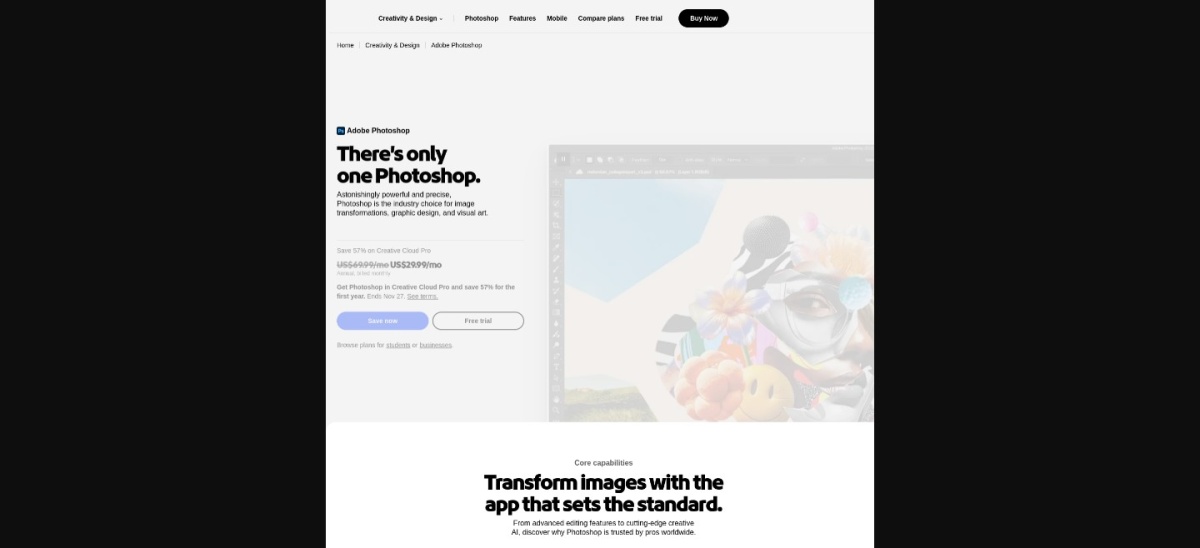
Adobe Photoshop homepage, captured Nov 2026.
Adobe Photoshop is a professional image editor for creating detailed product visualizations from photographs and layered templates. The Photography plan includes Photoshop, Lightroom and 1TB of cloud storage, while smart objects help designers replace artwork without rebuilding the entire mockup.
The trade off is the learning curve and recurring subscription, starting at $19.99 per month through the Photography plan. Adobe also advertises temporary discounts on its wider Creative Cloud subscriptions, which are excluded from this comparison. It suits professional designers who need detailed control over perspective, textures and lighting.
What we like
Editable smart objects
Detailed shadow and lighting adjustments
Extensive PSD template compatibility
Advanced masking and compositing
Suitable for high-resolution product images
Watch out for
No permanent free desktop plan
Steeper learning curve than template generators
Some mockup templates cost extra
Photography includes Photoshop, Lightroom and cloud storage.Visit adobe.com
03
Visme
4.5/5on G2 (514 reviews, checked Nov 2026)
Paid from$147/yr
Best for marketing mockups
Mockup typesProducts and promotional visuals
Free projectsUnlimited
Paid export formatsJPG, PNG and PDF
Paid planStarter
visme.co
Visme homepage, captured Nov 2026.
Visme is an online visual design platform that combines product mockups with presentation and marketing content tools. Its free Basic plan supports unlimited projects with restricted design assets, while the Starter plan opens the premium asset library and additional download formats.
The trade off is that Visme provides less detailed photographic editing than dedicated image manipulation software. Starter costs $147 per year, and some branding and collaboration features require higher plans. It suits marketers who want to incorporate product mockups into presentations, advertisements and business documents.
What we like
Dedicated online mockup generator
Unlimited projects on the free plan
Presentation and marketing design tools
Premium template library on Starter
Watch out for
Limited free download options
Less control over photographic details
Advanced branding features require upgrades
Starter adds premium assets and JPG, PNG and PDF downloads.Visit visme.co
04
Adobe Express
4.4/5on G2 (1,110 reviews, checked Nov 2026)
Paid from$9.99/mo
Best for quick promotional mockups
Mockup approachTemplates and image composition
PlatformsWeb and mobile
Premium AI credits250 per month
Paid planPremium
adobe.com
Adobe Express homepage, captured Nov 2026.
Adobe Express is an accessible graphic design application for preparing branded product previews, promotional images and social media content. Its free plan supports basic template editing, while Premium includes 250 monthly generative credits and access to more than 30,000 fonts.
The trade off is that complex mockup compositions offer less editing control than Photoshop. Premium costs $9.99 per month and provides additional assets, editing features and resizing options. It suits small businesses and content creators who need attractive marketing visuals without advanced image editing.
What we like
Beginner-friendly editing interface
Free design plan
Premium stock asset collection
Content resizing for different platforms
Watch out for
Limited advanced layer manipulation
Generative features have credit allowances
Less specialized than dedicated mockup generators
Premium adds advanced editing, premium templates and generative credits.Visit adobe.com
05
Moqups
4.2/5on G2 (91 reviews, checked Nov 2026)
Paid from$9/mo
Best for browser-based website wireframes
Mockup typesWebsite and application interfaces
Free projects2
Free object allowance400 objects
Paid planStarter
moqups.com
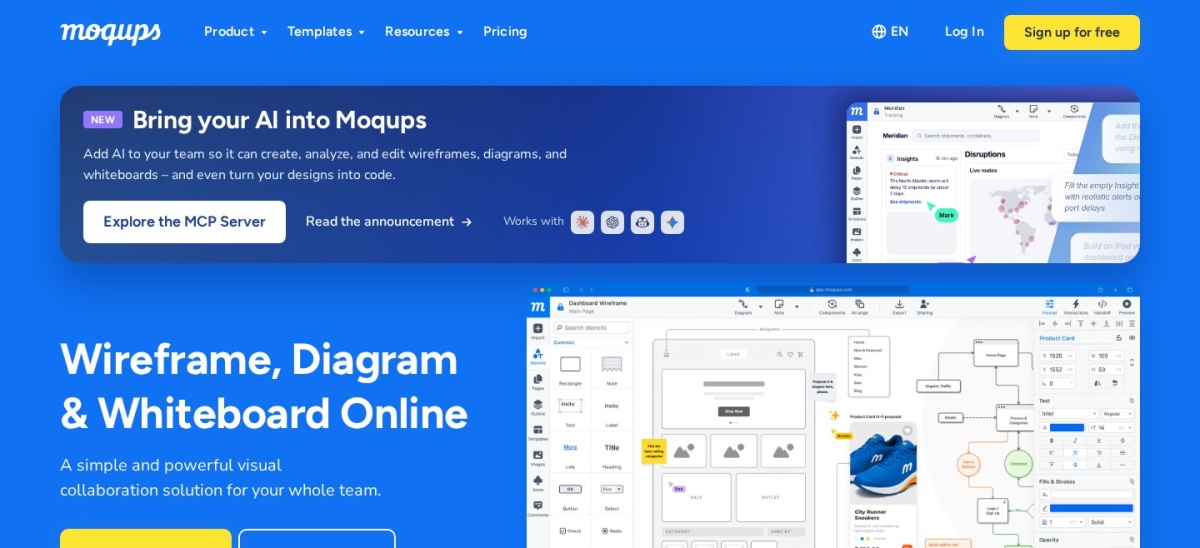
Moqups homepage, captured Nov 2026.
Moqups is a browser-based wireframing and diagramming application for planning websites, mobile interfaces and user journeys. Its free plan includes 2 projects, 400 objects, more than 150 templates and reusable interface components.
The trade off is that the software focuses on structural design rather than realistic product photography. Starter lists an annual billing price display that includes $9 per month, although its pricing page also renders another amount, so confirm the checkout total before subscribing. It suits business analysts, designers and individual product planners.
4.5/5on Trustpilot (155 reviews, checked Nov 2026)
PricingCustom pricing
Best for packaging and 3D mockups
Mockup typesPackaging and physical products
Visualization3D product previews
Design workflowPackaging customization
Paid tiersLite and Pro
pacdora.com
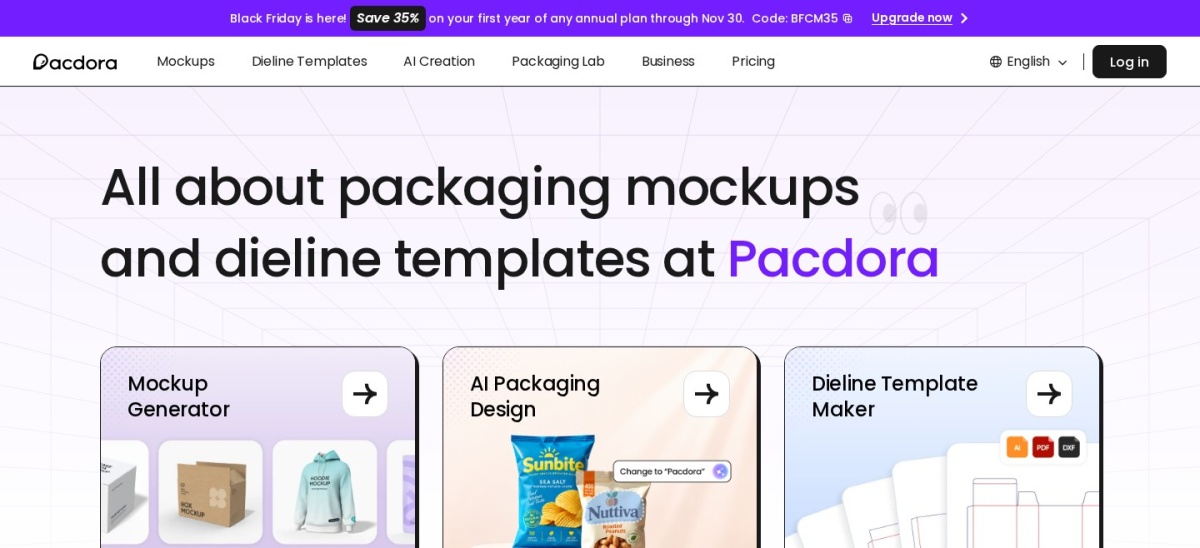
Pacdora homepage, captured Nov 2026.
Pacdora is a specialized packaging design and mockup application for visualizing physical products in 3D. Its free plan provides an entry point for exploring the platform, and its pricing page advertises a 7-day trial for paid subscriptions.
The trade off is that the official pricing page did not render valid paid subscription amounts, so a regular price could not be confirmed. The pricing placeholder should not be interpreted as a confirmed custom-price business model. It suits packaging designers and product businesses that prioritize realistic packaging previews.
What we like
Specialized packaging mockups
Interactive 3D visualization
Useful for product packaging concepts
Accessible browser-based workflow
Watch out for
Regular subscription price requires verification
Less suitable for interface design
Advanced packaging work may require a paid tier
Paid Lite and Pro tiers offer expanded packaging design features.Visit pacdora.com
07
Mediamodifier
2.2/5on Trustpilot (152 reviews, checked Nov 2026)
Paid from$15.83/mo
Best for large mockup template collections
Mockup templates10,000+
Paid downloadsUnlimited
Commercial licenseIncluded with Professional
Paid planProfessional
mediamodifier.com
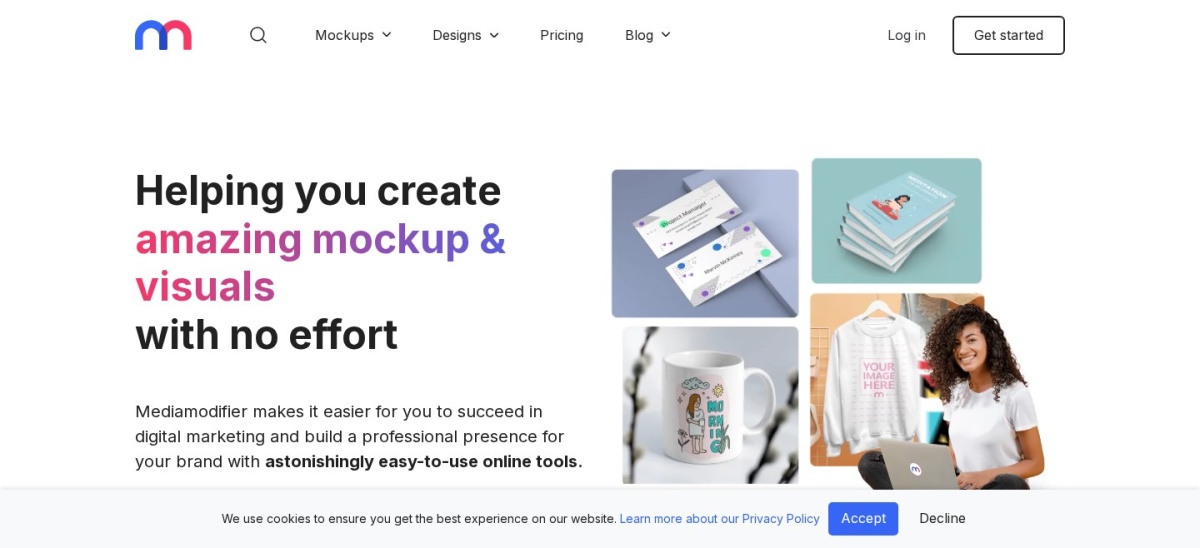
Mediamodifier homepage, captured Nov 2026.
Mediamodifier is an online mockup generator for apparel, books, packaging, electronic devices and promotional graphics. Its Professional plan provides access to more than 10,000 mockup templates, unlimited downloads, unlimited storage and commercial usage rights.
The trade off is its low Trustpilot rating, with public complaints concerning billing, free access and customer support. Professional costs $15.83 per month when billed annually. It suits frequent mockup creators who value template variety, provided they confirm subscription terms and export availability before paying.
Product mockup generators vs interface mockup tools
Product mockup generators help businesses display designs on physical objects. They are commonly used for merchandise listings, book covers, packaging concepts and promotional photography.
Interface mockup applications focus on digital products. They help teams arrange screen elements, demonstrate navigation and collect feedback before developers build the finished application.
General graphic design applications sit between these categories. They provide flexible editing tools and presentation features but may require additional templates to produce convincing product visualizations.
Can you use mockups for commercial purposes?
Commercial usage depends on the license covering the template, photograph, illustration and other assets used in your finished mockup. A paid software subscription does not automatically grant unrestricted rights to every imported asset.
Check whether the license permits advertising, online product listings, client projects and printed marketing materials. Selling or redistributing the original editable mockup template may remain prohibited.
Keep records of purchased templates and their licensing terms, especially when creating assets for clients or transferring editable project files.
How we chose
We selected established design applications, product mockup generators and interface wireframing tools based on their documented features, public pricing and customer reviews. Rankings reflect suitability for different mockup workflows rather than review scores alone.
Pricing and review sources were opened during the current research session, but their historical values on that editorial date cannot be independently confirmed. Annual costs are calculated from published annual-billing rates where available.
Placeit was excluded because its pricing page returned an access error, while Artboard Studio and Mockey were excluded because their regular paid prices could not be verified from accessible official pages. Pacdora remains an incomplete pricing entry requiring correction before publication, and Moqups requires checkout price confirmation. No vendor paid for a place, and we do not claim testing for this list.
How to choose the best mockup software
Identify the type of mockup you need, compare editing capabilities and check the total subscription cost before committing to a paid plan.
Identify your primary mockup format. Choose a photographic mockup generator for apparel and merchandise, a packaging application for physical product concepts, or an interface design tool for websites and mobile applications.
Check editing and customization options. Look for adjustable colors, editable layers, perspective controls, reusable components and background customization. Prioritize the features that directly affect your finished designs.
Review export options and usage rights. Confirm that the software supports your required file formats, image resolutions and commercial usage. Check whether free exports include watermarks or other restrictions.
Compare subscription costs and customer feedback. Calculate the annual cost of the plan that supports your workflow. Read recent customer reviews concerning billing, reliability, template quality and support before purchasing.
FAQ
What is the best mockup software in 2026?
Figma is our leading choice for website and application mockups because it combines editable layouts, collaborative design and interactive prototypes. Adobe Photoshop is better for detailed photographic product mockups, while Visme suits marketing presentations and template-based promotional visuals.
What is the best free mockup software?
Figma offers a free Starter plan for interface design, while Visme and Adobe Express provide free plans for broader visual content creation. The right choice depends on the type of mockup you need and whether its free export options meet your requirements.
Which mockup software is best for clothing?
Adobe Photoshop is suitable for detailed clothing mockups because it supports layered templates, smart objects and realistic texture adjustments. Mediamodifier provides a simpler template-based approach for apparel previews, although its subscription terms and customer feedback deserve careful review.
Can I create mockups without Photoshop?
Yes. Browser-based applications such as Visme and Mediamodifier allow users to prepare product mockups without installing Photoshop. Figma and Moqups also support interface mockups directly through a browser, making them useful for digital product design.
What is the difference between a mockup and a prototype?
A mockup represents how a finished product or interface should look. A prototype demonstrates how it should behave, often through interactive screens or simulated functionality. Interface design applications such as Figma can support both stages of the design process.
Which software is best for packaging mockups?
Pacdora focuses on packaging visualization and provides tools for creating three-dimensional product previews. Adobe Photoshop offers another approach through layered photographic templates and detailed image editing. Choose according to whether you need interactive packaging visualization or finished promotional images.
Are paid mockup generators worth the money?
Paid mockup generators can be worthwhile for businesses that produce product listings and promotional images regularly. Premium plans often provide more templates, commercial usage rights and expanded export options. Occasional users may find free tools or individually purchased templates more economical.
Can mockup software create images for online stores?
Yes. Product mockup applications can generate merchandise previews for online stores, advertising campaigns and product catalogs. Make sure the visual accurately represents the actual product and that your template license permits commercial use before publishing the image.
SaaS SEO and WordPress specialist with about 8 years of experience. Rakib compares WordPress plugins, themes, hosting and software using public pricing, documentation and user reviews. See how we rank.