OneSignal is the best mobile friendly notification software for most businesses, with a 4.7/5 G2 rating and paid plans starting at $19 per month. Choose Novu for developer-controlled notification workflows or SuprSend for coordinating transactional notifications across mobile push, email and other channels.
How we make this list: we compare pricing pages, product documentation and public user reviews, then re-check every price before each update. No product paid for a place. Disclosure.
OneSignal starts at $19 per month and has 1,259 G2 reviews, making it an established choice for mobile customer engagement.
Novu includes 10,000 monthly workflow runs on its free plan, with paid upgrades starting at $30 per month.
SuprSend earns 4.8/5 on G2 and includes 50,000 monthly notifications with its $1,200 annual Essentials plan.
Knock supports 10,000 monthly messages for free, with Starter costing $250 per month.
PagerDuty supports 5 users on its free incident management plan, making it suitable for small on-call teams.
PushEngage supports 200 subscribers for free and has more than 8,000 active WordPress installations.
What to look for in mobile friendly notification software
Mobile friendly notification software helps businesses send timely messages to smartphones, tablets and mobile browsers. Common uses include account alerts, order updates, marketing campaigns, service reminders and operational incident notifications.
Check whether a platform supports native Android and iOS push notifications or only browser-based notifications. Native push requires integration with a mobile application, while web push can reach subscribers through supported browsers.
Notification infrastructure platforms are particularly useful for software developers. They coordinate message delivery, templates and workflows across multiple communication channels without requiring teams to maintain separate notification systems.
Pricing models vary considerably. Some vendors charge for active users, while others count messages, subscribers, workflow executions or employee seats. Compare costs against your actual notification volume rather than relying entirely on advertised starting prices.
For sensitive or urgent alerts, prioritize delivery visibility, escalation options, user preferences and access controls. Mobile notification delivery also depends on device permissions, connectivity and operating system restrictions.
The 7 best mobile friendly notification software tools
01
OneSignal
4.7/5on G2 (1,259 reviews, checked Nov 2026)
Paid from$19/mo
Best for mobile customer engagement
Mobile pushAndroid and iOS
AutomationBasic on free plan
Pricing modelPlatform fee and usage
Paid planGrowth, from $19/mo
onesignal.com
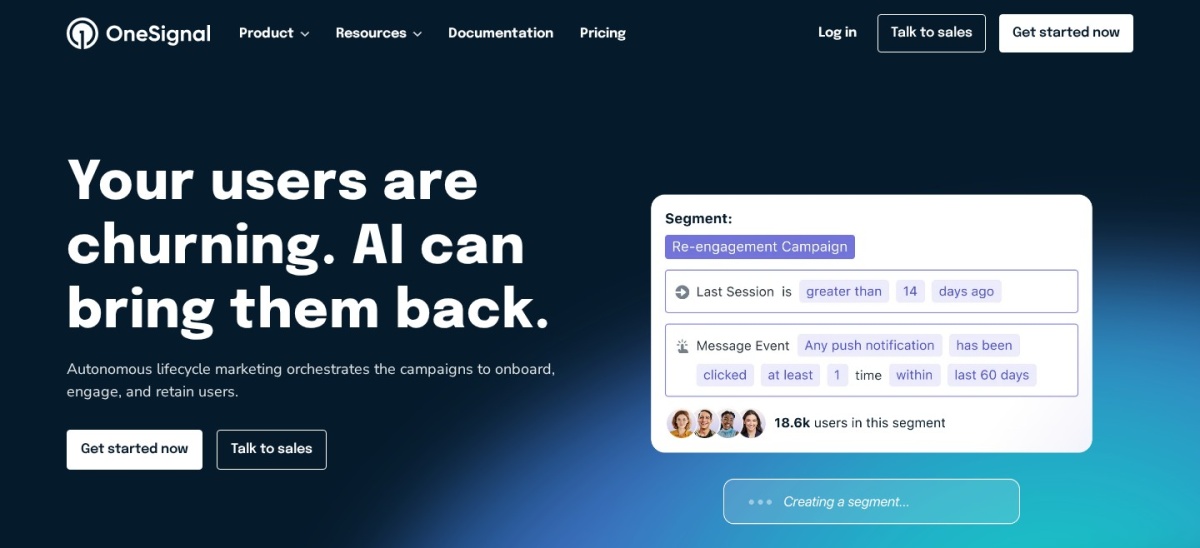
OneSignal homepage, captured Nov 2026.
OneSignal is a customer messaging platform for sending mobile push notifications, browser alerts, emails and in-app messages. Its free plan provides basic personalization, automation and reporting, while its 4.7/5 G2 rating comes from 1,259 reviews.
The trade off is that the $19 monthly Growth price is a starting platform fee, with messaging usage potentially increasing the final bill. It suits mobile app publishers and product teams looking for customer engagement features alongside developer integrations.
What we like
Native mobile and browser notification support
Free entry plan with basic automation
Audience targeting and message personalization
Established public review history
Developer SDKs and messaging APIs
Watch out for
Actual monthly cost depends on usage
Advanced permissions require higher plans
Native mobile integration requires development work
Novu is an open-source notification infrastructure platform for developers building messaging into applications. Its hosted free plan includes 10,000 monthly workflow runs, support for push and other messaging channels, and separate development and production environments.
The trade off is that the free plan limits workflow capacity and activity history, while Pro starts at $30 per month with 30,000 workflow runs. It suits engineering teams that prefer programmable notification logic and control over their application integrations.
What we like
Open-source notification architecture
Supports multiple communication channels
Separate development and production environments
Affordable hosted entry plan
Watch out for
Requires developer involvement
Free activity history lasts only 24 hours
Smaller public review sample than established alternatives
Pro increases workflow capacity and extends activity history.Visit novu.co
03
SuprSend
4.8/5on G2 (139 reviews, checked Nov 2026)
Paid from$1,200/yr
Best for transactional notification workflows
Free notifications10,000/mo
Essentials notifications50,000/mo
Mobile pushSupported
Paid planEssentials, $1,200/yr
suprsend.com
SuprSend homepage, captured Nov 2026.
SuprSend is a notification infrastructure platform that connects mobile push, email, SMS and in-app messaging through a common API. Its free plan includes 10,000 notifications per month, workflow conditions, broadcast lists and unrestricted team membership.
The trade off is that Essentials requires an annual payment of $1,200 for 50,000 monthly notifications, with additional usage charged separately. It suits software businesses that want centralized control over transactional messages, customer updates and application-generated alerts.
What we like
Unified interface for multiple messaging channels
Conditional notification workflows
No team member limit on the free plan
High G2 rating
Translation support on Essentials
Watch out for
Entry paid plan requires annual billing
Higher notification volumes increase costs
Advanced batching and preferences require Business
Essentials removes inbox branding and adds localized delivery options.Visit suprsend.com
04
Knock
4.6/5on G2 (149 reviews, checked Nov 2026)
Paid from$250/mo
Best for embedded product notifications
Free messages10,000/mo
Starter messages50,000/mo
WorkflowsUnlimited
Paid planStarter, $250/mo
knock.app
Knock homepage, captured Nov 2026.
Knock is a notification infrastructure service for adding customer messages and notification feeds to software products. Its free plan supports 10,000 monthly messages, unlimited workflows, multiple delivery channels and embedded notification components.
The trade off is that Starter costs $250 per month and charges $0.005 for each additional message beyond its 50,000 included messages. It suits growing SaaS products that need customizable notification feeds, coordinated mobile messaging and reusable delivery workflows.
What we like
Flexible workflow configuration
Unlimited stored user profiles
Embeddable notification components
Built-in multi-tenant architecture
Message-based rather than stored-profile pricing
Watch out for
Expensive transition from free to paid
Additional usage increases monthly expenses
Requires integration with notification delivery providers
Starter removes branding and includes priority email support.Visit knock.app
05
PushEngage
4.3/5on WordPress.org (37 reviews, checked Nov 2026)
Paid from$107.90/yr
Best for mobile browser and ecommerce alerts
Free subscribers200
Business subscribers1,000
Notification channelsWeb and app push
Paid planBusiness, $107.90/yr
pushengage.com
PushEngage homepage, captured Nov 2026.
PushEngage is a subscriber-based notification platform supporting browser and mobile application push campaigns. Its free plan includes 200 subscribers, 30 campaigns and basic audience segmentation, while its WordPress integration has more than 8,000 active installations.
The trade off is that the free plan restricts subscriber capacity and campaign volume, while Business lists an annual payment of $107.90. It suits ecommerce stores, publishers and WordPress businesses that primarily want subscriber engagement and scheduled push campaigns.
What we like
WordPress and WooCommerce integrations
Mobile browser and application push support
Affordable entry pricing
Audience segmentation and scheduled campaigns
Free plan without a time limit
Watch out for
Subscriber growth increases subscription costs
Advanced campaign analytics require higher plans
Mobile application deployments may require a sales consultation
Business adds unrestricted campaign volume, richer messages and scheduling.Visit pushengage.com
06
PagerDuty
4.6/5on Capterra (224 reviews, checked Nov 2026)
Paid from$252/yr
Best for mobile IT incident notifications
Free users5
Free escalation policies1
Alert channelsPush, SMS, phone and email
Paid planProfessional, $21/user/mo annually
pagerduty.com
PagerDuty homepage, captured Nov 2026.
PagerDuty is an incident management platform that sends operational alerts to employees through mobile push, phone calls, SMS and email. Its free plan supports five users with a shared on-call schedule and escalation policy.
The trade off is that Professional costs $21 per user per month with annual billing or $25 with monthly billing, making larger teams more expensive. It suits IT operations, DevOps and support teams that need urgent notifications and structured incident response.
What we like
Dedicated operational alerting features
Mobile incident response capabilities
On-call scheduling and escalation policies
Free option for small teams
Multiple alert delivery methods
Watch out for
Not designed for customer marketing campaigns
Per-user pricing increases team expenses
Advanced incident management features may require add-ons
Professional adds improved collaboration and post-incident review features.Visit pagerduty.com
07
Airship
4/5on G2 (83 reviews, checked Nov 2026)
PricingCustom pricing
Best for enterprise mobile customer experiences
Mobile pushSupported
Customer journeysSupported
Audience segmentationBehavior-based
Paid planVendor pricing inquiry
airship.com
Airship homepage, captured Nov 2026.
Airship is a customer experience platform covering native mobile push notifications, web messaging, mobile wallets and personalized customer journeys. Its platform includes customer segmentation, campaign reporting and experimentation, with a 4.0/5 G2 rating from 83 reviews.
The trade off is pricing transparency, since Airship does not publish a regular entry subscription price on its official pricing page and directs buyers toward quotes or its self-service signup. It suits established mobile brands that need coordinated customer experiences and advanced campaign management.
What we like
Mobile-first customer experience tools
Cross-channel journey management
Behavior-based customer segmentation
Mobile wallet integration
Campaign experimentation and reporting
Watch out for
Public entry subscription price unavailable
Potentially excessive for simple notification requirements
Implementation can require substantial planning
Paid access covers customer messaging, personalization and journey management.Visit airship.com
Native mobile push vs. mobile web notifications
Native mobile push notifications are delivered through installed applications using operating system notification services. They are suitable for account activity, delivery updates, reminders and messages that direct users to specific areas of an app.
Mobile web notifications are delivered through supported browsers and web applications. They are useful for online stores and publishers that want to communicate with subscribers without requiring everyone to install a native application.
Browser and operating system restrictions affect both delivery methods. Confirm permission requirements, device compatibility and deep-link behavior before selecting a notification platform.
How notification pricing affects your annual budget
OneSignal starts with a $19 monthly platform fee, while Novu starts at $30 per month using workflow-based pricing. These amounts represent different billing models and should not be treated as equivalent notification allowances.
SuprSend and Knock offer defined monthly notification or message allowances with their paid subscriptions. Depending on the workflow, sending alerts through several channels can increase the number of billable delivery events.
PagerDuty charges for employee seats, while PushEngage uses subscriber capacity. Airship does not publish a regular entry price on its pricing page, so its zero numeric ladder value represents unavailable public pricing rather than a free subscription.
How we chose
We selected established mobile notification products from the customer messaging, notification infrastructure, web push and incident management software categories. We prioritized mobile delivery capabilities, automation options, accessible documentation and established public review profiles.
The requested editorial check date is 22 Nov 2026. Pricing and rating figures reflect the latest accessible November source pages reviewed for this comparison, rather than independently archived snapshots from that exact date. Annual prices represent published subscription commitments or annualized monthly starting fees, excluding variable usage charges.
We excluded products with insufficient review evidence, promotional-only pricing or usage-based rates that could not be converted into a meaningful annual subscription figure. Quote-based pricing is retained for Airship because its official page does not disclose an entry amount. No vendor paid for a place, and we do not claim testing for this list.
How to choose the best mobile friendly notification software
Compare your intended recipients, delivery channels, technical requirements and expected messaging volume before selecting a notification platform.
**Identify your notification use case.** Choose a customer engagement platform for promotional messages, notification infrastructure for application-generated events, or incident management software for operational alerts.
**Confirm mobile device compatibility.** Check Android, iOS and mobile browser support. Review SDK requirements, notification permissions, deep links and whether your application needs additional messaging providers.
**Calculate your expected subscription cost.** Estimate active users, subscribers, workflow runs, messages and employee seats. Include usage overages, annual commitments and any third-party delivery charges.
**Review notification controls and delivery visibility.** Look for user preferences, scheduling, retry handling, delivery logs and escalation policies. Select features appropriate to the sensitivity and urgency of your messages.
FAQ
What is mobile friendly notification software?
Mobile friendly notification software helps organizations deliver alerts and messages to mobile devices through native push notifications, mobile browsers, application inboxes and other communication channels. Businesses use these platforms for customer engagement, transactional updates and employee alerts.
What is the best mobile friendly notification software?
OneSignal is our top overall choice because it combines mobile push, customer messaging and automation with an accessible starting subscription. Novu and SuprSend are better suited to developers who need greater control over application-generated notification workflows.
Is there free mobile notification software?
Yes. OneSignal, Novu, SuprSend, Knock, PushEngage and PagerDuty all offer free options. Novu includes 10,000 monthly workflow runs, while SuprSend includes 10,000 monthly notifications. Their usage definitions and available features differ, so compare limits carefully.
Can notification software send messages to Android and iOS?
Yes. Platforms such as OneSignal and Airship support native mobile push delivery. Developer-oriented services can also coordinate notifications through connected delivery providers. Applications must have appropriate notification permissions and device registration before receiving these messages.
What is the difference between push notifications and SMS alerts?
Push notifications are delivered through compatible applications or browsers using internet connectivity and device notification permissions. SMS alerts use telephone messaging infrastructure and do not require the recipient to install your application, but they may involve additional delivery charges.
Which notification software is best for SaaS developers?
Novu, SuprSend and Knock are suitable options for SaaS developers because they support programmable notification workflows and multiple delivery channels. Novu provides an open-source foundation, while SuprSend and Knock offer managed infrastructure for coordinating product notifications.
Which mobile notification software is best for IT teams?
PagerDuty is particularly suitable for IT teams that need incident alerts, on-call schedules and escalation policies. Its mobile notifications help responders receive operational alerts away from their desks, while alternative delivery channels provide additional ways to contact employees.
How much does mobile notification software cost?
OneSignal starts at $19 per month, Novu starts at $30 per month and SuprSend Essentials costs $1,200 annually. Total expenses depend on messaging volume, subscriber capacity, employee seats, additional providers and the features required by your organization.
Can mobile push notifications reach users without an app?
Mobile web push notifications can reach subscribers through compatible browsers or supported web applications without a traditional native app installation. However, device compatibility, browser permissions and operating system requirements determine whether this delivery method is available.
SaaS SEO and WordPress specialist with about 8 years of experience. Rakib compares WordPress plugins, themes, hosting and software using public pricing, documentation and user reviews. See how we rank.