ManageEngine Patch Manager Plus is the best Linux patch management tool for most IT teams, with a free edition covering 20 workstations and 5 servers. Choose Automox for affordable cloud-based operating system patching or JumpCloud for managing Ubuntu updates alongside employee identities and device access.
How we make this list: we compare pricing pages, product documentation and public user reviews, then re-check every price before each update. No product paid for a place. Disclosure.
ManageEngine offers free patch management for 20 workstations and 5 servers, with paid subscriptions starting at $245/year.
Automox starts at $1 per endpoint/month with an annual commitment for operating system patching.
JumpCloud lists standalone patch management at $3 per user/month with annual billing.
NinjaOne has a 4.7/5 G2 rating from 5,865 reviews and combines patching with remote endpoint management.
HCL BigFix supports over 120 operating system variants across its broader endpoint management platform.
Atera has a 4.6/5 G2 rating from 1,288 reviews and supports automated Linux package updates.
What to look for in Linux patch management software
Linux patch management involves identifying missing updates, installing security fixes and checking whether deployments succeeded. Centralized software helps administrators maintain servers and workstations without manually connecting to every machine.
Distribution support is particularly important. Ubuntu, Debian, Red Hat Enterprise Linux and other distributions use different package management systems. A product supporting Linux does not necessarily support every distribution or release.
Look for scheduled deployments, package exclusions, reboot controls and reporting. Production servers need controlled maintenance windows to prevent updates from interrupting databases, applications and other services.
Compare licensing units carefully. Some vendors charge per endpoint, others per user or technician, and enterprise platforms frequently require a customized quote.
ManageEngine Patch Manager Plus homepage, captured Nov 2026.
ManageEngine Patch Manager Plus is a dedicated patch management platform for Linux, Windows and macOS environments. Its free edition covers 20 workstations and 5 servers, with automated deployments, patch reporting and centralized administration.
The trade off is that some advanced deployment controls are restricted to the Enterprise edition when moving to paid subscriptions. Professional starts at $245 per year for 50 computers on-premises. It suits small and midsize IT departments looking for predictable licensing and dedicated patch management.
What we like
Permanent free edition for small environments
Cloud and on-premises deployment options
Centralized missing patch detection
Scheduled deployments and patch reports
Published annual subscription prices
Watch out for
Professional edition lacks automatic patch testing and approval
Cloud subscriptions cost more
Linux compatibility depends on distribution and release
Professional expands device capacity; Enterprise adds advanced deployment controls.Visit manageengine.com
02
Automox
4.5/5on G2 (332 reviews, checked Nov 2026)
Starts at$1/mo
Best for cloud-based Linux patch automation
Supported OSLinux, Windows and macOS
DeploymentCloud
LicensingPer endpoint
Paid planPatch OS, annual commitment
automox.com
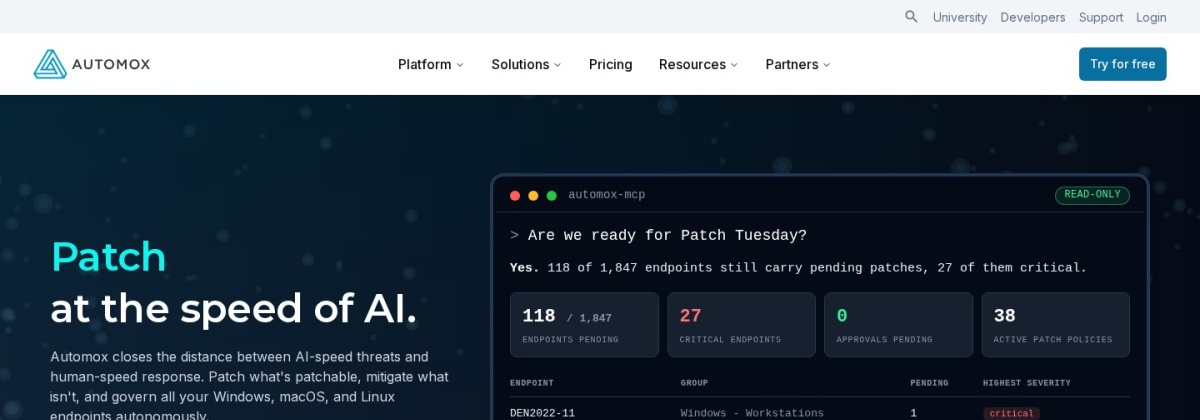
Automox homepage, captured Nov 2026.
Automox is a cloud-managed patching and endpoint automation platform designed for distributed infrastructure. Its Patch OS subscription starts at $1 per endpoint per month with an annual commitment and covers operating system updates across Linux, Windows and macOS.
The trade off is that the $12 annual per-endpoint cost covers basic operating system patching rather than the complete automation platform. Advanced subscriptions require custom pricing and provide additional software management and configuration features. It suits teams that want to minimize management infrastructure.
What we like
Low published entry price per endpoint
No dedicated on-premises management server
Centralized cross-platform patching
Suitable for geographically distributed devices
Watch out for
No permanent free edition
Advanced automation requires a higher subscription
Cloud connectivity is required
Higher subscriptions add software deployment and endpoint configuration automation.Visit automox.com
03
JumpCloud
4.5/5on G2 (4,151 reviews, checked Nov 2026)
Starts at$3/mo
Best for Ubuntu device and identity management
Linux patch policyUbuntu updates
DeploymentCloud
LicensingPer user
Paid planStandalone patch management
jumpcloud.com
JumpCloud homepage, captured Nov 2026.
JumpCloud is a cloud-based identity and device management platform with operating system update policies. Its individual patch management product lists at $3 per user per month when billed annually, with support for managing Ubuntu update behavior alongside other operating systems.
The trade off is that its documented Linux update policy focuses on Ubuntu rather than broad enterprise Linux distribution coverage. Standalone patch management costs $36 per user annually, while the Device Management package costs $9 per user monthly with annual billing. It suits organizations connecting device security with employee access management.
What we like
Public pricing for individual patch management
Centralized Ubuntu update policies
Identity and device management integration
Useful for distributed employee workstations
Watch out for
Linux update policies focus on Ubuntu
Additional identity features increase subscription costs
Less suitable for heterogeneous Linux server fleets
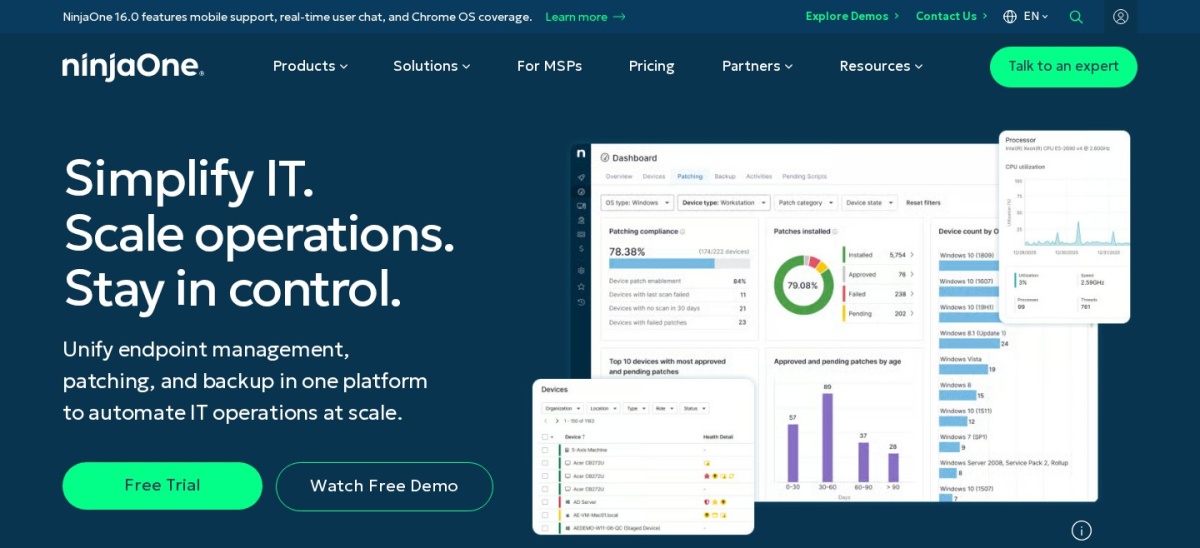
NinjaOne is a unified IT operations platform that combines remote device monitoring with automated software updates. Its Linux patch management documentation covers automatic patch scanning, policy configuration and deployment, and the platform holds a 4.7/5 rating from 5,865 G2 reviews.
The trade off is that pricing requires a customized quote, making upfront budget comparisons less straightforward. Subscription costs depend on the selected products and deployment requirements. It suits managed service providers and internal IT teams that want endpoint monitoring and patching in the same console.
What we like
Large independent review base
Automated Linux patch policies
Centralized device-level patch visibility
Remote monitoring and management integration
Watch out for
No fixed public subscription price
No permanent free plan
Broader platform may exceed basic patching needs
Paid subscriptions combine endpoint management with selected patching and automation capabilities.Visit ninjaone.com
05
HCL BigFix
4.4/5on G2 (125 reviews, checked Nov 2026)
PricingCustom pricing
Best for large enterprise Linux environments
Supported OSLinux, Windows and other platforms
DeploymentOn-premises, hybrid and cloud
ComplianceCentralized monitoring
Paid planCustom subscription
hcl-software.com
HCL BigFix homepage, captured Nov 2026.
HCL BigFix is an enterprise endpoint management platform covering patch deployment, vulnerability remediation and compliance monitoring. The broader platform supports more than 120 operating system variants, making it relevant to organizations maintaining complex infrastructure with different Linux distributions.
The trade off is that HCL BigFix uses custom pricing rather than fixed public subscription tiers. Deployment planning and policy administration can also require specialist knowledge. It suits large organizations that need centralized remediation and detailed compliance oversight across heterogeneous infrastructure.
What we like
Broad operating system coverage
Centralized vulnerability remediation
Enterprise compliance monitoring
Supports hybrid infrastructure
Watch out for
Custom pricing complicates cost comparisons
Steeper learning curve for smaller IT teams
Deployment requires infrastructure planning
Commercial subscriptions provide licensed patching and selected enterprise management modules.Visit hcl-software.com
06
Atera
4.6/5on G2 (1,288 reviews, checked Nov 2026)
PricingCustom pricing
Best for technician-based IT management
Linux supportUbuntu and Debian
Package managerAPT
LicensingPer technician
Paid planContact sales
atera.com
Atera homepage, captured Nov 2026.
Atera is an IT management platform combining endpoint monitoring, help desk functions and automated patching. Its Linux patch management supports Ubuntu 18 and Debian 11 or newer releases, using APT to retrieve and install operating system package updates.
The trade off is limited Linux distribution coverage compared with dedicated enterprise patch management products. Its current official pricing pages direct buyers to sales, so subscription costs require confirmation. It suits service providers and internal support teams maintaining many compatible devices with relatively few technicians.
What we like
Technician-based licensing model
Automated Linux package upgrades
Integrated help desk and monitoring
Scheduled automation profiles
Watch out for
Documented Linux patching focuses on Ubuntu and Debian
Public fixed pricing was not available on the current pricing pages
Additional IT management features may be unnecessary for server-only environments
Commercial plans include IT automation, endpoint monitoring and service desk functions.Visit atera.com
07
N-able N-central
4.4/5on G2 (577 reviews, checked Nov 2026)
PricingCustom pricing
Best for managed service providers
Supported OSLinux, Windows and macOS
DeploymentHosted or on-premises
AutomationCentralized management policies
Paid planContact sales
n-able.com
N-able N-central homepage, captured Nov 2026.
N-able N-central is an endpoint management platform designed for IT service providers and organizations with complex networks. Its Linux patch management capabilities complement remote monitoring, centralized automation and customer device administration, with a 4.4/5 rating from 577 G2 reviews.
The trade off is that a fixed annual subscription price was not available on the official product pages, and the platform requires a sales inquiry for commercial terms. Its broader management interface can also take time to learn. It suits service providers maintaining multiple customer environments.
What we like
Linux patching within centralized endpoint management
Designed for multi-client IT operations
Hosted and on-premises options
Integrated monitoring and automation
Watch out for
No confirmed fixed public subscription price
Management interface has a learning curve
Linux patching prerequisites must be checked
Commercial subscriptions provide centralized monitoring, automation and endpoint management.Visit n-able.com
Agent-based vs. native Linux patch management
Agent-based patch management uses software installed on each managed device. The agent communicates with a central console, retrieves deployment policies and reports update results. This approach works well for distributed workstations and servers.
Native Linux patch management relies on distribution-specific package managers such as APT and DNF. Administrators can use these tools directly or integrate them with scripts and centralized automation systems.
Commercial patch management products frequently use native package managers underneath their interfaces. Their main advantage is centralized scheduling, visibility, policy enforcement and reporting rather than replacing the underlying package repositories.
For isolated or regulated environments, check whether the management platform supports restricted networks, internal repositories and local deployment infrastructure before purchasing.
How much does Linux patch management software cost?
The published annual entry prices in this comparison start at $12 per endpoint for Automox, $36 per user for JumpCloud patch management and $245 for a ManageEngine Professional workstation subscription.
These prices use different licensing units and should not be treated as equivalent fleet-wide costs. Multiply endpoint-based subscriptions by managed devices and user-based subscriptions by licensed users before comparing them.
Custom-priced platforms require written quotes covering the necessary Linux patching features, management modules, support and contract terms. A zero annual value for these products represents unavailable public pricing, not a free subscription.
Consider implementation expenses, management server resources, administrator training and ongoing maintenance alongside licensing. A cheaper subscription is not necessarily less expensive to operate.
How we chose
We selected established patch management and endpoint administration products based on documented Linux compatibility, deployment controls, management capabilities, public customer reviews and suitability for different IT environments.
The editorial reference date is 22 Nov 2026. Live pricing and rating sources were accessed on 25 Nov 2026, so review counts may differ from the reference date. Published subscription prices use regular annual billing where available, while products without accessible fixed prices are identified as custom-priced.
We excluded Windows-only patching products, tools without sufficient public customer reviews and candidates without clear Linux update capabilities. Rankings prioritize dedicated patch management, distribution compatibility and pricing transparency rather than review scores alone. No vendor paid for a place, and we do not claim testing for this list.
How to choose the right Linux patch management tool
Start by documenting your Linux infrastructure, security requirements, maintenance schedules and available IT budget before comparing subscription plans.
**Confirm distribution compatibility.** Create an inventory of Linux distributions, release versions and package repositories. Check the vendor's current support documentation for each environment, including production servers and employee workstations.
**Evaluate deployment and reboot controls.** Look for maintenance windows, update exclusions, staged deployments and reboot management. Confirm whether administrators can separate security updates from broader package upgrades.
**Calculate the full annual licensing cost.** Compare per-endpoint, per-user and per-technician subscriptions using your actual infrastructure inventory. Request written quotes for platforms that do not publish fixed prices.
**Check reporting and recovery procedures.** Confirm that the platform records successful installations, failed deployments and outstanding updates. Evaluate backup and recovery procedures independently because Linux package rollback is not universally supported.
FAQ
What is the best Linux patch management tool?
ManageEngine Patch Manager Plus is our overall pick because it combines dedicated patch management, transparent subscription pricing and a permanent free edition. Automox is a suitable alternative for cloud-based operating system patching across distributed devices.
Are there free Linux patch management tools?
Yes. ManageEngine Patch Manager Plus provides a free edition covering 20 workstations and 5 servers. Native package managers such as APT and DNF also install updates without commercial software licensing, although centralized management requires additional configuration.
Can Linux patch management be automated?
Yes. Linux updates can be automated through native package managers, scheduled scripts or commercial patch management platforms. Automation policies should account for maintenance windows, critical applications, package dependencies and required reboots to reduce operational disruptions.
What is the difference between Linux patching and vulnerability management?
Patch management installs software updates that address known defects and security weaknesses. Vulnerability management identifies and prioritizes security exposures, including problems that may require configuration changes or compensating controls rather than a software patch.
Do Linux servers need to reboot after patching?
Some Linux updates require a restart, particularly kernel updates and changes affecting running system components. Other package updates can be applied without rebooting the entire server, although affected services may still need to restart.
Which Linux patch management software supports Ubuntu and Debian?
Atera documents patch management for supported Ubuntu and Debian releases using APT. Other cross-platform products, including ManageEngine and NinjaOne, also provide Linux patch management. Always confirm compatibility with your specific distribution release before purchasing.
Can the same tool patch Linux and Windows computers?
Yes. ManageEngine, Automox, NinjaOne, HCL BigFix, Atera and N-able N-central provide cross-platform endpoint management or patching capabilities. Feature availability can differ between operating systems, especially for third-party application updates and reboot controls.
How often should Linux servers be patched?
Patch frequency should depend on vulnerability severity, system exposure and organizational security requirements. Critical security fixes may require expedited deployment, while routine updates can follow planned maintenance windows with validation and recovery procedures.
SaaS SEO and WordPress specialist with about 8 years of experience. Rakib compares WordPress plugins, themes, hosting and software using public pricing, documentation and user reviews. See how we rank.