Best Law Enforcement Software in 2026: 7 Tools Compared
WLWPLegible EditorsLast verified 22 Nov 2026How we rank8 min read
★ Short answer
eSchedule is a top public safety scheduling option, starting at $900/yr for up to 10 active employees with a 4.8/5 rating across 77 Capterra reviews. InTime fits 24/7 shift and overtime management from $2,000/yr, while A.L.E.I.R. offers a free standalone incident report and dispatch download with paid support from $499/yr.
How we make this list: we compare pricing pages, product documentation and public user reviews, then re-check every price before each update. No product paid for a place. Disclosure.
eSchedule starts at $900/yr for up to 10 active employees and holds a 4.8/5 rating across 77 Capterra reviews.
A.L.E.I.R. provides a free single-computer incident report and dispatch program, with multi-workstation support starting at $499/yr.
PowerDetails carries a 4.5/5 rating across 22 Capterra reviews and offers vendor-funded off-duty options starting at a 2.75% fee.
InTime is rated 4.8/5 across 110 Capterra reviews and lists a $2,000/yr starting price for public safety workforce scheduling.
CrimeStar lists a $3,300 one-time RMS user license including first-year support, with $400/yr support renewals thereafter.
CaseGuard starts at $279/user/mo billed annually on Doc Suite for document and image redaction, with a 3.0/5 rating across 2 Capterra reviews.
What to look for in law enforcement software
Agencies rarely buy a single tool for every task. Shift scheduling, overtime rules, incident reporting, and media redaction each carry distinct workflow and compliance demands.
Check how pricing scales before signing an annual agreement. Some vendors charge a flat annual fee for a small roster, while others bill per user per month, per license, or through transaction fees.
Verify whether deployment is web-based, local network, or desktop-installed. IT support capacity, data hosting rules, and multi-device access vary widely across public safety tools.
Public review counts on directories like Capterra can be small for niche law enforcement tools. Pair directory scores with vendor documentation and written agency feedback.
eSchedule is a web-based scheduling and workforce management platform built for public safety agencies. Core pricing starts at $900/yr invoiced annually for up to 10 active employees with scheduling and core features.
The trade off is that larger agencies and extra modules like timekeeping raise the annual cost above the $900 entry tier. It suits small and mid-size agencies that want public safety scheduling without standard setup fees.
What we like
Built around public safety scheduling, timekeeping, and training records
No setup, training, or support fees for most customers
4.8/5 rating across 77 Capterra reviews
Watch out for
Entry price covers up to 10 active employees
No standalone mobile app listed in vendor FAQs
Adding modules such as timekeeping or expanding beyond 10 active employees increases the annual price.Visit goeschedule.com
02
A.L.E.I.R.
4.3/5on G2 (4 reviews, checked Nov 2026)
Paid from$499/yr
Best for free single-computer report and dispatch use
Free optionSingle-computer program
Paid supportStarts at $499/yr
DatabaseMySQL or MariaDB
OS supportWindows, Mac, Linux
aleir.com
A.L.E.I.R. homepage, captured Nov 2026.
A.L.E.I.R. is a computerized incident report writing and dispatch system that runs on Windows, Mac, or Linux with MySQL or MariaDB. Its free download works on a single computer with no vendor support.
The trade off is that multi-workstation network access and customization require a paid plan starting at $499/yr. It suits small teams comfortable managing their own database setup on a tight budget.
What we like
Free single-workstation software with no per-user license cap
Runs across Windows, macOS, and Linux
Paid support and customization starts at $499/yr
Watch out for
Free version does not support multiple networked workstations
Self-hosted database setup requires technical effort on the free tier
Paid support at $499/yr adds customization and multi-computer network access, while $599/yr adds vendor hosting.Visit aleir.com
03
PowerDetails
4.5/5on Capterra (22 reviews, checked Nov 2026)
Starts at$1,500/yr
Best for off-duty detail scheduling and invoicing
Capterra listed price$1,500/yr
Vendor-funded feeStarts at 2.75%
Capterra rating4.5/5 (22 reviews)
Core focusOff-duty and overtime
powerdetails.com
PowerDetails homepage, captured Nov 2026.
PowerDetails is an off-duty detail and overtime management platform now part of PowerDMS. Capterra lists a $1,500/yr starting price, while PowerDMS documentation also notes vendor-funded options starting at a 2.75% fee.
The trade off is that policy rules, payment assurance, and risk mitigation options change how fees are structured. It suits agencies automating off-duty job postings, officer sign-ups, and employer invoicing.
What we like
Automates off-duty job requests, bidding rules, and invoicing
Pricing models vary between flat annual figures and percentage fees
Focused on details and overtime rather than full records management
Higher fee tiers add payment assurance, managed billing and collections, or optional risk mitigation coverage.Visit powerdetails.com
04
InTime
4.8/5on Capterra (110 reviews, checked Nov 2026)
Starts at$2,000/yr
Best for 24/7 public safety shift and overtime rules
Starting price$2,000/yr
Agency footprint500+ agencies
Capterra rating4.8/5 (110 reviews)
Core focusScheduling & timekeeping
intime.com
InTime homepage, captured Nov 2026.
InTime is a public safety scheduling and workforce platform used by 500+ agencies across police, fire, and corrections. Capterra lists its starting price at $2,000/yr for core scheduling.
The trade off is that configuring complex shift rules and extra modules can take upfront setup and cost more than the base tier. It suits agencies managing round-the-clock rosters, leave, and overtime.
What we like
4.8/5 rating across 110 Capterra reviews
Built for 24/7 public safety rosters, shift bidding, and overtime
Supports 500+ public safety agencies
Watch out for
Higher starting price than single-tier small-agency tools
Initial rule configuration can have a learning curve
Optional modules expand into automated timekeeping, court and subpoena tracking, wellness insights, and asset tracking.Visit intime.com
05
CrimeStar
5/5on G2 (1 reviews, checked Nov 2026)
Starts at$3,300 one-time
Best for transparent RMS license and support pricing
RMS user license$3,300 (yr 1 support)
Support renewal$400/yr per license
ComplianceFBI NIBRS compliant
Trial90-day evaluation
crimestar.com
CrimeStar homepage, captured Nov 2026.
CrimeStar provides records management and computer-aided dispatch software for law enforcement agencies, with FBI NIBRS compliance. Its order page lists a RMS user license with first-year support at $3,300.
The trade off is that annual support renews at $400 per license after year one, and G2 shows only 1 review. It suits departments that want published license prices and a 90-day evaluation.
What we like
Publishes clear license and annual support renewal figures on its site
FBI NIBRS compliant with a 90-day evaluation option
Offers CAD, mobile, and records modules
Watch out for
Ongoing annual support fees add to long-term cost
Very small review count on G2
Additional licenses, CAD seats, mobile options, and annual support renewals at $400 per license add to the total.Visit crimestar.com
06
CaseGuard
3/5on Capterra (2 reviews, checked Nov 2026)
Starts at$3,348/yr
Best for AI document and media redaction workflows
Entry plan$279/user/mo (annual)
Annualized entry$3,348/yr per user
Capterra rating3.0/5 (2 reviews)
Core focusRedaction & transcription
caseguard.com
CaseGuard homepage, captured Nov 2026.
CaseGuard is redaction and media processing software used by government and law enforcement teams to redact documents, images, audio, and video. Its Doc Suite starts at $279/user/mo billed annually ($3,348/yr).
The trade off is high per-user pricing and a modest 3.0/5 rating across only 2 Capterra reviews. It suits agencies with heavy redaction backlogs that need batch processing and audit logs.
What we like
Supports document, image, audio, and video redaction workflows
Includes batch processing, OCR, and audit reports on Doc Suite
Offers 90-day trial availability via its listing
Watch out for
Per-user monthly pricing adds up quickly across multiple staff
3.0/5 rating based on just 2 Capterra reviews
Media Suite at $299/user/mo and Ultimate Suite at $379/user/mo add video and audio redaction and higher batch capacity.Visit caseguard.com
07
Omnigo
4.4/5on Capterra (85 reviews, checked Nov 2026)
PricingQuote/yr
Best for multi-sector incident and case management
Pricing modelCustom quote
Capterra rating4.4/5 (85 reviews)
Sectors servedPublic safety & security
Core focusIncident & case workflows
omnigo.com
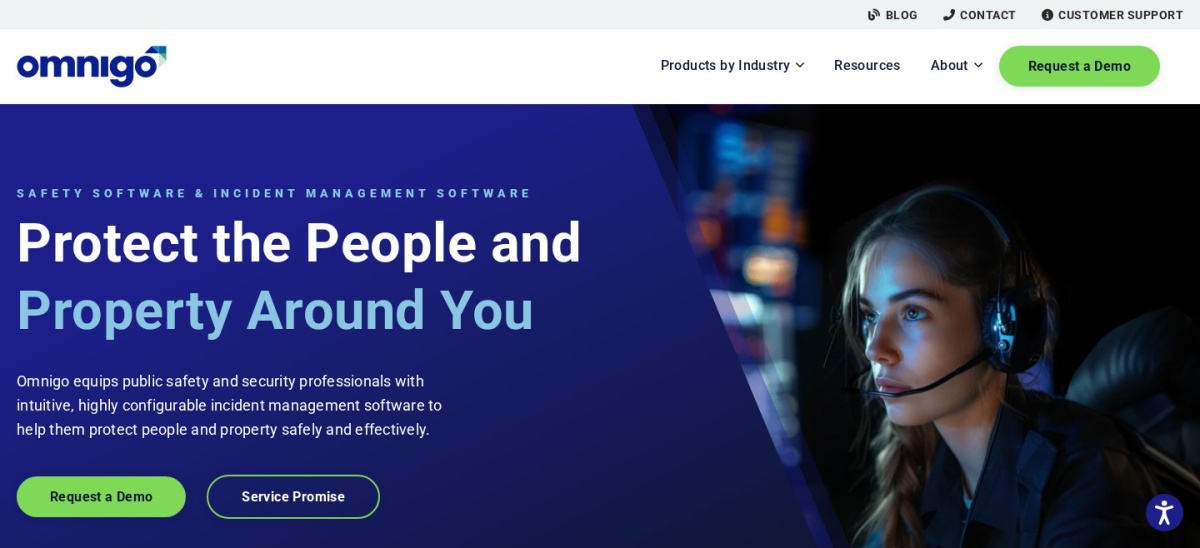
Omnigo homepage, captured Nov 2026.
Omnigo provides incident reporting, investigation, and safety management software for public safety agencies, campuses, healthcare, and corporate security. It holds a 4.4/5 rating across 85 Capterra reviews.
The trade off is that exact pricing requires a custom quote rather than a public self-serve tier. It suits organizations looking for centralized incident reporting and case tracking across facilities.
What we like
4.4/5 rating across 85 Capterra reviews
Covers incident reporting, case management, and evidence tracking
Used across law enforcement, education, healthcare, and security
Watch out for
Pricing is quote-based rather than publicly listed
Some reviewers note uneven depth across secondary modules
Custom quotes tailor modules, deployment options, and user counts to each organization's workflow.Visit omnigo.com
Pricing models to watch
Law enforcement vendors rarely use one uniform billing model. Some charge a flat annual fee for a set headcount, while others price per user, per license, or through third-party detail fees.
Always check renewal terms and add-on modules before budgeting. Annual support fees, extra seats, and data migration or configuration services can change total cost after year one.
How we chose
This list comes from established law enforcement and public safety software options appearing across public software directories and vendor pages, covering scheduling, records, dispatch, off-duty details, incident management, and redaction.
Ratings, review counts, and pricing details were checked on 22 Nov 2026 using public directory listings and official vendor pages.
Tools without verifiable public ratings or clear pricing details for a given tier were left out or flagged as quote-based rather than guessed. No vendor paid for a place, and we do not claim testing for this list.
How to choose law enforcement software
Follow four steps to narrow down the right fit for your agency.
Start with your primary bottleneck. Decide whether you need shift and overtime scheduling, incident reporting and RMS, off-duty detail billing, or media redaction first.
Match headcount and roster rules to the pricing model. Compare flat annual tiers, per-license fees, per-user subscriptions, and percentage fee structures against your agency size.
Confirm hosting and device requirements with IT. Check whether your team needs browser access, local network hosting, or specific compliance and reporting standards.
Verify full multi-year costs before committing. Ask for written details on support renewals, extra modules, and onboarding so year-two expenses do not surprise your budget.
FAQ
Is there free law enforcement software available?
A.L.E.I.R. offers a free single-computer download for incident report writing and dispatch, though multi-workstation network access and full support require a paid plan starting at $499/yr.
How much does eSchedule start at?
eSchedule starts at $900/yr invoiced annually for up to 10 active employees with scheduling and core features, and holds a 4.8/5 rating across 77 Capterra reviews.
What does CrimeStar charge for a records management license?
CrimeStar lists a records management user license with first-year support at $3,300 on its order page, with support renewing at $400/yr per license after the first year.
How is PowerDetails priced for agencies?
Capterra lists PowerDetails starting at $1,500/yr, while PowerDMS documentation describes vendor-funded off-duty options starting at a 2.75% fee depending on billing and coverage choices.
What does InTime focus on for public safety teams?
InTime focuses on scheduling, shift bidding, leave management, and overtime rules for 24/7 public safety operations, with a 4.8/5 rating across 110 Capterra reviews.
Why do some law enforcement tools require a quote?
Platforms like Omnigo tailor modules, user counts, and deployment terms to each agency or facility, so exact pricing is provided after a scoping call or demo.