Best Job Management Software in 2026: 7 Tools Compared
WLWPLegible EditorsLast verified 22 Nov 2026How we rank6 min read
★ Short answer
Jobber leads for small and growing service crews thanks to its quoting, scheduling, and client hub workflows starting at $39/mo billed annually. Housecall Pro suits home service teams that want built-in price books and booking forms, while ServiceM8 fits solo operators starting on a free tier.
How we make this list: we compare pricing pages, product documentation and public user reviews, then re-check every price before each update. No product paid for a place. Disclosure.
Jobber starts at $39/mo and holds a 4.6/5 rating across 1,500 reviews on Capterra.
Housecall Pro starts at $79/mo and earns a 4.7/5 rating across 2,749 Capterra reviews.
ServiceM8 offers a free plan for 1 user up to 30 jobs per month, with paid plans from $29/mo.
Connecteam offers a free tier for small teams under 10 users and paid plans starting at $29/mo.
Service Fusion starts at $259/mo flat rate with unlimited users, avoiding per-seat fees.
What to look for in job management software
Job management software connects incoming work requests with field scheduling, estimates, time tracking, and final billing. Choosing the right tool depends on whether your team handles one-off home calls, recurring maintenance routes, or multi-step trade projects.
Pricing structures vary sharply across vendors. Some platforms charge per user each month, others bill a flat rate for a set crew size, and some meter usage by monthly job volume or add-on modules.
Before committing to an annual contract, check how well the mobile app supports technicians on site and how smoothly invoices sync with your accounting software. Also verify which features—such as two-way texting, job costing, or GPS geofencing—require a higher tier.
For growing crews needing unlimited users at a flat rate
$259/mo
No free plan
4.3/5
Price ladder: cheapest paid plan per year
List prices, USD, checked Nov 2026
ServiceM8FREE$348
ConnecteamFREE$348
Jobber$468
Tradify$564
Kickserv$720
Housecall Pro$948
Service Fusion$3,108
The 7 best job management software
01
Jobber
4.6/5on Capterra (1,500 reviews, checked Nov 2026)
Starts at$39/mo
Best for quoting, scheduling, and client self-service
Entry price$39/mo (billed annually)
Free trialAvailable (no card)
Capterra score4.6 / 5 (1,500 reviews)
Core focusQuotes, scheduling, invoicing
getjobber.com
Jobber homepage, captured Nov 2026.
Jobber is a field and job management platform that organizes quotes, job scheduling, invoicing, and client communication in one place. Its entry tier starts at $39/mo billed annually and includes core quoting, scheduling, and invoice workflows.
The trade off is that two-way SMS and job costing sit on higher tiers rather than the $39/mo entry plan. It suits small to mid-sized service crews that want straightforward quoting and client self-service portals.
What we like
Clean quoting, scheduling, and online invoice workflows
Client hub lets customers approve quotes and pay online
Strong 4.6/5 rating across 1,500 Capterra reviews
Watch out for
Two-way texting and job costing require higher-priced tiers
Additional users beyond plan limits add monthly per-seat costs
4.7/5on Capterra (2,749 reviews, checked Nov 2026)
Starts at$79/mo
Best for home service teams with price books and online booking
Entry price$79/mo
Mid tierEssentials at $189/mo
Capterra score4.7 / 5 (2,749 reviews)
Core focusHome services & price books
housecallpro.com
Housecall Pro homepage, captured Nov 2026.
Housecall Pro is a job management platform tailored to home service businesses, offering price book management, online booking forms, real-time dispatching, and paperless invoicing. Its entry plan starts at $79/mo and includes core scheduling, estimates, and employee time tracking.
The trade off is a higher starting price than basic quoting tools, with Essentials at $189/mo and advanced reporting or recurring service plans on MAX. It suits growing home service operators that rely on price books and online booking.
What we like
High 4.7/5 rating across 2,749 Capterra reviews
Built-in price book management and embeddable online booking
Includes real-time dispatching and customer review requests
Watch out for
Starts higher at $79/mo compared to several competitors
Recurring service plans and advanced reporting sit on higher tiers
Upper tiers add recurring service plans, sales proposals, and open API access.Visit housecallpro.com
03
Tradify
4.7/5on Capterra (152 reviews, checked Nov 2026)
Starts at$47/mo
Best for trade contractors tracking job costs and timesheets
Entry price$47/user/mo (Lite)
Plus tier$61/user/mo
Capterra score4.7 / 5 (152 reviews)
Core focusTrade quoting & job costing
tradifyhq.com
Tradify homepage, captured Nov 2026.
Tradify is a job management and quoting app built for trade businesses with 1 to 20 staff, covering estimates, scheduling, timesheets, and invoicing. Its Lite plan starts at $47/user/mo and includes job management, pricing markups, and accounting sync.
The trade off is per-user pricing and putting purchase orders and reporting on the $61/user/mo Plus plan. It suits electricians, plumbers, and builders that want tight links between quotes, timesheets, and job margins.
What we like
Designed around trade quoting, markups, and job tracking
Strong 4.7/5 rating across 152 Capterra reviews
14-day free trial available without a credit card
Watch out for
Per-user pricing increases costs as headcount grows
Purchase orders and bulk invoicing require the Plus plan
Plus adds purchase orders, job tasks, kit bundles, and reporting.Visit tradifyhq.com
04
ServiceM8
4.5/5on Capterra (312 reviews, checked Nov 2026)
Paid from$29/mo
Best for solo operators starting free with job-volume plans
Free plan1 user, up to 30 jobs/mo
Entry paid plan$29/mo (50 jobs/mo)
Capterra score4.5 / 5 (312 reviews)
Core focusMobile job cards & dispatch
servicem8.com
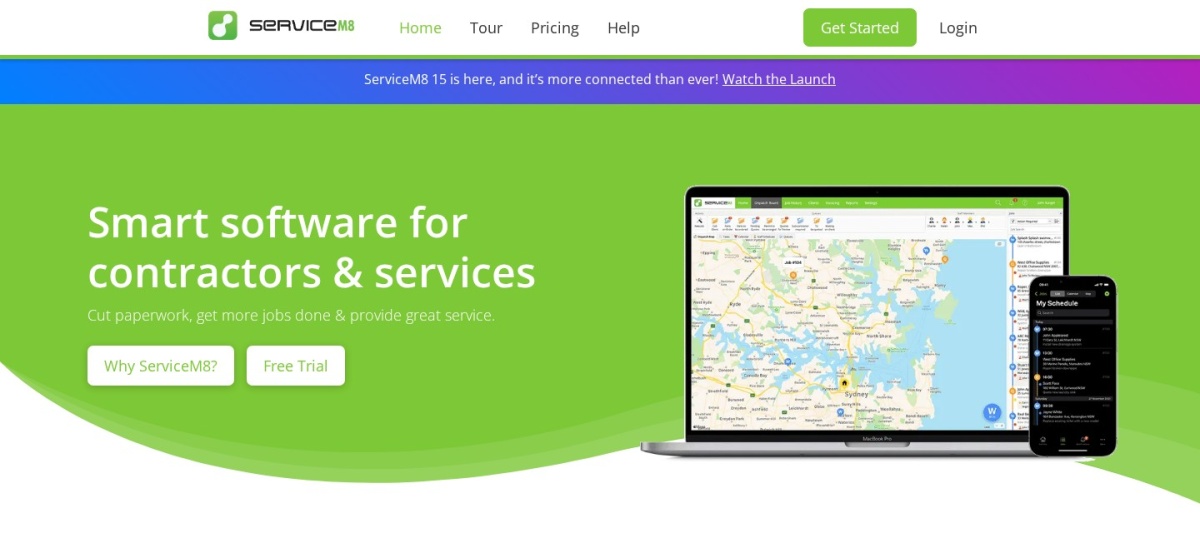
ServiceM8 homepage, captured Nov 2026.
ServiceM8 is a job management app for trade and service businesses with quoting, invoicing, checklists, photo capture, and mobile dispatch. It offers a free plan for 1 user up to 30 jobs per month, with paid plans starting at $29/mo for 50 jobs.
The trade off is monthly job caps on plans and extra charges for add-ons like Office Agent Pro ($39/mo or $49/mo depending on regional view) and SMS overages. It suits solo operators and small crews that prefer job-volume tiers over per-seat fees.
What we like
Free plan available for 1 user with up to 30 monthly jobs
Paid plans include unlimited users within each job quota
Supports before-and-after photos, checklists, and online bookings
Watch out for
Monthly job limits apply on standard tiers
Optional add-ons and extra SMS messages cost extra
Paid tiers raise monthly job limits from 50 to 1,500+ jobs with included SMS bundles.Visit servicem8.com
05
Connecteam
4.6/5on Capterra (5,322 reviews, checked Nov 2026)
Paid from$29/mo
Best for mobile shift scheduling, time clocks, and checklists
Free planAvailable for under 10 users
Entry paid plan$29/mo (up to 30 users)
Capterra score4.6 / 5 (5,322 reviews)
Core focusField scheduling & time clock
connecteam.com
Connecteam homepage, captured Nov 2026.
Connecteam is a mobile-first workforce and job operations app covering shift scheduling, GPS time tracking, forms, checklists, and team chat. It offers a free plan for small teams of fewer than 10 users, with paid plans starting at $29/mo for up to 30 users.
The trade off is that it focuses on workforce scheduling, time clocks, and task checklists rather than full contractor quoting and invoicing. It suits field teams that need mobile clock-ins, job checklists, and shift coordination at low cost.
What we like
Free plan for teams under 10 users and low $29/mo entry tier
Large review base of 5,322 reviews with a 4.6/5 Capterra score
Combines GPS time tracking, job checklists, and team chat
Watch out for
Lacks dedicated contractor quoting and invoicing workflows
Geofencing and recurring shift templates sit on higher tiers
Higher tiers add geofencing, recurring shift templates, and live GPS breadcrumbs.Visit connecteam.com
06
Kickserv
4.4/5on Capterra (390 reviews, checked Nov 2026)
Starts at$60/mo
Best for small teams wanting flat-rate pricing for up to 5 users
Entry price$60/mo (Start, up to 5 users)
Higher tiersRun $119/mo, Scale $199/mo
Capterra score4.4 / 5 (390 reviews)
Core focusFlat-rate small-team dispatch
kickserv.com
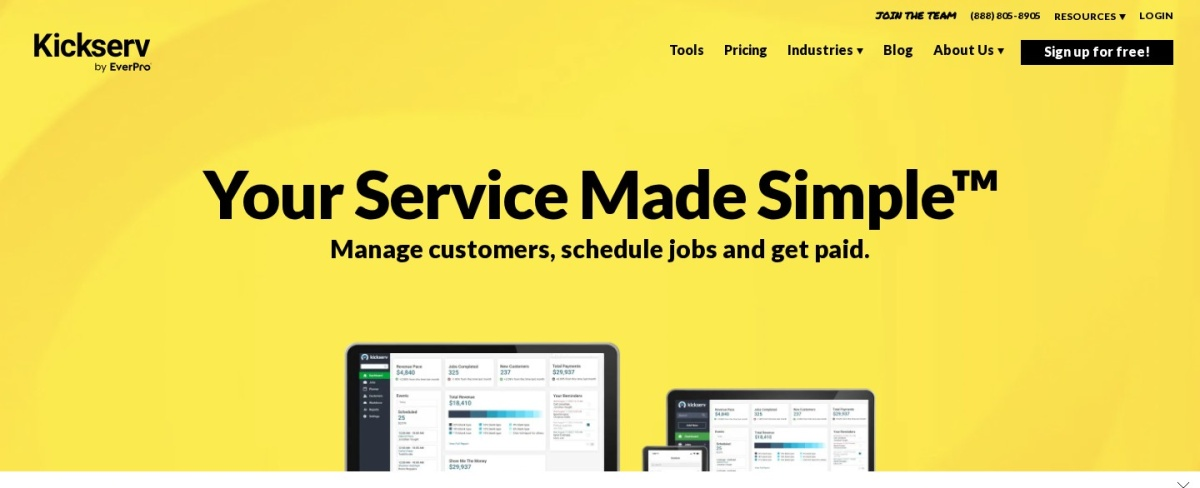
Kickserv homepage, captured Nov 2026.
Kickserv is a field and job management tool for service businesses, covering scheduling, estimates, invoicing, time tracking, and QuickBooks Online sync. Its Start plan is $60/mo for up to 5 users, with a 20% discount available on annual billing.
The trade off is that dispatch mapping and GPS check-ins require the $119/mo Run plan, and some reviewers report mobile app lag. It suits small crews of up to five people that prefer predictable flat-rate pricing.
What we like
Flat-rate Start plan at $60/mo covers up to 5 users
Includes time tracking, expense tracking, and QuickBooks Online sync
Offers a 20% annual subscription discount and payment-volume kickback
Watch out for
Dispatch mapping and GPS check-ins are not on the Start plan
Some Capterra reviews note mobile app glitches and slower support
Run and Scale tiers add dispatch mapping, GPS check-ins, and custom fields.Visit kickserv.com
07
Service Fusion
4.3/5on Capterra (308 reviews, checked Nov 2026)
Starts at$259/mo
Best for growing crews needing unlimited users at a flat rate
Entry price$259/mo (Starter flat rate)
User limitUnlimited users on plans
Capterra score4.3 / 5 (308 reviews)
Core focusUnlimited-user field dispatch
servicefusion.com
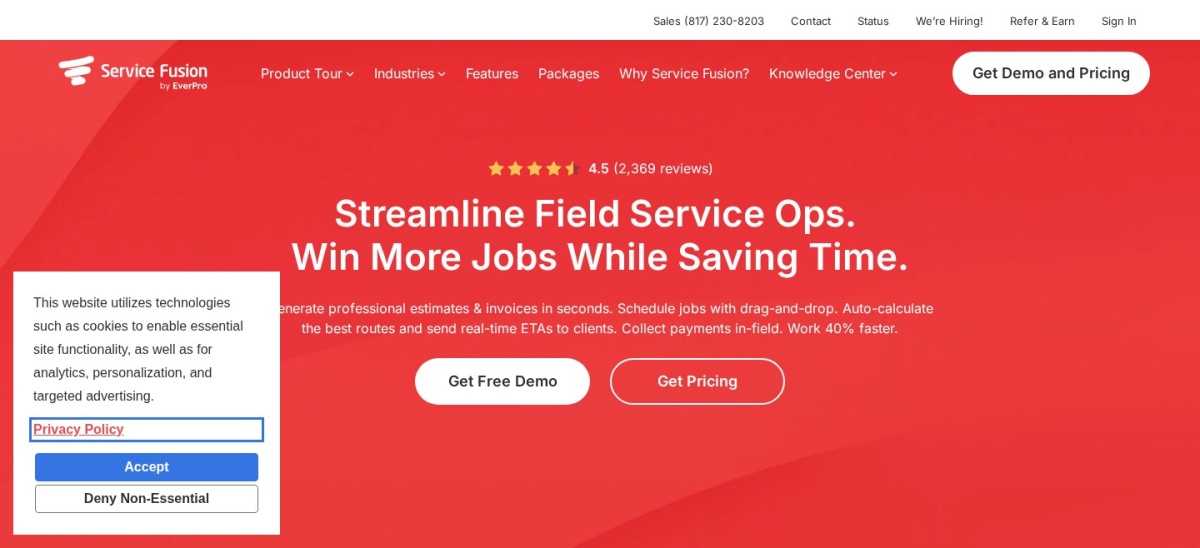
Service Fusion homepage, captured Nov 2026.
Service Fusion is a job and field service management platform designed for growing teams, offering scheduling, dispatching, customer management, and flat-rate user access. Its Starter plan starts at $259/mo with no per-user seat fees.
The trade off is a high monthly starting price plus paid add-ons such as eSignature ($40/mo), Inventory Management ($50/mo), and Job Costing ($60/mo). It suits larger crews that would otherwise pay heavy per-seat fees.
What we like
Flat monthly pricing includes unlimited users without per-seat fees
Strong dispatching board and scheduling tools for multi-tech teams
Optional add-ons let teams enable inventory, eSignature, or job costing
Watch out for
Starter plan at $259/mo is costly for small teams
Key capabilities like job costing and inventory cost extra per month
Add-ons and higher tiers unlock eSignature, inventory, job costing, and customer portals.Visit servicefusion.com
Flat-rate vs. per-user pricing
Per-user pricing works well when your headcount is small and steady, as in Tradify at $47/user/mo. Once you add office staff and field technicians, per-seat charges can overtake flat-rate tiers.
Flat-rate bundles—such as Service Fusion at $259/mo for unlimited users or Kickserv at $60/mo for up to five users—simplify budgeting for growing crews. Always check whether features like job costing, SMS, or GPS tracking require extra fees.
How we chose
We compiled this list by researching established job and field service management platforms used by trade, home service, and mobile work teams. Each product was checked against its official website and public review listings on Capterra.
All pricing figures, plan tiers, ratings, and review counts were checked on 22 Nov 2026. Where vendors display monthly or annual rates, we recorded the standard starting paid tier and noted plan limits and add-ons.
We excluded tools lacking public starting pricing or sufficient review history, as well as software focused strictly on generic office tasks without job scheduling or work-order workflows. No vendor paid for a place, and we do not claim testing for this list.
How to choose job management software in 4 steps
Follow these four steps to narrow down a platform that matches how your team books, schedules, and bills jobs.
Map your core job workflow first. List how jobs enter your business—phone calls, web forms, or repeat maintenance—and check whether you need estimates, price books, or mobile checklists.
Calculate real cost for your full headcount. Compare per-user rates against flat-rate plans, and check which features sit behind higher tiers or paid add-ons.
Verify mobile usability for field staff. Confirm that technicians can view job notes, capture photos, log time, and update job statuses easily from their phones.
Check accounting and payment integrations. Make sure the software connects with your accounting system and payment processor so completed jobs turn into invoices without manual re-entry.
FAQ
What is the best job management software for a small service crew?
Jobber is a strong fit for small crews that want quoting, scheduling, client self-service, and invoicing in one system, starting at $39/mo billed annually. Teams that prioritize price books and online booking often compare Housecall Pro starting at $79/mo.
Is there free job management software available?
ServiceM8 offers a free plan for 1 user up to 30 jobs per month, and Connecteam provides a free tier for small teams of fewer than 10 users. Most full-featured platforms require a paid subscription after a free trial.
How does flat-rate pricing compare to per-user pricing?
Flat-rate plans charge a set monthly fee for a user cap or unlimited users, which helps when adding staff. Per-user plans charge per seat each month, which can cost less for a solo operator or tiny team but scale up with headcount.
Do entry-level plans usually include job costing and two-way SMS?
Not always. Several platforms place two-way texting, automated follow-ups, or job costing on mid or upper tiers, or sell them as add-ons, so review the feature table on each plan before signing up.
Should I choose annual or monthly billing?
Annual billing often lowers the monthly rate—for example, Jobber lists $39/mo billed annually and Kickserv notes a 20% discount on annual plans. Monthly billing gives you more flexibility if you want to test workflows without a full-year commitment.
What should I check before migrating from spreadsheets?
Check how customer records, price lists, and open jobs can be imported, and test scheduling and invoicing on a small set of active jobs first. Confirm how your team will sync invoices and payments with your accounting software.