WLWPLegible EditorsLast verified 22 Nov 2026How we rank11 min read
★ Short answer
Jobber is the best HVAC software for many small contractors, with scheduling, quotes, invoicing and online payments starting at $49 monthly. Housecall Pro is better for established service businesses needing broader sales tools, while Kickserv offers a $60 monthly plan covering 5 users.
How we make this list: we compare pricing pages, product documentation and public user reviews, then re-check every price before each update. No product paid for a place. Disclosure.
Jobber earns 4.6/5 from 547 G2 reviews and starts at $49/month for one user, or $29/month billed annually.
Housecall Pro earns 4.3/5 from 211 G2 reviews, with Basic costing $79/month or $59/month billed annually.
Kickserv Start costs $60/month for 5 users and includes automated reminders, time tracking and QuickBooks Online integration.
Service Fusion Starter costs $220/month billed annually and includes unlimited users, estimates, dispatching and invoicing.
ServiceM8 offers a free plan for one user and 30 jobs monthly. Starter costs $29/month for unlimited users and 50 jobs.
Tradify Lite costs $47/user/month, while RazorSync Solo costs $90/month for up to 2 users or $85/month billed annually.
What to look for in HVAC software
HVAC software helps heating, ventilation and air conditioning contractors manage customer requests, technician schedules, service visits, estimates, invoices and payments. A suitable platform keeps office staff and field technicians working from the same job information.
Start with scheduling and dispatching. Teams need to assign technicians, update appointments and access customer details without relying on separate calendars or paper work orders.
Consider the complete job workflow. Useful capabilities include estimates, customer approvals, service histories, recurring maintenance visits, invoices and payment collection. More advanced systems also support job costing, inventory and technician performance reporting.
Pricing models differ. Some vendors charge per user, some include a fixed number of employees, and others offer unlimited users but limit monthly job volume. Compare the cost for your actual team rather than the cheapest advertised subscription.
Finally, check mobile usability, accounting integrations, data exports and implementation support. HVAC businesses with maintenance contracts or complex installations should verify those capabilities before committing.
Jobber is field service management software for HVAC contractors and other home service businesses. Core costs $49 monthly for one user and includes online booking, scheduling, quotes, invoicing, online payments, a professional website and business reporting. Its G2 rating is 4.6/5 from 547 reviews.
The trade off is that automated reminders, invoice follow-ups and QuickBooks Online integration require Connect, which starts at $99 monthly with annual billing. Core costs $29 monthly when billed annually. It suits solo HVAC contractors and smaller businesses that want customer management and field operations in one system.
What we like
Scheduling and customer management in one platform
Online quotes, invoicing and payments
Website and online booking tools
Mobile access for field operations
Large collection of verified G2 reviews
Watch out for
Core supports only one user
Automated follow-ups require Connect
Advanced job costing requires higher plans
Pricing increases as team requirements grow
Connect adds automated reminders, follow-ups, QuickBooks integration and time trackingVisit getjobber.com
02
Housecall Pro
4.3/5on G2 (211 reviews, checked Nov 2026)
Starts at$79/mo
Best for growing HVAC service businesses
Basic users1
Annual billing$59/mo
Free trial14 days
Paid planBasic, $79/mo
housecallpro.com
Housecall Pro homepage, captured Nov 2026.
Housecall Pro is a field service platform for HVAC companies managing appointments, estimates, invoices, payments and customer communication. Basic costs $79 monthly for one user, with scheduling, dispatching and mobile job management. The vendor reports more than 200,000 service professionals using its platform.
The trade off is that larger teams and advanced capabilities require Essentials or MAX. Basic costs $59 monthly with annual billing, while Essentials starts at $189 monthly with monthly billing. It suits HVAC businesses expanding their technician workforce and needing connected scheduling, sales and payment tools.
What we like
Scheduling and dispatching tools
Mobile job management
Estimates, invoices and payments
Customer communication features
Upgrade options for growing businesses
Watch out for
Basic supports only one user
Higher tiers increase subscription costs
Advanced sales and automation tools may require upgrades
Additional business services may have separate fees
Essentials adds broader team capacity and additional business management capabilitiesVisit housecallpro.com
03
Kickserv
4.5/5on G2 (186 reviews, checked Nov 2026)
Starts at$60/mo
Best value for small HVAC teams
Start users5
Business reports20+
Free trial30 days
Paid planStart, $60/mo
kickserv.com
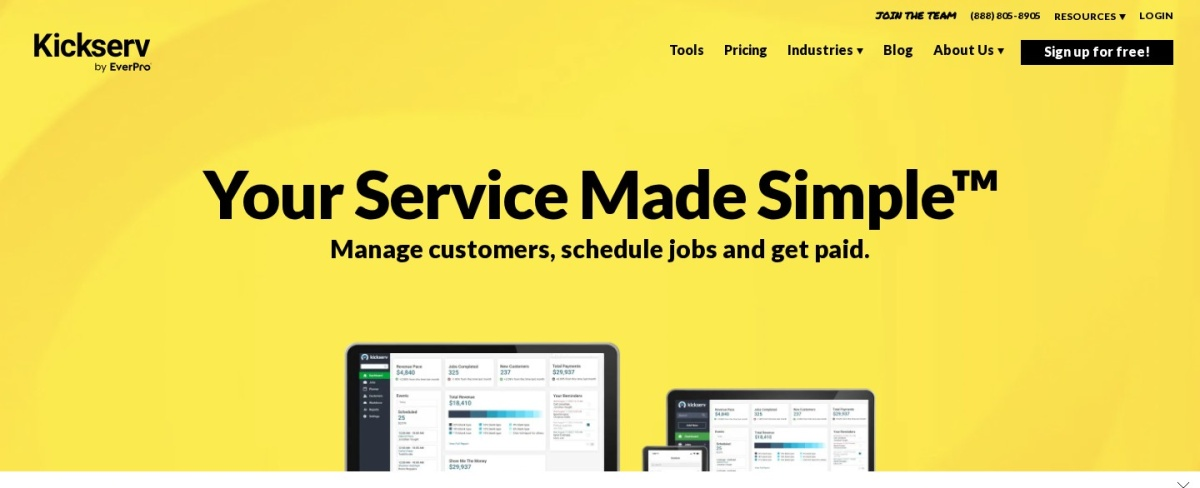
Kickserv homepage, captured Nov 2026.
Kickserv is field service management software for organizing customers, estimates, jobs, schedules, invoices and payments. Start costs $60 monthly for 5 users and includes automated email and text reminders, time tracking, expense tracking, an embeddable contact form, QuickBooks Online integration and more than 20 business reports.
The trade off is that dispatch mapping, GPS check-ins and custom reporting require Run at $119 monthly. Annual billing offers a 20% discount, but the regular monthly Start price is $60. It suits small HVAC teams that want shared software access without paying a separate subscription for every technician.
What we like
Five users included with Start
Automated appointment reminders
Time and expense tracking
QuickBooks Online integration
30-day free trial
Watch out for
Dispatch mapping requires Run
GPS check-ins require a higher plan
Advanced reporting costs more
Larger teams need upgraded packages
Run increases capacity to 10 users and adds dispatch mapping, GPS check-ins and custom reportsVisit kickserv.com
04
Service Fusion
4.1/5on G2 (124 reviews, checked Nov 2026)
Starts at$220/mo
Best for HVAC companies with larger field teams
Included usersUnlimited
BillingAnnual
QuickBooksIntegration included
Paid planStarter, $220/mo
servicefusion.com
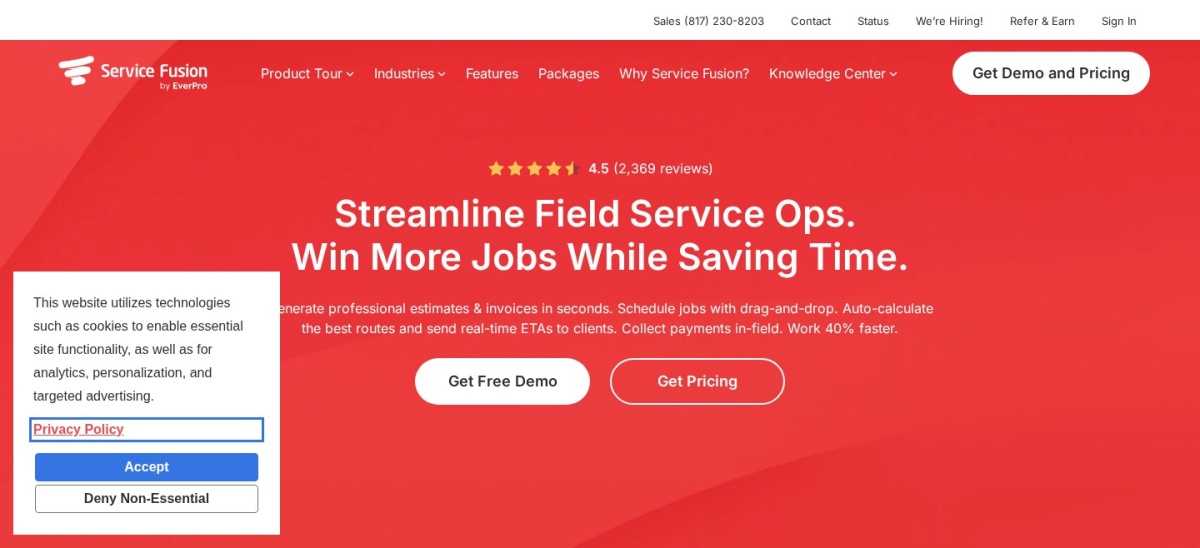
Service Fusion homepage, captured Nov 2026.
Service Fusion is field service software for HVAC contractors managing technicians, customer records, estimates, scheduling, dispatching and payments. Starter costs $220 monthly billed annually and includes unlimited users, invoicing, QuickBooks integration, reporting, project management and text messaging alerts.
The trade off is the higher entry subscription and an annual payment commitment at the displayed $220 rate. Advanced features and optional services can increase the total cost. It suits HVAC companies with multiple dispatchers and technicians that prefer a flat platform subscription over per-user pricing.
What we like
Unlimited users on Starter
Scheduling and dispatching
Customer and estimate management
QuickBooks integration
Invoicing and payment processing
Watch out for
Higher entry cost than small-team platforms
Displayed entry price requires annual billing
Optional services increase expenses
Advanced features may require additional purchases
Starter includes unlimited users; higher packages add expanded field service capabilitiesVisit servicefusion.com
05
ServiceM8
4.1/5on Trustpilot (120 reviews, checked Nov 2026)
Paid from$29/mo
Best for budget-friendly mobile job management
Free users1
Free jobs30/mo
Starter jobs50/mo
Paid planStarter, $29/mo
servicem8.com
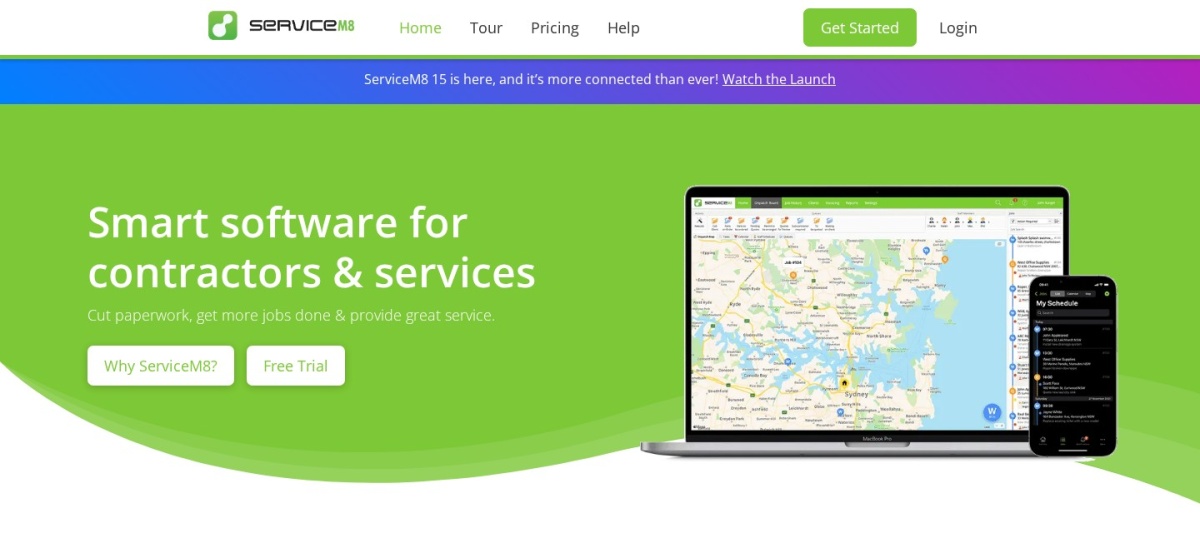
ServiceM8 homepage, captured Nov 2026.
ServiceM8 is mobile job management software for HVAC, refrigeration and other service contractors. Its free plan supports one user and 30 jobs monthly, with essential job management features. Starter costs $29 monthly and increases capacity to 50 jobs with unlimited users, recurring jobs and additional administrative capabilities.
The trade off is that monthly job volume determines the appropriate subscription, and certain advanced functions are available only on higher plans. Growing costs $79 monthly for 150 jobs. It suits small HVAC teams that prefer mobile job cards, scheduling, quotes and invoices without per-user charges.
What we like
Permanent free plan
Unlimited users on Starter
Job scheduling and digital job cards
Recurring job support
Mobile quoting and invoicing
Watch out for
Plans limit monthly job volume
Advanced features require higher tiers
Mobile platform compatibility needs checking
Some integrations and add-ons may cost extra
Starter increases job capacity and includes unlimited users and additional job management toolsVisit servicem8.com
06
Tradify
4.8/5on Trustpilot (633 reviews, checked Nov 2026)
Starts at$47/mo
Best for HVAC quoting and job administration
Pricing modelPer user
Trial14 days
AccountingXero and QuickBooks
Paid planLite, $47/user/mo
tradifyhq.com
Tradify homepage, captured Nov 2026.
Tradify is job management software for HVAC contractors and other trade businesses. Lite costs $47 per user monthly and includes job tracking, scheduling, Google Calendar synchronization, quoting, invoicing, payments, pricing markups and accounting integration. Trustpilot rates it 4.8/5 from 633 reviews.
The trade off is that costs increase with each additional user, and advanced features are reserved for Pro at $51 per user monthly or higher packages. An instant website is an optional $12 monthly add-on. It suits HVAC contractors focused on estimates, administration and keeping project records organized.
What we like
Quoting and invoicing
Job notes and tracking
Google Calendar synchronization
QuickBooks and Xero integrations
14-day free trial
Watch out for
Per-user charges increase with team size
Some advanced functions require Pro or Plus
Instant website costs extra
Not primarily designed for complex fleet dispatching
Pro adds more advanced job management capabilities beyond the Lite toolkitVisit tradifyhq.com
07
RazorSync
4.3/5on Capterra (487 reviews, checked Nov 2026)
Starts at$90/mo
Best for dispatch-focused HVAC field operations
Solo usersUp to 2
Annual billing$85/mo
Trial14 days
Paid planSolo, $90/mo
razorsync.com
RazorSync homepage, captured Nov 2026.
RazorSync is field service management software for HVAC technicians and office dispatchers. Solo costs $90 monthly for up to 2 users and includes service dispatch, job tracking, scheduling, recurring scheduling, reporting, mobile apps, payment processing and individual training. Capterra rates it 4.3/5 from 487 reviews.
The trade off is that QuickBooks synchronization and advanced reporting require Team, which costs $225 monthly or $195 monthly billed annually. Solo costs $85 monthly with annual billing. It suits HVAC businesses prioritizing work orders and technician scheduling before expanding into complex fleet operations.
What we like
Scheduling and service dispatch tools
Mobile apps for technicians
Recurring service scheduling
Individual training included
Higher plans support larger teams
Watch out for
QuickBooks synchronization requires Team
Route optimization requires Pro
Entry price is higher than some competitors
Public reviews describe occasional software issues
Team expands to 7 users and adds QuickBooks synchronization and advanced reportingVisit razorsync.com
Which HVAC software features matter most?
Scheduling and dispatching are central to daily HVAC operations. The platform should help office staff assign jobs, communicate changes and provide technicians with service details before arrival.
Estimates and invoicing connect fieldwork to revenue. Technicians should be able to record completed tasks, prepare invoices and submit payment requests without duplicating paperwork.
Recurring maintenance management is especially useful for HVAC contractors offering preventive servicing. Look for repeat scheduling, customer service histories and reminders that help keep maintenance appointments organized.
Growing businesses may also need job costing, inventory management, GPS check-ins, accounting integrations and technician performance reporting. These capabilities often appear on higher subscription tiers.
How HVAC software pricing changes as your team grows
HVAC software vendors use different pricing structures. Jobber Core costs $49 monthly for one user, while Kickserv Start costs $60 monthly for 5 users.
Service Fusion Starter includes unlimited users at $220 monthly billed annually. ServiceM8 also offers unlimited users on its $29 monthly Starter plan, but limits that tier to 50 jobs monthly.
Per-user services can become more expensive as technician counts increase. Tradify Lite costs $47 per user monthly, while products with included team seats may be more economical for larger operations.
Compare the cost of your required features and team capacity. Add payment processing, communication services, accounting integrations and optional training to the calculation where applicable.
How we chose
We compared established field service management platforms serving HVAC contractors and related trades. Selection considered scheduling, dispatching, job administration, customer management, quoting, invoicing, mobile access and suitability for different team sizes.
Official vendor pricing pages and public reviews from G2, Capterra and Trustpilot were checked on 23 November 2026, with 22 November 2026 retained as the requested editorial reference date. We recorded regular subscription rates, distinguished monthly from annual billing and excluded temporary discounts from yearly calculations.
We excluded platforms without a confirmed public paid-plan price, including quote-only enterprise products, and avoided products without sufficient review evidence. Published documentation and customer reviews informed the comparison. No vendor paid for a place, and we do not claim testing for this list.
How to choose the best HVAC software
Identify your field service requirements, then compare technician workflows, pricing models and available integrations.
Map your current service workflow. Identify how customers book appointments, how technicians receive assignments and how completed work becomes an invoice. Prioritize software that connects these processes and reduces duplicate data entry.
Calculate pricing using your actual team size. Compare individual user charges against subscriptions with included or unlimited users. Also consider monthly job limits, annual billing commitments and the additional features your business requires.
Check maintenance, quoting and accounting features. Determine whether you need recurring maintenance jobs, customer service histories, inventory, job costing or specialized estimate workflows. Verify which subscription includes each capability before purchasing.
Review mobile support and migration requirements. Confirm that technicians can use the platform on their devices. Ask about importing customer records, transferring open jobs, connecting accounting systems and receiving help during implementation.
FAQ
What is the best HVAC software in 2026?
Jobber is our overall recommendation for smaller HVAC contractors because it combines scheduling, quotes, invoicing, payments and customer management. Core costs $49 monthly for one user. Housecall Pro offers broader growth options, while Kickserv is attractive for small teams needing multiple included users.
Is there free HVAC software?
ServiceM8 offers a permanent free plan supporting one user and 30 jobs monthly. It includes essential job management capabilities. Most competing platforms offer time-limited trials rather than permanent free subscriptions, so check usage limits and available features before relying on a free plan.
How much does HVAC software cost?
Entry subscriptions vary by provider and pricing model. ServiceM8 Starter costs $29 monthly, Jobber Core costs $49 monthly and Kickserv Start costs $60 monthly. Service Fusion Starter costs $220 monthly with annual billing but includes unlimited users. Optional features and payment processing may cost extra.
Which HVAC software is best for small businesses?
Kickserv is an attractive option for small teams because its Start subscription includes 5 users at $60 monthly. Jobber is well suited to solo contractors, while ServiceM8 offers a free starting point and paid subscriptions based on monthly job volume.
Can HVAC software manage maintenance agreements?
Some HVAC platforms support recurring work, service histories and customer reminders, which are useful for preventive maintenance programs. The ability to manage formal maintenance agreements, recurring charges and contract renewals varies by vendor and plan. Confirm those requirements before purchasing.
Does HVAC software include technician scheduling?
Yes. Scheduling and dispatching are standard features in many field service platforms, including Jobber, Housecall Pro, Kickserv and RazorSync. More advanced capabilities such as GPS check-ins, dispatch mapping and route optimization may require higher subscription tiers.
Can HVAC software integrate with QuickBooks?
Several products offer QuickBooks integration. Kickserv Start includes QuickBooks Online connectivity, Service Fusion Starter includes QuickBooks integration, and RazorSync provides synchronization on Team. Jobber offers QuickBooks Online integration on Connect. Check the exact accounting product and subscription requirements.
What is the difference between HVAC software and general field service software?
General field service software handles scheduling, dispatching, estimates, invoicing and customer management across many trades. HVAC-focused software may also address recurring maintenance, equipment histories, flat-rate pricing and technician workflows. The right choice depends on whether your business needs those specialized functions.
What should I check before changing HVAC software?
Check customer data migration, existing work orders, maintenance schedules, accounting integration, mobile device support and staff training. Confirm subscription terms and export options. A trial or demonstration using representative service jobs can help identify workflow limitations before committing.