Best Landscape Design Software in 2026: 7 Tools Compared
WLWPLegible EditorsLast verified 22 Nov 2026How we rank6 min read
★ Short answer
SketchUp leads for 3D yard modeling with a free web option and paid plans starting at $129 per year for Go. Realtime Landscaping suits homeowners wanting 3D walkthroughs on a $149 one-time Plus license, while Vectorworks Landmark fits full BIM landscape documentation.
How we make this list: we compare pricing pages, product documentation and public user reviews, then re-check every price before each update. No product paid for a place. Disclosure.
SketchUp Go starts at $129/yr after a promotional discount, while a free web version covers basic modeling.
Realtime Landscaping Plus costs $149 one-time with no recurring subscription fees.
Vectorworks Landmark targets landscape architects with BIM workflows and multi-format CAD support.
Land F/X starts at $695/yr for Planting F/X to automate planting schedules and irrigation layouts.
Lumion Pro costs $1,149/yr for fast exterior rendering and walkthrough animations on Windows.
What to look for in landscape design software
Landscape projects span quick patio sketches, full residential yard plans, and multi-acre commercial site grading. A tool built for photorealistic client visuals often skips irrigation hydraulics or plant schedules.
Check operating system support before committing to a license. Several dedicated landscaping programs run only on Windows, while browser tools and cross-platform modelers work on macOS and mobile devices.
Distinguish between one-time licenses and annual subscriptions. One-time purchases keep long-term ownership costs predictable for homeowners, whereas annual subscriptions include ongoing updates and cloud storage.
Decide whether you need to-scale construction sheets or fast visual concepts. Photo-based tools and basic planners help you test ideas quickly, while CAD and BIM suites handle dimensioned plans.
SketchUp is a 3D modeling platform widely used for patios, decks, retaining walls, and outdoor structures, with a free web version and a Go plan starting at $129/yr. A 25% promotional discount was also listed on the pricing page.
The trade off is that desktop modeling, LayOut sheets, and full extension support require higher paid tiers rather than the $129/yr Go plan. It suits designers and homeowners who want flexible 3D models on Mac or Windows.
What we like
Free web version available for basic 3D modeling
Runs across web, iPad, Windows, and macOS
Large 3D Warehouse library for outdoor objects
Clear progression from concept model to client presentation
Watch out for
Desktop application requires stepping up from the Go tier
Large models with heavy assets can slow down
Plant scheduling is not built in by default
Paid plans add web and iPad modeling on Go, or desktop modeling and LayOut on Pro.Visit sketchup.com
02
Realtime Landscaping
4.8/5on Capterra (8 reviews, checked Nov 2026)
Starts at$149 one-time
Best for one-time 3D yard walkthroughs
PlatformsWindows 64-bit
Entry paid planPlus at $149 one-time
Free optionFree trial download
Core focus2D plans and 3D walkthroughs
ideaspectrum.com
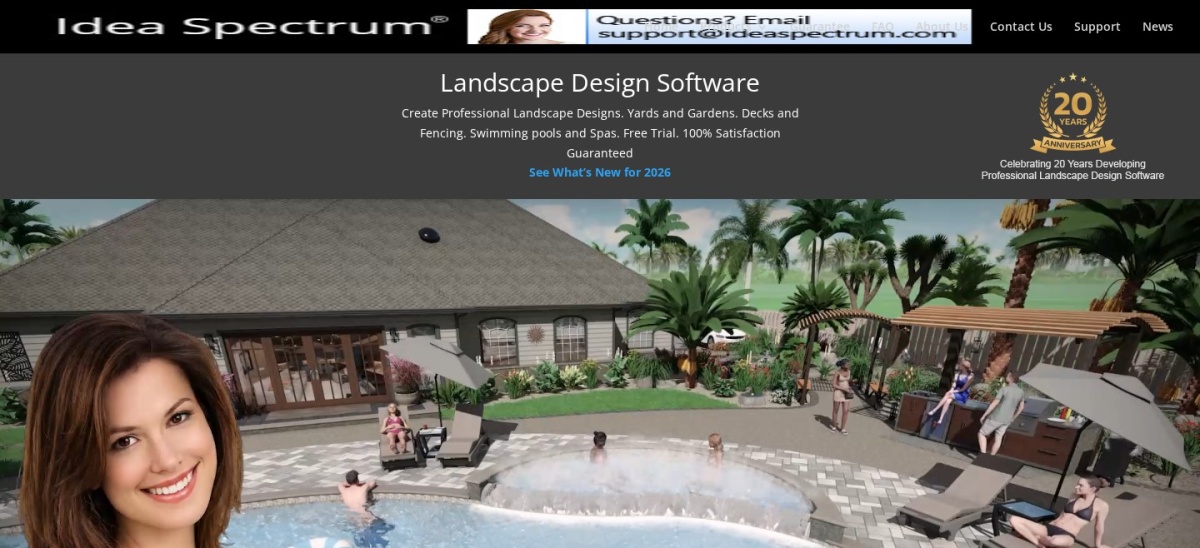
Realtime Landscaping homepage, captured Nov 2026.
Realtime Landscaping is a Windows landscaping program that creates 2D plans and 3D walkthroughs for yards, gardens, pools, and decks, starting with Plus at $149 one-time. It includes 19,400 items, among them 5,900 plants, on the Plus edition.
The trade off is that it runs on Windows only and limits custom pool design and contour imports to higher one-time tiers such as Pro at $279 and Architect at $599. It suits homeowners and residential designers who prefer no recurring subscription.
What we like
One-time purchase with no monthly subscription fees
Includes 19,400 objects and 5,900 plants on Plus
Supports real-time 3D walkthroughs and material lists
Free trial available without credit card registration
Watch out for
Windows only with no native macOS version
Custom pool tools and elevation wizards cost more
Less suited to heavy commercial BIM workflows
Higher one-time editions add custom pool tools, elevation wizards, and larger plant libraries.Visit ideaspectrum.com
03
Planner 5D
4.7/5on G2 (188 reviews, checked Nov 2026)
Paid from$120/yr
Best for quick browser and mobile layouts
PlatformsWeb, iOS, Android, Windows, macOS
Entry paid planPaid subscription (annual)
Free optionFree plan with credit packs
Core focusFast 2D and 3D home and yard layouts
planner5d.com
Planner 5D homepage, captured Nov 2026.
Planner 5D is a cross-platform 2D and 3D design tool with a free tier that lets users create and share unlimited projects across web and mobile devices. Paid plans expand catalog access, AI tools, and rendering options.
The trade off is that recurring subscription billing and paywalled catalog items draw mixed feedback from casual users, while pricing varies by platform and billing term. It suits beginners sketching garden and patio concepts across devices.
What we like
Free plan allows creating and sharing unlimited projects
Works across web browsers, mobile apps, and desktop
Supports importing floor plans and custom textures
Offers AI tools and 3D views for quick visualization
Watch out for
Not built for engineering-grade site or grading plans
Some catalog items and exports sit behind paid tiers
Subscription billing rules vary by platform
Paid plans unlock broader catalog items, AI design tools, and higher-resolution renders.Visit planner5d.com
04
Twinmotion
4.5/5on G2 (61 reviews, checked Nov 2026)
Paid from$445/yr
Best for real-time exterior visualization
PlatformsWindows, macOS
Entry paid plan$445/seat/yr
Free optionFree under $1M revenue
Core focusReal-time renders and walkthroughs
twinmotion.com
Twinmotion homepage, captured Nov 2026.
Twinmotion is a real-time visualization tool for turning 3D models into exterior renders and animations, and it is free for individuals and businesses under $1 million in annual gross revenue. Paid seats cost $445 per seat per year above that threshold or for Twinmotion Cloud.
The trade off is that it relies on 3D geometry imported from modeling tools and demands a capable GPU for smooth real-time scenes. It suits studios and designers who want fast visual scenes on Windows or macOS.
What we like
Free for qualifying users and businesses under $1M revenue
Runs on both Windows and macOS
Real-time lighting, weather, and vegetation placement
Includes a 30-day trial for commercial evaluation
Watch out for
Requires a strong graphics card for heavy scenes
Not a standalone CAD or planting-schedule drafter
Commercial seats and cloud access cost $445/yr
Paid seats at $445/yr cover businesses over $1M in revenue and enable Twinmotion Cloud.Visit twinmotion.com
05
Land F/X
4.8/5on Capterra (4 reviews, checked Nov 2026)
Starts at$695/yr
Best for planting plans and irrigation layouts
PlatformsCAD and BIM host workflows
Entry paid planPlanting F/X at $695/yr
Free optionNone listed
Core focusPlant schedules and irrigation design
landfx.com
Land F/X homepage, captured Nov 2026.
Land F/X is a specialized landscape plugin suite for planting plans, irrigation design, and construction details, starting with Planting F/X at $695/yr. Irrigation F/X is $995/yr and F/X CAD is $775/yr.
The trade off is that it operates as an add-on rather than a standalone program, so you must pair it with a compatible CAD or BIM environment. It suits landscape architects and designers producing schedules and irrigation plans.
What we like
Automates planting schedules directly from plan drawings
Offers dedicated irrigation design tools at $995/yr
Strong support and training resources for landscape pros
Available across CAD, Revit, Rhino, and SketchUp workflows
Watch out for
Requires a compatible CAD or BIM host license
Steeper setup and learning curve for new teams
Focused on technical documentation rather than business CRM
Higher tiers add Irrigation F/X at $995/yr and F/X CAD at $775/yr.Visit landfx.com
06
Lumion
4.5/5on G2 (116 reviews, checked Nov 2026)
Starts at$1,149/yr
Best for high-detail outdoor rendering
PlatformsWindows
Entry paid planLumion Pro at $1,149/yr
Free optionFree trial available
Core focusExterior rendering, stills, and video
lumion.com
Lumion homepage, captured Nov 2026.
Lumion is a 3D visualization application used to render exterior scenes, videos, and panoramas from architectural and landscape models, with Lumion Pro priced at $1,149/yr. It includes 10,000+ models and materials plus nature assets.
The trade off is that Lumion Pro runs on Windows only and carries a $1,149/yr price tag alongside demanding GPU requirements. It suits studios and visualizers producing client walkthroughs from 3D models.
What we like
Includes 10,000+ models, materials, and nature assets
Supports still renders, animations, and 360 panoramas
Syncs with 3D modeling tools for fast scene updates
Offers a floating seat option at $1,499/yr for teams
Watch out for
High annual cost starting at $1,149/yr for Pro
Requires a strong Windows GPU and plenty of storage
Does not create scaled planting or CAD construction sheets
Pro Floating is $1,499/yr for shared team access across machines.Visit lumion.com
07
Vectorworks Landmark
4.3/5on G2 (75 reviews, checked Nov 2026)
Starts at$1,530/yr
Best for landscape BIM and site documentation
PlatformsWindows, macOS
Entry paid plan$1,530/yr or $170/mo
Free optionFree trial available
Core focusLandscape BIM, grading, and sheets
vectorworks.net
Vectorworks Landmark homepage, captured Nov 2026.
Vectorworks Landmark is a 3D landscape design and BIM application for site modeling, planting, grading, and construction sheets, listed at $1,530/yr or $170/mo. It supports over 20 file formats including DWG, Revit, SketchUp, and Rhino.
The trade off is a steep learning curve and a $1,530/yr subscription cost that exceeds what casual yard planners need. It suits landscape architecture practices handling complex terrain, takeoffs, and coordinated plans.
What we like
Built for landscape BIM, terrain analysis, and takeoffs
Runs natively on both macOS and Windows
Supports DWG, Revit, SketchUp, and Rhino file exchange
Generates coordinated plans, schedules, and 3D views
Watch out for
Higher subscription price at $1,530/yr or $170/mo
Complex interface takes time to master
Overkill for simple backyard or garden sketches
Subscription plans provide ongoing software updates, BIM tools, and multi-format CAD exchange.Visit vectorworks.net
When a free or one-time tool is enough
If you are planning a single yard, testing patio shapes, or checking how plants look near a house, a free tier or one-time license often covers the job. You only need recurring CAD or rendering subscriptions when client volume or technical drawings demand them.
Always check platform compatibility before buying. A Windows-only tool with a one-time license can save money over time, but it will not run natively on a Mac.
How we chose
We built this list from established landscape design, 3D modeling, and rendering tools with active product pages and public review profiles.
All pricing figures, ratings, and review counts were checked on 22 Nov 2026 using official vendor pricing pages and third-party review directories.
We excluded discontinued tools, unverified pricing, and software without clear current availability for landscape design workflows. No vendor paid for a place, and we do not claim testing for this list.
How to choose the right landscape tool
Follow four steps to match software features and pricing to your yard or studio workflow.
Define your final deliverable. Decide whether you need quick visual concepts, 3D walkthroughs, or dimensioned construction and planting drawings.
Match your computer and operating system. Check Windows versus macOS or web support, and verify GPU requirements before choosing 3D rendering software.
Compare one-time licenses against subscriptions. Weigh a one-time purchase like Realtime Landscaping Plus against annual plans such as SketchUp Go or Vectorworks Landmark.
Test before committing to a full plan. Use free tiers or trial downloads to check library depth, plant or hardscape fit, and ease of editing.
FAQ
What is the best landscape design software for beginners?
SketchUp is a practical starting point because its free web version lets you model basic 3D shapes without downloading software. Planner 5D is another accessible option for sketching layouts across web and mobile devices.
Is there good free landscape design software?
Yes, SketchUp offers a free web version and Planner 5D provides a free plan for creating and sharing projects. Twinmotion is also free for individuals and businesses with less than $1 million in annual gross revenue.
Which landscape design software uses a one-time payment?
Realtime Landscaping offers one-time purchase licenses starting at $149 for Plus, with Pro at $279 and Architect at $599. Buying a one-time license avoids recurring monthly or annual subscription fees.
What software do landscape architects use for planting and irrigation plans?
Landscape architects commonly use Vectorworks Landmark for site BIM and documentation or Land F/X starting at $695/yr for Planting F/X. These tools help organize planting schedules, site data, and technical sheets.
Which tools work best for realistic 3D yard renders?
Lumion Pro at $1,149/yr and Twinmotion are widely used to turn 3D models into exterior renders and walkthroughs. Both rely on strong graphics hardware to display plants, lighting, and materials smoothly.
Do I need CAD skills to design a yard or garden?
No, visual tools like Planner 5D, Realtime Landscaping, and SketchUp let you build layouts and 3D views without full engineering CAD training. Technical CAD and BIM tools matter most when producing permit or construction sets.