Best Internal Communication Tools in 2026: 7 Tools Compared
WLWPLegible EditorsLast verified 22 Nov 2026How we rank6 min read
★ Short answer
Slack is the top pick for most teams, holding a 4.5 out of 5 rating across 40,595 G2 reviews and over 2,600 marketplace apps. Choose Twist for calm, thread-based async messaging or Connecteam for mobile-first frontline teams.
How we make this list: we compare pricing pages, product documentation and public user reviews, then re-check every price before each update. No product paid for a place. Disclosure.
Slack offers a free plan with 90 days of message history and 10 apps, while Pro starts at $7.25 per user/month billed annually.
Microsoft Teams Essentials starts at $4 per user/month billed annually, with full desktop Office apps bundled into Business Standard.
Twist centers discussions on structured threads rather than live chat, starting at $6 per user/month for full message history.
Pumble provides unlimited message history even on its free plan, with Pro starting at $2.49 per seat/month billed annually.
Connecteam is free for up to 10 users and starts at $29/month for the first 30 users on annual billing.
What to look for in internal communication software
Internal communication tools replace scattered email chains and ad-hoc group texts with searchable channels, direct messages, and shared files. The right choice depends on how your team works across time zones, desks, and field locations.
Pay close attention to free-plan history caps and seat pricing. Several tools limit free message search to 30 or 90 days or cap app integrations, which matters once project context builds up.
Check whether your organization needs real-time audio and video huddles, async discussion threads, or shift scheduling and mobile feeds. Overlapping tools rarely save time if employees still check three separate chat apps.
Also watch how add-ons and AI features are packaged. Some platforms include basic AI summaries on entry paid tiers, while others charge extra per seat for advanced AI assistants or enterprise compliance controls.
Slack is a channel-based messaging workspace that keeps team conversations organized by topic, project, or department. Its free plan includes 90 days of message history, up to 10 app integrations, and 1:1 huddles.
The trade off is paying $7.25 per user/month billed annually on Pro (or $8.75 monthly; Slack also lists a promotional 50% off monthly offer for 3 months on eligible new teams) to unlock unlimited history and group huddles. It suits fast-moving teams that rely heavily on third-party tools and searchable channels.
What we like
Large integration directory with over 2,600 apps
Clear channel, thread, canvas, and list organization
Quick audio huddles and screen sharing
Strong adoption among remote and hybrid teams
Watch out for
Free plan hides messages older than 90 days
Per-seat costs add up as headcount grows
Frequent notifications can interrupt focused work
Pro ($7.25/user/mo annual) unlocks unlimited message history, unlimited apps, and group huddles.Visit slack.com
02
Microsoft Teams
4.4/5on G2 (19,479 reviews, checked Nov 2026)
Paid from$48/yr
Best for Microsoft 365 organizations
Free tier5 GB OneDrive, 10 GB chat storage
Entry paid planEssentials at $4/user/mo annual
Meeting limitUp to 300 participants on business tiers
G2 rating4.4/5 (19,479 reviews)
microsoft.com
Microsoft Teams homepage, captured Nov 2026.
Microsoft Teams combines chat, voice and video meetings, and file collaboration alongside Word, Excel, PowerPoint, and SharePoint. Its free tier covers chat, calls, and meetings with 5 GB of OneDrive storage and 10 GB of cloud storage per user.
The trade off is paying $4 per user/month billed annually for Microsoft Teams Essentials (or $7 for Business Basic), while full AI Copilot features require higher-tier or add-on licensing. It suits companies already standardized on Microsoft 365.
What we like
Tight integration with Word, Excel, Outlook, and SharePoint
Low entry price at $4 per user/month billed annually
Supports scheduled meetings up to 30 hours on business plans
Watch out for
Interface and settings can feel dense for new users
Some users report higher desktop resource usage
Advanced AI capabilities cost extra above base plans
Teams Essentials ($4/user/mo annual) adds meeting recordings with transcripts and 10 GB storage per user.Visit microsoft.com
03
Twist
4.1/5on G2 (34 reviews, checked Nov 2026)
Paid from$72/yr
Best for structured async thread discussions
Free tier1-month history, 5 integrations
Entry paid planUnlimited at $6/user/mo
Storage5 GB free; unlimited on paid
G2 rating4.1/5 (34 reviews)
twist.com
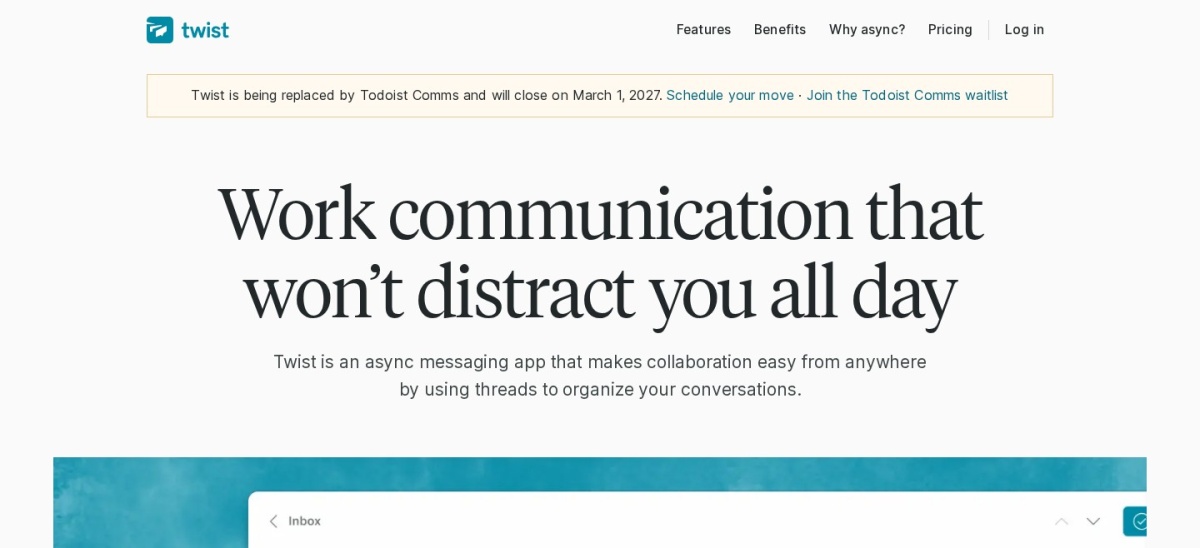
Twist homepage, captured Nov 2026.
Twist is an async-first team communication app that organizes conversations into structured threads rather than a fast-moving chat stream. Its free plan supports up to 500 members, 5 integrations, 5 GB storage, and 1 month of message history.
The trade off is paying $6 per user/month on the Unlimited plan to search older threads and connect unlimited integrations. It suits distributed teams across time zones that prefer thoughtful updates over instant chat.
Reduces pressure to respond immediately to every ping
Single-channel guests stay free on paid workspaces
Watch out for
Free plan limits searchable history to 1 month
Smaller integration library than major chat suites
Less suited to spontaneous live video or huddle workflows
Unlimited ($6/user/mo) unlocks full message history, unlimited integrations, and unlimited file storage.Visit twist.com
04
Pumble
4.5/5on G2 (40 reviews, checked Nov 2026)
Paid from$30/yr
Best free history and low-cost seat pricing
Free tierUnlimited history, 10 GB total
Entry paid planPro at $2.49/seat/mo annual
IntegrationsUp to 3 free; up to 10 on Pro
G2 rating4.5/5 (40 reviews)
pumble.com
Pumble homepage, captured Nov 2026.
Pumble is a team messaging app from CAKE.com that offers channels, direct messages, file sharing, and unlimited searchable message history on its free plan. The free tier includes 10 GB of workspace storage and up to 3 app integrations.
The trade off is paying $2.49 per seat/month billed annually on Pro (or $2.99 monthly) for group meetings and 10 GB of storage per seat. It suits budget-minded teams that want searchable chat history without paying high per-user fees.
What we like
Unlimited message history included on the free plan
Low entry paid rate at $2.49 per seat/month annually
Simple layout that feels familiar quickly
Watch out for
Group video meetings require a paid plan
Integration count is capped even on the Pro tier
Smaller user review footprint than Slack or Teams
Pro ($2.49/seat/mo annual) adds group meetings, 10 GB storage per seat, and up to 10 integrations.Visit pumble.com
05
Chanty
4.4/5on G2 (57 reviews, checked Nov 2026)
Paid from$36/yr
Best budget chat with built-in task boards
Free tierUp to 5 members, 20 GB team storage
Entry paid planBusiness at $3/user/mo annual
Task toolsTurn messages into tasks with Kanban
G2 rating4.4/5 (57 reviews)
chanty.com
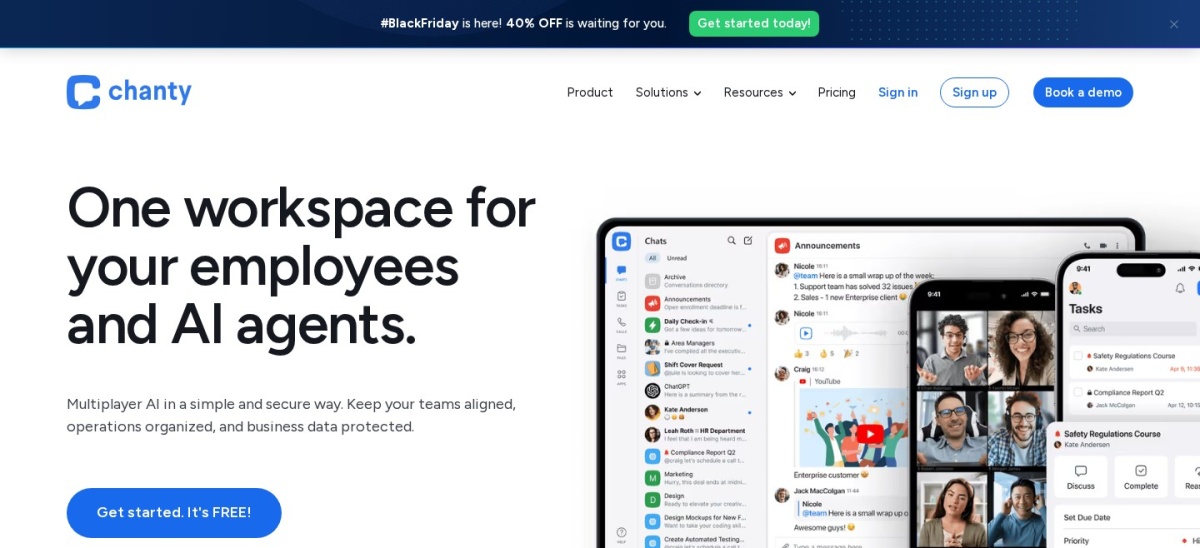
Chanty homepage, captured Nov 2026.
Chanty is a team chat and collaboration app that pairs messaging with built-in task management and voice messages. Its free plan supports up to 5 team members with unlimited searchable history, 20 GB team storage, and 1:1 audio or video calls.
The trade off is paying $3 per user/month billed annually on Business (or $4 monthly; Chanty also lists a seasonal 40% off offer on its pricing page) for group video calls and screen sharing. It suits small teams that want chat and basic task tracking in one app.
What we like
Built-in task creation and Kanban boards from chat messages
Affordable Business plan at $3 per user/month annually
Unlimited searchable message history on the free tier
Watch out for
Free plan is capped at 5 team members
Group video calls require upgrading past the free plan
Fewer enterprise integrations than larger platforms
Business ($3/user/mo annual) adds group audio and video calls, screen sharing, and 20 GB storage per user.Visit chanty.com
06
Zoho Cliq
4.4/5on G2 (269 reviews, checked Nov 2026)
Paid from$22/yr
Best low-cost chat for Zoho users
Free tier100 GB org storage, 10k searchable msgs
Entry paid planStandard at $1.80/user/mo annual
MeetingsUp to 100 participants on Standard
G2 rating4.4/5 (269 reviews)
zoho.com
Zoho Cliq homepage, captured Nov 2026.
Zoho Cliq is a team messaging and meeting tool with channels, bots, check-ins, and ties to Zoho apps like CRM and Projects. Its free plan includes 100 GB of organization file storage, 1:1 calls, and up to 10,000 searchable messages.
The trade off is paying $1.80 per user/month billed annually on Standard (or $2 monthly) for unlimited searchable history and longer meetings. It suits small and mid-sized teams already running Zoho tools that want low per-seat pricing.
What we like
Low Standard pricing at $1.80 per user/month billed annually
Useful connections with Zoho CRM, Projects, and Calendar
Includes bots, slash commands, and check-in workflows
Watch out for
Free plan caps searchable messages at 10,000 per organization
Some users report a learning curve in channel and admin settings
Third-party extension limits vary by plan tier
Standard ($1.80/user/mo annual) unlocks unlimited searchable messages and up to 24-hour meetings.Visit zoho.com
07
Connecteam
4.6/5on G2 (3,506 reviews, checked Nov 2026)
Paid from$348/yr
Best for mobile-first and frontline teams
Free tierFree for up to 10 users
Entry paid planBasic at $29/mo for 30 users annual
Comms toolsChat, company feed, directory, surveys
G2 rating4.6/5 (3,506 reviews)
connecteam.com
Connecteam homepage, captured Nov 2026.
Connecteam is a mobile-first workplace app built around team chat, company updates, directories, scheduling, and checklists. Its Small Business plan is free for up to 10 users.
The trade off is paying $29/month billed annually on Basic for the first 30 users (plus extra per-user fees above 30), and hubs are priced separately. It suits field, shift, and frontline teams without corporate email accounts.
What we like
Free plan covers up to 10 users
Combines chat and company updates with shift and task workflows
High mobile usability for non-desk staff
Watch out for
Hub-based pricing can get complex as you add hubs or seats
Paid plans start at a flat group rate rather than a single-user fee
Less focused on deep desktop document collaboration
Basic ($29/mo annual for up to 30 users) adds expanded user capacity, engagement insights, and hub tools.Visit connecteam.com
Real-time chat vs. async threads
Real-time chat apps like Slack and Microsoft Teams work well when teammates overlap for part of the day and need quick back-and-forth answers. The catch is constant alert noise that can break deep work.
Threaded tools like Twist encourage longer, structured posts that teammates can read and answer on their own schedule. Mixing both styles intentionally often cuts unnecessary status meetings.
Desk teams vs. frontline staff
Office teams usually live on laptops and expect tight links to documents, calendars, and video calls. Frontline staff in retail, healthcare, or field service often work from phones and need announcements, directories, and shift updates in one place.
Pick a platform that matches how your people actually work each day rather than forcing a desk-heavy app onto a mobile crew.
How we chose
We built this shortlist from established internal communication platforms that serve active business teams across chat, threaded discussions, and frontline messaging.
Every price, free-tier limit, and G2 rating was checked on 22 Nov 2026 directly from official vendor pricing pages and G2 review listings.
We excluded tools without public starting prices or clear current plan details, and we kept the focus on active, widely used options. No vendor paid for a place, and we do not claim testing for this list.
How to choose the right internal communication tool
Follow four steps to narrow down the shortlist before rolling a tool out to your team.
Audit how your team shares updates today. List where important decisions currently get lost, such as email threads, chat messages, or shift handoffs, and decide whether you need instant chat or structured threads.
Check your existing software stack. If your team already lives in Microsoft 365 or Zoho apps, picking a matching tool reduces duplicate logins and keeps files closer to daily work.
Test free-tier limits against your team size. Compare message history retention, member caps, and video call limits on the free plan so you do not hit a wall during your first month.
Model yearly costs at realistic headcount. Calculate annual per-seat or hub pricing for your current team plus planned hires, and check whether features you need sit on a higher tier.
FAQ
What is the best internal communication tool for most teams?
Slack is a strong default for most teams because its channels, threads, huddles, and over 2,600 app integrations scale well across projects. Teams already on Microsoft 365 often prefer Microsoft Teams instead.
Which internal communication tool has a good free plan?
Pumble is notable for offering unlimited message history on its free plan, while Slack, Microsoft Teams, Twist, Chanty, Zoho Cliq, and Connecteam also offer free tiers with specific usage caps.
How do annual and monthly billing plans differ?
Most platforms charge less per user/month when billed annually compared with month-to-month billing. For example, Slack Pro is $7.25 per user/month annually versus $8.75 monthly.
When should a team choose async threads over live chat?
Async threads work well when teammates span multiple time zones or need fewer real-time interruptions. Twist is built specifically around topic threads for that style of work.
What works best for non-desk or frontline workers?
Connecteam is built for mobile-first teams and combines chat and company updates with scheduling, directories, and task checklists. It is free for up to 10 users.
Do small teams need a paid plan right away?
Not always. A small team can often start on a free plan to test workflows and upgrade only when hitting history limits, group call limits, or member caps.