ImgPlay is the best GIF editor app for mobile users, offering individual frame editing and a $29.99 annual Pro subscription with a 4.8/5 App Store rating. Choose Kapwing for browser-based GIF editing and captions or Adobe Express for quick video-to-GIF conversion and branded animations.
How we make this list: we compare pricing pages, product documentation and public user reviews, then re-check every price before each update. No product paid for a place. Disclosure.
ImgPlay costs $29.99/year and earns 4.8/5 from approximately 46,000 App Store ratings.
Kapwing Pro costs $192/year and removes the watermark applied to free exports.
Adobe Express Premium costs $9.99/month and includes advanced animation tools and 100 GB of storage.
Photoshop supports detailed frame animation through the $19.99/month Photography subscription.
GIMP is completely free and has a 4.3/5 G2 rating from 1,484 reviews.
Canva has the highest G2 rating in this comparison at 4.7/5 from 7,927 reviews.
What a good GIF editor app should include
A GIF editor should let you import an existing animation or convert photos and video clips into animated images. Basic controls include trimming, cropping, resizing, playback speed and loop settings.
Frame-level editing is useful when you need to remove unwanted images, reorder an animation or adjust how long individual frames remain visible. Dedicated GIF editors generally offer more control than template-based design applications.
Check export options before choosing an editor. Watermarks, resolution restrictions and limited file compression can make otherwise useful free applications unsuitable for professional projects.
Consider where your source files are stored. Mobile editors are convenient for camera recordings, browser tools simplify collaborative projects, and desktop software offers greater control over complex animations.
4.8/5on App Store (46,000 reviews, checked Nov 2026)
Paid from$29.99/yr
Best for editing GIFs on mobile devices
Frame duration0.02–1 second
Loop optionsInfinite, 1, 3 or 5
Export formatsGIF, MP4, APNG and WebP
Paid planImgPlay Pro
imgplay.net
ImgPlay homepage, captured Nov 2026.
ImgPlay is a mobile GIF editor that converts photographs, videos, Live Photos and screen recordings into animations. It supports individual frame removal, reordering and playback adjustments, with frame durations ranging from 0.02 to 1 second.
The trade off is that watermark removal and advanced saving features require ImgPlay Pro, available for $29.99 annually through the developer's App Store listing. It suits mobile users creating reaction GIFs, animated memes and short visual demonstrations.
What we like
Individual frame editing
Adjustable animation speed and direction
Multiple animated export formats
Supports Live Photos and burst photography
Affordable annual subscription
Watch out for
Free exports have watermark restrictions
Some advanced editing features require payment
Pro removes watermarks and unlocks additional saving options.Visit imgplay.net
02
Kapwing
3.9/5on G2 (41 reviews, checked Nov 2026)
Paid from$16/mo
Best for browser-based GIF editing
Free cloud storage5 GB
Pro cloud storage200 GB
Pro upload limit6 GB
Paid planPro, billed annually
kapwing.com
Kapwing homepage, captured Nov 2026.
Kapwing is a browser-based content editor for creating animated images, memes and short videos. Its free subscription includes timeline editing, text overlays, unlimited watermarked exports and 5 GB of cloud storage.
The trade off is that watermark-free exports require Pro at $16 monthly with annual billing. The paid subscription also provides custom fonts, branding tools and 200 GB of storage. It suits creators who frequently produce GIFs from existing video clips.
What we like
No desktop installation required
Timeline-based editing
Custom text overlays
Shared editing workspaces
Integrated cloud storage
Watch out for
Watermark on free exports
Lower G2 rating than several alternatives
Pro removes watermarks and adds brand management and larger upload allowances.Visit kapwing.com
03
Adobe Express
4.4/5on G2 (1,110 reviews, checked Nov 2026)
Paid from$9.99/mo
Best for branded animations and GIF conversion
GIF conversionAvailable
Premium storage100 GB
Premium AI credits250/month
Paid planPremium
adobe.com
Adobe Express homepage, captured Nov 2026.
Adobe Express is a graphic design and video editing application with a dedicated video-to-GIF conversion tool. Its free features support basic content creation, while Premium provides 100 GB of storage, additional animation effects and access to premium design assets.
The trade off is limited precision compared with dedicated frame-based editors. Premium costs $9.99 monthly and primarily adds design resources, branding features and advanced editing options. It suits marketers creating animated promotional graphics and converting short videos into GIFs.
Photoshop is a professional image editor supporting layered graphics, frame animation and animated GIF exports. Its Photography subscription includes desktop Photoshop, Lightroom and 1 TB of cloud storage for $19.99 monthly with an annual commitment.
The trade off is the subscription cost and additional learning required for detailed animation editing. The $239.88 annual equivalent may be unnecessary for occasional GIF creation. It suits designers who need precise control over animation frames, colors, compositing and export settings.
What we like
Detailed frame-by-frame editing
Advanced layer management
Precise image adjustment tools
Flexible GIF export controls
Extensive design documentation
Watch out for
No permanent free desktop subscription
Steeper learning curve than mobile editors
Excessive functionality for simple GIF conversion
Photography includes desktop Photoshop, Lightroom and cloud storage.Visit adobe.com
05
GIMP
4.3/5on G2 (1,484 reviews, checked Nov 2026)
PriceFree
Best for free desktop GIF editing
LicenseOpen source
PlatformsWindows, macOS and Linux
Animation methodImage layers
Paid planNone
gimp.org
GIMP homepage, captured Nov 2026.
GIMP is a free and open-source desktop image editor that supports animated GIF creation through image layers. It provides detailed image adjustments, cropping, layer management and animation export without requiring a subscription, with a 4.3/5 G2 rating from 1,484 reviews.
The trade off is that its layer-based workflow is less convenient than dedicated animation timelines for longer sequences. There is no paid subscription or mandatory upgrade. It suits users who want detailed desktop GIF editing without recurring software expenses.
What we like
Completely free and open source
Detailed image editing controls
Individual animation frame adjustments
Works across major desktop operating systems
Watch out for
Animation workflow requires familiarity with layers
Less convenient for editing long video sequences
No dedicated official mobile editor
All core editing features are available without a paid subscription.Visit gimp.org
06
Canva
4.7/5on G2 (7,927 reviews, checked Nov 2026)
Paid from$12/mo
Best for animated social media designs
GIF creationImages and video clips
Editing styleTemplate-based
Animation toolsText and graphic effects
Paid planCanva Pro
canva.com
Canva homepage, captured Nov 2026.
Canva is a visual design platform offering animated templates, graphic elements and a dedicated GIF maker. Users can assemble photographs, text and video clips into downloadable animations, and the broader platform has a 4.7/5 G2 rating from 7,927 reviews.
The trade off is limited individual frame precision compared with dedicated GIF editors. Canva Pro costs $12 per month billed annually ($144 per year), or $18 billed monthly. It suits social media managers creating animated promotional graphics.
What we like
Large selection of design templates
Accessible drag-and-drop editing
Animated text and graphic elements
Suitable for branded social content
Watch out for
Limited detailed frame manipulation
Premium assets require a paid subscription
Regular paid price could not be independently confirmed
Pro adds premium assets, branding features and additional design tools.Visit canva.com
07
Flixier
4.5/5on G2 (213 reviews, checked Nov 2026)
PricingCustom pricing
Best for timeline-based GIF editing
Editing environmentWeb browser
GIF editingTimeline-based
ConversionGIF and video
Paid planPro
flixier.com
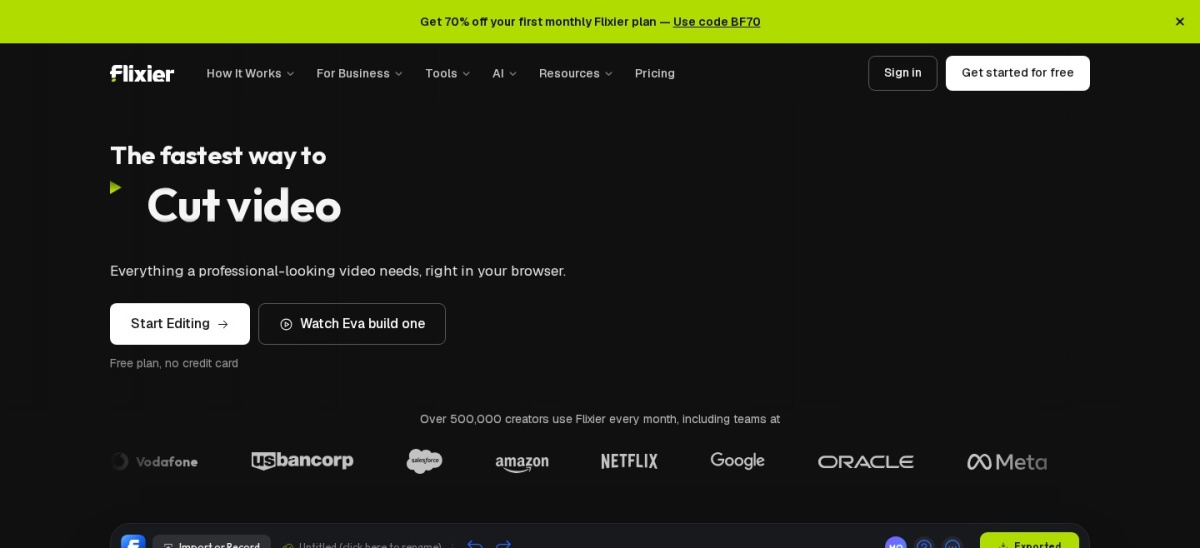
Flixier homepage, captured Nov 2026.
Flixier is a cloud-based video editor with a dedicated GIF editing workflow. Users can import animated images, arrange them on a timeline, trim clips and add visual elements, while the broader editing platform has a 4.5/5 G2 rating from 213 reviews.
The trade off is that free usage has export restrictions, so frequent GIF makers will want one of its paid plans. It suits content creators who prefer editing GIFs alongside video clips within a browser-based timeline.
What we like
Dedicated GIF editing workflow
Timeline-based clip adjustments
No desktop installation required
Supports GIF and video conversion
Watch out for
Free export allowances are limited
Requires an internet connection
Regular paid price could not be independently confirmed
Paid subscriptions expand export allowances and editing resources.Visit flixier.com
How much does a GIF editor app cost?
GIMP provides free desktop editing without a paid subscription. ImgPlay offers the lowest confirmed annual paid price at $29.99, making it a practical upgrade for mobile users who regularly create animated images.
Adobe Express Premium costs $119.88 per year at its published monthly rate, while Kapwing Pro costs $192 with annual billing. Desktop Photoshop is available through the Photography subscription at an annual equivalent of $239.88.
Canva Pro starts at $12 per month billed annually, and Flixier also sells paid plans above its free tier.
How to reduce GIF file size without losing unnecessary detail
Trim unwanted frames and crop unused areas before exporting. Shorter animations with smaller dimensions generally produce smaller files, particularly when the source contains extensive movement.
Adjust playback speed, frame frequency and color settings where your editor allows it. Preview the exported animation to ensure text remains readable and important motion is preserved.
For websites that support alternative animation formats, consider animated WebP or video instead of GIF. These formats can provide better compression depending on the content and playback requirements.
How we chose
We compared established mobile, browser-based and desktop editing applications that support GIF creation, editing or conversion. Rankings prioritize direct animation controls, accessible pricing, export functionality and suitability for common creative workflows.
Official pricing pages, developer-supplied App Store subscription information and independent G2 or App Store ratings were checked on 25 Nov 2026. ImgPlay's rating count is rounded as displayed by the App Store. Annual prices use confirmed regular subscription rates.
The top three have verified numerical prices. Broader editor ratings cover the complete application rather than GIF features alone. No vendor paid for a place, and we do not claim testing for this list.
How to choose the best GIF editor app
Identify your source files, required editing controls and intended publishing channels before choosing an application.
Choose your preferred editing device. Select a mobile editor for camera recordings, a browser editor for accessible online workflows or desktop software for detailed image and animation manipulation.
Check the animation controls. Look for frame removal, reordering, cropping, playback speed and loop settings. Choose dedicated frame editing when individual images require precise changes.
Review export restrictions. Confirm whether free exports contain watermarks or impose limits on dimensions, file size and animation length. Check alternative output formats if compression is important.
Compare the regular subscription cost. Consider how frequently you create GIFs and whether premium features justify recurring payments. Free desktop software may cover occasional or technically detailed editing.
FAQ
What is the best GIF editor app?
ImgPlay is our overall pick for mobile GIF editing because it combines individual frame controls, speed adjustments and multiple export formats. Kapwing is suitable for browser-based projects, while Adobe Express works well for branded graphics and quick conversions.
What is the best free GIF editor app?
GIMP is an excellent free desktop option because it provides detailed image editing and animation tools without subscription fees. ImgPlay, Kapwing and Adobe Express also offer free access, although certain advanced features or export options require payment.
Can I edit an existing animated GIF?
Yes. Applications such as ImgPlay, GIMP, Photoshop and Flixier allow users to modify existing animations. Depending on the editor, you can remove unwanted frames, change playback speed, crop images, add text and export the revised animation.
Which GIF editor lets me edit individual frames?
ImgPlay, Photoshop and GIMP support individual animation frame manipulation. ImgPlay is convenient for mobile editing, Photoshop offers detailed professional image controls, and GIMP provides a free layer-based approach for desktop users.
How can I make a GIF without a watermark?
GIMP allows users to create and export GIFs without purchasing a subscription or adding a software watermark. Paid plans such as ImgPlay Pro and Kapwing Pro remove the watermark restrictions associated with their free editing tiers.
Can I convert a video into a GIF?
Yes. ImgPlay, Kapwing, Adobe Express and Flixier support converting video content into animated images. Trim the relevant portion, adjust its dimensions and playback settings, then export it in GIF format using the available conversion controls.
SaaS SEO and WordPress specialist with about 8 years of experience. Rakib compares WordPress plugins, themes, hosting and software using public pricing, documentation and user reviews. See how we rank.