Best Free Heatmap Software in 2026: 7 Tools Compared
WLWPLegible EditorsLast verified 22 Nov 2026How we rank10 min read
★ Short answer
Microsoft Clarity is the best free heatmap software for most websites, with unlimited free heatmaps, session recordings and AI summaries. It is rated 4.5/5 from 55 G2 reviews. Choose Mouseflow for friction detection and detailed heatmaps, or Contentsquare for a broader experience analytics platform.
How we make this list: we compare pricing pages, product documentation and public user reviews, then re-check every price before each update. No product paid for a place. Disclosure.
Microsoft Clarity is free forever, with heatmaps, session recordings and no paid subscription requirement.
Mouseflow provides 500 sessions per month on its free plan; Essential starts at $25 per month billed annually.
Contentsquare supports up to 200,000 monthly sessions on its free plan, with 1 month of analytics data access.
Zoho PageSense includes heatmaps, session recording and funnel analysis for up to 5,000 monthly tracked users at no cost.
Plerdy provides 100 daily heatmap views across up to 3 pages on its free tier; Startup costs $21 per month billed annually.
Yandex Metrica provides heatmaps and session replay without a paid tier, while LogRocket offers 1,000 free sessions per month.
What free heatmap software should show you
Heatmap software visualizes how visitors interact with a website. Click heatmaps identify frequently selected elements, while scroll heatmaps show how far visitors move down a page.
The most useful free tools combine heatmaps with session recordings. A heatmap reveals overall patterns, while recordings provide context about navigation problems, missed buttons and confusing forms.
Free plans differ significantly in tracking limits. Some restrict monthly sessions, while others cap the number of pages, recordings, projects or months of historical data.
Look beyond the number of features. A tool that captures enough visits, supports your website and gives you clear reports is more useful than an advanced platform whose free limits prevent meaningful analysis.
Microsoft Clarity is a free website behavior analytics tool from Microsoft, used across more than 2 million sites and apps. It provides click and scroll heatmaps, session recordings, AI summaries and tools for identifying visitor frustration. The platform is free forever, without a conventional paid analytics tier.
The trade off is that Clarity focuses on understanding visitor behavior rather than running full conversion experiments. It does not replace a dedicated A/B testing platform or every feature of a paid analytics suite. It suits site owners who want actionable visitor insights without a subscription.
What we like
Free forever with no conventional paid tier
Heatmaps and session recordings included
AI summaries help identify behavior patterns
Suitable for blogs, stores and business websites
No paid upgrade needed for core heatmaps
Watch out for
No built-in full A/B testing platform
Advanced experimentation requires other software
Teams must review data collection and privacy settings
Mouseflow is a website behavior analytics platform with session replay, heatmaps and friction detection. Its free plan includes 500 sessions per month for 1 website, with click, scroll and geographical heatmaps. Free accounts also receive 1 month of data history.
The trade off is the low monthly session allowance, which limits how much traffic you can analyze. Essential costs $25 per month billed annually, totaling $300, and increases the allowance to 5,000 sessions with 3 months of data history. It suits smaller websites investigating usability problems.
What we like
Click, scroll and geographical heatmaps
Session recordings included in the free plan
Friction detection helps identify problem areas
Free plan does not expire
Dedicated behavior analytics interface
Watch out for
Free plan limited to 500 sessions monthly
Only 1 website on the free plan
Free data history limited to 1 month
Essential raises recording capacity to 5,000 sessions and extends data history.Visit mouseflow.com
03
Contentsquare
4.6/5on G2 (748 reviews, checked Nov 2026)
Paid from$49/mo
Best for combined experience analytics
Free sessionsUp to 200,000/month
Free projects1
Analytics history1 month free
Paid planGrowth, $49/mo standard
contentsquare.com
Contentsquare homepage, captured Nov 2026.
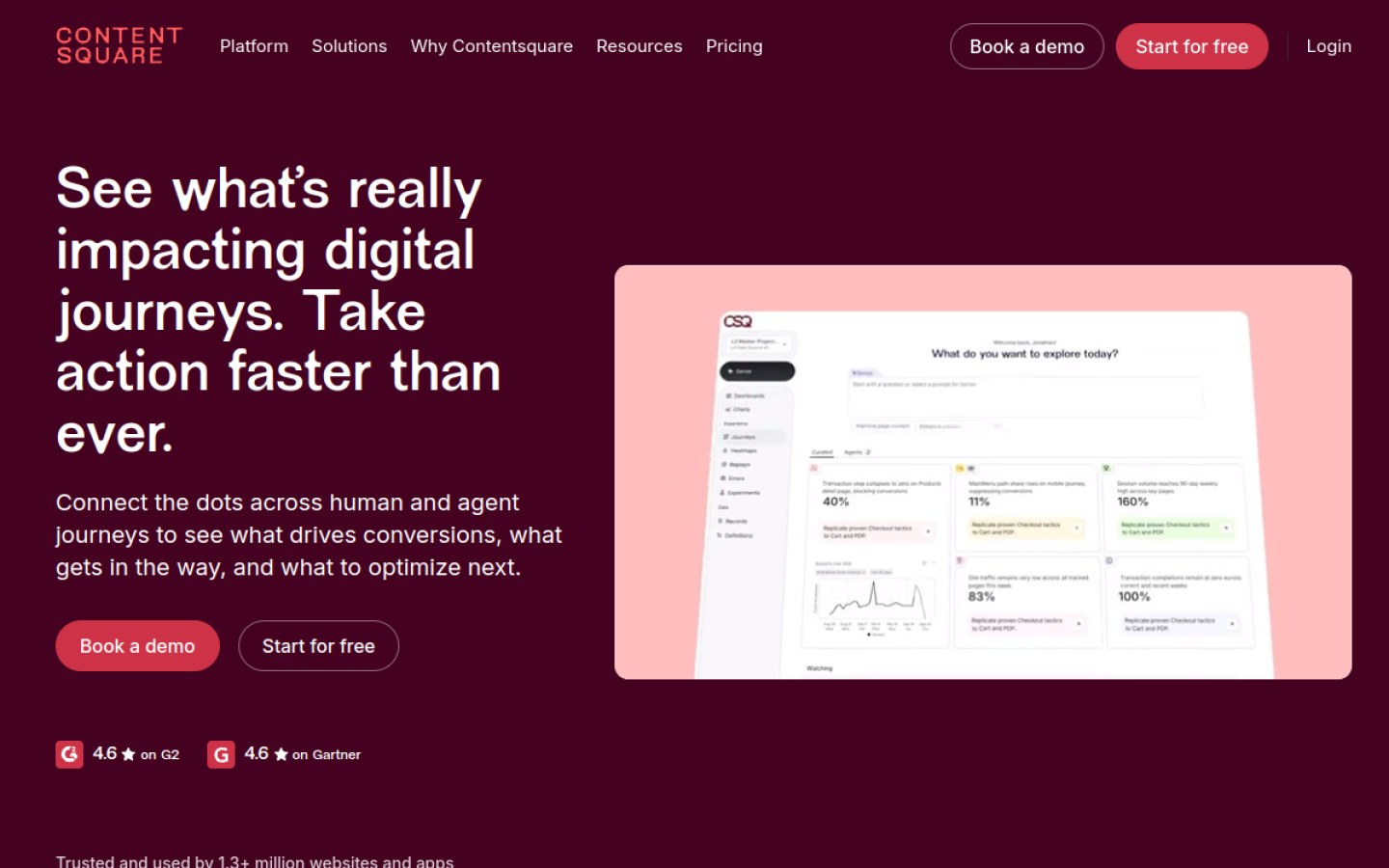
Contentsquare is a digital experience analytics platform that includes the tools previously associated with Hotjar. Its free Experience Analytics plan supports up to 200,000 monthly sessions, with heatmaps, funnels and session recordings. The free tier includes 1 project and 1 month of analytics data access.
The trade off is limited historical access and fewer advanced analysis features than paid plans. Growth has a standard monthly price of $49, or $588 across a year; the pricing page also displays a lower annual-billing rate. It suits teams that want behavior analytics and visitor feedback in one platform.
What we like
Generous free monthly session allowance
Heatmaps, funnels and recordings included
Visitor feedback and surveys available
Integrates several digital experience tools
Free plan supports standard segmentation
Watch out for
Only 1 project on the free plan
Analytics history limited to 1 month
Advanced zone-based heatmaps require Growth
Session replay capture is sampled on Free
Growth adds zone-based heatmaps, journey analysis, more projects and longer data access.Visit contentsquare.com
04
Zoho PageSense
4.1/5on G2 (38 reviews, checked Nov 2026)
Paid from$20/mo
Best for monitoring conversion funnels
Free tracked users5,000/month
Free projects1
Free data retention1 month
Paid planProfessional, from $20/mo
zoho.com
Zoho PageSense homepage, captured Nov 2026.
Zoho PageSense is a conversion optimization platform with heatmaps, session recordings, form analytics and funnel tracking. Its Forever Free plan supports up to 5,000 monthly tracked users, 1 project, 5 goals and 1 month of data retention. It provides a useful starting point for analyzing website engagement.
The trade off is the tracking allowance and limited access to engagement tools. Professional starts at $20 per month, or $240 over a year at the published monthly rate, and adds features such as surveys, pop-ups and notifications. It suits marketers tracking visitor behavior alongside conversion goals.
What we like
Heatmaps and session replay included free
Funnel and form analytics available
Free plan supports 5,000 monthly users
Integrates behavior analysis with goal tracking
Clear upgrade path to conversion tools
Watch out for
Free plan limited to 1 project
Only 1 month of free data retention
Advanced experimentation requires higher plans
Tracking stops when plan limits are reached
Professional adds surveys, engagement tools, notifications and higher tracking allowances.Visit zoho.com
05
Plerdy
4.7/5on G2 (329 reviews, checked Nov 2026)
Paid from$21/mo
Best for combining heatmaps with SEO insights
Free heatmap limit100 daily views
Free tracked pages3
Free video sessions500 total
Paid planStartup, $21/mo annually
plerdy.com
Plerdy homepage, captured Nov 2026.
Plerdy is a conversion optimization platform combining heatmaps, session replay, SEO audits and website engagement tools. Its free plan supports 100 daily heatmap views across up to 3 pages, 500 stored video sessions and 5,000 SEO audit checks. Free A/B testing and limited conversion tracking are also available.
The trade off is that free heatmap tracking covers only a few pages and has daily limits. Startup costs $21 per month billed annually, totaling $252, and raises its daily heatmap allowance to 500. It suits marketers who want behavioral insights alongside SEO monitoring and conversion analysis.
What we like
Combines heatmaps and SEO auditing
Free session replay and conversion tracking
Includes free A/B testing
Dynamic element click tracking
Supports pop-ups and ecommerce analysis
Watch out for
Free heatmaps restricted to 3 pages
Daily heatmap limits can restrict analysis
Some tools overlap with existing analytics software
Free data storage is limited
Startup increases heatmap and replay capacity and adds longer storage and AI connectors.Visit plerdy.com
06
Yandex Metrica
4.2/5on G2 (37 reviews, checked Nov 2026)
PriceFree
Best for free web analytics with heatmaps
Free heatmapsIncluded
Session replayIncluded
Traffic analyticsIncluded
Paid planNo paid tier
ads.yandex
Yandex Metrica homepage, captured Nov 2026.
Yandex Metrica is a free website analytics platform with heatmaps, session replay, traffic reports and conversion tracking. Its official website says its analytics tools remain free regardless of traffic volume or the number of reports. Website owners can add a tracking counter to collect visitor behavior data.
The trade off is a busier interface and the need to review its data handling practices before deployment. Unlike subscription products, there is no paid plan to unlock additional heatmap functionality. It suits technically comfortable site owners who want website statistics and behavior analysis together.
What we like
Completely free analytics platform
Heatmaps and session replay included
Traffic and conversion analytics in one tool
No paid upgrade required for core features
Supports detailed visitor activity analysis
Watch out for
Interface can feel complex for beginners
Data governance requirements need careful review
Some users report confusing navigation
Setup and reporting require initial configuration
No paid plan; heatmaps, recordings and analytics remain free.Visit ads.yandex
07
LogRocket
4.6/5on G2 (2,489 reviews, checked Nov 2026)
Paid from$83/mo
Best for product teams and application debugging
Free sessions1,000/month
Visual analyticsHeatmaps and clickmaps
ReplayWeb and mobile
Paid planCore, from $83/mo
logrocket.com
LogRocket homepage, captured Nov 2026.
LogRocket is a product experience analytics platform that combines session replay, heatmaps, clickmaps and application diagnostics. Its published free tier includes 1,000 sessions per month. Teams can examine user interactions alongside errors, navigation paths and frontend performance information.
The trade off is that the product is more technical than a dedicated website heatmap tool, and its advanced AI analysis is paid. Core starts at $83 per month for 10,000 sessions, or $996 annually at that rate. It suits product and engineering teams investigating application usability and bugs.
What we like
Combines heatmaps with technical session replay
Includes product analytics and error monitoring
Useful for investigating application problems
Free session allowance for smaller projects
Works with web and mobile applications
Watch out for
Higher paid entry cost than simpler heatmap tools
Advanced AI insights require Pro
More technical setup and analysis
Free monthly sessions are limited
Core increases session capacity; Pro adds Galileo AI insights and advanced analysis.Visit logrocket.com
Click, scroll and movement heatmaps explained
A click heatmap highlights frequently clicked areas of a webpage. It helps reveal whether visitors select important buttons, navigation links or elements that look clickable but are not.
A scroll heatmap displays how far visitors move down a page. It can show whether important content appears below the point where many visitors stop scrolling.
Movement and attention heatmaps provide additional clues about visitor behavior. However, mouse movement does not always equal visual attention, so these reports should be interpreted carefully.
Session recordings complement heatmaps by showing individual journeys. Use them to investigate unusual patterns before changing page layouts or conversion elements.
What free heatmap plans usually restrict
The biggest differences are monthly tracking allowances, data retention and reporting depth. Mouseflow limits its free plan to 500 sessions monthly, while Zoho PageSense supports up to 5,000 monthly tracked users.
Other platforms restrict analysis by pages. Plerdy allows heatmap analysis across up to 3 pages on its free plan, while Contentsquare limits analytics data access to 1 month.
Microsoft Clarity and Yandex Metrica are alternatives when subscription costs are the main concern. Both provide heatmaps and recordings without a conventional paid subscription, although their analytics capabilities and privacy arrangements differ.
Compare the limits against your actual traffic before installing a tool. Low-traffic sites may find a small free allowance sufficient, but larger websites can reach session limits quickly.
How we chose
We researched established heatmap and behavior analytics platforms using official product descriptions, feature documentation, vendor pricing pages and independent customer review platforms. Products were assessed for free access, heatmap functionality, session recordings, reporting limits and suitability for different websites.
Prices and ratings were checked on 22 Nov 2026 using official vendor information and G2 review listings. We compared published starting paid plans, distinguishing annual-billing rates from standard monthly charges and permanent free subscriptions from temporary trials.
We excluded trial-only products from the main recommendations, along with software whose relevant paid pricing could not be confirmed and discontinued standalone services. Hotjar is represented through its current Contentsquare platform rather than treated as a separate subscription. No vendor paid for a place, and we do not claim testing for this list.
How to choose the best free heatmap software
Start by matching the software's free tracking allowance to your website traffic, then compare its reports, recordings and upgrade costs.
Calculate your monthly tracking needs. Review your website analytics to estimate visitor sessions. Compare that figure with each free plan's allowance and check whether the software records every session or only a sample.
Choose the heatmap reports you need. Click maps help identify popular elements, while scroll maps show content visibility. Use software with session replay when you also need to understand what happened before or after an interaction.
Check data retention and privacy controls. Review how long heatmaps and recordings remain available, what information the software captures and how sensitive data is masked. Ensure its settings align with your website's privacy and consent requirements.
Compare the first paid upgrade. Look at the regular subscription price, annual commitment and additional session capacity. Choose a paid tier only when its extra reporting, retention or analysis features justify the ongoing expense.
FAQ
What is the best completely free heatmap software?
Microsoft Clarity is the best overall free choice for most websites. It includes click and scroll heatmaps, session recordings and AI summaries without a paid subscription. Yandex Metrica is another fully free option, especially for users who want broader website analytics alongside visitor behavior reports.
Does Microsoft Clarity have a paid plan?
Microsoft Clarity is advertised as free forever and does not require a conventional paid analytics subscription. Its core heatmaps, recordings and AI insights are included. This makes it useful for website owners who want behavior analytics without worrying about an eventual paid upgrade.
Is Hotjar still available as a standalone product?
Hotjar became part of Contentsquare, and new accounts now use the Contentsquare platform. Its Experience Analytics Free plan includes heatmaps and session recordings. Users comparing modern heatmap software should review Contentsquare's current plan limits and pricing rather than older Hotjar subscription tables.
Can free heatmap tools record visitor sessions?
Yes. Microsoft Clarity, Mouseflow, Contentsquare, Zoho PageSense, Plerdy and Yandex Metrica offer session replay functionality with free access. Recording allowances and historical access vary, so check whether a product limits sessions, stores only recent activity or samples visitor traffic.
What is the difference between heatmaps and Google Analytics?
Traditional website analytics focuses on traffic, events, conversions and visitor acquisition. Heatmaps visualize interactions directly on page layouts, helping reveal which elements attract clicks and how far visitors scroll. Using both can connect overall performance changes with specific usability problems.
Which free heatmap tool is best for ecommerce?
Microsoft Clarity is a practical starting point for viewing interactions on product pages and checkout flows. Plerdy is worth considering when you also want conversion tracking and ecommerce analysis. Review each platform's free tracking limits and privacy settings before collecting visitor behavior.
How many visitors do I need for useful heatmaps?
There is no universal minimum because usefulness depends on page traffic, visitor behavior and the decision you are investigating. A low-traffic page may require a longer collection period. Avoid changing a design based on only a few interactions, and compare heatmaps with recordings and conversion data.
Are heatmap tools safe for user privacy?
Heatmap tools can be used responsibly, but they require appropriate configuration. Review masking controls, consent requirements, data retention and what the software records. Sensitive information such as passwords and payment details should never appear in behavioral recordings. Privacy compliance depends on your implementation.
Do free heatmap tools work with WordPress?
Several heatmap platforms support WordPress through tracking scripts, tag managers or available integrations. Microsoft Clarity, Mouseflow, Contentsquare and Plerdy can be considered for WordPress sites. Check each vendor's current installation instructions and confirm that tracking works with your caching and consent configuration.