Best Customer Messaging Platforms in 2026: 7 Tools Compared
WLWPLegible EditorsLast verified 22 Nov 2026How we rank6 min read
★ Short answer
Tidio is the top customer messaging platform for growing sites, holding a 4.8/5 WordPress.org rating across 395 reviews and 70,000+ active installs. Choose Crisp for a flat per-workspace shared inbox, Chatway for a free start with multi-channel buttons, or tawk.to for free live chat with unlimited agents.
How we make this list: we compare pricing pages, product documentation and public user reviews, then re-check every price before each update. No product paid for a place. Disclosure.
Tidio combines live chat, ticketing, and Lyro AI with a 4.8/5 WordPress.org rating and 70,000+ active installs.
Crisp prices per workspace rather than per agent, starting at $45/mo on Mini with 4 seats included.
Chatway offers a free plan with 1 seat and 50 monthly conversations, with Business starting at $31/mo billed yearly.
tawk.to keeps its core live chat and ticketing platform free with unlimited agents, charging extra for add-ons.
Per-seat tools like LiveChat ($19/user/mo billed yearly) and Intercom ($29/seat/mo billed annually) scale with team headcount.
What to look for in a customer messaging platform
Visitors expect quick answers on product pages, checkout screens, and support portals without digging through contact forms. A customer messaging platform brings website chat, email, and social channels into one shared inbox so your team can reply from a browser or mobile app.
Pricing models vary widely across vendors. Some tools bill per seat, others bill by monthly conversation volume, and several meter AI chatbot responses separately.
Check how a platform handles offline hours, ecommerce cart context, and handoffs between automated bots and human agents. A clear handoff path prevents repetitive questions when a visitor needs a human reply.
Finally, look at team limits and retention caps on entry plans. A low starting price can change once you add extra agents, connect messaging apps, or pass a monthly conversation limit.
4.8/5on WordPress.org (395 reviews, checked Nov 2026)
Paid from$390/yr
Best for combined live chat and Lyro AI
Active installs70,000+
WP.org rating4.8/5 (395)
Free planYes (50 chats/mo)
Annual entry$390/yr ($33/mo)
tidio.com
Tidio homepage, captured Nov 2026.
Tidio is a live chat and AI customer support platform with a 4.8/5 WordPress.org rating and 70,000+ active installs. Its Free plan includes up to 10 seats, 50 monthly billable conversations, and a one-time quota of 50 Lyro AI conversations.
The trade off is that paid plans meter conversation volume and sell several extras separately, starting at $390/yr ($33/mo billed annually) on Starter. It suits small ecommerce and service teams that want live chat and AI answers in one widget.
What we like
Combines website live chat, ticketing, Messenger, Instagram, and WhatsApp in one inbox.
Includes Lyro AI for answering routine questions and handing off to human agents.
Free plan supports up to 10 seats with mobile and desktop apps.
Watch out for
Monthly conversation quotas and add-ons like Flows, Help Center, and Voice increase total spend.
Free and Starter plans include only a one-time 50 Lyro AI conversation allowance.
Paid Starter ($390/yr billed annually) raises the quota to 100 conversations/mo and adds operating hours.Visit tidio.com
02
Crisp
4.6/5on WordPress.org (73 reviews, checked Nov 2026)
Paid from$540/yr
Best for flat workspace pricing with 4 seats
Active installs10,000+
WP.org rating4.6/5 (73)
Free planYes (2 seats)
Entry plan$45/mo ($540/yr)
crisp.chat
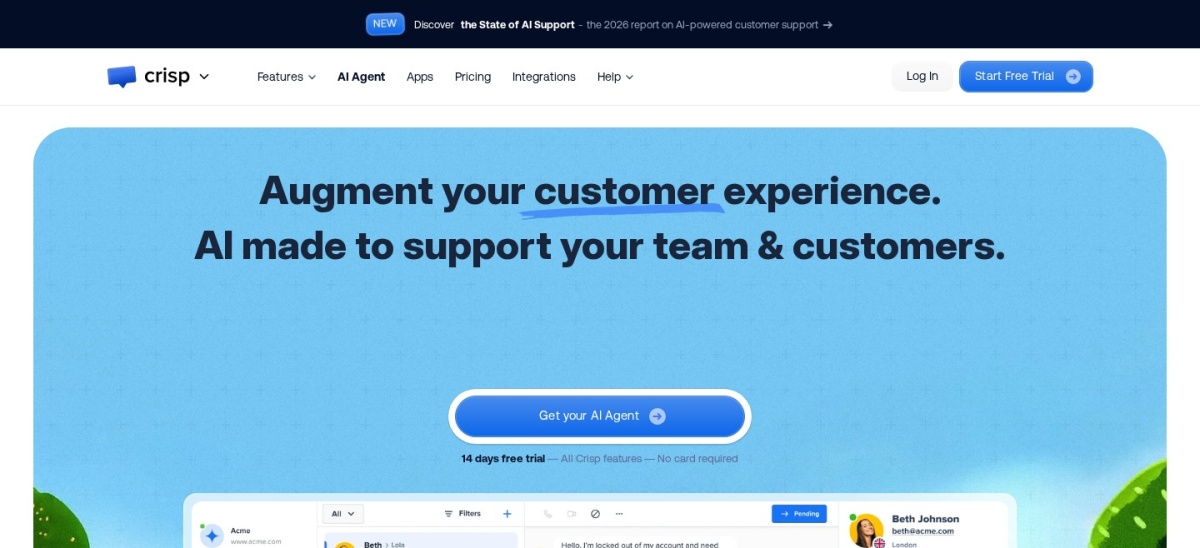
Crisp homepage, captured Nov 2026.
Crisp is a shared inbox and live chat platform rated 4.6/5 on WordPress.org with 10,000+ active installs. Its Free plan covers 2 seats, a website chat widget, mobile apps, and up to 100 customer profiles without AI credits.
The trade off is that paid plans start at $45/mo ($540/yr) per workspace on Mini and jump to $95/mo on Essentials for social channels, with AI usage drawing down included credits. It suits small teams of up to four people that prefer flat workspace pricing over per-seat billing.
What we like
Mini includes 4 seats, a shared email inbox, chat triggers, and up to 5,000 customer profiles.
Offers WooCommerce and Shopify integrations alongside co-browsing and live translation on higher tiers.
Includes a free tier with 2 seats for getting a basic chat widget running.
Watch out for
WhatsApp Business, Instagram DMs, and SMS require stepping up to Essentials at $95/mo.
AI responses stop once included monthly Hugo credits run out unless pay-as-you-go is enabled.
Paid Mini ($45/mo per workspace) adds 4 seats, shared email, triggers, and $5/mo in AI credits.Visit crisp.chat
03
Chatway
5/5on WordPress.org (777 reviews, checked Nov 2026)
Paid from$372/yr
Best for free start with social channel buttons
Active installs30,000+
WP.org rating5.0/5 (777)
Free planYes (1 seat)
Annual entry$372/yr ($31/mo)
chatway.app
Chatway homepage, captured Nov 2026.
Chatway is a live chat and support widget plugin holding a 5.0/5 WordPress.org rating across 777 reviews and 30,000+ active installs. Its Free plan provides 1 seat, 50 monthly conversations, 30 days of chat history, FAQs, and buttons for WhatsApp, Instagram, and Messenger.
The trade off is that the Free plan caps you at one seat and 30 days of history, while Business starts at $372/yr ($31/mo billed yearly) for 2 seats and 200 monthly conversations. It suits solo founders and small teams that want chat plus social channel links on a budget.
What we like
Strong 5.0/5 WordPress.org rating across 777 reviews with 30,000+ active installs.
Free plan includes canned responses, mobile apps, and buttons for WhatsApp, SMS, and social apps.
Supports WooCommerce and Shopify order/cart lookup on paid plans.
Watch out for
Free tier allows only 1 seat and keeps chat history for 30 days.
Monthly conversation limits apply on Free (50) and Business (200) plans.
Paid Business ($31/mo billed yearly) includes 2 seats, 200 monthly conversations, unlimited history, and a help center.Visit chatway.app
04
tawk.to
4.6/5on WordPress.org (142 reviews, checked Nov 2026)
Paid from$348/yr
Best for free live chat with unlimited agents
Active installs100,000+
WP.org rating4.6/5 (142)
Free planYes (unlimited agents)
Add-on entry$29/mo ($348/yr)
tawk.to
tawk.to homepage, captured Nov 2026.
tawk.to is a free live chat and ticketing platform with a 4.6/5 WordPress.org rating and 100,000+ active installs. Its core platform includes live chat, shared inbox, ticketing, knowledge base, and desktop or mobile apps with unlimited agents at $0.
The trade off is that optional add-ons like AI Assist or removing branding start at $29/mo ($348/yr) per property, and some reviewers report setup or mobile property quirks. It suits teams that want zero-cost live chat for multiple agents without per-seat fees.
What we like
Core live chat, ticketing, and knowledge base are free with no seat limit.
Wide adoption with 100,000+ active WordPress installs and iOS, Android, Windows, and Mac apps.
Optional AI Assist and white-label add-ons can be turned on per property as needed.
Watch out for
Branding removal and paid AI Assist start at $29/mo per property.
Several WordPress.org reviewers note configuration friction or notification/app quirks.
Optional Whitelabel and AI Assist add-ons each start at $29/mo ($348/yr) per property.Visit tawk.to
05
LiveChat
4.5/5on WordPress.org (23 reviews, checked Nov 2026)
Starts at$228/yr
Best for per-user live chat and ticketing
Active installs800+
WP.org rating4.5/5 (23)
Free planNo (14-day trial)
Annual entry$228/yr ($19/user/mo)
livechat.com
LiveChat homepage, captured Nov 2026.
LiveChat (offered through Text's live chat plans) provides live chat, ticketing, and AI agent tools with a 4.5/5 rating on its WordPress WooCommerce plugin page. Paid plans start on Essential at $19 per user/month billed annually ($228/yr per user) with a 14-day free trial.
The trade off is that there is no permanent free plan and every agent seat adds to your bill, with extra AI resolution packs costing $49.50 per 50 resolutions. It suits dedicated support teams that want structured ticketing and live chat in one account.
What we like
Combines live chat, ticketing, proactive campaigns, and Shopify/WooCommerce tools.
Essential includes 1 AI Agent, 10 AI resolutions/month, and desktop and mobile apps.
Supports multiple websites from a single account with customizable widgets.
Watch out for
No free tier after the 14-day trial, and pricing scales per user.
Essential limits conversation history to 60 days and includes only 10 AI resolutions/month.
Essential ($19/user/mo billed annually) includes live chat, ticketing, 10 AI resolutions/mo, and 60-day history.Visit livechat.com
06
Intercom
2.9/5on WordPress.org (11 reviews, checked Nov 2026)
Starts at$348/yr
Best for SaaS and in-app customer messaging
Active installs5,000+
WP.org rating2.9/5 (11)
Free planNo (14-day trial)
Annual entry$348/yr ($29/seat/mo)
intercom.com
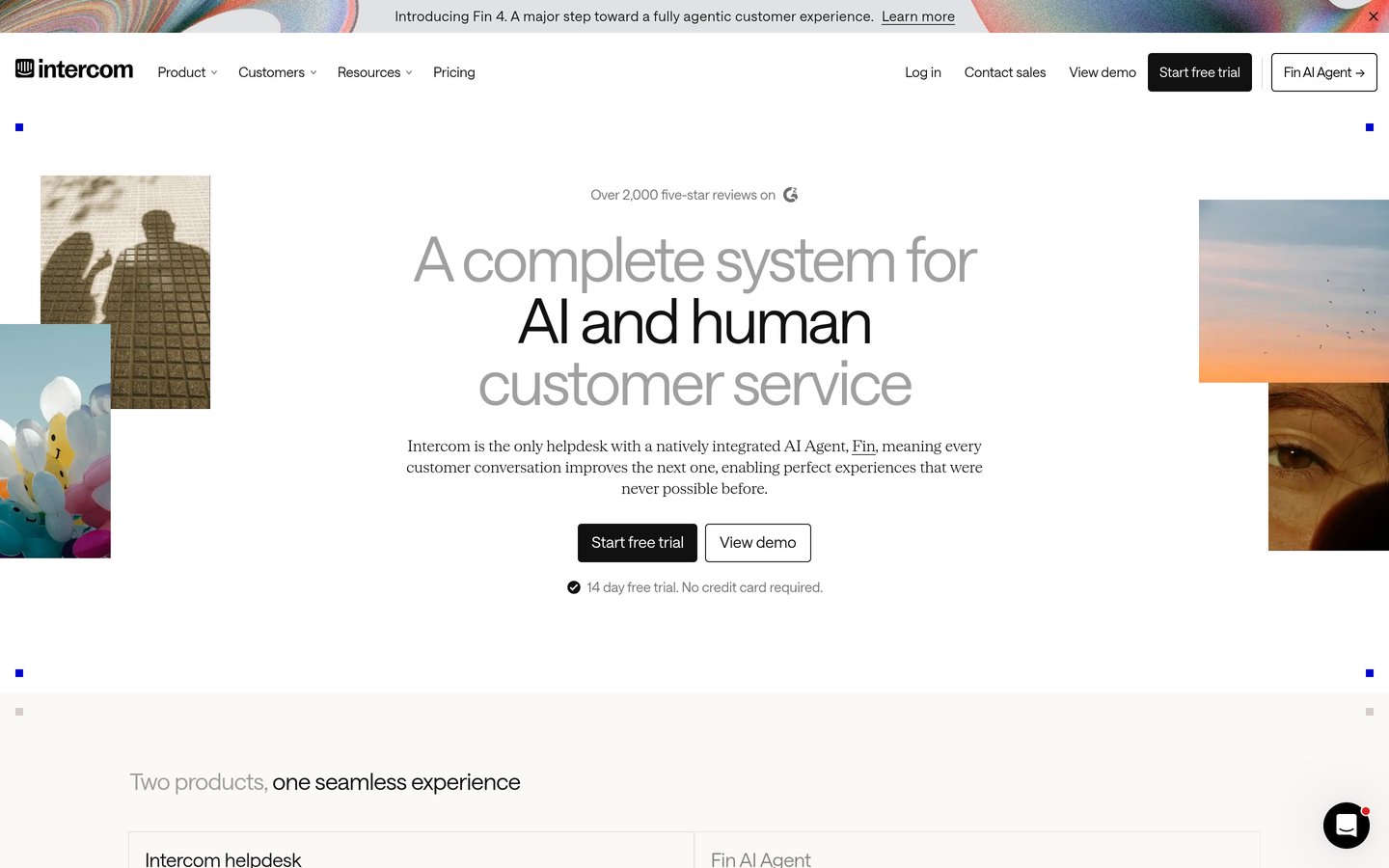
Intercom homepage, captured Nov 2026.
Intercom is a customer messaging platform built around its Messenger widget, shared inbox, and Fin AI Agent, with 5,000+ active installs on its WordPress plugin. Its regular Essential plan starts at $29/seat/month billed annually ($348/yr per seat), after a 14-day free trial.
The trade off is that Fin AI Agent bills separately from $0.99 per outcome, and workflow automation or multiple team inboxes require stepping up to Advanced at $85/seat/month. It suits SaaS and product teams that want in-app messaging alongside ticketing and AI support.
What we like
Pairs Messenger live chat, shared inbox, and ticketing with a public help center.
Fin AI Agent can resolve questions and hand off conversations with full context.
Offers a 14-day trial with no credit card required.
Watch out for
No permanent free plan, and per-seat costs rise sharply on Advanced ($85/seat/mo) and Expert ($132/seat/mo).
Fin AI Agent charges per resolved outcome ($0.99+) on top of seat pricing.
Essential ($29/seat/mo billed annually) includes Messenger, shared inbox, ticketing, and public help center.Visit intercom.com
07
HubSpot
4.4/5on WordPress.org (207 reviews, checked Nov 2026)
Paid from$240/yr
Best for CRM-tied live chat and lead capture
Active installs200,000+
WP.org rating4.4/5 (207)
Free planYes (up to 2 users)
Regular entry$240/yr ($20/seat/mo)
hubspot.com
HubSpot homepage, captured Nov 2026.
HubSpot connects live chat, forms, and popups directly to its CRM with 200,000+ active WordPress installs and a 4.4/5 rating across 207 reviews. Its Free tools plan supports up to 2 users at $0/mo, while Starter has a regular price of $20/seat/month billed annually ($240/yr per seat).
The trade off is that HubSpot branding appears on free and lower-tier tools and per-seat CRM pricing grows as you add teammates. It suits marketing and sales teams that want chat transcripts logged straight into contact records.
What we like
200,000+ active WordPress installs with a 4.4/5 rating across 207 reviews.
Free plan includes foundational CRM tools, live chat, and forms for up to 2 users.
Starter ($20/seat/mo regular annual price) removes HubSpot branding on live chat and adds email domain connection.
Watch out for
Regular per-seat pricing ($20/seat/mo on Starter) adds up for larger teams.
Free live chat and conversational bots include HubSpot branding and basic targeting.
Starter ($20/seat/mo regular annual rate) removes HubSpot branding from live chat and expands CRM and email limits.Visit hubspot.com
Pricing models to watch before you buy
Customer messaging tools rarely charge just one flat fee. Seat-based plans multiply as your support roster grows, while conversation-based plans can rise during busy sales months.
AI agents and chat bots also follow different rules. Some platforms include a small monthly allowance or credit pool, whereas others bill per AI resolution or outcome on top of seat fees.
How we chose
We built this shortlist by looking at widely used customer messaging platforms and live chat tools that integrate with WordPress sites and support teams. Every included product is active and has an established user base.
Ratings, review counts, active install ranges, and regular plan prices were checked on 22 Nov 2026 from WordPress.org plugin listings and official vendor pricing pages. Where vendors list monthly and annual billing, we note the regular annual rate and flag promotional offers.
We excluded plugins that were closed on WordPress.org (such as wp-chatbot) or lacked verifiable current pricing and ratings. No vendor paid for a place, and we do not claim testing for this list.
How to choose a customer messaging platform
Follow four practical checks before committing your site and team to a messaging tool.
Match the billing model to how your team works. Compare per-seat pricing against workspace or conversation quotas so headcount or traffic spikes do not surprise you.
List the channels your visitors actually use. Confirm whether you only need a website chat widget or also need shared email, WhatsApp, Instagram, or Messenger in one inbox.
Check free plan caps and history limits. Review seat counts, monthly conversation caps, and chat history retention before relying on a free tier long term.
Verify AI limits and human handoff rules. Check how AI responses are metered and make sure visitors can reach a human agent when a bot cannot answer.
FAQ
Which customer messaging platform is best overall?
Tidio is our top pick for most sites, combining live chat, ticketing, social channels, and Lyro AI with a 4.8/5 WordPress.org rating and 70,000+ active installs. Its Free plan covers up to 10 seats and 50 monthly conversations.
Can I run live chat for free without per-agent fees?
Yes. tawk.to offers free live chat, ticketing, and a knowledge base with unlimited agents, while Chatway and HubSpot also offer free plans with seat and feature limits.
Why do some chat tools charge extra for AI responses?
AI support agents consume compute and model resources per conversation or resolution. Vendors either include small monthly credit pools or bill separately for AI conversations and outcomes.
How does Crisp differ from per-seat messaging tools?
Crisp prices per workspace and bundles a set number of agent seats into each tier, such as 4 seats on Mini at $45/mo. That structure helps small teams avoid paying per individual seat on entry plans.
What is the regular Starter price for HubSpot?
HubSpot Starter has a regular price of $20/seat/month billed annually ($240/yr per seat), separate from discounted new-customer offers or its free tools plan.
Do these platforms work with WooCommerce and Shopify?
Several tools on this list—including Tidio, Crisp, Chatway, and LiveChat—offer ecommerce integrations to view customer context, orders, or carts during chats.