Best Content Management Tools in 2026: 7 Tools Compared
WLWPLegible EditorsLast verified 22 Nov 2026How we rank11 min read
★ Short answer
WordPress.com is the best content management tool for most websites, with a free plan and access to more than 60,000 plugins on paid plans starting at $4 a month billed annually. Webflow is better for visual design control, while Wix suits beginners who prefer a drag-and-drop editor.
How we make this list: we compare pricing pages, product documentation and public user reviews, then re-check every price before each update. No product paid for a place. Disclosure.
WordPress.com is the most flexible general-purpose choice, with 60,000+ available plugins and a Personal plan at $48 per year.
Webflow has a 4.4/5 G2 rating from 997 reviews. Its $15/month Basic plan excludes CMS functionality, which starts with Premium at $25/month.
Wix starts at $17/month billed annually and has a 4.2/5 G2 rating from 1,943 reviews.
Framer offers 2 CMS collections and 1,000 CMS items on its $10/month Basic plan, making it a lower-cost visual publishing option.
Duda is rated 4.6/5 from 798 G2 reviews and starts at $19/month billed annually, with agency collaboration features on higher plans.
Ghost's $18/month Starter plan supports newsletters and 1,000 members, while Shopify starts at $29/month billed annually for commerce-focused websites.
What matters when choosing content management software
Content management software helps teams create, edit, organize and publish digital content. Some products focus on websites and blogs, while others combine publishing with ecommerce, newsletters or marketing.
Start with the content model. A simple blog needs an editor, categories and publishing controls. A larger website may need reusable fields, structured collections, content relationships and permissions for different contributors.
Next, compare workflow and ownership. Check who can create drafts, approve changes, manage redirects and export content. A tool that is convenient today can become restrictive when your editorial team expands.
Finally, compare the cost of a usable publishing setup rather than the lowest advertised subscription. Templates, extra editors, ecommerce, integrations and CMS features can require higher plans or separate subscriptions.
Best overall for flexible website content management
Free plan1 GB storage
Plugin library60,000+ plugins on paid plans
HostingManaged, with CDN
Paid planPersonal, $4/mo annually
wordpress.com
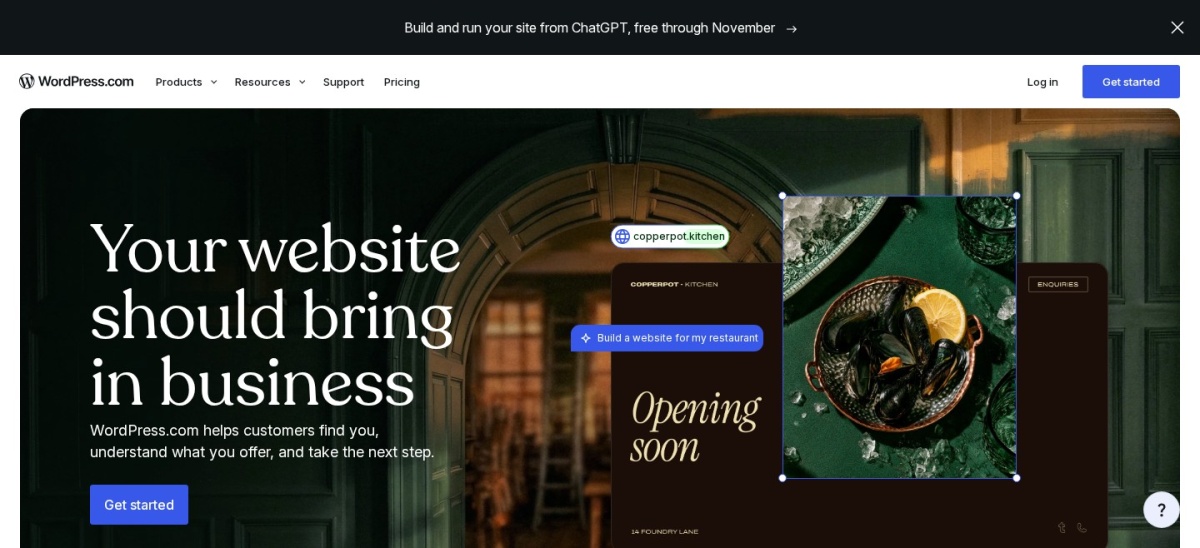
WordPress.com homepage, captured Nov 2026.
WordPress.com is a hosted content management platform for blogs, business websites and online publications. Its free plan includes 1 GB of storage, unlimited pages and posts, and basic statistics, while the $4/month Personal plan adds plugin installation, a custom domain benefit and managed hosting with security features.
The trade off is that the free plan keeps WordPress.com branding and restricts plugin installation, while more advanced developer features require higher subscriptions. It suits publishers and businesses that want an established CMS with extensive themes, plugins and content ownership options.
What we like
Large ecosystem of themes and plugins
Built-in blogging and editorial tools
Managed hosting, security and updates
Free plan for starting a website
Supports many website types through plugins
Watch out for
Free plan does not allow plugin installation
Additional plugins can increase maintenance complexity
Advanced developer workflows require higher plans
Personal adds plugin installation, custom domains and an ad-free visitor experienceVisit wordpress.com
02
Webflow
4.4/5on G2 (997 reviews, checked Nov 2026)
Paid from$15/mo
Best for design-led content websites
Free planStarter with limited CMS
Basic plan300 static pages, no CMS
CMS publishingPremium, $25/mo annually
Paid planBasic, $15/mo annually
webflow.com
Webflow homepage, captured Nov 2026.
Webflow is a visual website platform that combines design tools, hosting and structured content management. The free Starter plan includes limited CMS functionality, while Basic costs $15/month billed annually and supports custom-domain publishing with 300 static pages and 10 GB of bandwidth.
The trade off is that Basic does not include the full CMS, so content-rich websites need Premium at $25/month billed annually. It suits designers and marketing teams that want custom page layouts, reusable content structures and direct control over how published content appears.
What we like
Detailed visual layout and design controls
Structured CMS collections on compatible plans
Hosting and publishing included
Supports reusable content templates
Good fit for custom marketing websites
Watch out for
Cheapest paid plan excludes CMS functionality
More involved learning curve than simple builders
Advanced collaboration can increase costs
Premium adds Webflow CMS, site search and code componentsVisit webflow.com
03
Wix
4.2/5on G2 (1,943 reviews, checked Nov 2026)
Paid from$17/mo
Best for beginners managing business content
Free planWix-branded website
Website editorDrag-and-drop and AI tools
EcommerceCore plan and above
Paid planLight, $17/mo annually
wix.com
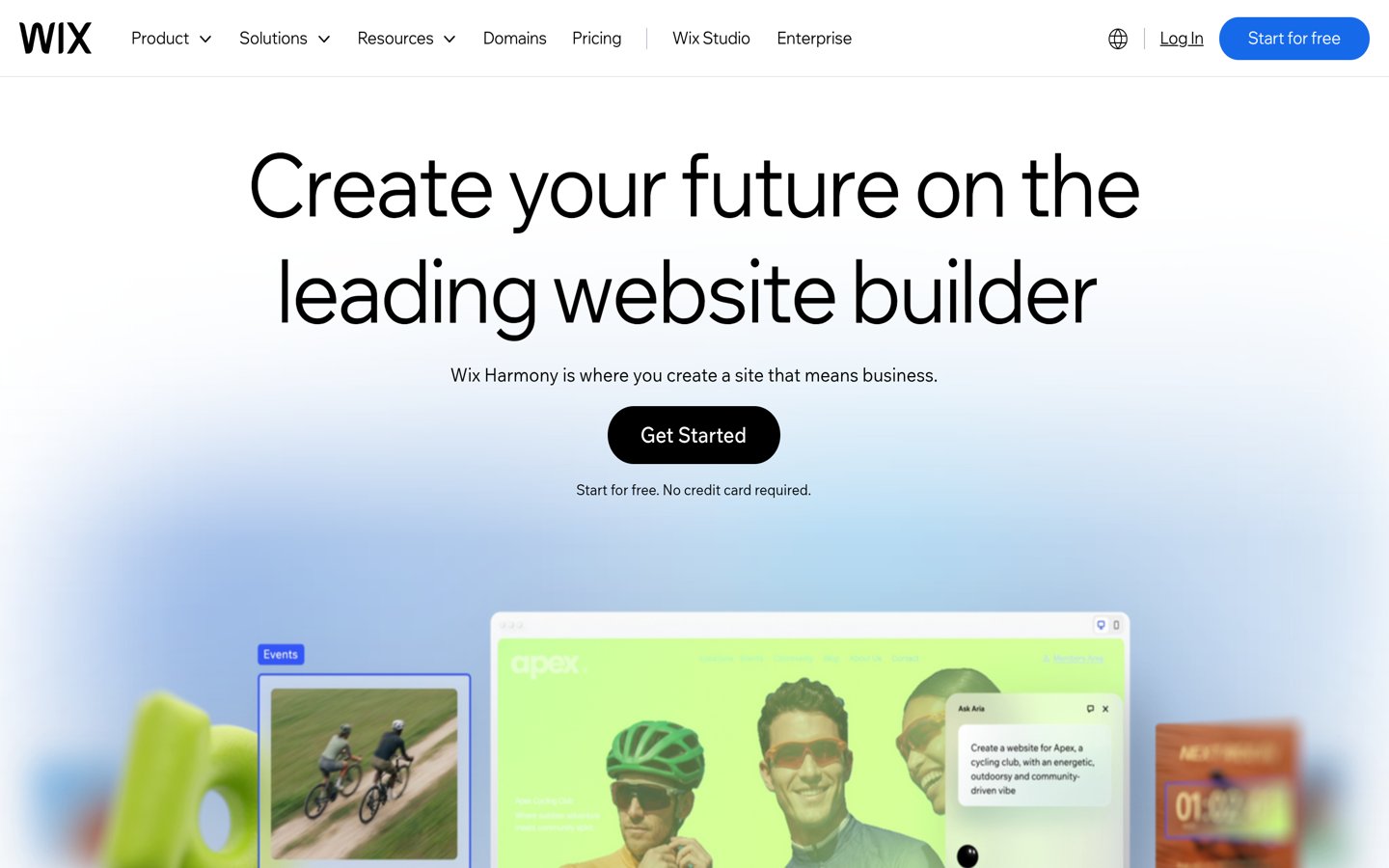
Wix homepage, captured Nov 2026.
Wix is a hosted website builder with blogging, content editing, templates and AI-assisted creation tools. Its free plan lets users build and publish a branded website, while Light costs $17/month billed annually and adds custom-domain support, removal of Wix ads and additional website resources.
The trade off is that the Light plan does not include online payment processing, which starts with Core at $29/month billed annually. It suits small businesses, portfolios and independent publishers who want to manage pages and blog posts without handling hosting or code.
What we like
Approachable drag-and-drop editing
Built-in hosting and website security
Templates for different business types
Blogging and SEO tools included
AI-assisted website and content creation
Watch out for
Ecommerce requires a higher paid plan
Less control over the underlying hosting environment
Extra applications may add subscription costs
Light removes Wix branding and adds custom-domain supportVisit wix.com
04
Framer
4.5/5on G2 (162 reviews, checked Nov 2026)
Paid from$10/mo
Best for visual content and portfolio websites
Free planFramer domain and 1 GB bandwidth
CMS collections2 on Basic
CMS items1,000 on Basic
Paid planBasic, $10/mo annually
framer.com
Framer homepage, captured Nov 2026.
Framer is a visual website design and content publishing platform with a built-in CMS and AI-assisted editing. Its free plan supports designing and publishing on a Framer domain, while Basic costs $10/month billed annually and includes 2 CMS collections, 1,000 CMS items and 50 GB of bandwidth.
The trade off is that the Basic plan has limited content collections, and additional editors are billed separately. It suits designers, startups and small marketing teams that prioritize presentation, landing pages and manageable structured content over complex editorial workflows.
What we like
Visual canvas for customized website layouts
Built-in CMS on the entry paid plan
AI-assisted content and page creation
Custom-domain publishing on Basic
Suitable for portfolios and marketing sites
Watch out for
Basic limits the number of CMS collections
Additional editors cost extra
Less suited to complicated enterprise publishing workflows
Basic adds a custom domain, CMS collections and greater bandwidthVisit framer.com
05
Duda
4.6/5on G2 (798 reviews, checked Nov 2026)
Starts at$19/mo
Best for agencies managing client websites
Free accessFree trial
Included projects1 Core project on Basic
AI credits150 monthly on Basic
Paid planBasic, $19/mo annually
duda.co
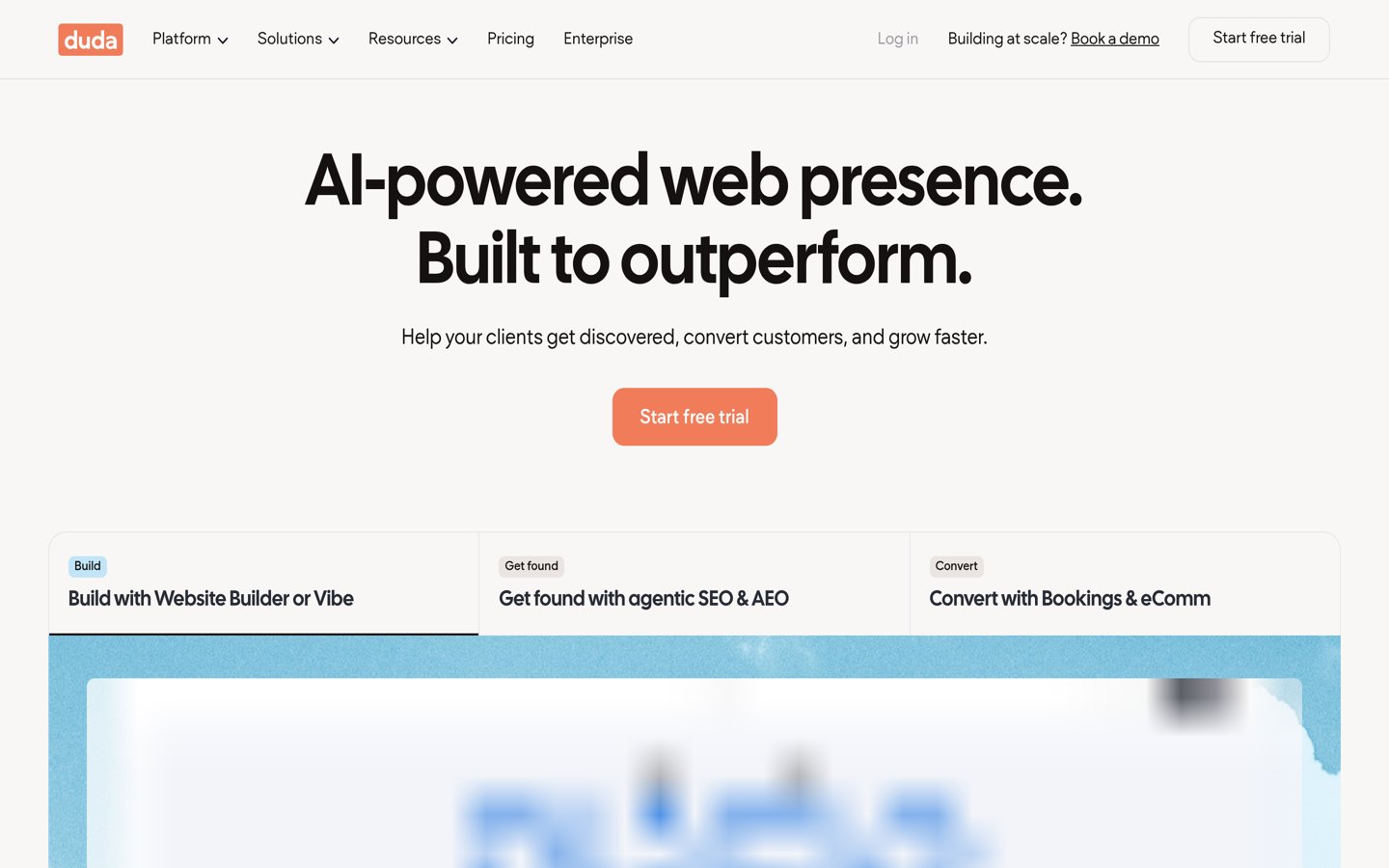
Duda homepage, captured Nov 2026.
Duda is a website development and content management platform designed for agencies and teams maintaining customer websites. Its Basic plan starts at $19/month billed annually and includes 1 Core project, unlimited project creation, site-level AI widget generation and 150 monthly AI credits.
The trade off is that advanced team permissions, collaboration and white-label capabilities require higher subscriptions. It suits freelancers and agencies that manage client-facing websites and prefer a centralized platform for editing, publishing and customer handoff.
What we like
Designed around agency website workflows
Centralized project and site management
Reusable design elements
AI-assisted site creation features
Client collaboration on higher plans
Watch out for
No permanent free subscription
Team collaboration requires upgrading
Additional published projects may cost extra
Team adds collaboration and client workspace capabilitiesVisit duda.co
06
Ghost
4/5on G2 (40 reviews, checked Nov 2026)
Paid from$18/mo
Best for newsletters and independent publishing
Open-sourceSelf-hosting available
Starter members1,000
NewsletterIncluded on Starter
Paid planStarter, $18/mo annually
ghost.org
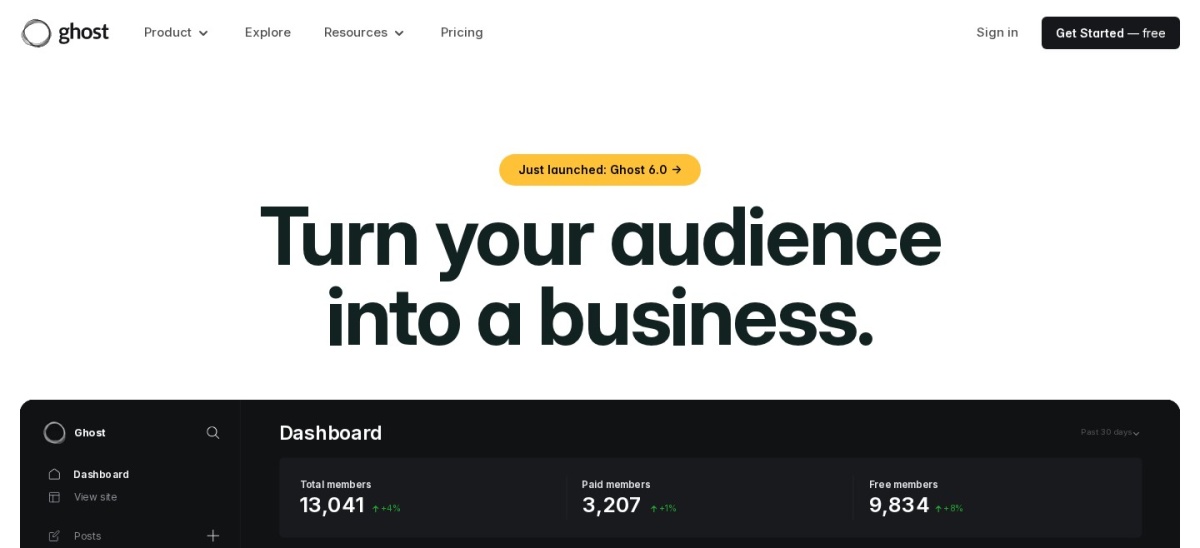
Ghost homepage, captured Nov 2026.
Ghost is an open-source publishing CMS focused on articles, newsletters and membership-based publications. Its managed Ghost(Pro) Starter plan costs $18/month billed annually and includes a hosted website, email newsletters, basic design settings and support for 1,000 registered members.
The trade off is that Starter restricts custom themes and paid subscriptions, which require Publisher at $29/month billed annually. It suits writers, independent publications and newsletter operators who want content publishing and audience management without a general-purpose website builder.
What we like
Focused writing and publishing interface
Built-in email newsletter tools
Member management included
Open-source software with self-hosting options
Built-in SEO and publishing features
Watch out for
Custom themes require a higher managed plan
Paid subscriptions are not included in Starter
Smaller extension ecosystem than WordPress
Publisher adds custom themes, paid subscriptions and advanced analyticsVisit ghost.org
07
Shopify
4.4/5on G2 (5,172 reviews, checked Nov 2026)
Starts at$29/mo
Best for ecommerce content and product catalogs
Free access3-day trial
StorefrontThemes and content pages
Commerce toolsProducts, orders and checkout
Paid planBasic, $29/mo annually
shopify.com
Shopify homepage, captured Nov 2026.
Shopify is a hosted ecommerce platform with content tools for storefront pages, product descriptions, collections and blog posts. Its Basic subscription costs $29/month billed annually and includes store hosting, checkout, product management, an AI assistant and online selling tools.
The trade off is that Shopify is designed around commerce rather than editorial content, and payment processing, third-party applications and some integrations can increase costs. It suits retailers and direct-to-consumer brands that need product content, inventory and sales operations managed together.
What we like
Product and collection content management
Hosted storefront and checkout included
Large application and theme ecosystem
Supports multiple sales channels
Built-in order and inventory management
Watch out for
Less flexible for editorial-first websites
Payment and transaction fees can apply
Advanced functionality may require paid apps
No permanent free store plan
Grow adds additional staff accounts and expanded commerce featuresVisit shopify.com
Traditional CMS vs visual website builders
A traditional CMS prioritizes creating, organizing and publishing content. WordPress.com and Ghost follow this approach, although both also support website design and customization.
A visual website platform combines content management with direct page design. Webflow, Wix and Framer emphasize layout editing, templates and how content appears on the finished website.
Duda takes a service-provider approach, with tools for managing customer websites. Shopify approaches content through products, collections, storefront pages and commercial workflows.
Choose based on the work your team performs most often. Frequent publishing favors clear editorial tools, while frequently changing layouts favors a visual editor.
Content management costs beyond the entry plan
The cheapest subscription is not always the cheapest usable CMS. Webflow illustrates this distinction: Basic costs $15 per month but excludes the full CMS, while Premium costs $25 per month billed annually.
Collaboration creates another cost difference. Framer charges separately for additional editors, while Duda reserves more advanced collaboration capabilities for higher plans.
Publishing costs also depend on hosting, themes, integrations and website requirements. WordPress.com includes managed hosting, but optional paid plugins may add expenses. Shopify may require third-party applications for specialized workflows.
Before committing, compare the subscription needed for your actual content structure, publishing permissions and planned integrations.
How we chose
We considered established website and content management platforms with active products, public documentation and a meaningful body of customer reviews. The shortlist covers general-purpose publishing, visual website CMS tools, agency website management, newsletters and ecommerce content.
Pricing and public G2 ratings were checked against vendor pages and review listings on 22 Nov 2026 for this comparison. Prices use the regular published entry subscription rather than introductory promotions, with annual-billing monthly rates converted to yearly totals. WordPress.com's published annual subscription rate is used instead of its longer multi-year commitments.
We excluded products with unconfirmed flat entry pricing, platforms relying entirely on custom quotes and tools without sufficient public review coverage. We also distinguish entry subscriptions that lack essential CMS functionality from the higher plans needed for structured publishing. No vendor paid for a place, and we do not claim testing for this list.
How to choose the right content management tool
Start by identifying the content your team publishes, then compare editing, permissions, customization and the real subscription needed.
Define your primary content type. A blog, marketing website, membership publication and online store have different requirements. WordPress.com is flexible across website types, Ghost emphasizes articles and newsletters, and Shopify is designed for product-driven content.
Check editing and publishing workflows. Consider whether contributors need drafts, reusable templates, content collections or controlled publishing access. Compare how easily nontechnical editors can update content without changing the website layout.
Evaluate customization and integrations. Review available plugins, APIs, themes and content modeling features. WordPress.com offers extensive extensions, while Webflow and Framer provide more direct visual design control.
Calculate the full annual cost. Multiply the published monthly subscription by the annual billing period and account for additional editors, integrations and higher publishing tiers. Make sure the plan includes the CMS features your website actually needs.
FAQ
What is the best content management tool in 2026?
WordPress.com is the strongest general-purpose choice for most websites because it combines managed hosting, publishing tools and access to more than 60,000 plugins on paid plans. Webflow is a better match for highly customized visual layouts, while Wix is easier for beginners who mainly manage straightforward website pages.
What is the difference between a CMS and a website builder?
A CMS primarily manages digital content, including articles, images, pages and structured records. A website builder focuses on designing and publishing web pages. Many current platforms combine both functions, although the depth of content modeling, editorial permissions and visual design control differs considerably.
Which content management platform is best for beginners?
Wix is a convenient starting point because it combines templates, visual editing, hosting and blogging in one interface. Its free plan lets users create a branded website, and Light starts at $17 per month billed annually. WordPress.com is another approachable option when future extensibility matters.
Can I use content management software for free?
Yes. WordPress.com, Webflow, Wix and Framer provide free plans with different restrictions. These often involve branded domains, storage limits or reduced publishing features. Ghost also offers open-source software for self-hosting, although operating your own hosting environment can introduce separate infrastructure costs.
Which CMS is best for SEO?
WordPress.com, Webflow, Wix, Ghost and Framer all provide website publishing and SEO-related capabilities. The right choice depends on control over titles, metadata, redirects, content structure and indexing. Selecting a CMS does not guarantee higher rankings; content quality, technical configuration and site performance also matter.
Is Webflow better than WordPress.com for content management?
Webflow is a strong choice when designers need detailed control over visual layouts and structured CMS collections. WordPress.com is more attractive when a large plugin ecosystem and flexible traditional publishing are priorities. Webflow's entry Basic plan excludes full CMS functionality, so its Premium subscription is the more relevant comparison for content-heavy websites.
Which CMS is best for managing client websites?
Duda is particularly suitable for agencies because its platform centers on customer websites, reusable design elements and client management. Basic starts at $19 per month billed annually, while higher subscriptions expand collaboration capabilities. Webflow is another option when custom website design is central to the service.
Which content management tool is best for ecommerce?
Shopify is the most commerce-focused product in this comparison. It combines storefront content, product catalogs, collections, inventory and checkout tools. Basic starts at $29 per month billed annually. WordPress.com can also support ecommerce through plugins, but setup and ongoing management depend on the extensions selected.
What should I check before moving to another CMS?
Review how the new system handles content exports, URLs, redirects, images, metadata, categories and custom fields. Confirm that existing content relationships and publishing permissions can be reproduced. A migration plan should also address hosting, integrations and search engine indexing to reduce disruptions after launch.