WLWPLegible EditorsLast verified 22 Nov 2026How we rank13 min read
★ Short answer
Visual Studio Code is the best coding software for most developers, with a free editor and a 4.7/5 G2 rating from 2,759 reviews. Choose Eclipse for Java projects or Notepad++ for lightweight editing on Windows. GitHub Copilot is worth considering when AI coding assistance matters more than getting another editor.
How we make this list: we compare pricing pages, product documentation and public user reviews, then re-check every price before each update. No product paid for a place. Disclosure.
Visual Studio Code is free and rated 4.7/5 across 2,759 G2 reviews, making it the strongest general-purpose recommendation.
Eclipse offers a free, extensible IDE for Java development and holds a 4.3/5 G2 rating from 3,225 reviews.
Notepad++ costs nothing and earns 4.6/5 from 2,472 G2 reviews, but its native desktop version is Windows-only.
CodePen offers unlimited public Pens for free; Starter costs $96 per year with annual billing and adds private workspaces.
GitHub Copilot Pro costs $10 per month and adds unlimited code completions, while Visual Studio Professional starts at $45 per user per month.
Sublime Text uses a $99 personal license covering 3 years of updates rather than requiring an ongoing personal subscription.
What matters when choosing coding software?
Coding software covers several different types of tools. A code editor is mainly for writing and editing source files. An integrated development environment, or IDE, combines editing with debugging, project management, testing, and language-specific development features.
Start with the programming languages and frameworks you use. A general editor with extensions can accommodate different projects, while a dedicated IDE may be more useful for Java, C++, or .NET development.
Look closely at debugging, Git integration, code completion, extensions, and terminal access. These features can reduce the need to switch between separate applications while writing and maintaining code.
Pricing also needs context. Some products are completely free, some sell personal licenses, and others charge monthly subscriptions. AI assistants may also have usage allowances or additional consumption charges that are separate from the editor itself.
Visual Studio Code is a free source code editor from Microsoft with built-in Git integration, debugging support, a terminal, and an extensive extension marketplace. It supports JavaScript, TypeScript, and many other languages through built-in capabilities and extensions. Its lightweight starting point makes it suitable for beginners and experienced developers working across different technology stacks.
The trade off is that language-specific workflows often require installing and configuring extensions rather than receiving a complete IDE out of the box. The editor itself remains free, although optional external services and AI subscriptions may cost extra. It suits developers who want a flexible environment without paying for the core software.
What we like
Free for personal and commercial coding
Large extension marketplace
Integrated Git, debugging, and terminal
Works across major desktop operating systems
Supports diverse programming languages
Watch out for
Extension setup can become complicated
Some language tooling needs separate installation
Large extension collections can affect responsiveness
No paid editor plan; optional third-party extensions and services may charge separately.Visit code.visualstudio.com
02
Eclipse
4.3/5on G2 (3,225 reviews, checked Nov 2026)
PriceFree
Best free IDE for Java development
Primary languageJava
PlatformsWindows, macOS, Linux
ExtensibilityEclipse plugins
IDE priceFree
eclipse.org
Eclipse homepage, captured Nov 2026.
Eclipse is a free, open-source IDE built around an extensible development platform. Its Java development packages provide source editing, debugging, project navigation, and support for larger application workflows. Additional plugins extend the environment for other languages, frameworks, and development tools.
The trade off is a more complex interface and configuration process than a minimal code editor, particularly when projects depend on numerous plugins. Eclipse itself has no paid license requirement, although commercial extensions and support services may cost extra. It suits Java developers who prefer a full desktop IDE without subscription fees.
What we like
Free open-source development environment
Established Java development ecosystem
Plugin architecture supports customization
Built-in debugging and project tools
Watch out for
Interface can feel crowded
Plugin configuration requires maintenance
Can use substantial resources on larger workspaces
No paid Eclipse IDE plan; commercial plugins and support are separate.Visit eclipse.org
03
Notepad++
4.6/5on G2 (2,472 reviews, checked Nov 2026)
PriceFree
Best for lightweight code and text editing
PlatformWindows
Editor typeText and source code
Key featuresTabs, syntax highlighting, regex
Software priceFree
notepad-plus-plus.org
Notepad++ homepage, captured Nov 2026.
Notepad++ is a free, open-source text and code editor for Windows built on the Scintilla editing component. It provides syntax highlighting, tabbed editing, autocomplete, and regular-expression search and replace. Its focused interface is especially useful for quick changes to scripts, configuration files, and logs.
The trade off is that Notepad++ does not include the complete project management, debugging, and build workflows found in a full IDE. The application itself is free, with no paid edition required. It suits developers and system administrators who want to open files quickly without loading a larger development environment.
What we like
Completely free and open source
Lightweight desktop application
Useful search and replacement features
Tabbed editing for multiple files
Suitable for scripts, configuration files, and logs
Watch out for
Native application is Windows-only
Limited integrated debugging
Less suitable for managing complex application projects
Sublime Text is a cross-platform source code editor focused on responsive editing, navigation, and customization. It includes multiple selections, split editing, a command palette, and project switching. A personal license costs $99 and includes 3 years of updates, while the software can be downloaded for evaluation before purchase.
The trade off is that continued use requires purchasing a license, and receiving updates after the included period requires an upgrade. The $99 personal payment is a one-time license purchase rather than an annual fee. It suits developers who value fast text editing and prefer an individual license over a recurring personal subscription.
What we like
Responsive editing experience
Multiple selections and split editing
Customizable commands and shortcuts
Personal license is not a recurring subscription
Runs across major desktop operating systems
Watch out for
Continued use requires a paid license
Updates beyond the included period require an upgrade
Fewer integrated development tools than a full IDE
The $99 personal license includes 3 years of updates; business licensing starts at $65 per seat yearly.Visit sublimehq.com
05
CodePen
4.6/5on G2 (97 reviews, checked Nov 2026)
Paid from$8/mo
Best for front-end coding and browser previews
Development focusFront-end web code
Free planUnlimited public Pens
Starter plan$8/mo, billed annually
Starter storage2 GB asset hosting
codepen.io
CodePen homepage, captured Nov 2026.
CodePen is a browser-based development environment for building and sharing front-end code examples with live previews. Its free plan includes unlimited public Pens and supports 3 files per Pen. The Starter plan adds privacy controls, CodePen AI, asset hosting, and higher file limits.
The trade off is that CodePen focuses on front-end examples rather than replacing a complete local development environment for large applications. Starter costs $8 per month with annual billing, totaling $96 per year; monthly billing is higher. It suits developers creating interface experiments, demonstrations, and shareable HTML, CSS, or JavaScript examples.
What we like
Runs directly in the browser
Live front-end previews
Unlimited public Pens on the free plan
Easy sharing and embedding
Paid plans add privacy and collaboration features
Watch out for
Free Pens are public
Not designed as a full back-end IDE
Asset hosting and privacy require payment
Paid AI functionality has plan-based allowances
Starter adds private Pens, CodePen AI, 2 GB asset hosting, and up to 5 collaborators.Visit codepen.io
06
GitHub Copilot
4.4/5on G2 (403 reviews, checked Nov 2026)
Paid from$10/mo
Best for AI-assisted coding
Software typeAI coding assistant
Free tierLimited chat and agent usage
Pro plan$10/user/mo
IntegrationsVS Code, Visual Studio, JetBrains
github.com
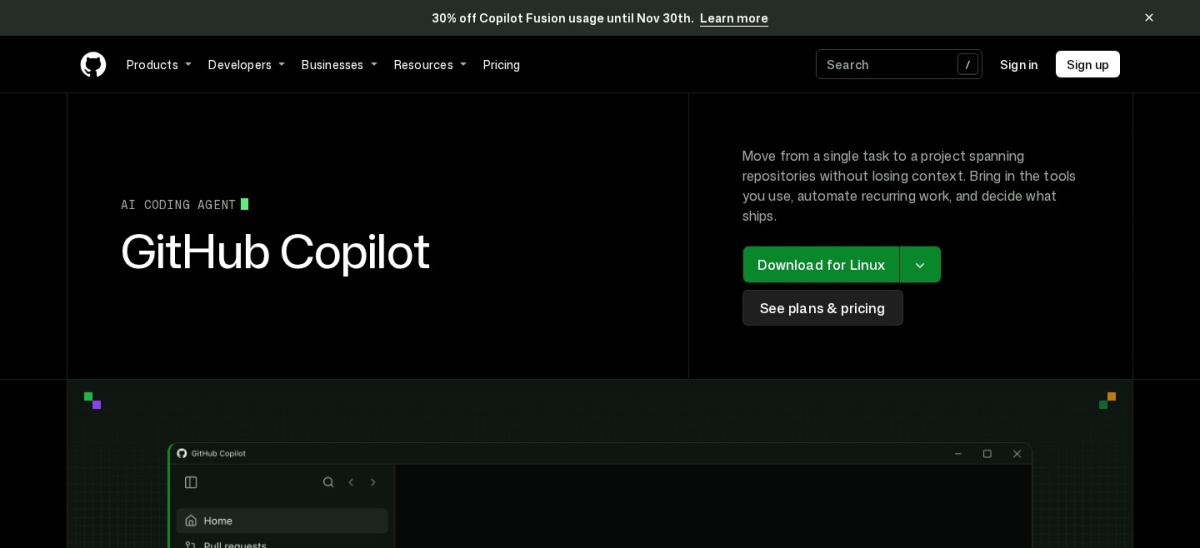
GitHub Copilot homepage, captured Nov 2026.
GitHub Copilot is an AI coding assistant that works inside supported development environments rather than replacing the editor. Its free plan provides limited chat and agent usage. Copilot Pro adds unlimited code completions, next-edit suggestions, model selection, and access to cloud coding and code-review features.
The trade off is that AI-generated suggestions can contain mistakes, and some agent features consume usage-based credits. Pro costs $10 per user per month, with additional allowances and capabilities on higher tiers. It suits developers who already have a preferred editor and want AI assistance for writing, explaining, and reviewing code.
What we like
Works with established editors and IDEs
Free entry plan
Code completion and next-edit suggestions
AI chat, agents, and code-review capabilities
Supports multiple programming languages
Watch out for
Not a standalone traditional code editor
Generated code requires developer review
Agent usage and model access depend on allowances
Additional consumption may incur charges
Pro adds unlimited completions and expanded agent access with a $15 monthly total credit allowance.Visit github.com
07
Visual Studio
4.5/5on G2 (4,017 reviews, checked Nov 2026)
Paid from$45/mo
Best for .NET and C++ application development
Primary platformWindows
Core languagesC#, C++, .NET
Free editionCommunity
Professional plan$45/user/mo
visualstudio.microsoft.com
Visual Studio homepage, captured Nov 2026.
Visual Studio is a full integrated development environment for building, debugging, testing, and maintaining applications, particularly with .NET and C++. Its Community edition is free for eligible users and includes code editing, IntelliSense, debugging, and development tools. Paid subscriptions provide Professional or Enterprise editions with additional subscription benefits.
The trade off is that the full IDE is primarily designed for Windows and can be heavier than a general-purpose code editor. Professional monthly costs $45 per user, equivalent to $540 over a year. It suits developers building larger .NET and C++ applications who benefit from integrated debugging, testing, and project tools.
What we like
Comprehensive .NET and C++ development environment
A code editor focuses on writing and modifying source files. It may include syntax highlighting, autocomplete, Git integration, and extensions, but often leaves some build and debugging functionality to additional tools.
An IDE combines code editing with a wider development workflow. Integrated debugging, build management, testing, and framework support can be particularly useful for application development.
Visual Studio Code and Sublime Text suit developers who want flexible editing environments. Eclipse and Visual Studio are better examples of full IDEs, while CodePen is designed for browser-based front-end work.
GitHub Copilot belongs in another category: AI development assistance. It can complement an existing editor or IDE rather than replacing the underlying development environment.
When is paid coding software worth buying?
Free tools are sufficient for many programming workflows. Visual Studio Code, Eclipse, and Notepad++ do not require paid licenses for their core applications.
Paid products become more relevant when they provide features you specifically need. Sublime Text charges for continued licensed use, CodePen adds private work and hosted assets, and Visual Studio offers paid professional subscriptions.
AI coding software introduces another cost consideration. GitHub Copilot provides a free tier, but paid subscriptions expand access and allowances. Check how agent usage and additional credits are billed before committing.
Compare the complete annual cost instead of relying only on the displayed monthly figure. A one-time software license, an annually billed subscription, and a monthly subscription represent different long-term commitments.
How we chose
We built this shortlist from established coding editors, integrated development environments, browser-based development tools, and AI coding software. We compared product documentation, supported workflows, development features, platform compatibility, and public user reviews.
Official vendor pricing pages and G2 ratings were checked using publicly accessible information on 23 Nov 2026 for this 22 Nov 2026 editorial snapshot. Pricing uses the cheapest confirmed paid option or identifies software with no paid core plan. Sublime Text's one-time license is shown as first-year expenditure rather than a recurring annual charge.
We excluded products whose official pricing could not be verified, products with insufficient public review evidence, and offerings that did not fit a practical coding workflow. The selection reflects public documentation and reviews rather than direct performance benchmarking. No vendor paid for a place, and we do not claim testing for this list.
How to choose the right coding software
Start by identifying the languages, applications, and development tasks you expect your coding software to handle most often.
Match the software to your programming language. Choose tools with established support for your main language and framework. Java developers may prefer Eclipse, while .NET and C++ developers may benefit from Visual Studio. Developers switching frequently between languages can start with Visual Studio Code.
Decide how much development tooling you need. A simple editor works well for scripts, configuration files, and smaller projects. A full IDE becomes more useful when debugging, testing, building, and navigating complex applications are regular parts of the workflow.
Check your operating system and collaboration requirements. Confirm that the software runs on your devices and supports the way your team works. Consider Git integration, shared workspaces, remote development, and whether browser-based previews or private projects are important.
Compare the complete cost and upgrade benefits. Look beyond the starting price. Check license restrictions, billing frequency, included updates, AI usage allowances, and whether additional subscriptions are required. Select a paid plan only when its extra capabilities justify the recurring or upfront expense.
FAQ
What is the best coding software overall?
Visual Studio Code is our top choice for general-purpose coding because it is free, supports many programming languages through extensions, and includes debugging and Git integration. It also has a 4.7/5 rating from 2,759 G2 reviews. Developers with specialized requirements may prefer a dedicated IDE.
What is the best free coding software for beginners?
Visual Studio Code is a practical starting point because beginners can write, run, and debug many types of code using its editor and available extensions. Notepad++ is simpler for learning basic file editing on Windows, while Eclipse may be preferable for beginners concentrating on Java.
Is Visual Studio Code completely free?
Yes. The Visual Studio Code editor is available without a paid license for personal and commercial use. Its core features include source editing, debugging support, Git integration, and extensions. Optional external services, hosted development environments, or AI coding subscriptions may have separate charges.
What is the difference between Visual Studio and Visual Studio Code?
Visual Studio is a full IDE focused particularly on .NET and C++ application development, with integrated tools for debugging, testing, and building projects. Visual Studio Code is a lighter, extensible editor that supports many languages. Both have free options, but their development workflows and paid offerings differ.
Which coding software is best for Java?
Eclipse is a strong free choice for Java development, especially when projects benefit from integrated debugging, structured project management, and an established plugin ecosystem. Visual Studio Code can also support Java with extensions. The better choice depends on how much integrated project tooling you need.
Can I use coding software without installing anything?
Yes. Browser-based tools such as CodePen let you write and preview front-end code without installing a desktop editor. CodePen's free plan supports unlimited public Pens. It is most appropriate for HTML, CSS, and JavaScript examples rather than every type of back-end or desktop application.
Is GitHub Copilot worth paying for?
GitHub Copilot Pro may be worthwhile if you regularly use AI code completion, chat, and development agents. It costs $10 per user per month. However, generated code still needs review, and some agent features have consumption allowances. Start with the free tier to judge whether it fits your workflow.
Is Sublime Text a subscription?
Sublime Text offers a $99 personal license as a one-time purchase, including 3 years of updates. After that period, an upgrade is required to receive further updates. Business licenses use annual subscriptions, starting at $65 per seat per year for the initial seat tier.
Do professional developers need paid coding software?
No. Many professional workflows can be handled with free tools such as Visual Studio Code and Eclipse. Paid software may still be valuable for specialized development tools, licensed commercial features, cloud services, or AI assistance. The right decision depends on project requirements and the benefits of the upgrade.