Best Cloud Based Tax Preparation Software in 2026: 7 Tools Compared
WLWPLegible EditorsLast verified 22 Nov 2026How we rank13 min read
★ Short answer
FreeTaxUSA is our top cloud based tax preparation software pick for cost-conscious filers, with free federal returns and optional Deluxe Support for $7.99. Cash App Taxes offers free federal and state filing, while 1040.com charges a flat $34.99 for its paid filing service, including federal and state returns.
How we make this list: we compare pricing pages, product documentation and public user reviews, then re-check every price before each update. No product paid for a place. Disclosure.
FreeTaxUSA provides free federal filing, with Deluxe Support costing $7.99 and additional state filing fees.
Cash App Taxes charges $0 for federal and state filing and reports more than 12 million returns filed.
1040.com charges $34.99 for federal and state filing, with a 4.5/5 Trustpilot rating from more than 39,000 reviews.
TaxSlayer Classic includes major tax forms and schedules, with a published federal filing price of $19.99.
TaxAct Deluxe costs $59.99 for federal filing, while H&R Block Deluxe lists $65 and TurboTax Deluxe lists $79.
Trustpilot scores differ sharply: TaxSlayer scores 4.2/5, TaxAct 4.0/5, and the TurboTax-linked Intuit profile 1.2/5.
What to look for in cloud based tax preparation software
Cloud based tax preparation software lets you prepare and file tax returns through a browser without installing traditional desktop software. Most platforms guide users through income, deductions, credits and required tax forms.
The first consideration is form coverage. A free filing option may handle a straightforward return but require an upgrade for itemized deductions, investment sales or self-employment income. Check the forms your return needs before comparing prices.
Next, compare the total filing cost, not just the advertised federal price. Some products charge separately for state returns, tax professional assistance, audit support and refund processing.
Support also matters. Some platforms provide email guidance or searchable help articles, while others offer live chat, tax professional assistance or a paid review of your completed return.
Finally, look at independent customer reviews alongside official product documentation. Ratings reveal recurring concerns about billing, support and usability, but broad company ratings do not always represent the tax preparation product specifically.
The 7 best cloud based tax preparation software tools
01
FreeTaxUSA
2.5/5on Trustpilot (197 reviews, checked Nov 2026)
Paid from$7.99/yr
Best for affordable online tax preparation
Federal filingFree
State filing$18.99 additional
Paid upgradeDeluxe Support, $7.99
Professional helpPro Support available
freetaxusa.com
FreeTaxUSA homepage, captured Nov 2026.
FreeTaxUSA is an online tax preparation service that provides free federal filing and supports more than 350 credits and deductions. It handles common income types, investments and self-employment forms without requiring a premium federal filing package. Users can import prior returns and selected tax documents.
The trade off is that state filing costs $18.99, while live chat and priority assistance require Deluxe Support at $7.99. Pro Support adds access to a tax professional for $44.99. It suits people who want broad tax form coverage without paying a large federal preparation fee.
What we like
Free federal filing for straightforward and complex returns
Supports hundreds of tax credits and deductions
Affordable Deluxe Support upgrade
Prior-year return and tax document import
Watch out for
State filing costs extra
Free customers do not receive Deluxe priority support
Professional assistance requires a higher-priced upgrade
Trustpilot feedback includes complaints about support and amendments
Deluxe adds live chat, priority support and unlimited amended returnsVisit freetaxusa.com
02
Cash App Taxes
4.4/5on Trustpilot (27,874 reviews, checked Nov 2026)
PriceFree
Best for completely free online filing
Federal filingFree
State filingFree
Income supportedW-2, 1099, investments
Paid upgradeNone
cash.app
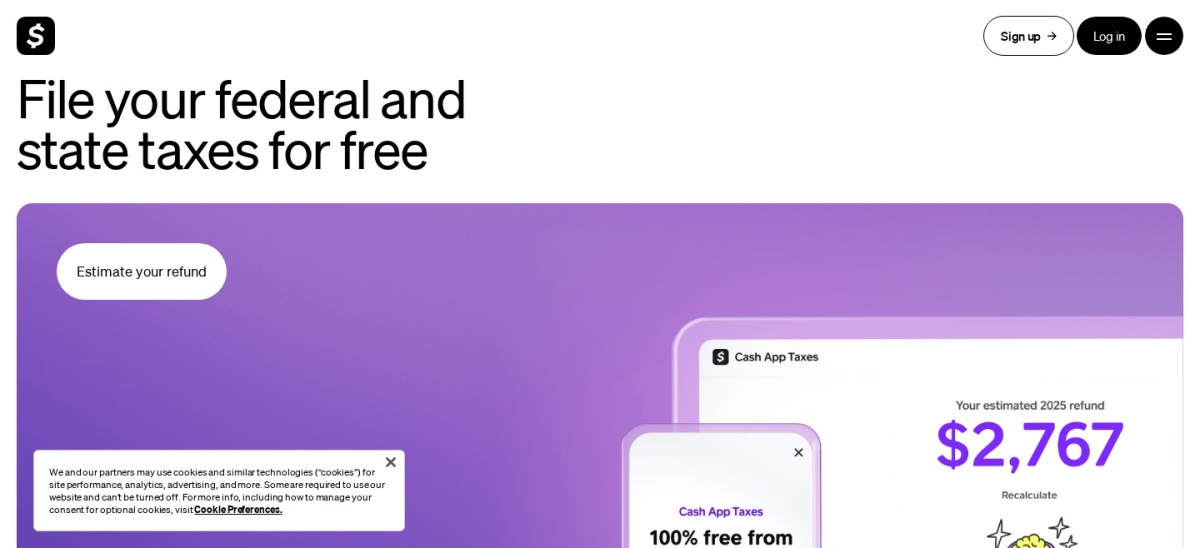
Cash App Taxes homepage, captured Nov 2026.
Cash App Taxes is a browser-based tax preparation service offering free federal and state filing. The company reports more than 12 million returns filed and supports W-2 income, 1099 forms, self-employment income, stock transactions and cryptocurrency sales. Users can prepare returns through a computer after setting up the required Cash App account.
The trade off is that Cash App Taxes does not sell a paid tier with dedicated tax professional preparation or review. Its $0 filing model also requires access through Cash App. It suits self-directed filers who want to avoid preparation fees and are comfortable reviewing their own tax information.
What we like
Federal and state filing are free
Supports self-employment and investment income
No paid filing tier or forced upgrade
Browser-based preparation
Watch out for
Requires a Cash App account and mobile app for login
No paid professional review tier
Form and eligibility restrictions should be checked before starting
Trustpilot rating covers Cash App overall, not only its tax service
4.5/5on Trustpilot (39,889 reviews, checked Nov 2026)
Starts at$34.99/yr
Best for predictable flat-rate filing
Filing price$34.99 flat rate
Federal filingIncluded
State filingIncluded
SupportEmail and chat
1040.com
1040.com homepage, captured Nov 2026.
1040.com is cloud based tax preparation software that uses a flat $34.99 filing price regardless of income level or most supported tax situations. The price includes federal and state returns, with itemized deductions and common self-employment forms supported. Users can prepare and preview their completed returns before paying.
The trade off is that there is no standard free filing tier, even when the return is straightforward. Optional services may introduce additional charges beyond the $34.99 filing fee. It suits people who prefer predictable pricing and do not want separate federal and state preparation charges.
What we like
Flat filing price regardless of most tax situations
Federal and state returns included
Supports common self-employment forms
Free preparation and preview before payment
Watch out for
No standard free filing plan
Optional services can cost extra
Some complex filing situations require careful form verification
The paid filing package includes federal and state returnsVisit 1040.com
04
TaxSlayer
4.2/5on Trustpilot (31,406 reviews, checked Nov 2026)
Paid from$19.99/yr
Best for broad form coverage at a low price
Free filingSimply Free, eligible returns
Paid planClassic, $19.99
State filing$39.99 additional
Form coverageAll major IRS forms
taxslayer.com
TaxSlayer homepage, captured Nov 2026.
TaxSlayer is online tax preparation software offering a limited Simply Free option and a broader Classic filing package. Classic lists $19.99 for federal filing and supports major IRS forms and schedules, including itemized deductions, investment income and rental income. The service also provides prior-year information import and phone and email support.
The trade off is that state returns cost an additional $39.99, and enhanced help requires an upgrade. The official pricing pages have displayed different seasonal prices, including an earlier $44.99 Classic listing, so the checkout total deserves attention. It suits filers who want broad form coverage without buying a premium filing package.
What we like
Classic includes major forms without separate form-based upgrades
4/5on Trustpilot (8,721 reviews, checked Nov 2026)
Paid from$59.99/yr
Best for guided deductions and tax forms
Free filingEligible simple returns
Paid planDeluxe, $59.99
Investment filingPremier, $99.99
Self-employed filing$109.99 tier
taxact.com
TaxAct homepage, captured Nov 2026.
TaxAct is a cloud based tax preparation platform that guides users through income reporting, deductions and credits. Its free tier covers qualifying simple returns, while Deluxe costs $59.99 for federal filing and adds homeowner deductions and childcare expenses. Premier and Self-Employed provide additional coverage for investments, rental income and business earnings.
The trade off is that TaxAct divides more complex filing needs across higher-priced packages, with state filing charged separately. Premier lists $99.99 and Self-Employed $109.99 before state charges. It suits people who prefer structured tax interviews and clear package choices matched to their income sources.
1.3/5on Trustpilot (1,498 reviews, checked Nov 2026)
Paid from$65/yr
Best for access to tax guidance
Free filingEligible simple returns
Paid planDeluxe, $65
State filing$49 additional
Expert assistanceLive help available
hrblock.com
H&R Block homepage, captured Nov 2026.
H&R Block is an established tax preparation provider with browser-based filing and access to tax guidance. Its Free Online product supports eligible simple returns, while Deluxe costs $65 for federal preparation and covers homeowner deductions, childcare expenses and Health Savings Accounts. The Deluxe product page also advertises live tax help and document upload.
The trade off is that Deluxe charges $49 per state filed, increasing the total beyond the federal price. More complex investment, rental and business situations may require Premium or Self-Employed. It suits filers who value access to tax assistance and want the option to purchase a professional review.
What we like
Free option for eligible simple returns
Live expert help advertised with Deluxe
Supports document photo uploads
Optional professional return review
Watch out for
State filing adds $49 to Deluxe
Complex returns may require more expensive tiers
Professional review can add another fee
Broad company Trustpilot rating is relatively low
Deluxe adds broader deductions and live guidance optionsVisit hrblock.com
07
TurboTax Online
1.2/5on Trustpilot (1,331 reviews, checked Nov 2026)
Paid from$79/yr
Best for guided filing and document imports
Free filingEligible simple returns
Paid planDeluxe, $79
Tax documentsImport and upload
Expert assistancePaid options available
turbotax.intuit.com
TurboTax Online homepage, captured Nov 2026.
TurboTax Online is a browser-based tax preparation platform built around guided questions and document imports. Its Free Edition supports eligible simple returns, while Deluxe lists $79 for federal filing and covers broader deductions, credits and additional income forms. The Deluxe product page also displays a separate 4.3/5 product rating from 17,070 reviews.
The trade off is that more complicated investment, rental or self-employment filing can require a higher-priced product, while state filing and expert services may add costs. The $79 Deluxe price is separate from promotional offers. It suits filers who want detailed guidance, familiar navigation and optional expert assistance.
What we like
Detailed guided filing process
Supports importing and uploading tax documents
Free Edition for eligible simple returns
Optional assistance from tax experts
Watch out for
Higher entry price than several alternatives
State filing may add costs
Complex situations may require a higher tier
Intuit's broad Trustpilot profile has a low rating
Why the cheapest advertised tax software may cost more
Tax preparation software is usually sold per filing season rather than through a conventional monthly subscription. For comparison, each paid filing price here represents a single filing cycle, not an automatically renewable software subscription.
A free federal return does not always include free state filing. FreeTaxUSA, for example, offers free federal filing but charges for state returns. Cash App Taxes includes both, while 1040.com combines federal and state filing under one paid price.
Other charges can come from professional advice, priority support, audit representation and optional refund services. Compare the complete checkout amount for your specific tax situation before choosing a product.
Why tax software ratings need context
Trustpilot reviews often cover a company's overall customer experience, including billing, account access and customer service. They do not always measure tax preparation accuracy or the features of a particular filing product.
Cash App's Trustpilot rating covers its wider financial services platform, not Cash App Taxes alone. Similarly, the TurboTax entry uses the Intuit profile associated with its tax website. H&R Block's Trustpilot profile may include experiences outside its online filing product.
Use ratings to identify common customer concerns, then check the official product pages for supported forms, filing fees and service guarantees.
How we chose
We built this comparison around established browser-based tax preparation services with published filing options, identifiable product documentation and substantial customer feedback. The selection includes products for straightforward returns, itemized deductions, investment income and self-employment situations. We prioritized software that prepares returns directly rather than tools designed mainly for accounting practice management.
Prices, product descriptions and public review ratings were reviewed against vendor pages and independent review listings for the November 2026 comparison, with the article's reference date set to 22 Nov 2026. We compared the cheapest paid filing option, separate state charges, eligibility for free filing, included forms and access to support. Where vendor pages advertised different seasonal amounts, we noted the discrepancy rather than treating every promotional price as permanent.
We excluded practice-management-only platforms, services without sufficiently clear public pricing and products that did not fit personal online tax preparation. Independent ratings were treated as customer sentiment rather than evidence of filing accuracy, and broad company reviews were identified where relevant. No vendor paid for a place, and we do not claim testing for this list.
How to choose cloud based tax preparation software
Start by identifying the forms you need, then compare the complete filing cost and support options before selecting a platform.
List the tax forms you need. Check whether your return includes W-2 income, 1099 payments, investments, rental income, itemized deductions or self-employment expenses. A free tier may cover basic income but require a paid upgrade for additional forms.
Calculate the total filing cost. Add federal preparation, state filing, professional support and optional services. Compare the final checkout price rather than only the starting price displayed in a product comparison.
Choose the support level you need. Experienced filers may be comfortable with searchable help articles and email support. People with unfamiliar deductions or more complicated returns may prefer live assistance or a professional review option.
Review security and customer feedback. Confirm that the service uses appropriate account protection and secure document handling. Read recent customer reviews for recurring concerns about billing, account access, support and filing corrections.
FAQ
What is cloud based tax preparation software?
Cloud based tax preparation software lets users prepare and submit tax returns through an internet-connected browser. The service stores return information in an online account and guides filers through income, deductions, credits and tax forms. Users generally do not need to install traditional desktop software.
What is the best cloud based tax preparation software?
FreeTaxUSA is our top pick for affordable filing because federal preparation is free and Deluxe Support costs $7.99. Cash App Taxes is a better fit when free federal and state filing is the priority. For predictable paid pricing, 1040.com charges a flat $34.99.
Can I prepare my taxes online for free?
Yes. FreeTaxUSA offers free federal filing, while Cash App Taxes provides free federal and state preparation. TaxSlayer, TaxAct, H&R Block and TurboTax also provide free options for qualifying returns. Eligibility varies, so check that every required form is included before starting.
Does cloud based tax software support self-employment income?
Several services support self-employment income, including FreeTaxUSA, Cash App Taxes, 1040.com and TaxSlayer Classic. Other providers may require a higher-priced filing package. Check support for Schedule C, business expenses, estimated payments and any additional forms relevant to your income.
Is cloud based tax preparation software secure?
Established providers use account security measures and protected connections to handle sensitive tax information. Cash App Taxes, for example, describes encryption and two-factor authentication. Users should also create unique passwords, enable available account protection and avoid uploading tax documents through untrusted links.
Why does tax preparation software charge separately for state returns?
Many vendors separate federal preparation from state return processing and price those services independently. This means a free or inexpensive federal plan can become more costly at checkout. Some providers combine both into one price, making total costs easier to predict.
Is TurboTax better than FreeTaxUSA?
TurboTax provides detailed guided filing and several expert assistance options, while FreeTaxUSA emphasizes broad form coverage at a lower federal preparation cost. TurboTax Deluxe lists $79, compared with FreeTaxUSA's free federal filing and optional $7.99 Deluxe Support. The better choice depends on your support needs.
Can tax preparation software handle investment income?
Yes, but the required product tier varies. FreeTaxUSA and Cash App Taxes support common investment income situations without charging for federal preparation. TaxAct uses its Premier tier for investment sales, while TurboTax may require Premium. Check stock transactions, cryptocurrency sales and capital gains forms before choosing.
Should I trust customer ratings when choosing tax software?
Customer ratings are useful for identifying patterns in usability, billing and support, but they do not establish the accuracy of tax calculations. Some review profiles cover an entire company rather than its tax filing product. Compare recent reviews with official documentation and available service guarantees.