Best Cloud Based Bookkeeping Software in 2026: 7 Tools Compared
WLWPLegible EditorsLast verified 22 Nov 2026How we rank10 min read
★ Short answer
QuickBooks Online is our top cloud bookkeeping pick for businesses that need connected bank transactions, automated categorization and financial reports, with Simple Start at $38/month and a 4.0/5 G2 rating from 3,913 reviews. Wave is better for free bookkeeping, while Zoho Books offers a $20/month paid entry plan with connected bank feeds.
How we make this list: we compare pricing pages, product documentation and public user reviews, then re-check every price before each update. No product paid for a place. Disclosure.
QuickBooks Online Simple Start costs $38/month and adds automated bookkeeping, general business reports and accountant access.
Wave Starter supports unlimited invoices, bills and bookkeeping records for free; Pro costs $19/month and automates bank transaction imports.
Zoho Books includes bank reconciliation and 50+ reports on its free plan, while Standard adds connected bank feeds for $20/month.
Xero Early costs $27/month, includes bank reconciliation and limits users to 20 invoices and 5 bills.
ZipBooks Smarter costs $15/month, making it the cheapest paid upgrade among these 7 products, with recurring invoices and 5 team members.
FreshBooks Lite supports invoicing for 5 clients at $23/month, while Kashoo costs $30/month and includes unlimited users.
What cloud bookkeeping software should do
Cloud bookkeeping software helps businesses record transactions, organize expenses, reconcile bank accounts and maintain financial records online. Unlike spreadsheets, dedicated bookkeeping platforms can connect transactions with invoices, bills and reports.
Prioritize bank reconciliation and transaction categorization. These features help you compare recorded transactions with actual bank activity, identify missing entries and keep financial records organized.
Check the limits of entry plans. Some free products support unlimited bookkeeping records but charge for automatic bank imports. Other platforms limit invoices, bills, users or connected accounts.
Also consider collaboration and reporting. Your software should provide the financial statements your accountant needs, secure access for authorized users and a practical way to export records if you switch providers.
QuickBooks Online is cloud bookkeeping and accounting software for recording income, expenses and financial transactions. Its free plan includes 1 user, 1 bank connection and basic reports, while Simple Start costs $38 per month and adds automated bookkeeping, more reporting capabilities and access for 2 accountants.
The trade off is the subscription cost and limited user access. Simple Start normally costs $38 per month, although a temporary 70% discount is offered for the first 3 months, and growing businesses may need a higher plan. It suits businesses wanting connected bookkeeping records and an established accounting ecosystem.
What we like
Automatic transaction categorization on paid plans
Connected bank transactions and financial reporting
Free plan for basic bookkeeping
Accountant access on Simple Start
Invoice and expense management in the same platform
Watch out for
Simple Start supports only 1 regular user
More advanced workflows require higher plans
Higher regular starting price than most alternatives
Wave is online bookkeeping software with a permanent free Starter plan for recording expenses, invoices and bills. Starter supports unlimited invoices, estimates, bills and bookkeeping records, while the $19 monthly Pro plan adds automatic bank imports, transaction categorization and unlimited digital receipt capture.
The trade off is automation. Free users handle more transaction entry manually, while Pro normally costs $19 per month and has a temporary introductory offer of $9.50 per month for 3 months. It suits freelancers and small businesses that want inexpensive bookkeeping without paying for features they rarely use.
What we like
Free unlimited bookkeeping records
Unlimited invoices and bills on Starter
Cash flow and customer dashboard
Pro automates transaction imports and categorization
Digital receipt capture on Pro
Watch out for
Automatic bank imports require Pro
Payment processing carries separate transaction fees
Limited depth for complex inventory and accounting
Pro adds automated bank imports, receipt capture and payment remindersVisit waveapps.com
03
Zoho Books
4.4/5on G2 (333 reviews, checked Nov 2026)
Paid from$20/mo
Best value for growing bookkeeping needs
Free planYes, eligibility limits
Free reports50+
Standard users3
Paid planStandard, $20/mo
zoho.com
Zoho Books homepage, captured Nov 2026.
Zoho Books is cloud bookkeeping software that combines expense records, journal entries, invoices and financial reporting. Its free plan supports 1 user plus 1 accountant, includes bank reconciliation and provides more than 50 reports, while Standard costs $20 per month and supports 3 users.
The trade off is that the free plan has eligibility restrictions and connected bank feeds require an upgrade. Standard costs $20 per month at the regular monthly rate, or $15 per month with annual billing, and adds custom reports and recurring expenses. It suits businesses that need a low-cost path from basic records to more organized bookkeeping.
What we like
Free bookkeeping and bank reconciliation
More than 50 reports on the free plan
Standard supports 3 users
Connected bank feeds and custom reports on Standard
Recurring invoices and expense management
Watch out for
Free plan has eligibility restrictions
Automatic bank feeds require a paid plan
Advanced inventory and workflow features cost more
Standard adds automatic bank feeds, custom reports and additional usersVisit zoho.com
04
Xero
4.4/5on G2 (1,864 reviews, checked Nov 2026)
Starts at$27/mo
Best for collaborative bookkeeping
Free planNo
UsersUnlimited
Early limits20 invoices, 5 bills
Paid planEarly, $27/mo
xero.com
Xero homepage, captured Nov 2026.
Xero is cloud accounting and bookkeeping software for recording financial transactions, reconciling bank accounts and sharing records with accounting professionals. Its Early plan costs $27 per month at the regular price and includes 20 invoices, 5 bills, bank reconciliation, document capture and real-time reports.
The trade off is the transaction limits on Early. Businesses needing more than 20 invoices or 5 bills must upgrade, while a temporary offer reduces the first 6 months by 90%. It suits teams that need shared bookkeeping access and a structured process for reviewing bank transactions.
What we like
Unlimited users for collaboration
Bank reconciliation included in Early
Document capture and real-time reports
Expense tracking and invoice payments
Broad integration ecosystem
Watch out for
Early limits invoices and bills
No permanent free plan
Advanced automation requires higher plans or add-ons
Growing adds broader billing, automation and customizable dashboardsVisit xero.com
05
FreshBooks
4.5/5on G2 (983 reviews, checked Nov 2026)
Starts at$23/mo
Best for service-based bookkeeping
Free planNo, free trial
Lite clients5
Time trackingIncluded
Paid planLite, $23/mo
freshbooks.com
FreshBooks homepage, captured Nov 2026.
FreshBooks is cloud bookkeeping software built around client billing, expenses and service work. Lite costs $23 per month at its regular rate and supports invoicing for 5 clients, real-time expense tracking, estimates, payment collection, time tracking and tax-time reports.
The trade off is that full accounting reports, accountant access and additional client capacity require a higher tier. Lite normally costs $23 per month, although a temporary promotion offers 90% off for 4 months, and team members cost extra. It suits consultants and service businesses that organize bookkeeping around client invoices.
What we like
Client-focused invoicing and estimates
Real-time expense tracking
Time tracking for service work
Online payment collection
Tax-time reporting
Watch out for
Lite supports only 5 billable clients
Additional team members cost extra
Full accounting reports and accountant access require Plus or higher
Plus adds accounting reports, accountant access and more billable clientsVisit freshbooks.com
06
ZipBooks
4.7/5on G2 (86 reviews, checked Nov 2026)
Paid from$15/mo
Best budget bookkeeping upgrade
Free planStarter
Free bank accounts1 connection
Smarter team5 members
Paid planSmarter, $15/mo
zipbooks.com
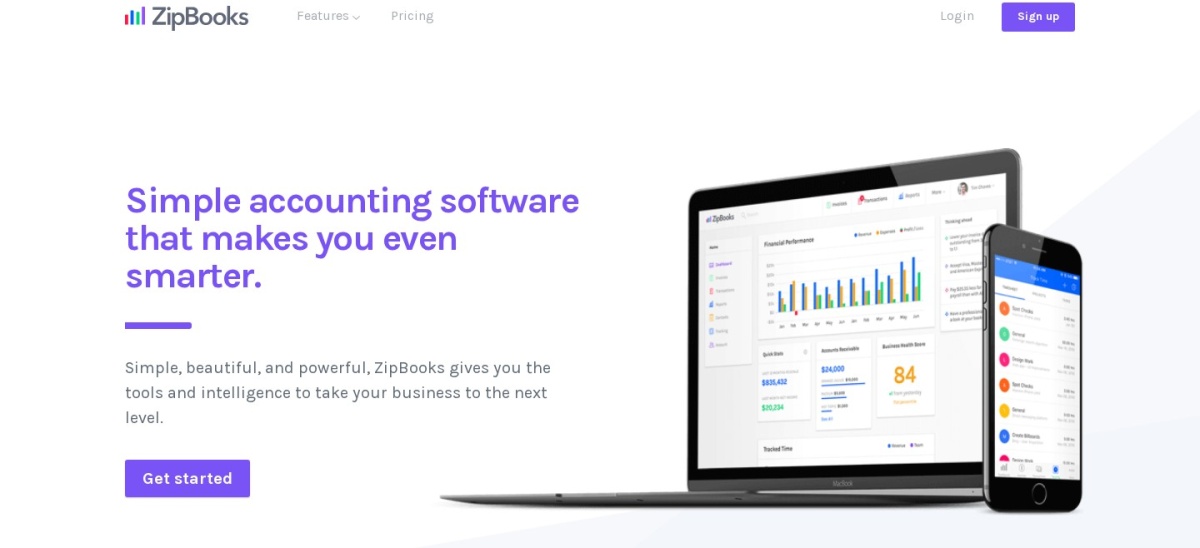
ZipBooks homepage, captured Nov 2026.
ZipBooks is online bookkeeping and invoicing software for contractors, small businesses and accounting professionals. Its free Starter plan includes unlimited invoices, customer records, basic reports and 1 connected bank account, while Smarter costs $15 per month and supports 5 team members.
The trade off is that Starter lacks recurring invoices, multiple bank connections and time tracking. Smarter adds these features for $15 per month, but full account reconciliation and deeper reporting require Sophisticated at $35 per month. It suits smaller businesses that want affordable bookkeeping with room for additional users.
What we like
Free unlimited invoices
Low regular paid entry price
Recurring invoices on Smarter
Multiple bank connections on paid plans
Time tracking and team access
Watch out for
Starter connects only 1 bank account
Full reconciliation requires Sophisticated
Advanced reports are reserved for higher tiers
Smarter adds recurring billing, time tracking and multiple bank connectionsVisit zipbooks.com
07
Kashoo
4.6/5on G2 (55 reviews, checked Nov 2026)
Starts at$30/mo
Best for simple bookkeeping with unlimited users
Free planNo, 14-day trial
UsersUnlimited
InvoicesUnlimited
Paid planKashoo, $30/mo
kashoo.com
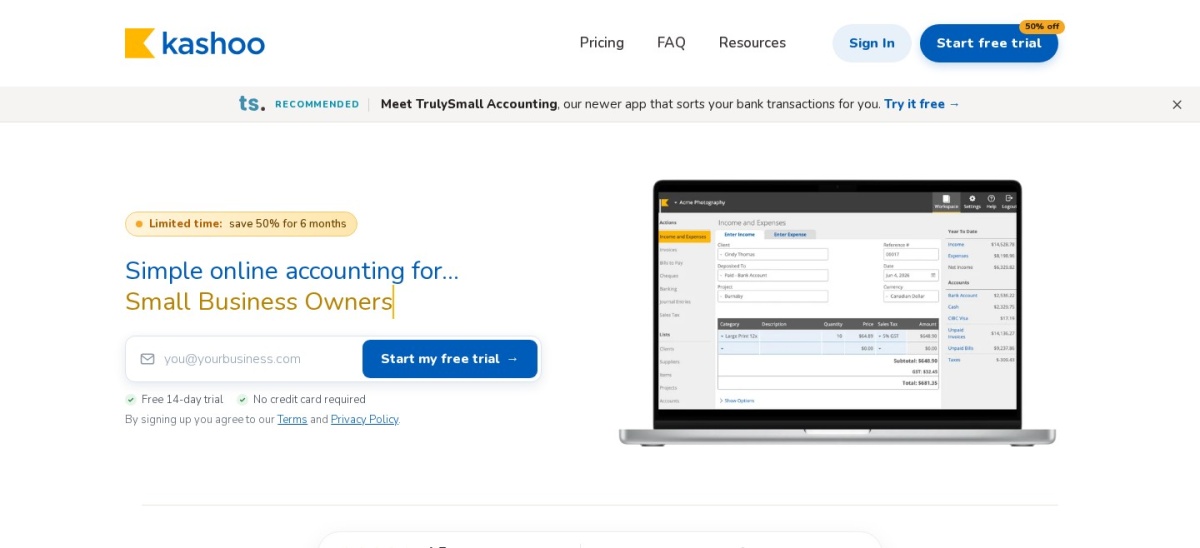
Kashoo homepage, captured Nov 2026.
Kashoo is cloud bookkeeping software with a double-entry ledger, bank feeds, expense tracking and financial reporting. Its single $30 monthly plan includes unlimited users, unlimited invoices, bill tracking, project records, inventory item tracking and an accountant year-end package.
The trade off is that Kashoo has no cheaper paid tier or permanent free plan. The regular price is $30 per month, with a temporary 50% discount for the first 6 months, and importing existing invoices and contacts is restricted. It suits businesses that prefer predictable subscriptions and shared access without feature-based upgrades.
What we like
Unlimited users and invoices
Bank synchronization and expense tracking
Double-entry bookkeeping ledger
Project tracking and accountant reports
Two-factor authentication and daily backups
Watch out for
No permanent free plan
Higher entry price than budget alternatives
Limited migration support for existing invoices and contacts
The paid subscription includes bank feeds, unlimited users and all core featuresVisit kashoo.com
Cloud bookkeeping vs accounting software: what is the difference?
Bookkeeping focuses on recording financial activity. It includes categorizing expenses, tracking income, entering bills and matching bank transactions with the records in your ledger.
Accounting uses those records to prepare financial statements, analyze performance and support financial decisions. Many cloud platforms combine bookkeeping and accounting features, although entry plans may provide only basic reports.
For straightforward transaction records, a free bookkeeping plan may be sufficient. Businesses needing detailed reporting, inventory management, financial controls or complex transaction workflows may benefit from a more comprehensive paid accounting plan.
The distinction is less important than the available features. Choose software based on your actual recordkeeping tasks and the reports your accountant requires.
Which bookkeeping tasks can cloud software automate?
Automatic bank imports can reduce manual data entry by bringing transactions into the bookkeeping system. Transaction categorization then helps organize income and expenses, although users should still review suggested categories.
Recurring invoices and payment reminders reduce repetitive billing work. Wave Pro and ZipBooks Smarter both offer paid features that help automate parts of this process.
Receipt capture can connect supporting documents with recorded expenses. Zoho Books includes receipt and document scanning on its free plan, while Wave Pro provides digital receipt capture.
Automation does not eliminate the need for review. Bank reconciliation, unusual transactions, duplicate expenses and adjustments still require attention to keep records accurate.
How we chose
We selected established cloud bookkeeping platforms with published vendor documentation and public customer ratings. We prioritized bank connections, transaction categorization, expense management, reconciliation, reporting, invoice handling and access for bookkeepers or accountants.
We used 22 Nov 2026 as the editorial verification date and reviewed official pricing and public G2 rating pages during the November 2026 update. Annual comparison figures multiply regular monthly subscription prices by 12 and do not treat introductory discounts as standard pricing.
We excluded products without confirmable regular entry pricing, tools focused primarily on payment collection rather than bookkeeping, and services requiring custom quotes for their lowest plan. No vendor paid for a place, and we do not claim testing for this list.
How to choose cloud based bookkeeping software
Start by identifying your recurring bookkeeping work, then compare the plans that cover it without unnecessary upgrades.
List your essential bookkeeping tasks. Identify whether you need income and expense records, invoices, bill tracking, bank reconciliation and financial statements. Avoid paying for advanced tools when simple bookkeeping covers your workload.
Compare bank automation and reconciliation. Check whether your plan includes connected bank feeds, automatic transaction categorization and reconciliation. Some products provide manual records for free but charge for automated imports.
Check collaboration and reporting. Determine whether an accountant, bookkeeper or employee needs access. Compare user limits, permission controls, profit and loss statements, balance sheets and export options.
Calculate the regular annual cost. Use standard subscription prices rather than introductory promotions. Include team members, payment processing, receipt scanning and advanced reporting, then verify whether your records can be exported before committing.
FAQ
What is the best cloud based bookkeeping software?
QuickBooks Online is our overall recommendation for small businesses that need connected financial records, transaction categorization and accounting reports. Its Simple Start plan costs $38 per month at the regular rate. Wave is better for free bookkeeping, while Zoho Books offers affordable paid upgrades.
What is the best free cloud bookkeeping software?
Wave is a strong free choice because Starter includes unlimited invoices, bills and bookkeeping records. Zoho Books also has a free plan with bank reconciliation and more than 50 reports, subject to eligibility conditions. ZipBooks offers free basic reporting and a connected bank account.
How much does cloud bookkeeping software cost?
The paid entry plans in this comparison range from $15 per month for ZipBooks Smarter to $38 per month for QuickBooks Online Simple Start. Several platforms offer free plans. Automation, additional users, payroll and payment processing may increase the total cost depending on your requirements.
Can cloud bookkeeping software automatically categorize expenses?
Yes, some platforms can suggest or automatically apply transaction categories. QuickBooks Online includes automated bookkeeping on Simple Start, and Wave Pro provides automatic bank transaction categorization. These features can reduce repetitive work, but reviewing transactions remains important for accurate financial records.
Is cloud bookkeeping software suitable for freelancers?
Yes. Freelancers can use cloud bookkeeping tools to organize income, expenses, receipts and client invoices. Wave is suitable for free basic records, while FreshBooks Lite provides invoicing for 5 clients alongside expense and time tracking. The better choice depends on transaction volume and billing needs.
What is the difference between bookkeeping and accounting software?
Bookkeeping software focuses on recording income, expenses, invoices and other transactions. Accounting software also supports financial reporting, analysis and more complex financial processes. Many modern cloud products combine both, although entry plans sometimes restrict reports, reconciliation or advanced workflows.
Can a bookkeeper and business owner use the same software?
Yes, many platforms support shared access. Xero and Kashoo advertise unlimited users, while Zoho Books Standard includes 3 users. QuickBooks Online Simple Start supports an owner and accountant access. Check permissions carefully so everyone can perform their work without unnecessary access to sensitive information.
Is cloud bookkeeping better than spreadsheets?
Cloud bookkeeping can reduce repetitive entry through bank imports, recurring invoices and transaction categorization. It also connects financial records with reports and offers controlled access for collaborators. Spreadsheets remain useful for straightforward tracking, but dedicated software becomes more practical as transaction volume and reconciliation needs grow.