Best Cloud Based Accounting Software in 2026: 7 Tools Compared
WLWPLegible EditorsLast verified 22 Nov 2026How we rank10 min read
★ Short answer
QuickBooks Online is our top cloud accounting pick for small businesses, with a $38 monthly Simple Start plan and a 4.0/5 G2 rating from 3,913 reviews. Xero is better for teams wanting unlimited users, while Zoho Books offers a free plan and paid accounting features starting at $20 per month.
How we make this list: we compare pricing pages, product documentation and public user reviews, then re-check every price before each update. No product paid for a place. Disclosure.
QuickBooks Online starts at $38/month for Simple Start and has 3,913 G2 reviews, making it a well-established choice for everyday accounting.
Xero costs $27/month for Early, supports unlimited users and includes bank reconciliation, but limits invoices to 20 and bills to 5.
Zoho Books has a free plan with up to 1,000 annual invoices, while Standard costs $20/month and adds bank feeds and custom reports.
FreshBooks Lite costs $23/month at its regular rate and supports invoicing for 5 clients, making it a focused choice for service businesses.
Wave offers free accounting and unlimited invoicing, with automated bank imports available through its $19/month Pro plan.
ZipBooks has the lowest paid entry price in this comparison at $15/month, while Kashoo charges $30/month for a plan with unlimited users.
What to look for in cloud accounting software
Cloud accounting software stores financial records online, allowing business owners, bookkeepers and accountants to access them from different devices. The right platform should make everyday bookkeeping easier without hiding essential features behind expensive upgrades.
Start with bank reconciliation, invoicing, expense tracking and financial reports. Check whether automatic bank feeds are included in the entry plan or require an upgrade.
User access matters when several people handle finances. Some platforms charge for additional seats, while Xero and Kashoo include unlimited users in their advertised plans.
Compare regular subscription prices rather than introductory discounts. Also check invoice limits, payment processing fees, accountant access, inventory features and whether you can export your records if you change providers.
For straightforward accounting with unlimited users
$30/mo
No free plan
4.6/5
Price ladder: cheapest paid plan per year
List prices, USD, checked Nov 2026
ZipBooksFREE$180
WaveFREE$228
Zoho BooksFREE$240
FreshBooks$276
Xero$324
Kashoo$360
QuickBooksFREE$456
The 7 best cloud based accounting software
01
QuickBooks Online
4/5on G2 (3,913 reviews, checked Nov 2026)
Paid from$38/mo
Best cloud accounting software overall
Free planYes, limited features
Paid users1, plus 2 accountants
Bank connectionsIncluded
Paid planSimple Start, $38/mo
quickbooks.intuit.com
QuickBooks Online homepage, captured Nov 2026.
QuickBooks Online is a cloud accounting platform for tracking income, expenses, invoices and financial performance. Its free plan supports 1 user, a bank connection and basic reports, while Simple Start at $38 per month adds accountant access and broader accounting capabilities.
The trade off is cost and feature restrictions. Simple Start costs $38 per month at the regular price, although a temporary promotion advertises 70% off for 3 months, and growing teams may need a higher tier. It suits businesses wanting established accounting software with a large professional ecosystem.
What we like
Established accounting platform with a large review base
Xero is cloud accounting software designed around shared access, bank reconciliation and financial visibility. Its Early plan costs $27 per month at the regular price, with unlimited users, 20 invoices, 5 bills, bank reconciliation, reports and document capture.
The trade off is the transaction limits on Early. Businesses that exceed 20 invoices or 5 bills need a higher plan, while a temporary promotion offers 90% off the first 6 months. It suits teams that need several people working in the same accounting system without separate user license fees.
What we like
Unlimited users without per-seat subscriptions
Bank reconciliation included in Early
Invoice payments and financial reports
Document capture and cash flow forecasting
Watch out for
Early limits invoices and bills
No permanent free accounting plan
Some automation and advanced reporting require upgrades
Growing adds broader invoicing, bill automation and dashboardsVisit xero.com
03
Zoho Books
4.4/5on G2 (333 reviews, checked Nov 2026)
Paid from$20/mo
Best value for growing small businesses
Free invoicesUp to 1,000 annually
Free users1 plus 1 accountant
Standard users3
Paid planStandard, $20/mo
zoho.com
Zoho Books homepage, captured Nov 2026.
Zoho Books is an online accounting platform with invoicing, expenses, journals, reconciliation and financial reports. Its free plan supports 1 user plus an accountant, up to 1,000 invoices annually and more than 50 reports, while Standard costs $20 per month.
The trade off is that the free plan has an eligibility threshold and restricted user capacity. Standard adds bank feeds, custom reports and 3 users for $20 per month, or $15 per month when billed annually. It suits cost-conscious businesses that want to expand from basic bookkeeping into more organized financial workflows.
What we like
Permanent free plan for eligible businesses
More than 50 reports available on Free
Standard supports 3 users
Recurring invoices and bank reconciliation
Custom reports and bank feeds on Standard
Watch out for
Free plan has an annual revenue eligibility limit
Advanced inventory features require higher tiers
Extra users and document processing may add costs
Standard adds connected bank feeds, custom reports and more usersVisit zoho.com
04
FreshBooks
4.5/5on G2 (983 reviews, checked Nov 2026)
Starts at$23/mo
Best for freelancers and client invoicing
Free planNo, 30-day trial
Lite clients5
Expense trackingIncluded
Paid planLite, $23/mo
freshbooks.com
FreshBooks homepage, captured Nov 2026.
FreshBooks is cloud accounting and invoicing software for businesses that bill clients for services. Lite costs $23 per month at the regular price and includes invoicing for 5 clients, expense tracking, estimates, online payments and tax-time reports.
The trade off is the client limit and the cost of adding team members. Lite is normally $23 per month, although a temporary 90% discount is advertised, and additional team members cost extra. It suits independent professionals who prioritize client billing and straightforward expense records.
What we like
Clear invoicing and client management workflow
Estimates and online payment options
Real-time expense tracking
30-day free trial
Higher tiers support more clients and reporting
Watch out for
Lite supports only 5 billable clients
Additional team members cost extra
More comprehensive accounting reports require upgrades
Wave is a cloud accounting service with a free Starter plan for bookkeeping, invoices, estimates and bills. Starter allows unlimited accounting records and invoices, while Pro costs $19 per month and adds automatic bank transaction imports, categorization and receipt capture.
The trade off is that important automation requires Pro. The regular price is $19 per month, with a temporary promotion reducing the first 3 months to $9.50 per month, and payment processing carries separate fees. It suits solo businesses wanting free bookkeeping before paying for automation.
What we like
Free accounting and unlimited invoicing
Unlimited bills and bookkeeping records
Straightforward dashboard for cash flow
Pro adds automatic bank imports and receipt capture
Watch out for
Automatic bank transaction imports require Pro
Payment processing has transaction fees
Less suitable for complex inventory and accounting workflows
Pro adds bank automation, receipt capture and payment remindersVisit waveapps.com
06
ZipBooks
4.7/5on G2 (86 reviews, checked Nov 2026)
Paid from$15/mo
Best low-cost accounting for small teams
Free planStarter
Free bank accounts1 connection
Smarter users5 team members
Paid planSmarter, $15/mo
zipbooks.com
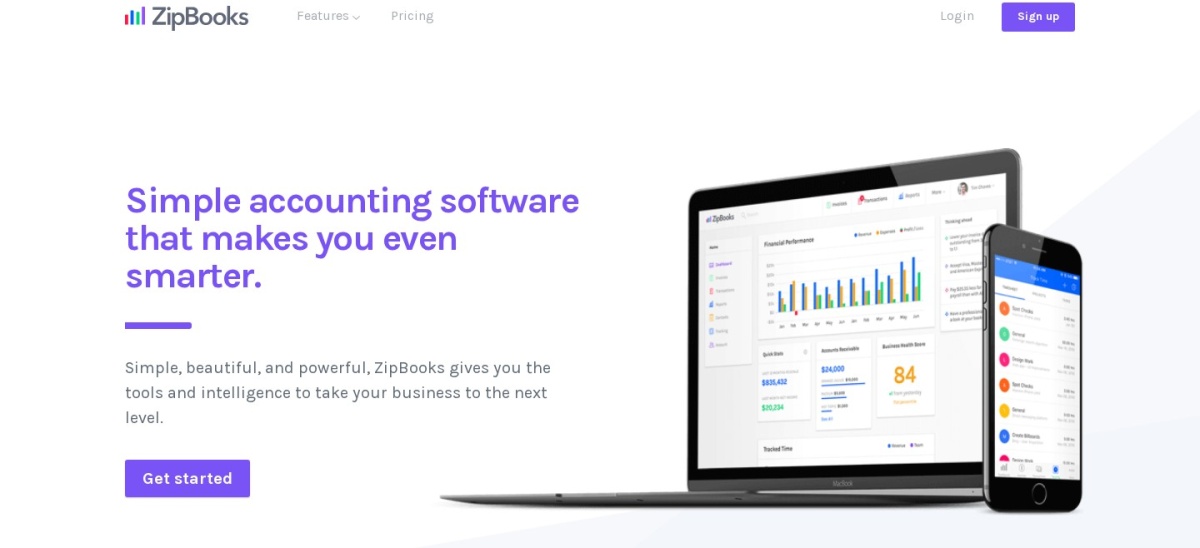
ZipBooks homepage, captured Nov 2026.
ZipBooks is cloud-based bookkeeping and invoicing software for contractors, small businesses and accounting professionals. Its free Starter plan includes unlimited invoices, customer records, basic reports and 1 bank connection, while Smarter costs $15 per month.
The trade off is that free users miss recurring billing, multiple bank connections and time tracking. Smarter adds these features and supports 5 team members for $15 per month, but deeper reconciliation and reporting require Sophisticated. It suits smaller teams that want affordable billing and bookkeeping tools.
What we like
Free unlimited invoicing
Lowest paid entry price in this comparison
Recurring billing on Smarter
Time tracking and team access on paid plans
Basic financial reports on Starter
Watch out for
Free plan connects only 1 bank account
Full account reconciliation requires a higher tier
Advanced reporting is not included in Smarter
Smarter adds recurring invoices, time tracking and multiple bank connectionsVisit zipbooks.com
07
Kashoo
4.6/5on G2 (55 reviews, checked Nov 2026)
Starts at$30/mo
Best for straightforward accounting with unlimited users
Free planNo, 14-day trial
UsersUnlimited
InvoicesUnlimited
Paid planKashoo, $30/mo
kashoo.com
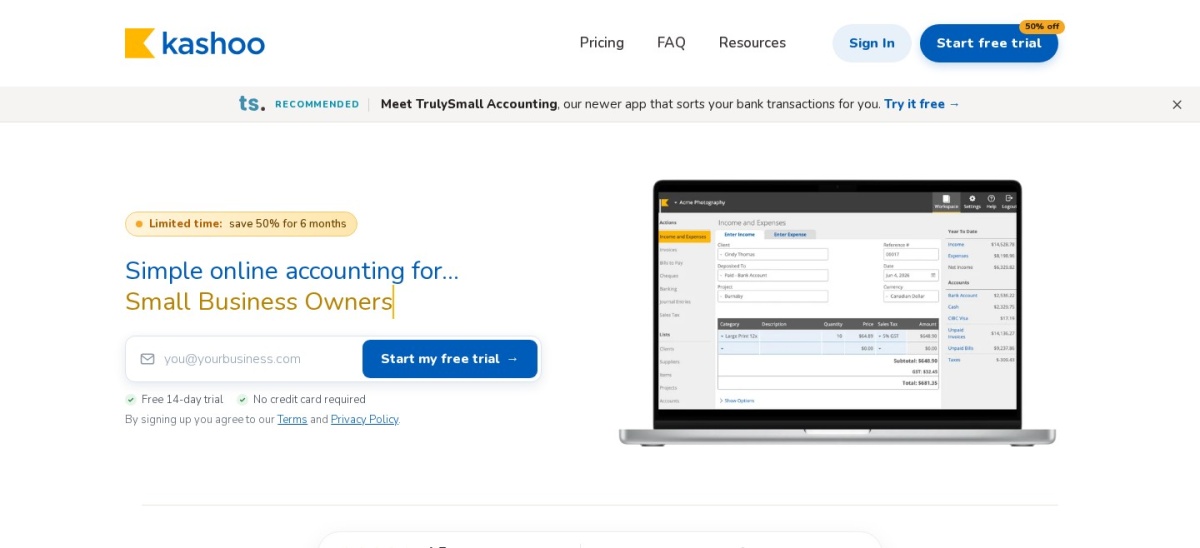
Kashoo homepage, captured Nov 2026.
Kashoo is online accounting software with a single paid plan covering invoices, bills, expenses, bank feeds, inventory records and a double-entry ledger. The $30 monthly subscription includes unlimited users, unlimited invoices, multi-currency capabilities and project tracking.
The trade off is that Kashoo does not offer a permanent free plan or a cheaper entry tier. Its regular price is $30 per month, with a temporary promotion offering 50% off the first 6 months, and data migration has limitations. It suits small businesses wanting predictable pricing without separate feature tiers.
What we like
One subscription includes all advertised core features
Unlimited users and invoices
Double-entry ledger and bank synchronization
Project tracking and inventory records
Daily data backups and two-factor authentication
Watch out for
No permanent free plan
Higher entry price than several competitors
Importing existing contacts, invoices and bills is limited
The paid plan includes unlimited users, bank feeds and full accounting featuresVisit kashoo.com
Free vs paid cloud accounting: what changes?
Free cloud accounting can be sufficient for a business with straightforward transactions. Wave, Zoho Books and ZipBooks offer free bookkeeping and invoicing, although their automation and account management features differ.
Paid plans generally add bank automation, recurring billing, additional users, financial reporting and deeper bookkeeping controls. These features become more valuable as transactions increase or more people need access.
Look beyond the subscription fee. Payment processing charges, payroll services, extra users, receipt scanning and third-party integrations can increase the effective monthly cost.
For a business working with an external accountant, confirm that the software supports shared access and the reports your accountant requires before moving your financial records.
How we chose
We shortlisted established cloud accounting products with public customer reviews and accessible vendor documentation, focusing on invoicing, bank connections, bookkeeping, reporting, collaboration and pricing transparency.
The comparison uses a 22 Nov 2026 editorial reference date, with official pricing pages and G2 ratings reviewed during the November 2026 update. The displayed subscription figures exclude introductory promotions and use regular monthly rates multiplied by 12 for annual comparisons.
We excluded products without a verifiable published entry price, products requiring a sales quote for every plan and tools focused primarily on unrelated financial services. No vendor paid for a place, and we do not claim testing for this list.
How to choose cloud based accounting software
Identify your main accounting tasks, then compare the features and ongoing costs of plans that can handle them.
Define your accounting workload. List your expected invoices, bills, bank accounts and reporting needs. A free plan may work for basic bookkeeping, but transaction limits can force an upgrade.
Check bank connections and reconciliation. Automatic imports reduce manual entry, but availability and pricing differ. Confirm that your financial institution and preferred transaction workflow are supported.
Plan for accountant and team access. Ask who needs to view, enter or approve records. Xero and Kashoo advertise unlimited users, while other products have user limits or additional seat charges.
Compare regular costs and migration options. Calculate the full annual subscription and any add-ons. Before switching platforms, verify that you can import opening balances, contacts and transactions and export complete financial records later.
FAQ
What is the best cloud based accounting software in 2026?
QuickBooks Online is our overall choice for small businesses that want invoicing, connected bank accounts and financial reporting in an established platform. Simple Start costs $38 per month at the regular price. Xero is a strong alternative for collaboration, while Zoho Books provides a lower-priced entry point.
Is there free cloud accounting software?
Yes. Wave offers free bookkeeping and unlimited invoicing, Zoho Books provides a free plan for eligible businesses, and ZipBooks has a free Starter tier. QuickBooks Online also offers a limited free option. Compare bank connections, reporting and automation carefully because free plans do not provide identical features.
Which cloud accounting software is best for freelancers?
FreshBooks is a good option for freelancers who send estimates and bill clients regularly. Its Lite plan supports 5 billable clients at a regular price of $23 per month. Wave is worth considering when free bookkeeping and invoicing matter more than advanced client billing workflows.
Is Xero better than QuickBooks Online?
Xero may be preferable when several employees or accountants need access because it advertises unlimited users. QuickBooks Online is appealing for businesses that prioritize its accounting ecosystem and established workflows. Compare invoice limits, team permissions, bank integrations and the total cost of the plan you actually need.
How much does cloud accounting software cost?
The cheapest paid plans in this comparison range from $15 per month for ZipBooks Smarter to $38 per month for QuickBooks Online Simple Start. Some platforms offer permanent free tiers. Higher-level plans, extra users, payroll and payment processing can increase the total expense.
Can cloud accounting software connect to bank accounts?
Many platforms support bank connections, but the available features depend on the plan. QuickBooks Online includes bank connectivity, Xero Early supports reconciliation, and Zoho Books Standard adds connected bank feeds. Wave reserves automatic imports for Pro, while ZipBooks Starter allows a single connection.
Is cloud accounting software safe for business records?
Established platforms use account security measures such as encrypted connections and authentication controls. Kashoo explicitly documents two-factor authentication and daily backups, while Zoho Books describes encrypted transactions and two-factor authentication. Businesses should still manage user permissions, secure their accounts and keep independent exports of important records.
Can I migrate from one cloud accounting system to another?
Migration is possible, but the supported data varies. Common export and import formats include spreadsheets and bank transaction files. Kashoo, for example, supports importing bank transactions but does not currently import all existing contacts, invoices and bills. Confirm migration requirements before canceling your old subscription.