Best Construction Budget Software in 2026: 7 Tools Compared
WLWPLegible EditorsLast verified 22 Nov 2026How we rank12 min read
★ Short answer
JobTread is the best construction budget software for most contractors because it connects estimates, project budgets, purchase orders, change orders, and actual costs, with a $199 monthly base subscription plus internal-user fees. Contractor Foreman is a lower-cost alternative starting at $49/month, while Knowify suits trade contractors who need accounting-connected job costing.
How we make this list: we compare pricing pages, product documentation and public user reviews, then re-check every price before each update. No product paid for a place. Disclosure.
JobTread leads for connected construction budgeting, with a 4.9/5 Capterra rating from 143 reviews and a $199/month base price.
Contractor Foreman starts at $49/month billed annually and holds a 4.5/5 rating across 843 Capterra reviews.
Knowify starts at $99/month billed annually, but its more complete job-costing features require a higher plan.
Buildxact Foundation costs $199/month at the regular monthly rate, with unlimited users and digital takeoffs.
Contractor+ offers a free plan and a $29/month equivalent Pro subscription billed annually, while Fieldwire's dedicated budget module requires Business Plus.
ProjectManager starts at $15/user/month billed annually for general project cost tracking, without specialized construction accounting.
What construction budgeting software should actually track
A construction budget changes throughout a project. Labor hours increase, material prices change, subcontractor invoices arrive, and clients approve additional work. A spreadsheet can record these transactions, but keeping every figure current becomes difficult as projects grow.
The most useful feature is budget versus actual cost tracking. Your software should compare estimated costs, committed purchase orders, approved changes, and expenses already incurred. That makes potential overruns visible before the final invoice arrives.
Look for cost codes that separate labor, materials, subcontractors, equipment, and overhead. Clear categories make it easier to identify which part of a project is losing margin.
Also check whether budgeting is included in the entry plan. Some construction platforms advertise estimating and project management at a low starting price but reserve detailed job costing, financial reports, or change-order budgets for higher tiers.
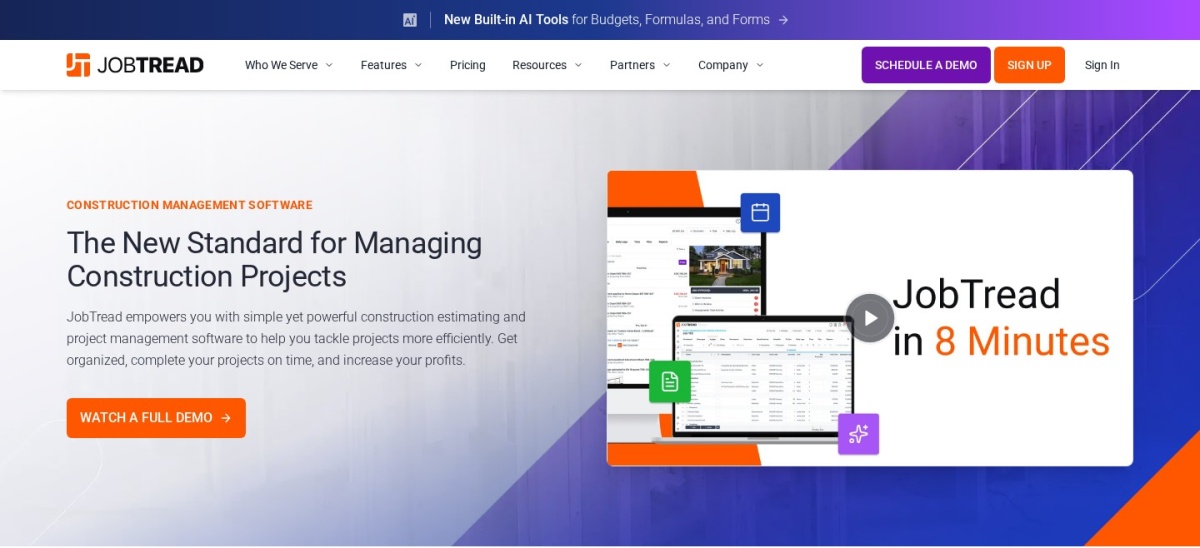
JobTread is construction management software that connects estimating, budgets, purchasing, job costing, scheduling, and invoicing. Its $199 monthly base subscription provides access to the platform's features, while internal users carry additional fees starting at $20 per month. Contractors can compare estimated expenses with committed and actual project costs.
The trade off is the total subscription cost. The $199 monthly base fee does not represent the full cost of a staffed account, because internal-user charges are additional. It suits growing builders and general contractors who want budgeting connected directly to purchasing and project execution.
What we like
Connects estimates with live project budgets
Tracks committed costs and actual expenses
Supports purchase orders and change orders
Includes job costing and reporting
Highly rated on Capterra
Watch out for
Higher starting cost than simpler alternatives
Internal-user fees increase the total
More setup than a basic estimating app
The paid subscription includes budgeting and job costing; internal users cost extra.Visit jobtread.com
02
Contractor Foreman
4.5/5on Capterra (843 reviews, checked Nov 2026)
Starts at$49/mo
Best affordable construction management suite
Starting planBasic
Included users1
BillingAnnual
Free trial30 days
contractorforeman.com
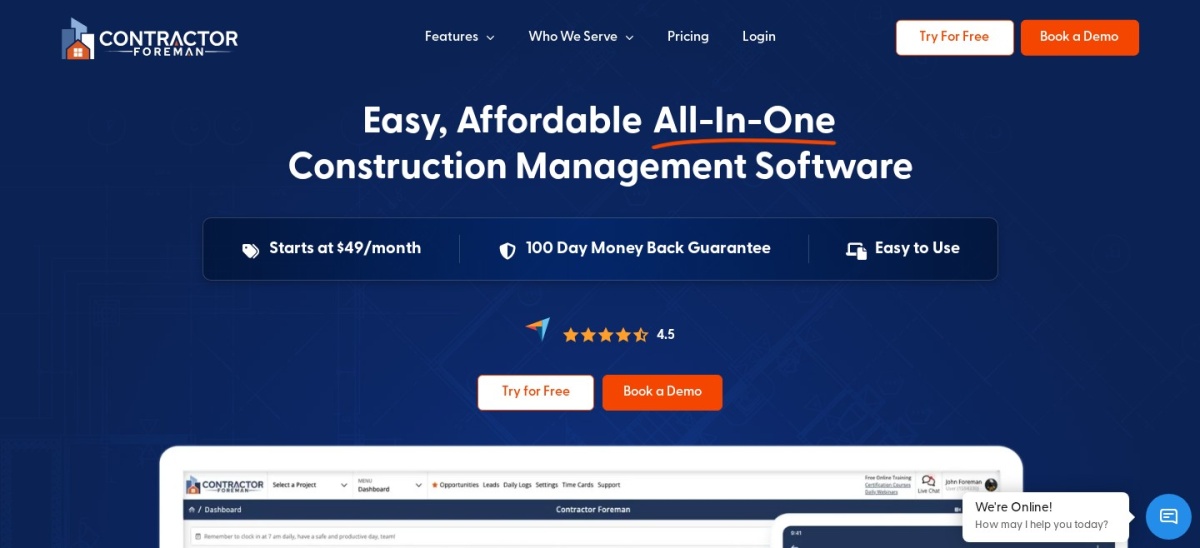
Contractor Foreman homepage, captured Nov 2026.
Contractor Foreman is a construction management platform covering estimates, project expenses, scheduling, time tracking, and financial reporting. Its Basic subscription starts at $49 per month, billed as $588 annually, and includes one user. The platform also offers additional financial and project management capabilities across its higher plans.
The trade off is feature depth at the entry price. Contractors needing more comprehensive job-costing reports, accounting workflows, or larger teams should compare higher subscriptions rather than assuming every feature is included in Basic. It suits small contractors seeking one reasonably priced system for managing construction projects.
What we like
Low starting subscription price
Construction-specific management tools
Estimates and project expense tracking
Large collection of verified reviews
Supports additional project workflows
Watch out for
Basic plan includes only one user
Higher tiers may be necessary for financial workflows
Knowify is construction business software for trade contractors handling bids, contracts, invoices, and project financials. Core starts at $99 per month with annual billing and includes one user. The platform supports fixed-price and AIA-related workflows, while Advanced adds more extensive project management and job costing.
The trade off is that Core does not include the complete financial management feature set. Advanced is needed for more detailed job costing and work-in-progress reporting, increasing the cost beyond the advertised starting subscription. It suits subcontractors and specialty trade businesses that need financial workflows connected to construction jobs.
What we like
Designed for trade contractors
Connects contract work with invoicing
Tracks project expenses by category
Offers QuickBooks integration options
Supports detailed job costing on higher plans
Watch out for
Advanced budgeting features cost more
Core includes one user
Less appropriate for broad field coordination
Advanced adds expanded job costing, project control and WIP reporting.Visit knowify.com
04
Buildxact
4.6/5on Capterra (185 reviews, checked Nov 2026)
Starts at$199/mo
Best for estimate-driven residential budgets
Entry planFoundation
Regular monthly price$199
UsersUnlimited
Job managementPro and above
buildxact.com
Buildxact homepage, captured Nov 2026.
Buildxact is construction estimating and management software for builders and remodelers. Foundation costs $199 per month at the regular monthly rate and includes unlimited users, digital takeoffs, estimate costing, supplier integration, purchase orders, and digital signatures. Annual billing offers a lower effective monthly price.
The trade off is that Foundation focuses on estimating and purchasing rather than the complete construction management workflow. Job management, scheduling, and the onsite mobile app require Pro, listed at $399 per month at the regular monthly rate. It suits residential builders who prioritize preparing accurate estimates before expanding into detailed project tracking.
What we like
Digital takeoffs connected to estimating
Unlimited users on base subscriptions
Supplier and dealer integrations
Purchase orders included in Foundation
Supports repeatable estimating templates
Watch out for
Job management requires Pro
Foundation is relatively expensive for estimating
Some AI features are paid add-ons
Pro adds job management, scheduling and the onsite mobile app.Visit buildxact.com
05
Contractor+
4.7/5on Capterra (236 reviews, checked Nov 2026)
Paid from$29/mo
Best for solo contractors on a tight budget
Free planFreedom
Paid planPro
Annual Pro price$348
Entry focusEstimates and invoicing
contractorplus.app
Contractor+ homepage, captured Nov 2026.
Contractor+ is contractor business software combining estimates, invoices, customer records, and job management tools. Its current Freedom pricing page lists support for up to 250 leads and clients and up to 5 estimates or invoices monthly. Vendor documentation also lists a Pro subscription at $348 annually, equivalent to $29 per month.
The trade off is that the free plan is limited and the vendor's pricing materials differ on available paid tiers. The current public pricing page prominently lists Pro Team at $58 per month, while documentation separately describes Pro. It suits solo contractors who need affordable quoting and invoicing before adopting more detailed construction financial management.
What we like
Free subscription available
Estimates and invoices in one application
Customer and lead management
Paid upgrades introduce additional workflows
Accessible through web and mobile devices
Watch out for
Free plan limits monthly documents
Pro pricing requires confirmation against current checkout
Less focused on comprehensive project cost control
Pro adds scheduling and estimating features; Pro Team adds automated job costing.Visit contractorplus.app
06
Fieldwire
4.6/5on Capterra (99 reviews, checked Nov 2026)
Paid from$39/mo
Best for field teams tracking project changes
Free planBasic
Entry paid planPro
Pro price$39/user/mo
Budget moduleBusiness Plus
fieldwire.com
Fieldwire homepage, captured Nov 2026.
Fieldwire is construction field management software for coordinating drawings, tasks, inspections, and project documentation. Its free Basic plan supports up to 5 users, 3 projects, and 100 sheets. Pro starts at $39 per user monthly with annual billing, adding reports, exports, sheet comparison, and project templates.
The trade off is that the dedicated budget module is available only in Business Plus, not the $39 Pro subscription. Change orders and RFIs also require Business Plus, so teams needing financial control must account for the higher tier. It suits site teams that already manage accounting elsewhere and want field activity linked to project documentation.
What we like
Free plan for small field teams
Mobile-friendly drawing and task workflows
Reports and exports on Pro
Change-order management on Business Plus
Dedicated budgeting on Business Plus
Watch out for
No dedicated budgeting on Pro
Advanced financial features require Business Plus
Per-user subscriptions increase team costs
Business Plus adds budgets, change orders, RFIs and submittal management.Visit fieldwire.com
07
ProjectManager
4.1/5on Capterra (339 reviews, checked Nov 2026)
Starts at$15/mo
Best for general project budget tracking
Entry planTeam
Starting price$15/user/mo
Budget trackingIncluded
Free trial30 days
projectmanager.com
ProjectManager homepage, captured Nov 2026.
ProjectManager is general project management software with budgets, cost tracking, scheduling, dashboards, and project reports. Team starts at $15 per user monthly when billed annually and supports up to 10 users and 20 projects. It includes Gantt charts, project dashboards, and cost-tracking features.
The trade off is specialization. ProjectManager tracks project spending but does not replace a dedicated construction accounting system with subcontractor billing and construction-specific cost controls. Business costs $28 per user monthly when billed annually and adds advanced resource management and reporting. It suits smaller teams whose financial tracking needs are straightforward.
Estimating software calculates what a project should cost before work begins. It combines quantities, material prices, labor assumptions, subcontractor quotes, and margins to produce a proposal.
Budgeting software follows the project after approval. It records purchase commitments, labor spending, invoices, change orders, and remaining costs so managers can compare actual financial performance with the original plan.
Some products cover both workflows. JobTread connects estimates with ongoing job costs, while Buildxact Foundation concentrates more heavily on takeoffs and estimates. Choose according to where your team loses financial visibility.
Why the entry subscription may not cover full budgeting
A low starting price does not always include the tools needed to manage a construction budget. Fieldwire places its dedicated budget module in Business Plus, while Knowify reserves more advanced job costing for Advanced.
Other platforms charge according to internal users. JobTread has a base subscription plus internal-user fees, and ProjectManager charges per user. Calculate the full team cost instead of comparing only the advertised entry price.
Before subscribing, ask the vendor to demonstrate a complete workflow: estimate, approved budget, purchase order, supplier invoice, labor expense, change order, and final profitability report.
How we chose
We selected established construction management, estimating, and project tracking platforms with relevant financial capabilities and a meaningful public review history. We prioritized tools that help contractors estimate costs, monitor budgets, track expenses, or manage changes throughout a project.
Published plan details and public ratings were checked against official vendor pages and Capterra on 22 Nov 2026. Prices represent the cheapest identifiable paid plans rather than a guarantee that every budgeting feature is included. Annual billing discounts, additional seats, and higher-tier financial modules are identified where relevant.
We excluded quote-only platforms without a verifiable published starting price and avoided treating estimating-only products as complete financial management systems. No vendor paid for a place, and we do not claim testing for this list.
How to choose construction budget software
Start by identifying which project costs your team needs to monitor, then compare the financial workflows and subscription tiers that support them.
Map your current estimating and budgeting process. Identify where budgets lose accuracy: initial estimates, labor reporting, supplier commitments, subcontractor invoices, or change orders. Prioritize software that closes those gaps rather than adding unnecessary project management features.
Check budget visibility before selecting a plan. Ask whether the software separately tracks original budgets, revised budgets, committed costs, actual expenses, and expected costs to complete. Confirm that the specific subscription includes these functions.
Calculate the complete annual subscription. Include base fees, paid users, required financial modules, onboarding charges, and accounting integrations. A low entry price can become less attractive when the budget features require a higher subscription.
Validate accounting and reporting workflows. Confirm how the software handles purchase orders, invoices, labor costs, change orders, and exports. If your accountant uses a separate accounting platform, verify how project transactions move between systems.
FAQ
What is the best construction budget software?
JobTread is the top overall choice in this comparison because it connects estimates, project budgets, purchasing, change orders, and actual costs. Its base subscription starts at $199 per month, with additional internal-user fees. Contractor Foreman is worth comparing if the starting price is a major concern.
What is the cheapest construction budget software?
ProjectManager has the lowest verified paid entry price in this comparison at $15 per user monthly with annual billing, but it is a general project management tool. Contractor+ has a free plan for basic estimates and invoices, while Contractor Foreman starts at $49 per month with annual billing.
Can construction budgeting software track labor and material costs?
Yes, although the level of detail varies by product and subscription. Construction-specific tools such as JobTread and Knowify support project expense tracking, while other systems focus mainly on estimating or reporting. Check whether actual labor hours, supplier invoices, and purchase commitments feed into the budget automatically.
Is construction estimating software the same as budgeting software?
No. Estimating software calculates expected project costs before a contract is approved. Budgeting software tracks financial performance as work progresses, including expenses, commitments, and approved changes. Some platforms combine both, which can reduce the need to maintain separate spreadsheets.
Does construction budget software integrate with QuickBooks?
Some products do. Knowify offers QuickBooks integrations, and Contractor+ lists QuickBooks Online connectivity on its team subscription. Integration capabilities vary by plan and accounting product. Confirm whether the connection supports invoices, vendor bills, labor costs, and project cost categories before purchasing.
Can a small construction company use free budgeting software?
A small contractor can start with free tools for estimates and basic project records. Contractor+ offers a free Freedom plan, while Fieldwire Basic handles field tasks and drawings. However, these free tiers do not replace detailed financial management systems that track committed costs, actual expenses, and projected profit.
Which construction budget software is best for subcontractors?
Knowify is particularly relevant to subcontractors because it supports trade contracting, bids, invoices, and job costing. Its Core plan starts at $99 per month with annual billing, while Advanced provides more complete financial tracking. Compare the higher tier if your business needs detailed cost reporting.
How do I prevent construction projects from going over budget?
Set a cost-code budget before work starts, record purchase commitments promptly, update labor expenses, and approve change orders before additional work begins. Review projected final costs regularly rather than waiting for invoices. Software helps by keeping these records together and making financial differences easier to identify.