Best Class Management Software in 2026: 7 Tools Compared
WLWPLegible EditorsLast verified 22 Nov 2026How we rank6 min read
★ Short answer
Classe365 leads for multi-module school and academy management, starting at $100/month for up to 100 active students with a 4.8 rating across 169 Capterra reviews. For smaller schools wanting fixed all-feature tiers, DreamClass starts at $99/month billed annually, while Punchpass starts at $59/month for studios.
How we make this list: we compare pricing pages, product documentation and public user reviews, then re-check every price before each update. No product paid for a place. Disclosure.
Classe365 starts at $100/month for up to 100 active students and holds a 4.8/5 rating across 169 Capterra reviews.
DreamClass starts at $99/month billed annually ($149/month billed monthly) for up to 100 students with all features included.
Punchpass starts at $59/month on its Grow plan and holds a 4.8/5 rating across 192 Capterra reviews.
Gymdesk starts at $75/month for up to 50 active members with Gymdesk Payments and holds a 4.8/5 rating across 148 Capterra reviews.
Jackrabbit Class starts at $49/month for 0–100 students and scales up to $245/month for 3,001+ students.
Sawyer starts at $71/month billed annually ($79/month billed monthly) on its Launch plan and holds a 4.5/5 rating across 319 Capterra reviews.
What to look for in class management software
Class management software tracks rosters, attendance, class schedules, and family billing in one place rather than across separate spreadsheets and payment links. For schools, academies, and studios, the right fit depends on whether your headcount is measured by enrolled students, active passes, or recurring members.
Pricing models vary widely across the category. Some platforms price by student or member brackets with all core tools included, while others charge a base subscription plus add-ons for custom domains, branded mobile apps, SMS messaging, or payment processing.
Before committing, check how enrollment caps scale as classes fill up and whether onboarding or data migration costs extra. Also verify how payment processing fees or processor lock-ins affect your monthly overhead.
Finally, look at how parents and students interact with the system. Self-serve booking, automated reminders, attendance visibility, and clear invoices reduce front-desk back-and-forth during busy enrollment periods.
For early education, nurseries, and K–12 parent communication
$65/mo
No free plan
4.8/5
Price ladder: cheapest paid plan per year
List prices, USD, checked Nov 2026
Jackrabbit$588
Punchpass$708
Kinderpedia$780
Sawyer$852
Gymdesk$900
DreamClass$1,188
Classe365$1,200
The 7 best class management software
01
Classe365
4.8/5on Capterra (169 reviews, checked Nov 2026)
Starts at$100/mo
Best for schools and academies needing modular SIS, LMS, and admissions tools
Entry tier1–100 active students
Staff & parentsUnlimited accounts
Free trial15 days, no card
Add-on modules$75/mo each
classe365.com
Classe365 homepage, captured Nov 2026.
Classe365 is a cloud student information and school management platform used by 6,500+ institutions across 130+ countries. Its Core plan starts at $100/month for 1–100 active students and includes student and parent portals, timetables, gradebooks, and attendance tracking with unlimited teachers, parents, and staff.
The trade off is that optional modules such as LMS, admissions CRM, and fee invoicing cost $75/month each, with enterprise onboarding starting at $5,000. It suits schools, colleges, and training academies that want one system across student records, billing, and learning.
What we like
Includes student, parent, and teacher portals plus attendance and gradebooks on the entry tier
Unlimited teacher, parent, and staff accounts on every plan
Supports multiple curricula and over 100 languages
Offers a 15-day free trial with no credit card required
Watch out for
Optional modules like LMS and admissions add $75/month each
Higher student tiers climb up to $1,000/month for 751–1,000 students
Guided enterprise onboarding starts at $5,000
Paid plans scale by active student bracket from $100/month and add $75/month per optional module.Visit classe365.com
02
DreamClass
4.8/5on Capterra (77 reviews, checked Nov 2026)
Starts at$99/mo
Best for small schools wanting all features included on published tiers
Standard planUp to 100 students
Monthly rate$149/mo billed monthly
Mobile appsiOS and Android
Free trial30 days, no card
dreamclass.io
DreamClass homepage, captured Nov 2026.
DreamClass is a cloud school management platform for private K–12 schools, vocational programs, and homeschool collectives. Its Standard plan costs $99/month billed annually (or $149/month billed monthly) for up to 100 students and includes attendance, gradebooks, invoicing, admissions, and parent portals.
The trade off is that student capacity caps at 500 on the top published Enterprise tier ($259/month billed annually) and SMS messaging or custom report cards are add-ons. It suits small schools that prefer straightforward published pricing without locking core tools behind higher tiers.
What we like
Includes all core features across Standard, Plus, and Enterprise tiers
Offers a 30-day free trial with no credit card required
Provides iOS and Android apps plus student and parent portals
Free onboarding is included with annual plans
Watch out for
Paying monthly increases the entry price from $99/month to $149/month
Published plans top out at 500 students on the Enterprise tier
SMS messaging and custom transcripts or report cards cost extra
Annual plans include free onboarding and save $600/year on Standard compared to monthly billing.Visit dreamclass.io
03
Jackrabbit Class
4.1/5on G2 (12 reviews, checked Nov 2026)
Starts at$49/mo
Best for youth activity centers and studios scaling by student count
Entry tier0–100 students
Top tier3,001+ students at $245/mo
Setup fee$0 on core tiers
Branded appFrom $93/mo (Jackrabbit Plus)
jackrabbitclass.com
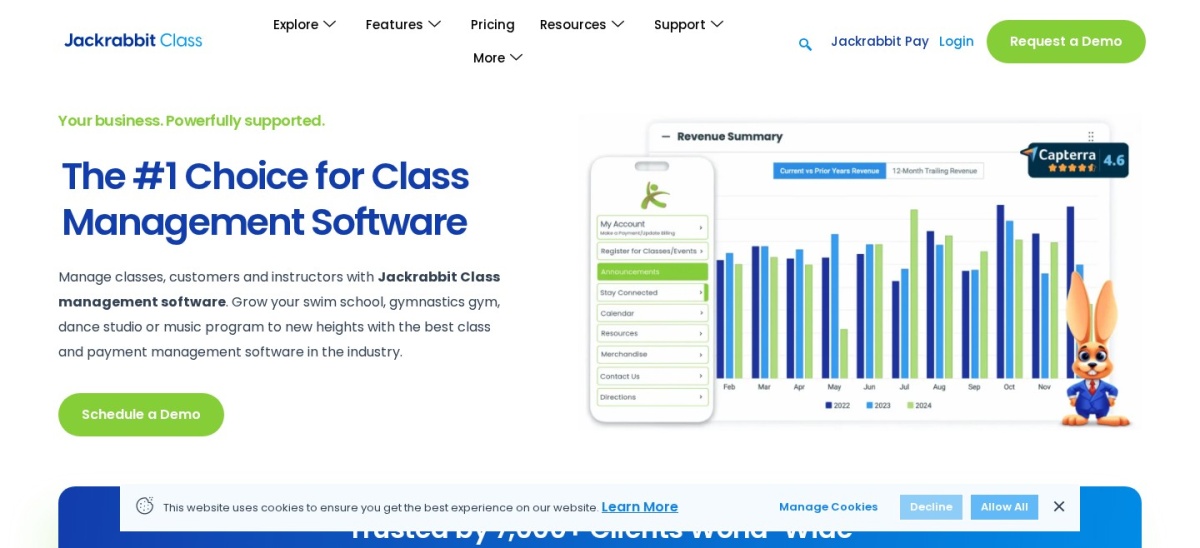
Jackrabbit Class homepage, captured Nov 2026.
Jackrabbit Class is a cloud class management platform built for youth activity centers, dance, swim, and gymnastics programs. Its tiered pricing starts at $49/month for 0–100 students and includes online registration, billing, skill tracking, and time clock tools with no setup fee.
The trade off is that monthly costs rise across six student brackets up to $245/month for 3,001+ students, and a custom-branded app requires Jackrabbit Plus starting at $93/month plus a $169 setup fee. It suits growing activity classes that want structured enrollment and parent billing.
What we like
Low $49/month entry rate for programs with up to 100 students
Includes skill tracking, online registration, and billing on core plans
No setup fee on standard Jackrabbit Class tiers
Provides a product coach and unlimited support
Watch out for
Monthly rate increases as your student database grows into higher tiers
Custom-branded mobile app costs extra under Jackrabbit Plus
Has fewer reviews on G2 than some competing platforms
Higher tiers scale by student count up to $245/month, while Jackrabbit Plus adds a custom-branded app from $93/month.Visit jackrabbitclass.com
04
Punchpass
4.8/5on Capterra (192 reviews, checked Nov 2026)
Starts at$59/mo
Best for small class studios using punch passes and drop-ins
Grow plan$59/mo ($623/yr)
Flow plan$99/mo ($1,045/yr)
Pro plan$149/mo ($1,574/yr)
Platform feeNone beyond Stripe
punchpass.com
Punchpass homepage, captured Nov 2026.
Punchpass is a class scheduling and pass management tool aimed at yoga, fitness, and independent studios. Its Grow plan starts at $59/month (or $623/year billed annually) for class reservations, waitlists, attendance, and online payments with no extra platform commission beyond Stripe fees.
The trade off is that recurring memberships and family accounts require the Flow plan at $99/month, and there is no native white-label mobile app. It suits small class instructors and studios that want quick setup without heavy software bloat.
What we like
Clear three-tier pricing starting at $59/month with no platform transaction surcharge
Includes class waitlists, attendance tracking, and Zoom integration
High 4.8/5 rating across 192 Capterra reviews
Offers a free trial with no credit card required
Watch out for
Recurring memberships and family accounts are not on the entry Grow plan
No native white-label mobile app for members
Stepping up to Flow ($99/month) or Pro ($149/month) raises monthly costs
Flow ($99/month) adds recurring memberships and family accounts, while Pro ($149/month) expands studio tools.Visit punchpass.com
05
Sawyer
4.5/5on Capterra (319 reviews, checked Nov 2026)
Starts at$71/mo
Best for children's classes, camps, and enrichment providers
Launch plan$71/mo annual ($79/mo monthly)
Grow plan$189/mo annual ($219/mo monthly)
Scale plan$379/mo annual ($399/mo monthly)
Marketplace fee30% on Launch
hisawyer.com
Sawyer homepage, captured Nov 2026.
Sawyer is a class registration and scheduling platform built for children's activity providers, camps, and enrichment programs. Its Launch plan costs $71/month billed annually ($79/month billed monthly) and covers in-person and online class scheduling, flexible pricing options, and Sawyer Marketplace access.
The trade off is that Launch carries a required 30% marketplace fee on marketplace bookings plus payment processing fees, while custom forms and payment plans require Grow at $189/month annually. It suits kids class operators looking for family discovery and camp scheduling.
What we like
Purpose-built for children's classes, camps, and multi-session enrichment
Supports flexible pricing options such as class packs, drop-ins, and camp deposits
Includes platform training and registration launch support
Backed by 319 reviews on Capterra
Watch out for
Launch plan has a required 30% marketplace fee plus processing fees
Custom forms, waitlists, and payment plans sit on higher tiers
Add-ons like Marketing Suite ($79/month) and Custom Branded App ($129/month) add up
Grow ($189/month annually) and Scale ($379/month annually) add custom forms, payment plans, and lower marketplace fees.Visit hisawyer.com
06
Gymdesk
4.8/5on Capterra (148 reviews, checked Nov 2026)
Starts at$75/mo
Best for martial arts and class gyms wanting all features at every tier
Micro tier$75/mo (up to 50 members)
Small tier$100/mo (51–100 members)
Contract termsMonth-to-month, no lock-in
Free trial30 days, no card
gymdesk.com
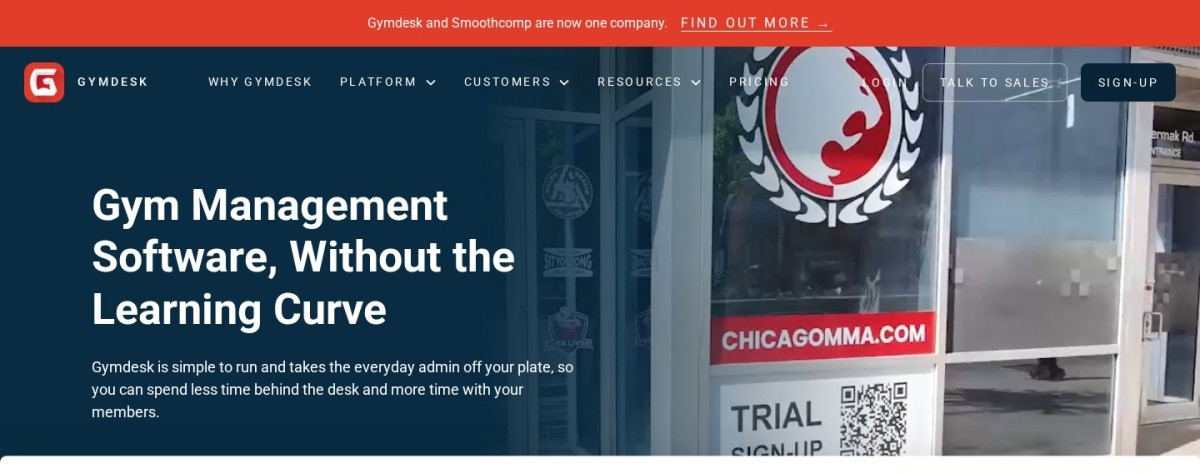
Gymdesk homepage, captured Nov 2026.
Gymdesk is a membership and class management platform used by 4,500+ gyms across 34 countries, with strong roots in martial arts and structured class programs. Its Micro tier starts at $75/month with Gymdesk Payments for up to 50 active members and includes all core features, a member website, and unlimited staff logins.
The trade off is that using your own payment processor adds $25/month to $75/month depending on tier, and extra locations or a branded app cost extra. It suits class-based academies and gyms that want transparent month-to-month pricing without feature gating.
What we like
All software features included at every member tier with unlimited staff accounts
Month-to-month billing with no setup fee or long-term contract
Includes attendance, billing, a website, and member portal
Offers a 30-day free trial with no credit card required
Watch out for
Using an external payment processor rather than Gymdesk Payments costs extra
Additional locations ($50/month with Gymdesk Payments) and branded app ($100/month) are add-ons
Primarily geared toward martial arts, fitness, and class-based gyms
Higher member tiers scale by active member count, while add-ons cover extra locations and a branded app.Visit gymdesk.com
07
Kinderpedia
4.8/5on Capterra (173 reviews, checked Nov 2026)
Starts at$65/mo
Best for early education, nurseries, and K–12 parent communication
FocusEarly education & K–12
Listing rateFrom $65/center/mo
Scale2,000+ institutions
Core toolsAttendance, billing, family app
kinderpedia.com
Kinderpedia homepage, captured Nov 2026.
Kinderpedia is a classroom management and parent communication platform used by 2,000+ nurseries, preschools, and K–12 schools. Listed starting at $65/center/month, it connects daily attendance, timetables, progress updates, and tuition billing in a shared family portal.
The trade off is that its workflows and reporting center on early-years and K–12 school operations rather than adult fitness or drop-in studio passes. It suits nurseries and schools that rely on frequent family updates, photo journals, and structured attendance logs.
What we like
Combines classroom attendance and timetables with active parent communication
Supports tuition billing and multi-language school workflows
Holds a 4.8/5 rating across 173 Capterra reviews
Suited to nurseries, preschools, and K–12 schools
Watch out for
Less suited to drop-in fitness classes or adult studio punch-card billing
Higher tiers scale up for larger centers and multi-location groups
Feature depth leans toward early-years and school administration
Higher tiers expand reporting, multi-center management, and broader school administration tools.Visit kinderpedia.com
How student and member pricing affects your bill
Most class management platforms bill either by active student or member brackets or by flat feature tiers. A flat-rate tier feels predictable when enrollment is steady, whereas bracket pricing can raise your monthly bill during peak term sign-ups.
Watch for hidden extras outside the base subscription, including SMS fees, custom mobile apps, payment processing markups, and marketplace commissions. Always calculate your total annual cost at your expected enrollment rather than just the lowest starting tier.
How we chose
We built this list from established class, studio, and school management platforms with public pricing details and active review profiles across software directories.
All pricing, ratings, and review counts were checked on 22 Nov 2026 from official vendor pages and public review listings.
We excluded tools without published starting prices or clear class scheduling and enrollment workflows, as well as outdated or discontinued products.
No vendor paid for a place, and we do not claim testing for this list.
How to choose the right class management software
Follow four practical steps to match a class management platform to how you enroll and bill students.
Map your class and billing format first. Decide whether you run school terms, recurring memberships, punch passes, or camp sessions so you pick software built around your actual schedule.
Check how headcount tiers scale. Compare the starting price against the tier you will hit once classes fill up, including whether inactive or canceled profiles count toward your cap.
Add up payment and add-on fees. Factor in card processing rates, marketplace percentages, SMS bundles, and optional modules like branded apps or custom forms before signing up.
Test family and staff workflows during a trial. Use a free trial or guided demo to check how easily parents book spots, view attendance or invoices, and receive reminders.
FAQ
What is the best class management software for schools and academies?
Classe365 is a strong fit for schools and academies that want student records, attendance, timetables, and optional learning or admissions modules in one system, starting at $100/month for up to 100 active students.
Which option is best for small studios selling punch passes?
Punchpass starts at $59/month on its Grow plan and focuses on class reservations, waitlists, attendance, and pass tracking without adding a separate platform fee on top of Stripe processing.
How does student-count pricing differ from flat-tier pricing?
Student-count pricing adjusts your rate by enrollment bands as your roster grows, while flat-tier pricing charges a set rate for a given cap or feature set. Check both at your target enrollment size.
Do class management platforms charge extra for payment processing?
Yes, card processing fees generally apply on top of subscription fees, and some platforms charge marketplace commissions or extra fees if you use an outside payment processor.
Should small schools or studios choose annual or monthly billing?
Annual billing often lowers the effective monthly rate or includes free onboarding, while monthly billing gives flexibility if your class schedule is seasonal or still testing demand.
What features matter most to parents and students?
Self-serve class registration, clear schedules, automatic payment receipts, and timely attendance or schedule-change notifications save staff time and reduce booking mistakes.