Best Building Information Modeling Software in 2026: 8 Tools Compared
WLWPLegible EditorsLast verified 22 Nov 2026How we rank14 min read
★ Short answer
Autodesk Revit is the best building information modeling software for multidisciplinary architecture, structural and MEP teams, backed by 1,256 G2 reviews at 4.6/5. Choose Graphisoft Archicad for native macOS architectural authoring, or BricsCAD BIM if your firm wants a DWG-native workflow with a perpetual license option.
How we make this list: we compare pricing pages, product documentation and public user reviews, then re-check every price before each update. No product paid for a place. Disclosure.
Autodesk Revit leads multidisciplinary BIM authoring at $3,005/yr (or $560/yr for single-user Revit LT).
Graphisoft Archicad starts at $2,414/yr per seat and runs natively on both macOS and Windows.
Vectorworks Design Suite costs $1,980/yr billed annually and combines 3D BIM with rendering and landscape tools.
BricsCAD BIM starts at €1,060/yr (about $1,145/yr) and still sells a €2,376 one-time perpetual license.
Coordination and CDE platforms like Trimble Connect ($155.88/yr) and BIMcollab (€150/yr) cost far less than full authoring suites.
What building information modeling software should cover
Building information modeling replaces disconnected 2D CAD drawings with a shared 3D model packed with material, schedule and geometry data. Change a wall or duct once, and plans, sections and schedules update together.
Not every team needs a full authoring suite. Architects and engineers author geometry in tools like Autodesk Revit or Archicad, while contractors and BIM managers often rely on coordination hubs such as Navisworks, Trimble Connect or BIMcollab.
File exchange matters as much as modeling speed. Look for IFC and BCF support so outside consultants on different platforms can federate models and track clashes without rebuilding geometry.
Licensing models vary sharply across the category. Some vendors sell annual per-seat subscriptions only, while others offer daily pay-as-you-go tokens, perpetual licenses or free starter tiers for smaller teams.
The 8 best building information modeling software tools
01
Autodesk Revit
4.6/5on G2 (1,256 reviews, checked Nov 2026)
Starts at$3,005/yr
Best overall for multidisciplinary BIM
Primary roleMultidisciplinary 3D BIM authoring
Operating systemWindows only
File formatsRVT, DWG, DXF, IFC
Entry paid plan$3,005/yr (Revit LT $560/yr)
autodesk.com
Autodesk Revit homepage, captured Nov 2026.
Autodesk Revit is the most widely adopted BIM authoring platform across architecture, structural engineering and MEP disciplines. It unites parametric 3D modeling, automated construction documentation, multi-user worksharing and generative design studies in a single Windows desktop environment.
The trade off is platform lock-in and seat cost. Full Revit costs $3,005 a year per named user (or $380 a month) and runs only on Windows, though solo architects who do not need worksharing or MEP tools can use Revit LT at $560 a year. It suits commercial AEC firms collaborating across engineering trades.
What we like
Deepest ecosystem of architectural, structural and MEP families
Multi-user worksharing and automated sheet documentation
Revit LT and daily Flex tokens ($30/day) lower entry costs
Watch out for
No native macOS support
Steep learning curve for organic or free-form geometry
Full subscription unlocks worksharing, MEP and structural toolsetsVisit autodesk.com
02
Graphisoft Archicad
4.6/5on G2 (300 reviews, checked Nov 2026)
Starts at$2,414/yr
Best architectural BIM for macOS and Windows
Primary roleArchitectural BIM authoring
Operating systemmacOS and Windows
File formatsPLN, IFC, BCF, DWG, RVT
Entry paid planArchicad Studio, $2,414/yr
graphisoft.com
Graphisoft Archicad homepage, captured Nov 2026.
Graphisoft Archicad is an architectural BIM authoring suite built to run natively on both macOS and Windows. Its entry Archicad Studio plan pairs 3D building modeling and automated construction drawings with self-hosted BIMcloud Basic and BIMx Pro client presentation tools.
The trade off is that MEP engineering tools and cloud-hosted teamwork sit in higher tiers. Archicad Studio costs $2,414 a year per seat ($345 monthly), while Archicad Collaborate adds MEP Designer and hosted BIMcloud SaaS at $2,840 a year. It suits design-led architectural studios and mixed Mac/PC offices.
What we like
Native performance on both macOS and Windows
Strong openBIM workflow with IFC and BCF support
Built-in BIMx viewer simplifies client model walkthroughs
Watch out for
MEP Designer requires upgrading to Archicad Collaborate
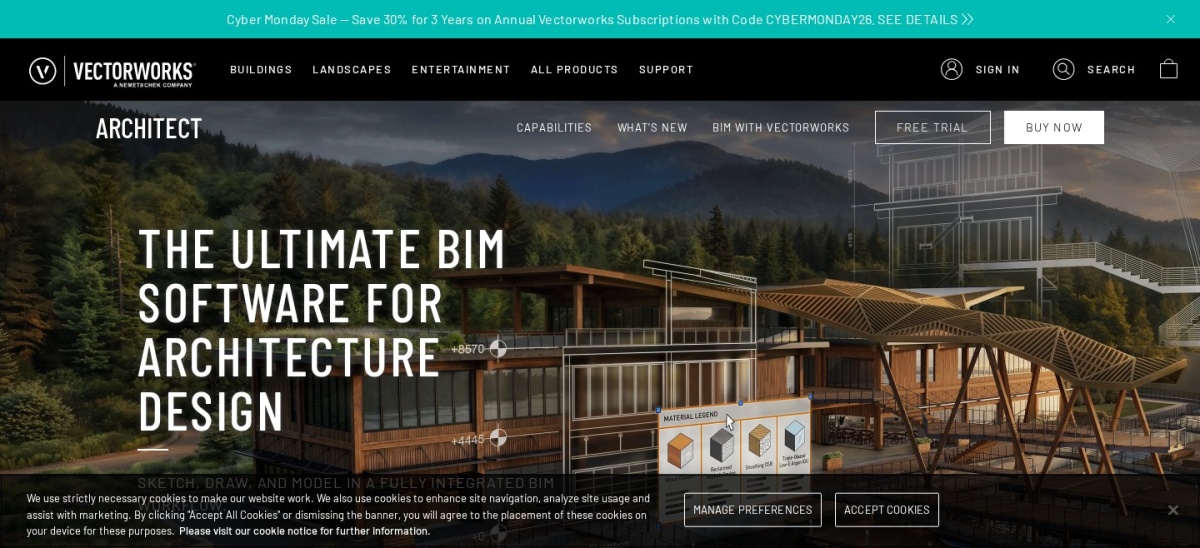
Vectorworks Design Suite homepage, captured Nov 2026.
Vectorworks Design Suite combines architectural BIM, free-form 3D solid modeling, site/landscape design and built-in Renderworks visualization in a single desktop application. It runs natively on macOS and Windows and imports or exports IFC, DWG and Revit files.
The trade off is fewer specialized structural and MEP engineering tools compared with Revit. An annual subscription lists at $1,980 a year ($165 a month billed annually, or $220 month-to-month), with a seasonal Cyber Monday promotion discounting 3-year annual plans by 30%. It suits boutique studios handling architecture, interiors and landscape together.
What we like
Combines BIM, 2D drafting, site modeling and Renderworks in one app
Lower annual seat price than Revit or Archicad
Native support for Apple Silicon Macs and Windows 11
Watch out for
Lighter structural and MEP engineering toolsets
Broad interface takes time to configure for team standards
Annual subscription includes Vectorworks University training coursesVisit vectorworks.net
04
BricsCAD BIM
4.5/5on Capterra (18 reviews, checked Nov 2026)
Starts at$1219/yr
Best for DWG-native teams and perpetual licensing
Primary roleDWG-native 2D CAD & 3D BIM
Operating systemWindows, macOS and Linux
File formatsDWG, IFC, BCF, RVT, Rhino
Entry paid plan€1,060/yr (~$1,145/yr)
bricsys.com
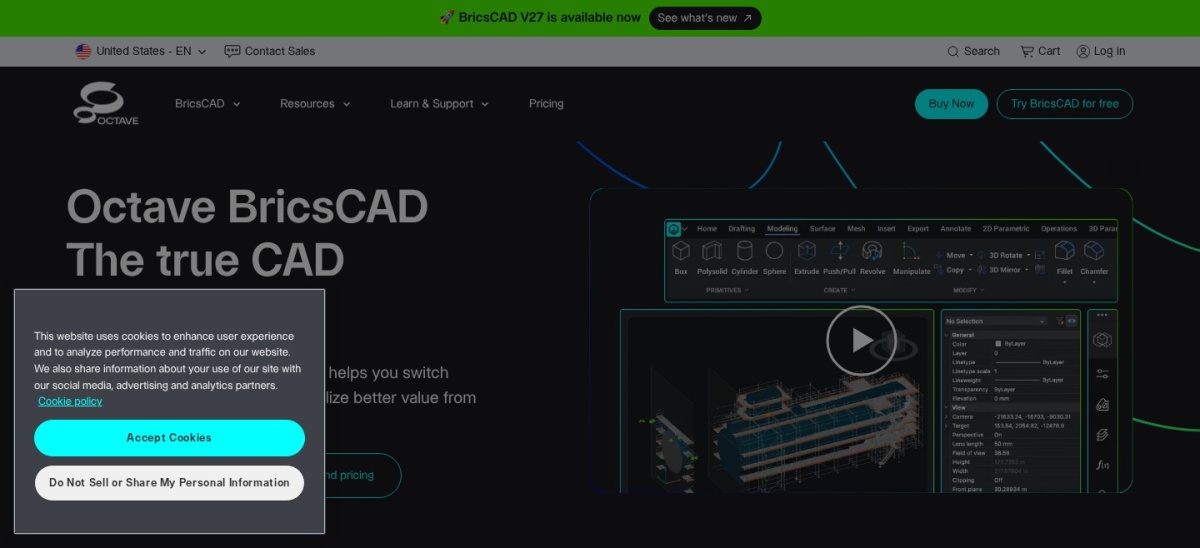
BricsCAD BIM homepage, captured Nov 2026.
BricsCAD BIM builds 3D building information modeling directly inside a native DWG environment, so AutoCAD users keep familiar commands, LISP routines and sheet workflows. It includes point-cloud scan-to-BIM tools, automated section generation and AI-assisted detail propagation across Windows, macOS and Linux.
The trade off is a smaller library of pre-built manufacturer BIM objects than Revit. A single annual license costs €1,060 a year (roughly $1,145/yr), and Bricsys still offers a €2,376 one-time perpetual license with optional €396/yr maintenance. It suits CAD-first firms transitioning to BIM without abandoning DWG.
What we like
100% native DWG workflow with familiar AutoCAD commands
One-time perpetual license remains available alongside subscriptions
Runs on Windows, macOS and Linux
Watch out for
Smaller ecosystem of third-party BIM families
Direct modeling approach differs from rigid parametric tools
Subscription includes BricsCAD Maintenance updates and supportVisit bricsys.com
Autodesk Navisworks aggregates architectural, structural and MEP models across more than 60 file formats into a single federated review model. Teams use TimeLiner for 4D construction sequencing and Clash Detective to catch pipe, duct and beam conflicts before site work begins.
The trade off is that Navisworks is a review and coordination tool rather than a model author, and clash detection requires the pricier tier. Navisworks Simulate starts at $1,145 a year, while Navisworks Manage adds Clash Detective at $2,835 a year (or 9 Flex tokens per day). It suits general contractors and VDC coordinators.
What we like
Combines 60+ CAD and BIM formats into lightweight NWD files
Automated hard and soft clash rules in Navisworks Manage
Cannot author or edit source BIM geometry directly
Clash Detective is excluded from the $1,145 Simulate tier
Manage tier adds Clash Detective and Autodesk Construction Cloud issue syncVisit autodesk.com
06
Autodesk Civil 3D
4.4/5on G2 (389 reviews, checked Nov 2026)
Starts at$2,870/yr
Best for civil infrastructure and site BIM
Primary roleCivil infrastructure BIM authoring
Operating systemWindows only
File formatsDWG, LandXML, IFC, Esri ArcGIS
Entry paid plan$2,870/yr (or $360/mo)
autodesk.com
Autodesk Civil 3D homepage, captured Nov 2026.
Autodesk Civil 3D brings dynamic model-based BIM workflows to land development, transportation, water and utility infrastructure projects. Alignments, profiles, pipe networks and surface gradings stay linked so earthwork volumes and plan sheets update automatically when geometry shifts.
The trade off is scope and hardware demand. Civil 3D costs $2,870 a year per user ($360 monthly, or 9 Flex tokens per day), runs only on Windows and is built for horizontal civil works rather than vertical buildings. It suits civil engineers connecting survey and GIS data with Revit building models.
What we like
Dynamic links across surfaces, alignments, corridors and pipe networks
Live connector with Esri ArcGIS for geospatial context
Automates cut-and-fill volumes and production plan sets
Watch out for
Built for civil infrastructure, not vertical architecture
Large surfaces and point clouds demand high-spec Windows hardware
Includes Forma Data Management Essentials for cloud file sharingVisit autodesk.com
07
Trimble Connect
4.4/5on G2 (54 reviews, checked Nov 2026)
Starts at$12.99/mo
Best cloud common data environment for field teams
Primary roleCloud CDE & model coordination
PlatformsWeb, Windows, iOS and Android
File formatsIFC, RVT, DWG, Tekla, SketchUp
Entry paid planBusiness, $12.99/user/mo
trimble.com
Trimble Connect homepage, captured Nov 2026.
Trimble Connect is a cloud common data environment that links office BIM models with field crews across web, Windows and mobile apps. Paid license holders can create unlimited projects, store unlimited project data and invite unlimited external collaborators to view, mark up and track tasks on IFC, Revit and Tekla models.
The trade off is that it coordinates models rather than authoring them, and dense multi-discipline models can lag in browser views. Business plans start at $12.99 per user per month ($155.88/yr), while Business Premium adds advanced BIM workflow extensions at $23.95 a month. It suits contractors and owners sharing models across external trades.
What we like
Unlimited storage and unlimited invited external collaborators
Works across web browsers, Windows desktop and mobile devices
Strong native tie-in with Tekla Structures and SketchUp
Watch out for
Browser viewer slows down on very large federated models
Menu layout takes time for new field users to learn
Business Premium adds advanced 3D BIM tools and workflow extensionsVisit trimble.com
BIMcollab centralizes BCF issue tracking, IDS requirement checking and ISO 19650 document workflows in a browser-based coordination hub. Plugins connect directly to Revit, Archicad, Navisworks, Tekla and Solibri so modelers can jump straight to flagged clashes inside their authoring software.
The trade off is storage caps and extra licensing for desktop rule checking. The Basic plan costs €12.50 per user per month billed annually (roughly $162/yr, or €19 monthly) with 10 GB per user, while Advanced unlocks unlimited storage and automated document naming at €18.75 a month. It suits BIM managers coordinating multi-vendor openBIM projects.
What we like
Direct BCF plugins for Revit, Archicad, Navisworks and Solibri
Built-in ISO 19650 document statuses and IDS requirement checks
Includes one free guest user per paid seat
Watch out for
Basic tier caps storage at 10 GB per user
Automated desktop rule checking requires separate BIMcollab Zoom licenses
Advanced adds unlimited storage, custom metadata and Power BI takeoffsVisit bimcollab.com
BIM authoring tools vs coordination platforms
BIM software splits into two jobs: authoring the 3D model and coordinating it across trades. Authoring tools like Revit, Archicad, Vectorworks and BricsCAD create walls, slabs, structural members and MEP runs.
Coordination platforms such as Navisworks, Trimble Connect and BIMcollab rarely create building geometry. Instead, they merge models from multiple firms, run clash rules, track issues and share approved drawings with site crews.
Buying a $3,000/yr authoring seat for a project manager who only reviews models wastes budget. Most firms pair authoring licenses for modelers with lower-cost CDE or viewer seats for reviewers.
How we chose
We focused on actively maintained building information modeling software across both 3D authoring suites and cloud or desktop coordination platforms, requiring public pricing and verified user reviews on G2 or Capterra.
Prices come from each vendor's official pricing or store page, checked on 22 November 2026. Ratings and review counts come from G2 and Capterra on the same day, using regular annual per-user rates.
We excluded tools that hide all pricing behind custom sales quotes or lack recent maintenance updates. No vendor paid for a place, and we do not claim testing for this list.
How to choose building information modeling software
Match the software tier to each team member's actual job before buying full authoring licenses.
Separate model authors from model reviewers. Give full authoring licenses only to staff creating geometry, and use CDE tools like Trimble Connect or BIMcollab for reviewers.
Check your operating system and hardware. Revit, Navisworks and Civil 3D require Windows, whereas Archicad, Vectorworks and BricsCAD run natively on macOS.
Verify openBIM file exchange. Confirm clean IFC and BCF support if outside engineers or subcontractors work in different BIM applications.
Model multi-year seat growth. Compare annual per-seat subscriptions against perpetual options like BricsCAD BIM or Autodesk Flex tokens for occasional users.
FAQ
What is the best building information modeling software?
Autodesk Revit is the top overall choice for multidisciplinary architecture, structural and MEP teams, earning a 4.6 out of 5 rating across 1,256 G2 reviews. Archicad is the strongest native alternative for macOS studios.
How much does BIM software cost per year?
Full 3D BIM authoring suites typically cost between $1,145 and $3,005 per user per year. Cloud coordination and common data environment tools like Trimble Connect and BIMcollab cost much less, starting around $156 to $162 per user per year.
Which BIM software runs natively on Mac?
Graphisoft Archicad, Vectorworks Design Suite and BricsCAD BIM all run natively on macOS without virtual machines. Browser-based coordination tools such as Trimble Connect and BIMcollab also work on Mac.
Can you still buy BIM software with a one-time perpetual license?
Most major vendors, including Autodesk and Graphisoft, now sell subscriptions only. BricsCAD BIM is a notable exception, offering a €2,376 one-time perpetual license alongside its €1,060 annual subscription.
What is the difference between CAD and BIM software?
Traditional CAD creates 2D lines or basic 3D shapes without embedded object data. BIM software builds intelligent 3D components—such as walls, doors and ducts—that carry material, cost and schedule data across every view.
What does openBIM mean when comparing BIM tools?
OpenBIM refers to vendor-neutral collaboration using open standards such as IFC for 3D model exchange and BCF for issue tracking. It lets architects on Archicad or Vectorworks coordinate cleanly with engineers on Revit.