Best Software for Handyman Business in 2026: 7 Tools Compared
WLWPLegible EditorsLast verified 22 Nov 2026How we rank13 min read
★ Short answer
Jobber is our top handyman business software pick, combining estimates, scheduling, invoices and client records, with Core starting at a regular $29 monthly on annual billing. Housecall Pro is better for online booking and customer communication, while ServiceM8 offers a free plan and paid Starter pricing of $29 monthly.
How we make this list: we compare pricing pages, product documentation and public user reviews, then re-check every price before each update. No product paid for a place. Disclosure.
Jobber Core costs $29 monthly on annual billing after introductory discounts, with quotes, scheduling and invoicing for solo contractors.
Housecall Pro Basic costs $59 monthly with annual billing and includes online booking, dispatching and payment collection.
ServiceM8 offers a free plan covering 30 new jobs monthly, while Starter costs $29 monthly for 50 jobs and unlimited users.
Kickserv Start supports 5 users for $60 monthly, with time tracking, customer reminders and QuickBooks Online integration.
Joist Basics costs $10 monthly and supports 5 estimates or invoices, while Pro costs $17 monthly with unlimited documents.
Tradify Lite costs $47 per user monthly, while Markate Owner Operator costs $551.40 annually with optional employee access.
What handyman business software should help you manage
Handyman businesses handle a mix of repairs, maintenance, installations and small renovation projects. Software helps organize customer requests, create estimates, schedule visits, document completed work and collect payments without relying on separate spreadsheets or paper records.
Start with estimating and invoicing. The software should let you record labor, materials and other job costs, then turn approved estimates into invoices. Digital approvals and online payments can reduce paperwork and payment follow-ups.
Scheduling becomes more important when multiple technicians work on different jobs. Look for calendars, technician assignments, mobile job details and customer notifications. Recurring maintenance scheduling is useful for businesses offering repeat services.
Customer management also matters. A searchable history of addresses, previous repairs, photos, notes and invoices helps contractors prepare for returning customers and resolve questions about completed work.
Finally, compare subscription limits carefully. Some platforms charge by user, while others limit monthly jobs or charge for extra communication features. The cheapest plan may not include the scheduling or automation your business needs.
Jobber is a field service management platform for handyman contractors handling estimates, scheduling, customer records and invoicing. Core supports a solo operator with quoting, job scheduling, client management, payment collection and a mobile app. Contractors can keep customer information and job activity together instead of managing separate documents.
The trade off is that automated reminders, QuickBooks synchronization and advanced job management require higher plans. Core lists at a regular $29 monthly with annual billing, equivalent to $348 yearly, after introductory discounts. It suits solo handyman businesses wanting one platform for daily operations.
Housecall Pro is a home service management platform combining online booking, scheduling, dispatching, estimates and invoicing. Basic supports a solo contractor and includes customer booking, payment collection, automated invoice reminders and review management. A mobile app helps contractors access appointments and job information while working on site.
The trade off is that additional staff and advanced business features require more expensive subscriptions or add-ons. Basic costs $59 monthly with annual billing, equivalent to $708 yearly, or $79 with monthly billing. It suits growing handyman businesses that prioritize customer booking and communication.
What we like
Online booking from a website or business listing
Integrated estimates, scheduling and invoices
Automated invoice reminders
Customer review management
Mobile app for field operations
Watch out for
Basic supports only a solo operator
Additional capabilities may require paid add-ons
Higher-tier subscriptions increase costs
Payment processing fees apply
Higher plans expand team capacity, customer communication and operational controls.Visit housecallpro.com
03
ServiceM8
4.5/5on Capterra (312 reviews, checked Nov 2026)
Paid from$29/mo
Best value for small handyman teams
Free jobs30/month
Starter jobs50/month
Starter usersUnlimited
Paid planStarter, $29/mo
servicem8.com
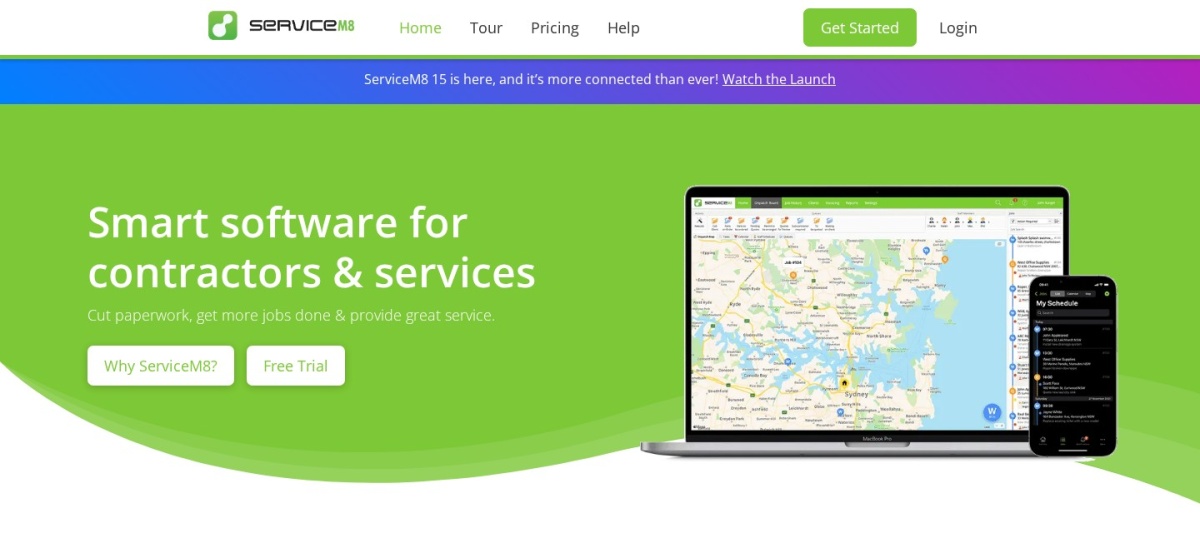
ServiceM8 homepage, captured Nov 2026.
ServiceM8 is a job management platform for contractors handling scheduling, quotes, invoices and customer communication. Its free plan allows 30 new jobs monthly for 1 user. Starter increases the allowance to 50 jobs monthly, supports unlimited users and includes recurring jobs, deposits, progress invoices and an AI writing helper.
The trade off is that pricing depends on job volume rather than employee count, and some mobile functionality is designed around Apple devices. Starter costs $29 monthly, equivalent to $348 yearly. It suits small handyman teams that need shared job records without paying separately for every technician.
What we like
Free plan for smaller job volumes
Unlimited users on Starter
Quotes, scheduling and invoicing
Recurring maintenance job management
Accounting integrations available
Watch out for
Starter has a monthly job allowance
Apple-centered mobile workflow
Advanced features require higher tiers
Free-plan text messages carry usage charges
Starter increases job capacity and adds unlimited users, recurring jobs and progress invoicing.Visit servicem8.com
04
Kickserv
4.5/5on G2 (186 reviews, checked Nov 2026)
Starts at$60/mo
Best for handyman team coordination
Start users5
Start reportsOver 20
Free trial30 days
Paid planStart, $60/mo
kickserv.com
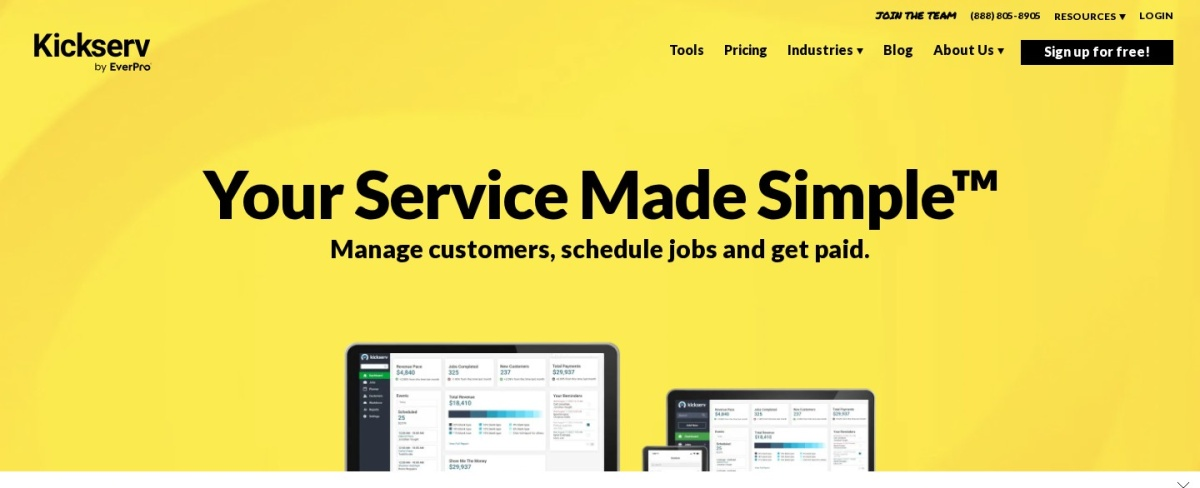
Kickserv homepage, captured Nov 2026.
Kickserv is field service management software for coordinating customer requests, technicians, appointments and payments. Start supports 5 users and includes automated email and text reminders, time tracking, expense tracking, an embeddable contact form and more than 20 business reports. It also integrates with QuickBooks Online.
The trade off is that dispatch mapping, GPS check-ins and custom reporting require higher plans. Start lists at $60 monthly, equivalent to $720 yearly at the published monthly rate, with an annual subscription discount available. It suits handyman businesses managing several technicians and needing organized customer communication.
What we like
Start supports 5 users
Automated customer reminders
Time and expense tracking
QuickBooks Online integration
Multiple business reporting options
Watch out for
Advanced dispatch mapping requires Run
GPS check-ins require an upgrade
Some integrations carry extra fees
Costs increase with larger teams
Run expands user capacity and adds dispatch mapping, GPS check-ins and custom reports.Visit kickserv.com
05
Joist
4.1/5on G2 (31 reviews, checked Nov 2026)
Starts at$10/mo
Best for handyman estimates and invoicing
Entry planBasics
Monthly documents5
Free trial14 days
Regular price$10/mo
joist.com
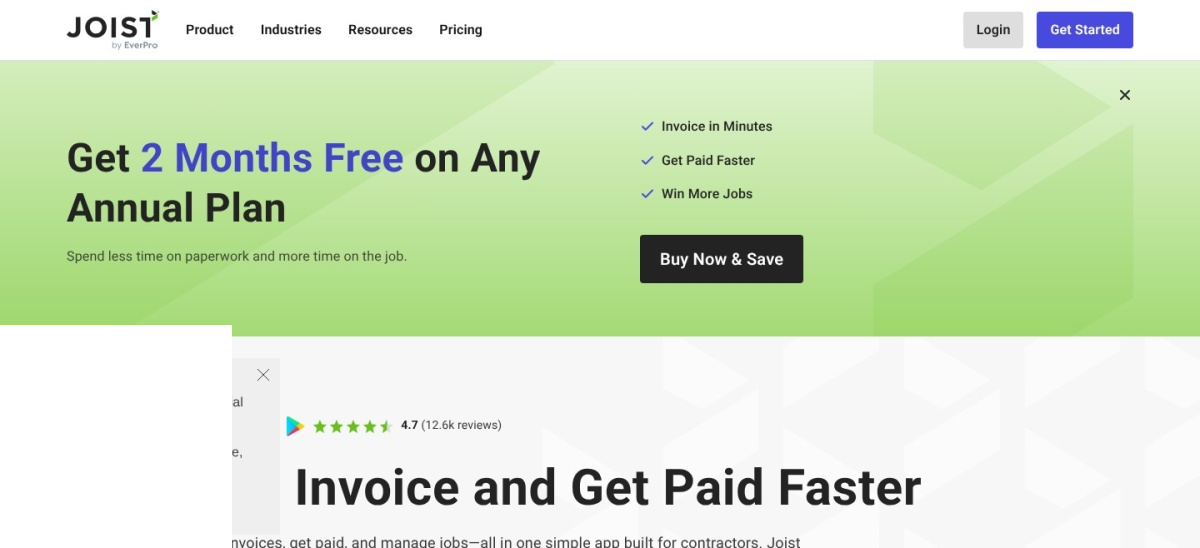
Joist homepage, captured Nov 2026.
Joist is estimating and invoicing software built for contractors and handyman businesses. Basics supports up to 5 estimates or invoices monthly and includes online payments, estimate-to-invoice conversion, customer profiles and AI-assisted tools. Contractors can prepare customer documents and request payments through the mobile or web interface.
The trade off is that Basics limits monthly documents and does not provide the broader job scheduling capabilities of a full field service platform. Basics costs $10 monthly, equivalent to $120 yearly, while annual billing offers additional savings. It suits occasional contractors and small handyman businesses focused on quoting and collecting payments.
What we like
Affordable entry subscription
Mobile estimating and invoicing
Online customer payments
Estimate-to-invoice conversion
Built-in AI assistance
Watch out for
Basics limits monthly documents
Unlimited documents require Pro
Advanced job scheduling requires Run
Payment processing fees apply
Pro adds unlimited documents, branded estimates, work orders and client activity tracking.Visit joist.com
06
Tradify
4.8/5on Trustpilot (634 reviews, checked Nov 2026)
Starts at$47/mo
Best for job tracking and accounting integration
Entry planLite
Pricing unitPer user
Free trial14 days
Paid planLite, $47/user/mo
tradifyhq.com
Tradify homepage, captured Nov 2026.
Tradify is job management software for contractors handling quotes, scheduling, invoicing and financial records. Lite includes job tracking, Google Calendar synchronization, pricing and markups, online payments, email tracking and accounting synchronization with Xero and QuickBooks Online. It keeps job documents and activities organized in one workspace.
The trade off is per-user pricing, with recurring jobs, custom statuses and more advanced customer communication available in higher tiers. Lite costs $47 per user monthly, equivalent to $564 yearly for one user. It suits handyman businesses that prioritize financial visibility and accounting integration.
What we like
Job management and scheduling
QuickBooks Online and Xero integration
Quoting with pricing and markups
Online payment collection
Mobile access to job information
Watch out for
Per-user pricing increases with staff
Recurring jobs require Pro
Advanced customer workflows need upgrades
Website creation costs extra
Pro adds recurring jobs, custom branding, customer communication history and reminders.Visit tradifyhq.com
07
Markate
4.2/5on Capterra (10 reviews, checked Nov 2026)
Starts at$551.40/yr
Best for handyman customer management
Entry planOwner Operator
Annual billing$551.40
Employee access$5/user/mo extra
Base monthly equivalent$45.95
markate.com
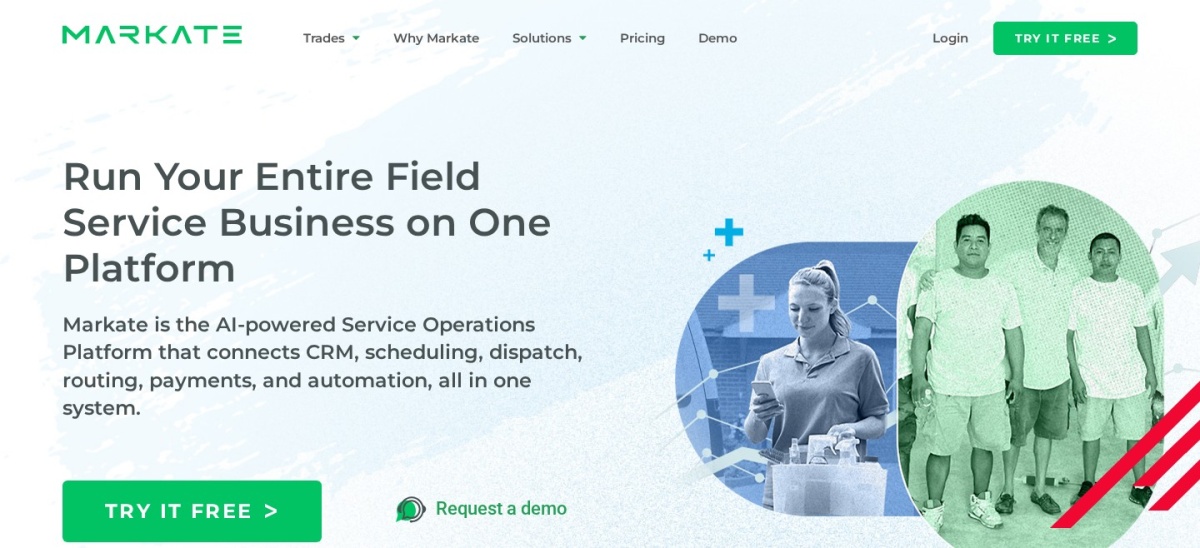
Markate homepage, captured Nov 2026.
Markate is a service operations platform for customer management, estimates, scheduling, invoicing and work orders. Owner Operator includes customer records, job tracking, dispatching, automated estimate-to-invoice workflows and payment collection. Contractors can also manage recurring jobs, record job photos and track business activity.
The trade off is that additional employee access and optional communication or integration features increase the subscription cost. Owner Operator costs $551.40 yearly, equivalent to $45.95 monthly with annual billing, while employee access adds $5 monthly per person. It suits handyman businesses needing customer records and workflow management in one system.
What we like
Customer and lead management
Estimates, work orders and invoices
Recurring job scheduling
Job costing and business reporting
Optional automation and communication features
Watch out for
Several features require additional charges
Employee access increases subscription costs
Smaller independent review sample
Some customers report usability concerns
Paid employee access and optional add-ons extend team workflows, communication and integrations.Visit markate.com
Essential features handyman businesses should compare
Estimating software should make it easy to describe repairs, calculate material and labor charges, and request customer approval. Reusable service items and digital signatures can reduce repetitive paperwork.
Job scheduling tools help contractors assign appointments, track technician availability and notify customers about visits. Mobile access matters because handyman work takes place at customer properties rather than a fixed office.
Invoicing and payments should connect directly with completed jobs. Look for deposits, progress invoices, payment links and accounting integrations that reduce duplicate entries.
Customer history is another useful feature. Photos, service notes, previous estimates and maintenance records help contractors understand past work before accepting new appointments.
Businesses handling repeat maintenance should also examine recurring jobs, automated reminders and follow-up communications. These features can support customer retention without requiring separate scheduling software.
How handyman software pricing models compare
Handyman software subscriptions often use per-user, per-team or job-volume pricing. Each approach has different implications as the number of technicians or monthly appointments increases.
ServiceM8 uses job allowances, making its paid plans attractive to teams that need multiple staff accounts. Tradify charges per user, while Kickserv groups users into subscription tiers.
Jobber and Housecall Pro provide different subscriptions for solo contractors and larger service businesses. Joist emphasizes estimates and invoices, with broader job organization available in higher tiers.
Estimate your monthly jobs, number of users and required integrations before comparing annual totals. Include payment processing, additional communication services and optional automation when calculating recurring expenses.
How we chose
We selected established field service and contractor management products relevant to handyman businesses. The shortlist includes scheduling platforms, estimating tools, customer management software and systems for coordinating technicians. Products were evaluated using published features, vendor documentation and independent review platforms.
Official pricing pages and G2, Capterra or Trustpilot ratings were checked on 24 November 2026 for this article dated 22 November 2026. We compared published regular entry prices, user limits, job allowances and key functions. The shortlist includes Markate with a smaller review sample, identified in its limitations.
We excluded products without confirmable public entry pricing and products focused on unrelated contractor activities. We also excluded platforms where pricing could not be reliably established from the vendor information available. No vendor paid for a place, and we do not claim testing for this list.
How to choose the best software for your handyman business
Identify how your business handles customer requests, then compare estimating, scheduling, payment features and long-term costs.
List the tasks you want to simplify. Identify whether your biggest challenge is preparing quotes, organizing appointments, tracking technicians or collecting payments. Joist focuses on estimates and invoices, while Jobber and Housecall Pro provide broader operational management.
Match the software to your team size. Solo contractors should compare simpler entry plans, while growing businesses need user permissions, dispatching and shared job records. Review whether pricing increases by employee, connected account or completed job.
Check mobile and customer communication features. Confirm that technicians can access customer details, record photos, update job progress and send invoices from the field. Review automated reminders, online booking and customer approval features before purchasing.
Calculate regular subscription and transaction costs. Compare annual subscription totals, payment processing charges and optional add-ons. Consider accounting integrations, recurring maintenance features and future employee costs. Trial periods can help you evaluate whether the workflow fits your business.
FAQ
What is the best software for a handyman business in 2026?
Jobber is our overall recommendation because it combines customer management, estimates, scheduling and invoicing in one platform. Core starts at $29 monthly on annual billing after introductory discounts. Housecall Pro is a strong alternative for online booking, while ServiceM8 offers job-based pricing.
What is the best free handyman business software?
ServiceM8 provides a free plan for smaller operations, allowing 30 new jobs monthly for a single user. Its paid Starter plan costs $29 monthly and adds unlimited users with a higher job allowance. Other products in this comparison primarily offer temporary free trials rather than permanent free subscriptions.
Is Jobber better than Housecall Pro for handyman businesses?
Jobber is attractive for solo contractors wanting straightforward estimates, scheduling, invoices and customer records. Housecall Pro emphasizes booking, dispatching, customer communication and payments. Jobber Core starts at $29 monthly with annual billing, while Housecall Pro Basic costs $59 monthly with annual billing.
Which handyman software is best for estimating and invoicing?
Joist is particularly useful for contractors focused on creating estimates, converting them into invoices and collecting payments. Basics costs $10 monthly and includes a limited document allowance. Jobber, ServiceM8 and Tradify are alternatives when estimating must connect with job scheduling and broader operations.
Can handyman business software schedule technicians?
Yes. Platforms such as Jobber, Housecall Pro, ServiceM8, Kickserv and Tradify provide scheduling or job assignment capabilities. Features vary by subscription, so check whether dispatch mapping, technician tracking, recurring appointments and automated customer notifications are included in the plan you choose.
How much does handyman business software cost?
Entry subscriptions range from $10 monthly for Joist Basics to $60 monthly for Kickserv Start among the listed regular rates. Jobber Core and ServiceM8 Starter both have published $29 monthly annualized or standard rates. Additional users, higher job volumes and paid features can increase costs.
Does handyman software integrate with QuickBooks?
Several platforms provide QuickBooks integrations. Kickserv Start includes QuickBooks Online integration, while Tradify Lite supports synchronization with QuickBooks Online and Xero. Jobber offers QuickBooks Online synchronization on a higher plan. Confirm which transactions and records synchronize before choosing an integration.
What software should a solo handyman use?
A solo contractor focused on estimates may find Joist suitable. Jobber Core combines scheduling, customer records and invoicing, while Housecall Pro Basic includes online booking and payment features. Compare your monthly job volume and whether you need a full scheduling system before subscribing.
Can handyman management software help with recurring maintenance?
Yes. ServiceM8 includes recurring jobs on its paid Starter plan, while Tradify offers recurring job functionality in Pro. Other service management tools also support repeat work through scheduling and automation features. These capabilities are useful for contractors providing ongoing property maintenance and scheduled repairs.