Runway leads for directed motion with 625 monthly credits on its entry Standard plan, making it a strong choice for filmmakers and editors. HeyGen suits talking photos and presenter videos, while Pika offers a low-cost starting tier for short social clips.
How we make this list: we compare pricing pages, product documentation and public user reviews, then re-check every price before each update. No product paid for a place. Disclosure.
Runway starts at $15/mo ($12/mo billed annually) with 625 monthly credits and 125 one-time free credits.
Pika starts at $10/mo ($8/mo billed annually) for 600 monthly credits and includes commercial licensing from Starter.
HeyGen starts at $29/mo ($24/mo billed annually) for 600 monthly credits and supports 175+ languages on paid plans.
Luma starts at $30/mo ($300/yr billed annually) on Plus with 10,000 monthly credits and commercial use rights.
Adobe Firefly Standard is $9.99/mo with 2,000 monthly generative credits and a limited free plan.
What to look for in AI image to video tools
Image to video tools split into two main workflows: animating a static scene or product photo with camera movement, and turning a portrait or character image into a speaking presenter. Few platforms handle both with equal depth, so matching the tool to your primary output saves wasted credits.
Most platforms use monthly credit pools that vary by model, resolution, and clip length. A 5-second or 10-second clip on a higher-tier model can consume a noticeable share of an entry plan, and failed or regenerated takes often deduct credits anyway.
Check export limits, watermark rules, and commercial licensing before committing. Several free tiers cap clip length, add watermarks, or restrict commercial rights, while annual billing often cuts monthly rates by around 20% to 50%.
Also consider whether you want a single native model, multi-model access, or a broader timeline editor. Dedicated generators focus on clip physics and framing, whereas editor suites bundle captions, voiceovers, and assembly in one workspace.
Runway is a generative video and creative editing platform that animates still images with camera and motion controls across models including Gen-4.5 and Gen-4 Turbo. Its free plan includes 125 one-time credits and 5 GB of storage for testing concepts.
The trade off is that paid credits deplete quickly on longer clips or retries at $15/mo on Standard ($12/mo billed annually), and unused monthly credits do not roll over on Standard. It suits creators who want directed camera motion and editing tools in one place.
What we like
Offers camera choreography and Gen-4.5 image to video workflows
Includes a free tier with 125 one-time credits to test concepts
Provides 20% lower monthly equivalent pricing with annual billing
Combines video generation with editing tools in a web workspace
Watch out for
Credits burn quickly across high-credit models and repeated takes
Monthly credits on Standard do not roll over to the next cycle
Standard ($15/mo) adds 625 monthly credits, watermark removal, and access to Gen-4.5 and Gen-4.Visit runwayml.com
02
HeyGen
4.8/5on G2 (1,400+ reviews, checked Nov 2026)
Paid from$29/mo
Best for talking photos and avatars
Entry planCreator ($29/mo or $24/mo yearly)
Monthly credits600 credits/mo on Creator
Free tierYes (up to 3 watermarked videos/mo)
G2 rating4.8/5 (1,400+ reviews)
heygen.com
HeyGen homepage, captured Nov 2026.
HeyGen is an AI video platform built around talking avatars, lip-synced translation, and scene animation from still images or scripts. Its free plan allows up to 3 watermarked videos a month up to 1 minute each.
The trade off is that Creator costs $29/mo ($24/mo billed annually) and cannot buy extra top-up credits on that tier, while premium avatar modes use credits faster. It suits marketers and educators making talking photo and presenter videos.
What we like
Animates portraits, mascots, and avatars with lip-sync and voice cloning
Supports 175+ languages and dialects on paid plans
Includes a free plan with up to 3 monthly videos for initial trials
Offers 1080p export and watermark removal on Creator
Watch out for
Creator plan does not allow purchasing extra credit top-ups
Scene clips are short and less suited to heavy silent B-roll volume
Creator ($29/mo) unlocks 600 monthly credits, 1080p exports, no watermark, and 175+ languages.Visit heygen.com
03
Pika
1.4/5on Trustpilot (81 reviews, checked Nov 2026)
Paid from$10/mo
Best budget entry for short clips
Entry planStarter ($10/mo or $8/mo yearly)
Monthly credits600 credits/mo on Starter
Free tierYes (0 monthly credits, credit packs)
Trustpilot rating1.4/5 (81 reviews)
pika.art
Pika homepage, captured Nov 2026.
Pika is a browser-based video and image generation platform that turns still images into short clips across multiple video models. Its free plan includes 0 recurring monthly credits and relies on one-time credit packs without commercial rights.
The trade off is that Starter at $10/mo ($8/mo billed annually) gives 600 credits that go quickly on higher-resolution 5-second renders, and public Trustpilot ratings skew low. It suits creators testing short social clips on a tight budget.
What we like
Low entry subscription at $10/mo ($8/mo billed annually) with 600 credits
Includes commercial licensing starting on the Starter plan
Offers 20% off monthly pricing when billed annually
Supports one-time credit top-ups at 60 credits per $1
Watch out for
Free tier includes no recurring monthly credits and no commercial license
Higher-resolution 5-second generations consume a large share of Starter credits
Starter ($10/mo) provides 600 monthly credits, commercial use rights, and up to 2 parallel video jobs.Visit pika.art
04
Adobe Firefly
4.3/5on G2 (592 reviews, checked Nov 2026)
Paid from$9.99/mo
Best for brand and Creative Cloud workflows
Entry planFirefly Standard ($9.99/mo)
Monthly credits2,000 generative credits/mo
Free tierYes (limited generative credits)
G2 rating4.3/5 (592 reviews)
firefly.adobe.com
Adobe Firefly homepage, captured Nov 2026.
Adobe Firefly is a creative generative platform that animates uploaded images with first and last frame controls and connects into Adobe editing apps. A free Adobe account provides a limited allowance of generative credits to try video and image tools.
The trade off is that Firefly Standard at $9.99/mo provides 2,000 monthly credits that do not roll over, and partner models can use more credits per clip. It suits teams already working inside Creative Cloud apps like Premiere Pro.
What we like
Entry Firefly Standard plan starts at $9.99/mo with 2,000 monthly credits
Supports start and end frame inputs for guiding image to video motion
Connects directly with Adobe workflows such as Premiere Pro and Express
Includes a free tier with limited credits for initial evaluation
Watch out for
Monthly generative credits reset and do not roll over
Third-party partner video models consume more credits per generation
Firefly Standard ($9.99/mo) includes 2,000 monthly generative credits and access to Firefly video tools.Visit firefly.adobe.com
05
Luma Dream Machine
1.4/5on Trustpilot (72 reviews, checked Nov 2026)
Starts at$30/mo
Best for fast concept iteration
Entry planPlus ($30/mo or $300/yr billed yearly)
Monthly credits10,000 credits/mo on Plus
Free tierNo recurring monthly free plan listed
Trustpilot rating1.4/5 (72 reviews)
lumalabs.ai
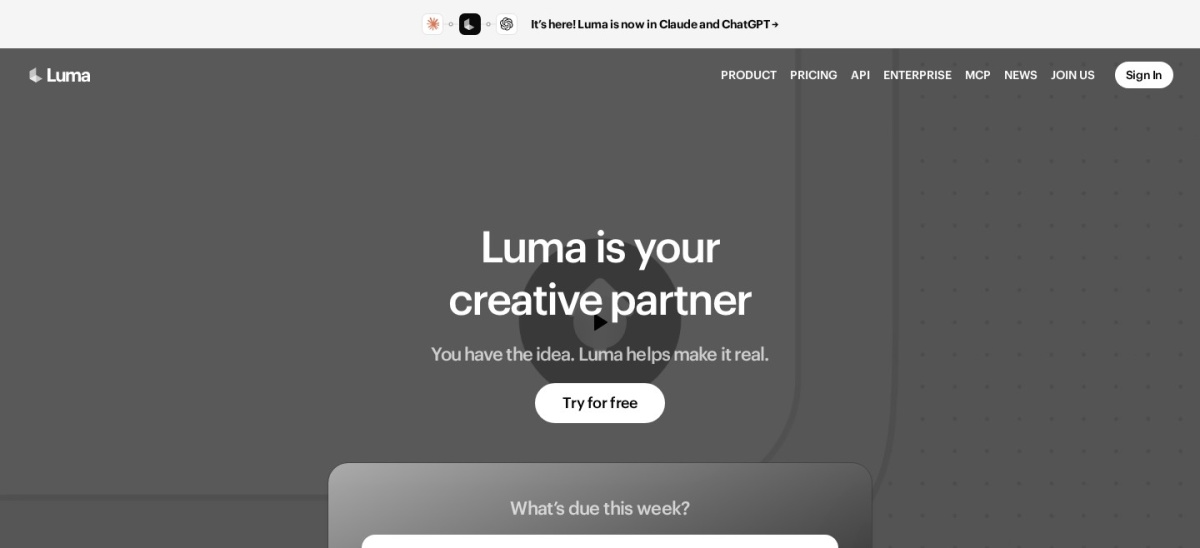
Luma Dream Machine homepage, captured Nov 2026.
Luma Dream Machine is an AI video and image generation platform offering image to video, video to video, and keyframe transitions. Individual paid plans start on Plus at $30/mo ($300 billed yearly) with 10,000 monthly credits.
The trade off is that higher resolutions like 1080p consume many more credits per clip than 720p, and Trustpilot ratings are low. It suits creators doing fast visual prototyping and motion tests.
What we like
Plus plan includes 10,000 monthly credits and commercial use rights
Annual billing lowers the effective cost to $300/yr
Supports image to video, video to video, and reframing modes
Allows edit access for guest collaborators on paid plans
Watch out for
1080p generations cost significantly more credits than lower resolutions
Trustpilot score is 1.4/5 across 72 listed reviews
Plus ($30/mo) provides 10,000 monthly credits, commercial use, and guest collaborator edit access.Visit lumalabs.ai
06
InVideo AI
4.2/5on G2 (184 reviews, checked Nov 2026)
Starts at$20/seat/mo
Best for prompt-to-video social drafts
Entry planStarter ($20/seat/mo or $10/seat/mo yearly)
Monthly credits400 credits/seat/mo on Starter
Free tierNo recurring free plan on pricing table
G2 rating4.2/5 (184 reviews)
invideo.io
InVideo AI homepage, captured Nov 2026.
InVideo AI is a browser-based video creation and timeline editing suite that combines AI generation, voiceovers, and scene assembly. Starter is listed at $20/seat/mo ($10/seat/mo billed annually) with 400 monthly credits per seat.
The trade off is that some video models are restricted to higher plans and credit usage can add up during revisions. It suits marketers turning ideas and assets into social video drafts quickly.
What we like
Combines timeline editing, color, audio, and 4K export on Starter
Annual billing reduces Starter to $10/seat/mo
Includes 200 GB of storage and up to 5 seats on Starter
Holds a 4.2/5 rating across 184 G2 reviews
Watch out for
Some video models are not available on the entry Starter tier
Iterative edits and video generations can consume credits faster than expected
Starter ($20/seat/mo) includes 400 monthly credits per seat, 4K export, and timeline editing tools.Visit invideo.io
07
VEED
4.5/5on G2 (1,000+ reviews, checked Nov 2026)
Paid from$25/mo
Best for browser editing and captions
Entry planCreator ($25/mo or $12/mo yearly)
Export quality1080p without watermark on Creator
Free tierYes (720p exports with watermark)
G2 rating4.5/5
veed.io
VEED homepage, captured Nov 2026.
VEED is a web-based video editor and AI creation tool offering captions, voice tools, and video generation features. Its free plan lets you test basic editing with 720p watermarked exports.
The trade off is that Creator costs $25/mo on monthly billing ($12/mo billed annually) and 4K exports sit on higher tiers. It suits creators who prioritize browser editing and captions alongside AI clips.
What we like
Removes watermarks and supports 1080p exports on Creator
Cuts monthly Creator cost from $25/mo to $12/mo when billed annually
Includes browser-based timeline editing and subtitle tools
Offers a free tier for basic browser trials
Watch out for
Free plan exports carry a watermark and cap resolution at 720p
4K exports and team features require upgrading to higher tiers
Creator ($25/mo) unlocks watermark-free exports, 1080p resolution, and monthly AI creation allowances.Visit veed.io
How credits and billing affect real costs
Most AI image to video tools price plans around monthly credit allowances rather than flat video counts. Longer durations, higher resolutions, and heavier models consume credits faster, so a plan's starting price rarely reflects a full campaign's output.
Annual billing frequently reduces the monthly rate by 20% or more, but locking in a full year makes sense only if the credit pool and feature set fit your steady output.
How we chose
We built this list from established AI video and creative platforms that support image to video workflows and maintain active plans and public documentation.
All pricing figures, plan tiers, and review ratings were checked on 22 Nov 2026 using official pricing pages and public review listings.
We excluded tools lacking verifiable current pricing or public ratings, and we evaluated plans based on entry paid pricing and stated limits. No vendor paid for a place, and we do not claim testing for this list.
How to choose an AI image to video tool
Follow four practical steps to pick a tool that fits your workflow and budget:
Match the tool to your motion style. Decide whether you need scene and camera motion from a photo or a speaking avatar from a portrait.
Check credit burn per clip length. Compare monthly credit allowances against the cost of 5-second to 10-second clips at your target resolution.
Verify export and commercial rules. Confirm watermark removal, maximum resolution, and commercial usage rights before publishing client or ad work.
Test on a free tier or short cycle first. Start with free allowances or monthly billing to verify output quality before committing to an annual plan.
FAQ
What is the cheapest paid AI image to video tool on this list?
Adobe Firefly Standard starts at $9.99/mo with 2,000 monthly generative credits, while Pika Starter is $10/mo ($8/mo billed annually) with 600 monthly credits.
Do any of these AI image to video tools offer a free plan?
Yes. Runway, HeyGen, Pika, Adobe Firefly, and VEED all offer free tiers or entry trials, though free exports may include watermarks, credit limits, or usage restrictions.
Why do AI video tools use monthly credits instead of unlimited videos?
Video generation requires heavy GPU compute that scales with resolution, clip duration, and model complexity, so vendors meter usage through monthly credit pools.
Should I choose annual billing for an AI video generator?
Annual billing often lowers the effective monthly price, such as Runway Standard at $12/mo instead of $15/mo or Pika Starter at $8/mo instead of $10/mo, but only if you use the tool consistently.
Which tool is best for turning a portrait into a talking video?
HeyGen focuses heavily on avatar and talking-photo video generation with lip-sync and 175+ languages on paid plans.
Can I edit clips further after generating them from an image?
Yes. Platforms like Runway, InVideo AI, and VEED include editing features, while Adobe Firefly clips can move into Adobe editing applications.
SaaS SEO and WordPress specialist with about 8 years of experience. Rakib compares WordPress plugins, themes, hosting and software using public pricing, documentation and user reviews. See how we rank.