Best AI Image to Video Generation Tools in 2026: 7 Tools Compared
WLWPLegible EditorsLast verified 22 Nov 2026How we rank5 min read
★ Short answer
Runway leads for studio motion control and editing with 125 free one-time credits and paid plans starting at $12/mo billed annually. HeyGen fits talking photos and multilingual video from $24/mo billed annually, while Pika suits budget short clips from $8/mo billed annually.
How we make this list: we compare pricing pages, product documentation and public user reviews, then re-check every price before each update. No product paid for a place. Disclosure.
Runway starts at $12/mo billed annually ($15/mo monthly) with 625 monthly credits and 125 one-time free credits.
Pika offers the lowest entry subscription at $8/mo billed annually ($10/mo monthly) with 700 monthly credits.
HeyGen starts at $24/mo billed annually ($29/mo monthly) for 600 monthly credits and talking-photo avatars.
Adobe Firefly starts at $9.99/mo with 2,000 generative credits and commercially safe workflows.
Luma starts at $25/mo billed annually ($30/mo monthly) for 10,000 monthly credits on Plus.
What to look for in AI image to video tools
Image to video tools split across two main workflows: animating a still scene or product shot with camera motion, and animating a portrait into a talking presenter or avatar clip. Few platforms excel equally at both, so match the tool to the motion style your project needs.
Most platforms bill through monthly credit pools rather than flat video counts, and credit burn rises quickly with resolution, clip length, audio generation, or heavier models. Monthly billing usually costs more per month than annual billing, and promotional discounts often revert to standard renewal rates.
Check free-tier limits before committing to a subscription. Some tools give a small one-time credit balance that does not refill, while others offer daily drips or watermarked test exports that require a paid tier for clean commercial output.
Look closely at clip duration caps, native audio support, and failed-generation rules. Many generators output short clips of a few seconds and rely on clip extension or an external timeline editor for longer sequences.
For keyframe arcs and high-dynamic-range pipelines
$25/mo
No free plan
1.3/5
Price ladder: cheapest paid plan per year
List prices, USD, checked Nov 2026
PikaFREE$96
FireflyFREE$120
RunwayFREE$144
Pollo AIFREE$180
HiggsfieldFREE$228
HeyGenFREE$288
Luma$300
The 7 best ai image to video generation tools
01
Runway
4.2/5on G2 (151 reviews, checked Nov 2026)
Paid from$12/mo
Best for directed motion and editing tools
Free tier125 one-time credits
Entry paid plan$12/mo yearly ($15/mo)
Monthly credits625 credits on Standard
Rating4.2/5 on G2 (151)
runway.com
Runway homepage, captured Nov 2026.
Runway is a creative video generation and editing platform that includes a free tier with 125 one-time credits and 5GB of storage. Its Standard plan provides 625 monthly credits, watermark-free exports, and 4K upscaling.
The trade off is that free credits do not renew and Standard costs $12/mo billed annually ($144/yr) or $15/mo billed monthly, with heavier models using credits quickly. It suits creators who want video generation and editing tools in one workspace.
What we like
Combines video generation, editing, and 4K upscaling in one workspace
Free plan includes 125 one-time credits to test the interface
Annual billing lowers Standard from $15/mo to $12/mo
Watch out for
Free credits are one-time only and do not refill monthly
Credit usage varies by model, duration, and resolution
Pika is a short-form AI video tool aimed at social clips and visual effects, offering a free tier with 80 monthly credits at 480p. Its Standard tier provides 700 monthly credits and supports keyframe chaining up to about 25 seconds via Pikaframes.
The trade off is that the free tier adds a watermark and limits output to 480p, while Standard costs $8/mo billed annually ($96/yr) or $10/mo monthly. It suits budget-minded social creators iterating on short clips.
What we like
Low entry price at $8/mo billed annually with 700 monthly credits
Supports multi-keyframe clips up to about 25 seconds via Pikaframes
Includes a recurring free credit tier for basic testing
Watch out for
Free plan exports are watermarked and capped at 480p
Low Trustpilot score with complaints around credits and support
Adobe Firefly is a generative media platform built for commercial creative work, with a free tier offering limited daily generations. Its Standard plan costs $9.99/mo and provides 2,000 generative credits along with standard image features.
The trade off is that higher video volumes require stepping up to Pro at $19.99/mo or Pro Plus at $49.99/mo, and strict content filters can block prompts. It suits designers and marketers who prioritize commercial safety.
What we like
Accessible $9.99/mo entry plan with 2,000 generative credits
Built for commercial creative workflows alongside Adobe tools
Includes a free tier to test basic generations first
Watch out for
Video allowance on entry tiers fills up if you generate high clip counts
Strict moderation policies can reject borderline prompts
4.5/5on Trustpilot (5,588 reviews, checked Nov 2026)
Paid from$15/mo
Best for testing multiple video models in one wallet
Free tier20 sign-up credits
Entry paid plan$15/mo Lite ($144/yr)
Monthly credits400 credits on Lite
Rating4.5/5 on Trustpilot (5,588)
pollo.ai
Pollo AI homepage, captured Nov 2026.
Pollo AI is a multi-model video and image generator that starts with 20 free sign-up credits. Its Lite plan costs $15/mo ($144/yr billed annually) and provides 400 monthly credits, watermark-free exports, and two parallel tasks.
The trade off is that heavier models and sound options consume the 400-credit Lite pool quickly, and some users report strict prompt filters. It suits marketers and creators comparing models on product or social clips.
What we like
Lets you switch across multiple video models under one credit balance
Strong Trustpilot score across more than 5,500 reviews
Lite plan removes watermarks and supports parallel tasks
Watch out for
Credit burn rises fast on heavier models or audio-enabled clips
Content filters can interrupt prompts that do not appear rule-breaking
4/5on Trustpilot (5,489 reviews, checked Nov 2026)
Paid from$19/mo
Best for camera presets and multi-model workflows
Free tierLimited free allowance
Entry paid plan$19/mo Starter yearly
FocusCamera presets and models
Rating4.0/5 on Trustpilot (5,489)
higgsfield.ai
Higgsfield homepage, captured Nov 2026.
Higgsfield is a video and image platform built around camera presets and multi-model generation, with a free tier for basic testing. Its Starter plan starts at $19/mo billed annually for light creative production.
The trade off is that monthly credits expire without rollover and refunds are limited to initial purchases within seven days with zero credits used. It suits creators focused on stylized camera motion and ad batches.
What we like
Brings multiple video models and camera presets into one interface
Active Trustpilot presence with thousands of user reviews
Offers a free tier before subscribing to a monthly plan
Watch out for
Unused monthly credits do not roll over to the next cycle
Strict refund rules and credit burn on heavier generations
Paid plans expand model access, generation allowances, and parallel workflows.Visit higgsfield.ai
06
HeyGen
4.8/5on G2 (1,475 reviews, checked Nov 2026)
Paid from$24/mo
Best for talking photos and avatar videos
Free tierUp to 3 watermarked videos/mo
Entry paid plan$24/mo yearly ($29/mo)
Monthly credits600 credits at 1080p
Rating4.8/5 on G2 (1,475)
heygen.com
HeyGen homepage, captured Nov 2026.
HeyGen is an AI video platform for turning still portraits into talking presenters alongside scene generation, with a free plan allowing up to three watermarked videos a month. Its Creator plan costs $24/mo billed annually ($29/mo monthly) and includes 600 credits a month at 1080p.
The trade off is that free exports include a watermark and paid credit pools can drain quickly on longer or higher-tier outputs. It suits marketers and educators making presenter or multilingual videos.
What we like
Strong G2 rating of 4.8/5 across nearly 1,500 reviews
Handles talking photos, avatars, and multilingual translation in one editor
Creator plan removes watermarks and includes 600 monthly credits
Watch out for
Free plan caps monthly outputs and applies a watermark
Credit usage and rendering times can vary across features
Best for keyframe arcs and high-dynamic-range pipelines
Free tierNo free tier on pricing page
Entry paid plan$25/mo yearly ($30/mo)
Monthly credits10,000 credits on Plus
Rating1.3/5 on Trustpilot (72)
lumalabs.ai
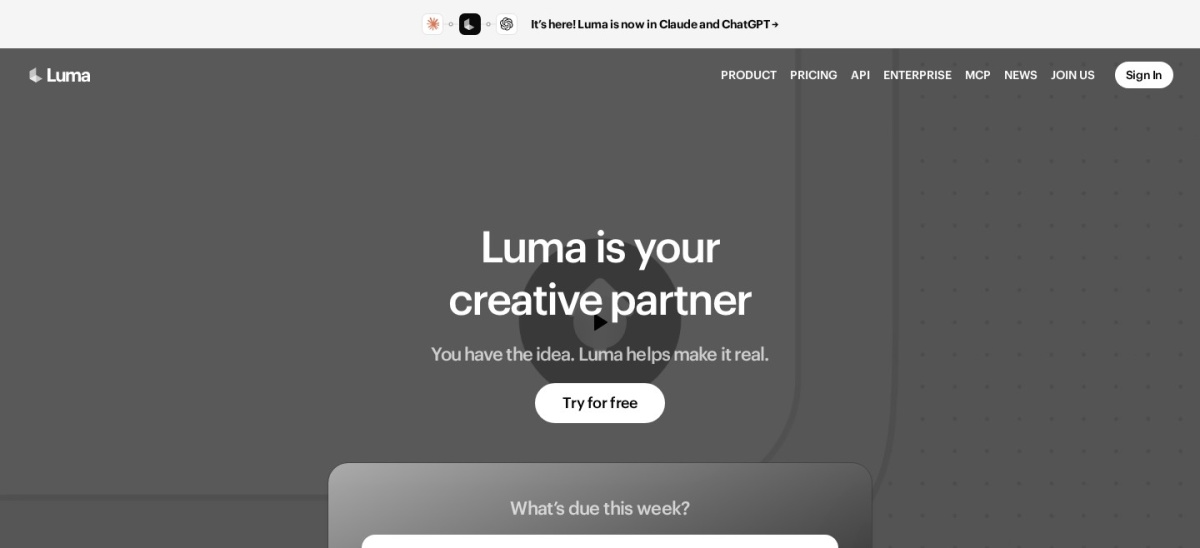
Luma homepage, captured Nov 2026.
Luma is a video generation platform built around camera motion, keyframes, and high-dynamic-range workflows, starting with the Plus plan at $25/mo billed annually ($30/mo monthly) for 10,000 credits. Higher resolutions and HDR modes consume substantially more credits per clip than standard 720p renders.
The trade off is that Luma lists no free tier on its pricing page and charges $300/yr on annual Plus billing, while its Trustpilot score is low. It suits visual effects and commercial teams that need higher-resolution or HDR outputs.
What we like
Provides 10,000 monthly credits on the Plus tier with commercial use
Supports keyframe camera moves and higher-resolution or HDR pipelines
Clear credit cost breakdown across resolutions and durations
Watch out for
No free tier listed on the pricing page to test output before paying
1080p and HDR renders cost several times more credits than 720p
Paid plans provide monthly credit pools, commercial rights, and access to higher-resolution tiers.Visit lumalabs.ai
How credit pools and annual billing affect real cost
Almost every image to video generator prices around monthly credit allowances rather than unlimited renders. A 5-second or 10-second clip at higher resolution, with native audio, or on a flagship model can use many times the credits of a short draft render.
Annual billing lowers the monthly rate on platforms such as Runway, Pika, HeyGen, and Luma, while Adobe Firefly lists its Standard plan at $9.99/mo. Always check whether credits expire at the end of each billing cycle and whether failed generations still deduct credits.
How we chose
We built this shortlist by reviewing active AI image to video platforms, public pricing pages, and third-party review profiles across G2 and Trustpilot. We prioritized tools with clear public pricing and distinct workflows spanning general motion, talking avatars, and multi-model access.
All prices, credit allowances, review counts, and ratings were checked on 22 Nov 2026 from the pricing pages and review profiles we opened. Where annual and monthly rates differ, we record the regular entry price and note the billing cadence.
We excluded discontinued services such as Sora and skipped tools without transparent public pricing or active maintenance. No vendor paid for a place, and we do not claim testing for this list.
How to choose an AI image to video tool
Follow four practical checks before paying for a monthly video credit plan:
Match the tool to your motion goal first. Decide whether you need camera motion on a still scene or a talking portrait and presenter clip, since those workflows differ across platforms.
Estimate your real monthly clip count and resolution. Check how many seconds of video at your target resolution the entry credit pool actually covers once retries are included.
Test on the free tier before subscribing. Use free credits or sample exports to check motion stability, prompt adherence, and watermark rules before committing to an annual plan.
Review credit expiration and renewal terms. Confirm whether unused credits roll over, when billing renews at standard rates, and how refunds work on initial orders.
FAQ
What is the cheapest paid AI image to video tool on this list?
Pika starts at $8/mo billed annually ($96/yr) or $10/mo billed monthly on its Standard plan with 700 monthly credits. Adobe Firefly is next at $9.99/mo on Standard with 2,000 generative credits.
Do free plans let you export videos without a watermark?
Most free tiers on this list either cap usage with a small credit allowance or add watermarks on test exports. Upgrading to a paid tier is typically required for watermark-free output and commercial workflows.
Why do monthly video credits run out faster than expected?
Higher resolutions, longer clip durations, native audio, and heavier models consume more credits per generation, and test reruns also spend credits.
Which tool here is best for animating a photo into a talking presenter?
HeyGen focuses on talking-photo and avatar videos alongside scene generation, starting with a free tier and a Creator plan at $24/mo billed annually for 600 monthly credits.
Should I choose monthly or annual billing on these platforms?
Annual billing reduces the monthly rate on platforms like Runway, Pika, HeyGen, and Luma, while monthly billing costs more upfront but gives flexibility if your video needs fluctuate.
Is Sora still an option for AI image to video generation?
No, Sora was discontinued in September 2026, so buyers should look at active alternatives such as Runway, HeyGen, Pollo AI, Higgsfield, or Luma instead.