Equalize Digital Accessibility Checker is the best AI accessibility tools software for startups running WordPress, offering unlimited server-side page scans and a $190/yr Professional plan with a 4.9/5 rating. Startups on custom stacks or non-WordPress CMSs should choose Equally.ai ($450/yr) for automated remediation or Stark ($198/user/yr, 3-seat minimum) to catch issues in Figma before code ships.
How we make this list: we compare pricing pages, product documentation and public user reviews, then re-check every price before each update. No product paid for a place. Disclosure.
Equalize Digital Accessibility Checker costs $190/yr for full-site WordPress scanning with zero per-page API limits.
Entry-level AI remediation overlays from Equally.ai, UserWay, and accessiBe cluster between $450/yr and $490/yr.
Deque axe DevTools Pro ($720/user/yr) and Stark ($594/yr minimum for 3 seats) catch code and design defects before deployment.
AccessiYes and Equalize Digital both offer permanent free plans with no monthly scan caps for early-stage budgets.
Traffic-tiered widgets like accessiBe jump from $490/yr (5,000 monthly visits) to $1,490/yr once a startup passes 5,000 visits.
How do you choose the best AI accessibility tools software for startups?
Startups face a sharp split between source-code scanners that find bugs for engineers and runtime overlays that patch rendered pages via JavaScript. Source-level scanners like Equalize Digital Accessibility Checker and Deque axe DevTools flag missing alt text, broken ARIA attributes, and low contrast inside your workflow so developers fix the root HTML.
Runtime AI widgets from Equally.ai, UserWay, and accessiBe deploy in minutes with a single script tag and add visitor reading toolbars. While fast to launch without sprint capacity, runtime layers do not alter your underlying source code and can jump sharply in price when traffic scales past entry tiers.
Design-phase tools like Stark shift accessibility checks into Figma before engineers write a line of markup. Catching contrast ratios, focus order, and touch-target errors during prototyping saves rework, though teams still need browser or CI testing for dynamic app states.
Your tech stack and traffic growth dictate total first-year cost more than headline monthly rates. WordPress startups can audit unlimited pages for $190/yr, whereas SaaS apps using visitor-metered widgets risk tier upgrades as soon as a product launch drives more than 5,000 monthly sessions.
The 8 best AI accessibility tools software for startups
01
Equalize Digital Accessibility Checker
4.9/5on WordPress.org (80 reviews, checked Nov 2026)
Paid from$190/yr
Best for WordPress startups fixing source code
Checks40+ WCAG 2.2 automated rules
Page limitsUnlimited posts and pages
Free tierFull editor scans + 12 auto-fixes
PlatformWordPress plugin (self-hosted)
equalizedigital.com
Equalize Digital Accessibility Checker homepage, captured Nov 2026.
Equalize Digital Accessibility Checker is a self-hosted WordPress plugin that runs over 40 WCAG 2.2 checks directly inside your post and page editor. Its free Personal plan includes unlimited page scans, readability scoring, an accessibility statement generator, and 12 automated fixes for common theme barriers.
The trade off is that it works only on WordPress, and site-wide bulk scanning plus the centralized open-issues list require the Professional plan at $190/yr. It suits content-heavy WordPress startups that want engineers and editors fixing real markup without per-page API fees.
What we like
Runs on your own server with zero page-scan or API caps
Flags exact code issues inside the block and classic editors
Lowest paid annual price among full-site source scanners at $190/yr
Backed by a 30-day money-back guarantee
Watch out for
Restricted exclusively to WordPress websites
Bulk full-site scanning and CSV export require paid tiers
Professional ($190/yr) unlocks full-site bulk scanning, custom post types, a centralized issue explorer, and 4 extra automated fixes.Visit equalizedigital.com
02
Equally.ai
4.9/5on G2 (117 reviews, checked Nov 2026)
Starts at$450/yr
Best for flat-rate AI widget remediation
Traffic capUp to 100,000 page views/mo
StandardsWCAG, ADA, and EAA
Free trial7 days, no credit card required
DeploymentSingle async JavaScript snippet
equally.ai
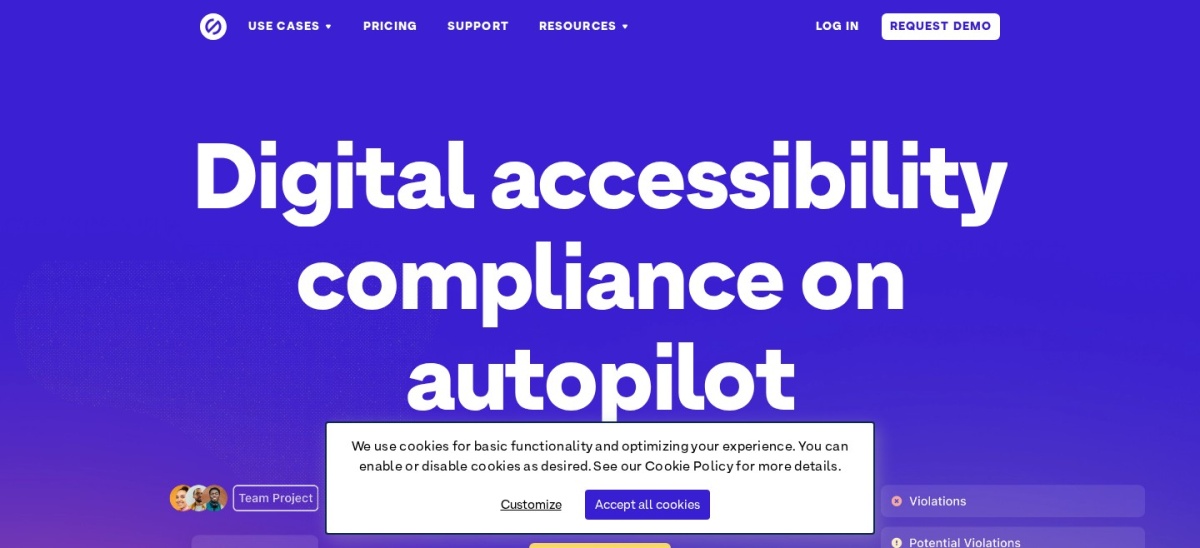
Equally.ai homepage, captured Nov 2026.
Equally.ai is a cloud-based AI accessibility widget and monitoring platform that installs via a single asynchronous script tag across WordPress, Webflow, Shopify, and custom sites. Its Essential plan ($38/mo billed annually at $450/yr, or $45/mo monthly) covers unlimited pages up to 100,000 monthly page views with routine compliance checks.
The trade off is that there is no permanent free plan after the 7-day trial, and runtime overlays do not permanently rewrite your underlying repository code. It suits lean startups needing rapid WCAG and EAA coverage across up to 100,000 monthly views without dedicating sprint hours.
What we like
Generous 100,000 monthly page-view allowance on the $450/yr Essential tier
Includes source-code issue notifications and an attorney-certified statement
7-day free trial requires no credit card
4.9/5 rating across 117 G2 reviews with strong ease-of-use scores
Watch out for
No free tier once the 7-day trial ends
Growth tier jumps to $1,379/yr above 100,000 page views
Essential ($450/yr) includes AI remediation, unlimited pages up to 100K monthly views, custom fixes, and 24/5 support.Visit equally.ai
03
Stark
4.6/5on G2 (89 reviews, checked Nov 2026)
Paid from$198/yr
Best for product designers in Figma
IntegrationsFigma, Sketch, Chrome, Edge
AI toolingSidekick auto-fixes and alt text
Seat minimum3 seats on Premium Pack ($594/yr)
Free tierContrast checker + vision simulator
getstark.co
Stark homepage, captured Nov 2026.
Stark is a design-to-code accessibility suite with plugins for Figma, FigJam, and Sketch plus browser extensions for live DOM inspection. Its free Starter team account includes the contrast checker and vision impairment simulator, while AI Sidekick auto-remediation and browser WCAG scans start at $198/user/yr.
The trade off is a three-seat minimum on the Premium Pack ($594/yr total), and automated URL monitoring or CI/CD pipeline scans require the Launch plan at $2,500/yr. It suits product-led startups with at least three designers or frontend engineers who want accessible specs before handoff.
What we like
Catches contrast, typography, and focus-order defects inside Figma
AI Sidekick suggests passing color tokens and image alt text automatically
Free team account lets early founders test basic contrast at $0
Browser extension highlights live code issues in dev tools
Watch out for
Premium Pack enforces a 3-seat minimum ($594/yr effective floor)
Scheduled URL monitoring and CI/CD scans jump to $2,500/yr
Premium Pack ($198/user/yr, min 3 seats) unlocks AI Sidekick auto-fixes in Figma and live browser WCAG scans.Visit getstark.co
04
UserWay
4.8/5on G2 (651 reviews, checked Nov 2026)
Paid from$490/yr
Best for multilingual visitor personalization
Traffic capUp to 100,000 page views/mo
Monitoring10 pages on Pro ($490/yr)
Languages50+ languages on Pro Plus
Legal aidLitigation Support on annual plans
userway.org
UserWay homepage, captured Nov 2026.
UserWay combines a free front-end accessibility toolbar with paid AI remediation that patches missing image descriptions, form labels, and keyboard navigation at runtime. Its entry Accessibility Pro Widget Small plan costs $490/yr for up to 100,000 monthly page views and monitors up to 10 pages.
The trade off is that live site translations, menu customization, and 50-page monitoring require upgrading to Pro Plus at $1,190/yr, and monthly billing runs higher ($69/mo). It suits startups serving international audiences that want a free starter widget with a clear upgrade path.
What we like
Permanent free widget available for basic contrast and text scaling
Pro Small ($490/yr) supports up to 100,000 monthly page views
Annual plans include UserWay's Litigation Support Program
High review volume with 4.8/5 across 651 G2 reviews
Watch out for
Live translations and usage stats are gated behind the $1,190/yr tier
Entry Pro plan monitors only 10 pages continuously
Pro Small ($490/yr) adds AI-powered remediation, 10-page continuous monitoring, and annual litigation support.Visit userway.org
05
Deque axe DevTools
4.5/5on G2 (238 reviews, checked Nov 2026)
Paid from$60/mo
Best for engineering teams and CI/CD
Engineaxe-core with Intelligent Guided Tests
AI featuresaxe Assistant + MCP server for IDEs
Free tierUnlimited basic browser extension scans
Trial14-day Pro trial, no credit card
deque.com
Deque axe DevTools homepage, captured Nov 2026.
Deque axe DevTools is a developer-grade accessibility testing suite built on the open-source axe-core engine, designed to catch WCAG defects with zero false positives. Its free browser extension runs unlimited page audits, while Pro ($60/user/mo, or $720/yr) adds machine-learning Intelligent Guided Tests and component-level flow testing.
The trade off is per-seat pricing that adds up across larger engineering teams, plus custom enterprise quotes if you want the full CI/CD linter and MCP server bundle. It suits technical startups where developers own accessibility and need reliable browser QA.
What we like
Free browser extension has no expiration or page-scan limits
Intelligent Guided Tests push issue detection beyond standard automation
Zero-false-positive rule set prevents developer alert fatigue
14-day Pro trial requires no credit card
Watch out for
Pro ($720/user/yr) is billed per developer seat
Full CI/CD pipeline and MCP server bundle require a custom sales quote
Pro ($60/user/mo) unlocks Intelligent Guided Tests, user-flow testing, issue export, and component-level inspection.Visit deque.com
06
Accessible Web RAMP
4.6/5on G2 (28 reviews, checked Nov 2026)
Starts at$49/mo
Best for guided WCAG audit roadmaps
Scan quota1,000 automated page scans/mo
Scope1 website, 1 user on Starter
Add-on rate$20/mo per extra user or site
Free trial14 days, no credit card required
accessibleweb.com
Accessible Web RAMP homepage, captured Nov 2026.
Accessible Web RAMP is a compliance management and automated scanning platform that turns WCAG 2.1/2.2, ADA, and EAA requirements into prioritized remediation tasks. Its Starter plan ($49/mo, or $588/yr) covers one website and one user with 1,000 automated page scans per month and full Compliance Center access.
The trade off is no permanent free tier after the 14-day trial, and Jira/CSV task exports require upgrading to the Advanced plan at $99/mo ($1,188/yr). It suits B2B startups preparing for enterprise security and accessibility reviews that need a documented audit trail.
What we like
Transparent month-to-month pricing starting at $49/mo with no lock-in
À la carte add-ons ($20/mo per extra seat or domain) avoid forced tier jumps
Combines automated crawling with structured manual audit checklists
14-day free trial with no credit card required
Watch out for
No free plan once the 14-day trial expires
External ticketing links and CSV exports require the $99/mo Advanced plan
Starter ($49/mo) provides 1,000 monthly automated page scans, continuous monitoring, and Compliance Center roadmaps.Visit accessibleweb.com
07
accessiBe
4.7/5on G2 (1,588 reviews, checked Nov 2026)
Starts at$490/yr
Best for low-traffic sites under 5K visits
Traffic capUp to 5,000 visits/mo on Micro
Monthly rate$59/mo if billed month-to-month
Audit cadenceMonthly automated audit report
Reviews4.7/5 across 1,588 G2 reviews
accessibe.com
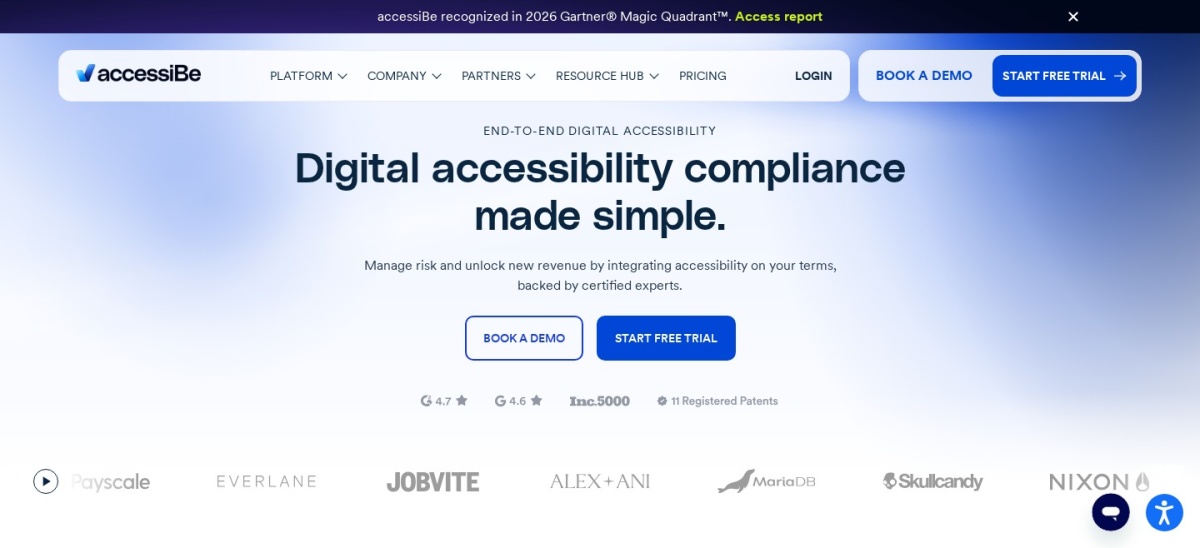
accessiBe homepage, captured Nov 2026.
accessiBe is a widely reviewed AI accessibility overlay that uses computer vision and contextual understanding to adjust alt text, ARIA roles, and keyboard navigation on the front end. Its accessWidget Micro plan costs $490/yr (or $59/mo monthly) for sites with up to 5,000 monthly visits.
The trade off is strict traffic tiering: once a startup exceeds 5,000 monthly visits, pricing jumps to $1,490/yr for Growth (up to 30,000 visits), and refunds are not offered after purchase. It suits low-traffic marketing sites that want turnkey setup and live chat support.
What we like
Fast single-snippet installation with live chat and email support
Generates an accessibility statement and monthly automated audit report
Large user base with 1,588 G2 reviews averaging 4.7/5
Micro tier caps traffic at just 5,000 monthly visits before jumping to $1,490/yr
No permanent free tier and strict auto-renewal cancellation windows
accessWidget Micro ($490/yr) covers up to 5,000 monthly visits with automated AI adjustments and monthly audit reports.Visit accessibe.com
08
AccessiYes
4.8/5on WordPress.org (37 reviews, checked Nov 2026)
PriceFree
Best completely free WordPress widget
Price$0 forever, no paid tiers
ProfilesLow Vision, ADHD, Seizure Safe
PrivacyZero visitor tracking or external CDN
Active installs20,000+ on WordPress.org
accessiyes.com
AccessiYes homepage, captured Nov 2026.
AccessiYes is a completely free, self-hosted WordPress accessibility widget built by the team behind CookieYes, with no paid tiers, usage caps, or external CDN calls. It provides visitors with one-click Low Vision, ADHD, and Seizure Safe profiles alongside dyslexia fonts, reading guides, and a page reader.
The trade off is that AccessiYes is strictly a front-end user preference toolbar—it does not run AI source-code audits, generate alt text, or fix underlying WCAG HTML errors. It suits bootstrapped WordPress startups that want a zero-cost, privacy-safe visitor toolbar while manually fixing theme code.
What we like
100% free with no paid upsells, traffic caps, or feature locks
Self-hosted scripts store zero personal visitor data
Includes a built-in accessibility statement generator
4.8/5 rating across 37 WordPress.org reviews and 20,000+ active installs
Watch out for
Does not audit pages or remediate underlying HTML/WCAG code defects
Available only as a WordPress plugin
All features—including preset profiles, page reader, and statement generator—are included in the free plugin.Visit accessiyes.com
AI overlays vs. source-code scanners: which should a startup buy?
Accessibility overlays (Equally.ai, UserWay, accessiBe) inject a JavaScript layer that modifies the Document Object Model in the visitor's browser and adds a UI toolbar. They take under 15 minutes to install, making them attractive when a small team lacks frontend bandwidth, but they leave underlying HTML defects intact in your codebase.
Source-code and design scanners (Equalize Digital Accessibility Checker, Deque axe DevTools, Stark) flag missing form labels, contrast failures, and heading hierarchy errors so your team fixes them permanently. For SaaS products selling to enterprise or government buyers who request a VPAT, source-level remediation is far easier to defend than an overlay alone.
How we chose
We evaluated AI-powered accessibility testing, design, and remediation tools listed across WordPress.org and G2's AI Accessibility Tools category, filtering specifically for published entry pricing under $1,000/yr suitable for early-stage startups.
All prices, traffic caps, star ratings, and review counts were verified on 30 Nov 2026 directly from vendor pricing pages, WordPress.org plugin listings, and G2 product profiles.
We excluded enterprise-only platforms that hide entry pricing behind sales demos (such as Level Access, Siteimprove, and Silktide) as well as plugins with fewer than 1,000 active installs or 20 reviews. No vendor paid for a place, and we do not claim testing for this list.
How to pick the right accessibility tool for your startup
Follow four practical checks before committing your startup to an annual accessibility subscription:
Match the tool to your CMS or codebase. If your marketing site runs on WordPress, self-hosted plugins like Equalize Digital Accessibility Checker ($190/yr) or AccessiYes ($0) avoid external API caps. Custom React, Next.js, or Webflow apps need framework-agnostic scanners like Deque axe DevTools or cross-CMS scripts like Equally.ai.
Check traffic and seat multipliers before subscribing. Overlay vendors price by monthly traffic: Equally.ai and UserWay include 100,000 monthly page views on their $450–$490/yr tiers, whereas accessiBe caps its $490/yr tier at 5,000 visits. Developer tools like Stark ($198/user/yr, 3-seat minimum) and axe DevTools Pro ($720/user/yr) scale by team headcount.
Decide between runtime patches and permanent code fixes. If you need enterprise VPAT documentation or have engineers actively shipping UI sprints, choose a scanner that reports exact DOM and ARIA faults. Use a visitor widget only as a supplementary UX layer or temporary stopgap while clearing your backlog.
Start with free tiers and no-card trials first. Install Deque's free axe DevTools browser extension, Stark's free Figma plugin, or Equalize Digital's free WordPress plugin to benchmark your current WCAG baseline before paying for automated monitoring.
FAQ
What is the best AI accessibility tools software for startups in 2026?
Equalize Digital Accessibility Checker is our top pick for WordPress startups at $190/yr with unlimited page scans. For non-WordPress sites, Equally.ai ($450/yr for up to 100,000 monthly page views) offers the best flat-rate AI widget, while Stark ($198/user/yr, 3-seat minimum) leads for Figma design teams.
What is the best free AI accessibility tool for a bootstrapped startup?
Equalize Digital Accessibility Checker offers the strongest free WordPress plan with unlimited in-editor WCAG 2.2 scans and 12 automated fixes. For custom web apps, Deque's free axe DevTools browser extension runs unlimited page audits at $0, and AccessiYes provides a 100% free WordPress visitor toolbar.
How much does AI accessibility software cost per year for a small team?
Startup-friendly accessibility plans range from $0 to $720/yr. WordPress full-site scanning starts at $190/yr (Equalize Digital), AI remediation widgets run $450–$490/yr (Equally.ai, UserWay, accessiBe), and developer/design seat licenses cost $594/yr for 3 Stark seats or $720/yr for one axe DevTools Pro seat.
Should startups use Equally.ai or accessiBe?
Equally.ai is the better value for growing startups because its $450/yr Essential plan covers up to 100,000 monthly page views and includes a 7-day no-card trial. accessiBe starts at $490/yr but caps its Micro tier at 5,000 monthly visits, jumping to $1,490/yr once traffic grows past that mark.
Do AI accessibility widgets make a startup website fully WCAG compliant?
No automated widget or scanner guarantees 100% WCAG 2.2 or ADA compliance on its own. Automated tools detect roughly half of WCAG criteria—such as contrast, missing alt text, and form labels—while keyboard focus traps, logical reading order, and complex checkout flows still require manual testing.
SaaS SEO and WordPress specialist with about 8 years of experience. Rakib compares WordPress plugins, themes, hosting and software using public pricing, documentation and user reviews. See how we rank.