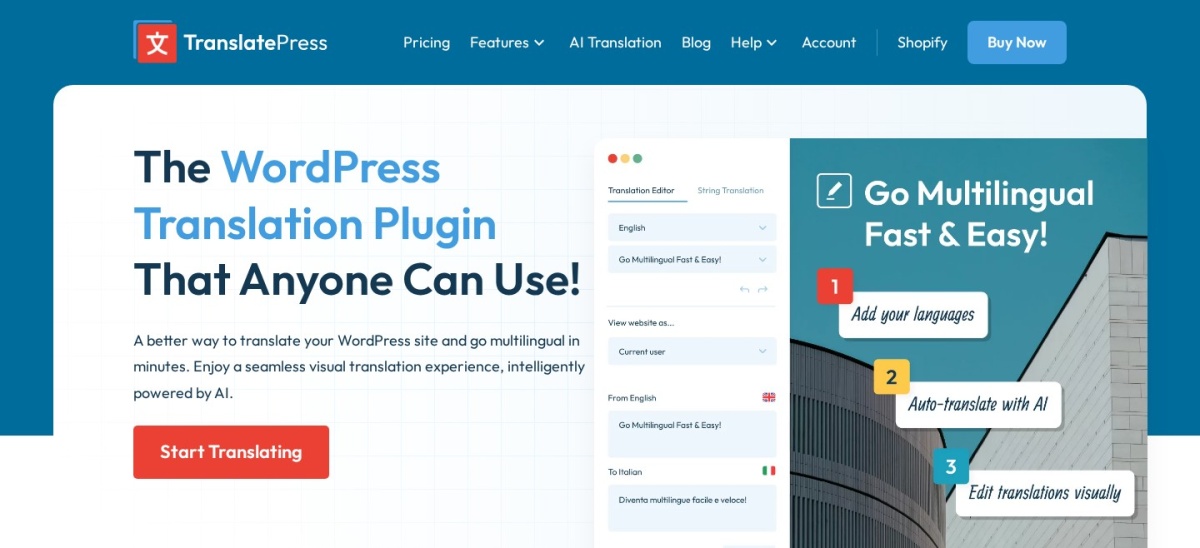


TranslatePress wins for most sites because its free version covers manual translation in one extra language, and its visual editor lets you translate text where it appears on the page. Choose WPML when you need translation management, professional translation services and WooCommerce support in one paid plugin.
TranslatePress and WPML both turn a WordPress site multilingual, but they work in different ways. TranslatePress lets you click text on the live page and translate it where it appears, while WPML runs translation from a side-by-side editor in the WordPress admin.
This comparison uses the WordPress.org listing for TranslatePress, Capterra reviews for WPML and both vendors' pricing pages, read on 22 November 2026. We did not run benchmark tests.
Side by side
| Criterion | TranslatePress | WPML | Winner |
|---|---|---|---|
| Free version | Yes, one extra language with manual translation | No free version | TranslatePress |
| Entry price | Personal from €99 a year (1 site) | Multilingual Blog from €39 a year (1 site) | WPML |
| Rating | 4.7/5 from 1,672 WordPress.org reviews | 4.6/5 from 169 Capterra reviews | Tie |
| Active installs | 400,000+ on WordPress.org | No public install count; sold only from wpml.org | TranslatePress |
| Visual front-end translation | Core feature: click text on the live page and translate it | Uses a side-by-side editor in the WordPress admin | TranslatePress |
| Automatic AI translation | 50,000 AI words a year on Personal; 2,000 free in the free version | 22,500 AI words a year on the CMS plan; none on the Blog plan | TranslatePress |
| String translation | Dynamic gettext strings can be translated from the free plugin | Included in CMS and Agency plans, not in Blog | Tie |
| WooCommerce | Works out of the box with WooCommerce | Included in CMS and Agency plans; not in Blog | TranslatePress |
| Translation management | Translator Accounts add-on on Business and Developer plans | Translation Management and professional service integrations on CMS and Agency | WPML |
| Support | Premium support with a paid license; free users use the WordPress.org forum | 24/7 support in 14 languages with an active account | Tie |
Pricing compared
TranslatePress Personal costs €99 a year for one site with 50,000 AI-translated words, and the free plugin already translates one extra language by hand. Business at €199 covers three sites, and Developer at €349 covers unlimited sites.
WPML starts lower at €39 a year for the Blog plan, but that plan covers only basic blog translation with no AI words, string translation or WooCommerce support. Most business sites need the CMS plan at €99 a year, which covers three sites and includes 22,500 AI words.
Where TranslatePress is the right pick
Pick TranslatePress when you want to translate by looking at the page itself. The visual editor shows every string in place, so you can see whether a translation fits the design before you publish it.
It also fits small budgets, because the free version handles a bilingual site with manual translation. Pay for Personal only when you need more languages, the SEO Pack or AI translation.
Where WPML is the right pick
Pick WPML when translation is a workflow, not a one-off task. Translation Management, translator roles and professional service integrations suit teams and agencies that hand work to translators.
The CMS plan is also the better value across several sites, covering three production sites for €99 a year against one site on TranslatePress Personal. Stores should note that WooCommerce translation needs the CMS plan or higher.
Verdict
Winner: TranslatePress for most sites in 2026, because the free version does the core job and the visual editor makes translation faster to check than a list of strings.
Choose WPML for agencies and stores that need translation management, professional services and WooCommerce support in one paid plugin, and for covering three sites on a single €99 license.
FAQ
Does TranslatePress have a free version?
Yes. The free plugin is on WordPress.org and covers manual translation into one extra language, with 2,000 AI-translated words included. Paid plans add more languages, the SEO Pack and larger AI word allowances.
Does WPML have a free version?
No. WPML is sold only as paid plans, starting with Multilingual Blog at €39 a year. Higher plans add page builder, string and WooCommerce translation.
Which is easier for beginners?
TranslatePress is easier to start with, because you click text on the live page and type the translation. WPML has more screens and a setup wizard, which suits larger builds but takes longer to learn.
Which is better for WooCommerce?
TranslatePress works with WooCommerce out of the box, including in the free version. WPML includes WooCommerce translation in its CMS and Agency plans, but not in the Blog plan.
Can I switch from WPML to TranslatePress?
Yes, but plan for a migration. Back up first, move one language at a time and check every translated URL afterwards.
Do I keep my translations if I stop paying?
Yes, with both plugins. TranslatePress stores translations in your own WordPress database, and WPML states that your plugin keeps working and your translations keep showing after an account lapses, though updates stop.
Sources we checked (7)
- TranslatePress on WordPress.org
- TranslatePress pricing
- WPML pricing
- WPML on Capterra
- TranslatePress homepage
- WPML homepage
- WPML translation plugin comparison