Canva is the top PNG creator software for most people, with transparent-background export on its $144-a-year Pro plan and a 4.7 out of 5 G2 rating from 7,659 reviews. Pick Photoshop for professional layer work at $22.99 a month, or GIMP and Photopea if you want powerful PNG editing free.
How we make this list: we compare pricing pages, product documentation and public user reviews, then re-check every price before each update. No product paid for a place. Disclosure.
Canva is the top pick: transparent PNG export and one-click background removal sit behind Pro at $144 a year, and the free plan covers everyday designs.
Photoshop is the professional choice at $22.99 a month, with full layer and transparency control no browser editor matches.
GIMP, Photopea and Inkscape cost nothing: GIMP is rated 4.3 out of 5 on G2 from 1,485 reviews, Photopea 4.6 from 21.
Pixlr Plus is the cheapest paid plan here at $1.99 a month billed yearly, with ad-free editing and 80 AI credits a month.
Adobe Express Premium costs $9.99 a month and adds 200M+ Adobe Stock assets and brand kits to quick social graphics.
How do you choose the top PNG creator software?
A PNG creator earns its place on file quality, not on how many templates it ships. The format's whole point is lossless images with transparent backgrounds, so export settings matter more than the editor's size.
Transparent backgrounds are the feature to check first. Some free plans export PNGs but flatten the background to white, and the transparent option only appears after you pay.
File size is the second check, because PNGs run larger than JPGs. Our guide on optimizing images for WordPress explains how to keep PNGs small without visible loss.
Price is the third check, and the spread here is wide: three tools cost nothing, the cheapest paid plan is $23.88 a year, and Photoshop costs $275.88 a year. Match the price to how often you make PNGs, not to the longest feature list.
Ease of use decides the rest. If you make social graphics weekly, a template tool beats a layer editor; if you cut out product photos daily, background removal and batch export matter more. Once the PNG is made, see how to lazy-load images in WordPress so it loads fast.
Canva is a browser design tool with templates for social posts, logos, thumbnails and ads, and it exports any design as a PNG. The free plan covers everyday graphics, while Pro adds transparent-background export, one-click background removal and brand kits.
The trade off is the paywall around the PNG features that matter most. Transparent export and background removal both need Pro at $144 a year, so free users get flat PNGs with solid backgrounds. It suits creators who make social graphics weekly and want speed over pixel control.
What we like
Fastest route from idea to finished PNG
Transparent export and background removal on Pro
Huge template library for social graphics
Free plan covers everyday designs
Watch out for
Transparent PNGs need the $144-a-year Pro plan
Less pixel-level control than Photoshop or GIMP
Pro adds transparent PNGs, background removal and brand kitsVisit canva.com
02
Adobe Photoshop
4.6/5on G2 (13,449 reviews, checked Nov 2026)
Starts at$22.99/mo
Best for professional PNG work
Transparent PNG exportYes, full control
Layer editingYes, industry standard
Free plan7-day trial only
Paid planSingle app, $22.99/mo
adobe.com
Adobe Photoshop homepage, captured Nov 2026.
Adobe Photoshop is the professional image editor, and it gives the most control over PNGs: layers, masks, selections and export settings for transparency, size and colour. It opens PSD, PNG, JPG and most other formats, and exports transparent PNGs at any size.
The trade off is price and learning time. The single-app plan costs $22.99 a month, and the menus assume you know image editing already. It suits designers and photo editors who make PNGs daily and need exact control.
What we like
Deepest control over transparency, layers and export
Opens and saves PSD, PNG and most formats
Rated 4.6 out of 5 from 13,449 G2 reviews
Watch out for
$22.99 a month is the priciest plan here
Steep learning curve for beginners
Paid plans add Photoshop on desktop, web and mobileVisit adobe.com
03
Adobe Express
4.4/5on G2 (1,100 reviews, checked Nov 2026)
Paid from$9.99/mo
Best for quick social PNGs
Transparent PNG exportPremium plan
Stock assets200M+ on Premium
Free planYes
Paid planPremium, $9.99/mo
adobe.com
Adobe Express homepage, captured Nov 2026.
Adobe Express is Adobe's template-based design tool for social posts, flyers and ads, and it exports finished designs as PNGs. The free plan includes 100,000+ templates, 1M+ stock assets and 5GB of storage, while Premium adds transparent PNG export and brand kits.
The trade off is editing depth. Express is quick for templated graphics but cannot match Photoshop's layers or GIMP's manual control, and free exports carry a watermark on some assets. It suits creators already in Adobe's ecosystem who need fast social PNGs.
What we like
Quick templates for social posts and ads
200M+ Adobe Stock assets on Premium
Cheaper than Canva Pro at $9.99 a month
Watch out for
Transparent PNG export needs Premium
Limited editing depth next to Photoshop
Premium adds transparent PNGs, brand kits and 100GB storageVisit adobe.com
04
GIMP
4.3/5on G2 (1,485 reviews, checked Nov 2026)
PriceFree
Best free desktop PNG editor
Transparent PNG exportYes, free
Layer editingYes
PriceFree, open source
PlatformsWindows, Mac, Linux
gimp.org
GIMP homepage, captured Nov 2026.
GIMP is a free, open-source image editor that handles layers, masks, selections and transparent PNG export without charging anything. It runs on Windows, Mac and Linux, opens PSD files, and supports plug-ins that add features the base install lacks.
The trade off is the interface, which feels dated next to Canva and takes time to learn. There is no official support desk, so help comes from community docs and forums. It suits anyone who wants Photoshop-style control over PNGs for free.
Photopea is a browser-based editor that mirrors Photoshop's layout and opens layered PSD, AI, SVG and PDF files with no install. The free tier includes every editing feature, exports transparent PNGs, and runs entirely on your device, with display ads paying for it.
The trade off is ads on the free tier, which can slow older machines, and the $50-a-year Premium plan only removes ads and adds storage. One developer maintains the whole product. It suits anyone who needs PSD files edited in a browser.
What we like
Every editing feature is free
Opens PSD, AI and SVG files in a browser
Cheapest paid upgrade among browser editors at $50 a year
Pixlr is a browser photo editor with three apps — Pixlr Editor for layers, Express for quick fixes and Designer for templates — all exporting PNGs. The free version needs no account, and Plus adds ad-free editing, unlimited saves and 80 AI credits a month.
The trade off is the credit system. AI tools such as background removal spend monthly credits, so heavy AI use pushes you to Premium at $7.99 a month billed yearly. It suits casual editors who want fast PNG edits without installing anything.
What we like
No install and no account needed to start
Cheapest paid plan here at $1.99 a month billed yearly
Three editors cover layers, quick fixes and templates
Fotor is an online photo editor and design platform with one-click background removal, AI image generation and batch editing. The free Basic plan covers simple edits, while Pro adds HD exports, transparent PNGs, batch background removal and 100 AI credits a month.
The trade off is the credit limit. Pro includes only 100 AI credits a month, so heavy generation work runs out fast, and monthly billing costs far more than the yearly rate. It suits sellers and creators who cut out product photos in batches.
What we like
One-click background removal with transparent PNG export
Batch editing for product photos
Low yearly price at $47.99
Watch out for
Only 100 AI credits a month on Pro
Monthly billing costs much more than yearly
Pro adds HD export, transparent PNGs and batch toolsVisit fotor.com
08
PicMonkey
4.4/5on G2 (422 reviews, checked Nov 2026)
Starts at$7.99/mo
Best for brand kits and social PNGs
Transparent PNG exportYes, on paid plans
Brand kitsYes, on Pro
Free planNo, trial only
Paid planBasic, from $7.99/mo
picmonkey.com
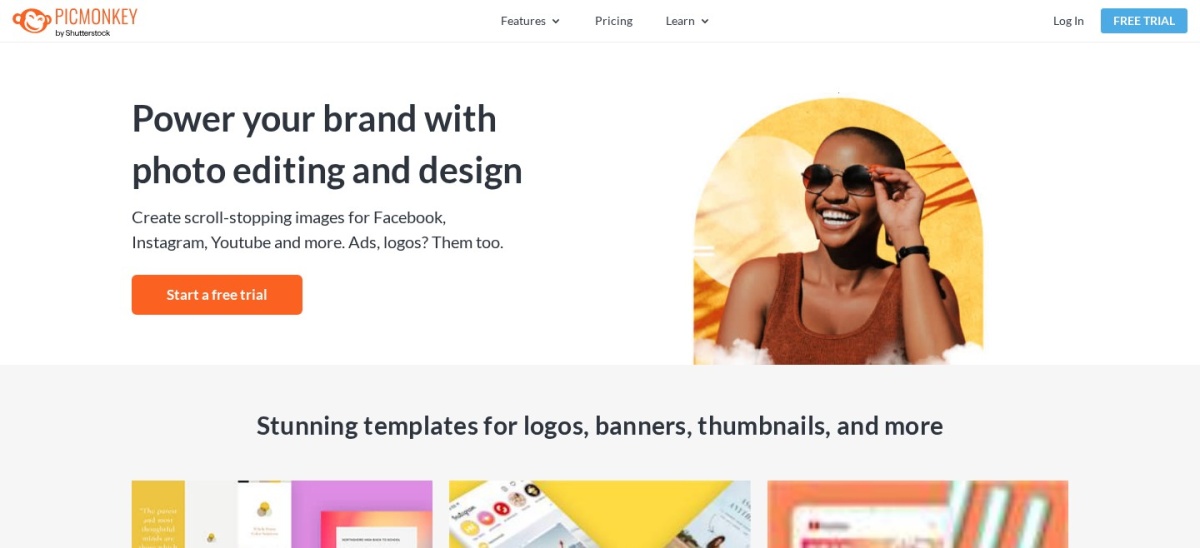
PicMonkey homepage, captured Nov 2026.
PicMonkey is a browser design and photo editing tool from Shutterstock, with templates for logos, banners and thumbnails plus touch-up tools and brand kits. You can create images free, but downloading or sharing one needs a subscription, starting with Basic from $7.99 a month.
The trade off is the free tier, which is really a trial: nothing downloads until you pay. The template range is also smaller than Canva's. It suits small teams who want brand colours, fonts and logos kept in one kit.
What we like
Brand kits keep colours, fonts and logos together
One-click background remover
Templates for logos, banners and thumbnails
Watch out for
No free downloads — creating is free, saving is not
Inkscape is a free, open-source vector graphics editor for logos, icons and illustrations, and it exports any design as a PNG at any size. Vector art stays sharp when scaled, so a logo drawn once exports cleanly as a small icon or a large banner.
The trade off is that Inkscape draws vectors, not photos, so it cannot retouch images or remove photo backgrounds. The interface also takes time to learn. It suits anyone who draws logos and icons and wants crisp PNG exports for free.
Not every PNG is transparent. A PNG file can hold a solid white background, so the format alone does not guarantee a cut-out — the export setting does.
Canva, Adobe Express, Fotor and PicMonkey keep transparent PNG export behind a paid plan, while GIMP, Photopea and Inkscape include it free. Check the export menu before you commit to a tool.
For web use, keep the file small after export. PNGs stay larger than JPGs, so run them through your site's image tools before upload — see our image optimization guide.
How we chose
We started from the design and photo tools most often named for PNG creation — template tools, professional editors and free browser editors — then kept the nine with a real PNG workflow and a public rating.
Prices come from each vendor's pricing page, checked on 29 November 2026. Ratings and review counts come from G2 on the same day. Where a vendor shows a sale, the list shows the regular price.
We left out tools with no public rating and tools that only convert files without editing them. No vendor paid for a place, and we do not claim hands-on testing for this list.
How to choose PNG creator software
Start with the PNG you need to make, then match the tool to that job.
Decide whether you need transparency. If the PNG sits on a coloured background, you need transparent export. Check that it is included before you pay.
Pick browser or desktop. Browser tools need no install and suit quick jobs; desktop tools handle large files and offline work better.
Check the free plan's limits. Some free plans block downloads or transparent export. Once your PNG is ready, see how to optimize images for WordPress.
Match the price to how often you create. Free tools cover occasional PNGs. Pay only if you make them weekly and the paid features save you real time.
FAQ
What is the top PNG creator software in 2026?
Canva is the top PNG creator software for most people in 2026. Its Pro plan costs $144 a year and adds transparent-background export and one-click background removal, and it is rated 4.7 out of 5 on G2 from 7,659 reviews. Photoshop suits professional work, while GIMP and Photopea are the best free options.
Which PNG creator software is free?
GIMP, Photopea and Inkscape are completely free, with transparent PNG export included at no cost. Canva, Adobe Express, Pixlr and Fotor have free plans, but transparent export or background removal needs a paid plan. Photoshop and PicMonkey have no free download option.
How much does PNG creator software cost?
Prices run from free to $275.88 a year in this list. GIMP, Photopea and Inkscape cost nothing, Pixlr Plus starts at $23.88 a year billed yearly, and Photoshop is the most expensive at $22.99 a month. Canva Pro sits in the middle at $144 a year.
Can Canva export transparent PNGs?
Yes, but only on a paid plan. Transparent-background export is a Canva Pro feature, and Pro costs $144 a year. The free plan exports PNGs with a solid background. If you need transparency without paying, GIMP, Photopea or Inkscape export transparent PNGs free.
Canva vs Photoshop: which is better for PNGs?
Canva is better for fast PNGs from templates, such as social posts, thumbnails and ads, and it is easier to learn. Photoshop is better when you need exact control over layers, masks and export settings. Pick Canva for speed and Photoshop for precision.
What is the best PNG creator software for beginners?
Canva is the easiest starting point, with templates and a free plan for everyday PNGs. Photopea is the best free choice if you want Photoshop-style layers in a browser, and Pixlr suits quick edits with no install. All three run in a browser.
SaaS SEO and WordPress specialist with about 8 years of experience. Rakib compares WordPress plugins, themes, hosting and software using public pricing, documentation and user reviews. See how we rank.