Toast POS is the top POS software for multi location restaurants, starting at $69/mo per location with a $0 Starter Kit option and centralized multi-unit menu publishing. Square for Restaurants fits smaller groups on a tight budget at $0 to $49/mo per location, while Lightspeed Restaurant suits high-volume dining groups needing deep inventory and multi-venue reporting.
How we make this list: we compare pricing pages, product documentation and public user reviews, then re-check every price before each update. No product paid for a place. Disclosure.
#2 Best value
Square for Restaurants
Flexible cloud POS with transparent per-site pricing
Entry software subscriptions span from $0/mo per store on Loyverse POS and Square for Restaurants to $99/mo on Rezku POS.
Published single-location paid tiers cluster between $49/mo and $69/mo across Square, SpotOn, Toast, Lightspeed, TouchBistro, and CAKE POS.
Multi-location management tools often sit on higher tiers or custom enterprise quotes, such as Lightspeed Premium at $399/mo.
Per-device and add-on fees multiply quickly across branches: Square KDS adds $20–$30/mo per device, and Loyverse add-ons run $7–$25/mo per store.
Payment processing rates vary by plan tier—Square drops in-person rates from 2.6% + 15¢ on Free down to 2.4% + 15¢ on Premium.
How do you choose POS software for multi location restaurants?
Centralized menu control is the dividing line between a basic register and true multi-unit software. When you operate three or twenty dining rooms, updating a seasonal item or regional price change should happen once from a corporate dashboard rather than terminal by terminal.
Per-location pricing models behave very differently as your store count climbs. A flat $49/mo or $69/mo per location fee stays predictable, whereas platforms that charge per terminal, per KDS screen, or per employee seat can double your software bill during expansion.
Consolidated cross-store reporting saves hours of weekly back-office reconciliation. Finance teams need side-by-side labor, food cost, and net sales comparisons across every branch without exporting separate CSV files from each restaurant.
Offline mode and hardware lock-in determine how resilient your branches remain during peak service. Checking whether a vendor requires proprietary terminals or long-term processing contracts protects your group from costly exit fees if one concept underperforms.
The 7 best pos software for multi location restaurants
01
Toast POS
4.1/5on Capterra (555 reviews, checked Nov 2026)
Paid from$69/mo
Best overall for growing restaurant groups
Entry paid plan$69/mo (Point of Sale)
Free tier$0/mo Starter Kit (1–2 terminals)
Multi-location toolsMenu Manager & group reporting
Offline modeIncluded with queued card sync
pos.toasttab.com
Toast POS homepage, captured Nov 2026.
Toast POS is a cloud restaurant point-of-sale platform built specifically for foodservice operators, with a $0/mo Starter Kit for 1–2 terminals and a standard Point of Sale plan starting at $69/mo. Its Restaurant Management Suite gives multi-unit operators centralized menu publishing, cross-location benchmarking, and consolidated sales reporting from one dashboard.
The trade off is that dedicated multi-location packages require a custom quote on the Build Your Own tier, and Toast locks you into proprietary Android hardware and integrated payment processing. It suits multi-unit restaurant groups that want deep hospitality workflows, handheld ordering, and 24/7 support.
What we like
Purpose-built restaurant workflows across counter, table, and handheld service
Centralized menu manager and multi-location benchmarking dashboard
Offline mode keeps order entry running during internet drops
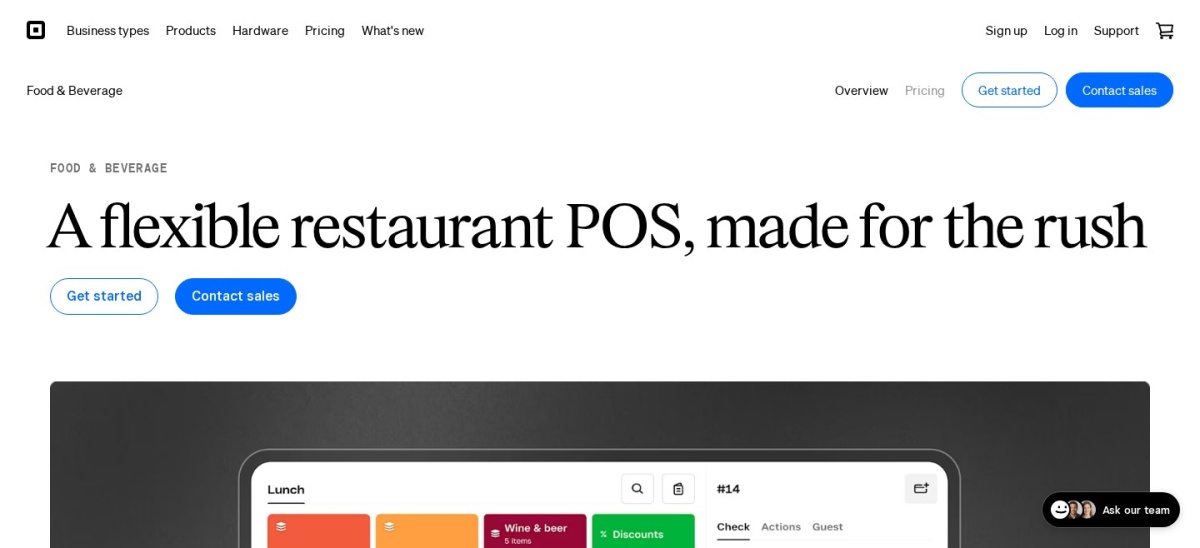
Square for Restaurants homepage, captured Nov 2026.
Square for Restaurants is a cloud hospitality POS that lets operators manage menus, staff, and sales across multiple branches from a single Square Dashboard. The Free plan costs $0/mo per location with 2.6% + 15¢ in-person processing, while Square Plus starts at $49/mo per location with lower 2.5% + 15¢ rates and close-of-day reporting.
The trade off is that kitchen display screens cost an extra $30/mo per device on Plus ($20/mo on Premium), and advanced coursing requires the $149/mo Premium tier. It suits fast-casual and multi-branch operators seeking month-to-month flexibility without long contracts.
What we like
Genuine $0/mo per location entry tier with no long-term contracts
Published per-location pricing scales predictably as you open branches
Lower card processing rates as you step up to Plus and Premium
Commission-free online ordering page included on every plan
Watch out for
Square KDS and self-serve kiosk software cost extra per device
Proprietary payment processing required across all locations
Advanced table coursing and seat management locked to $149/mo Premium
Square Plus ($49/mo per location) lowers card fees and unlocks integrated inventory and KDS support.Visit squareup.com
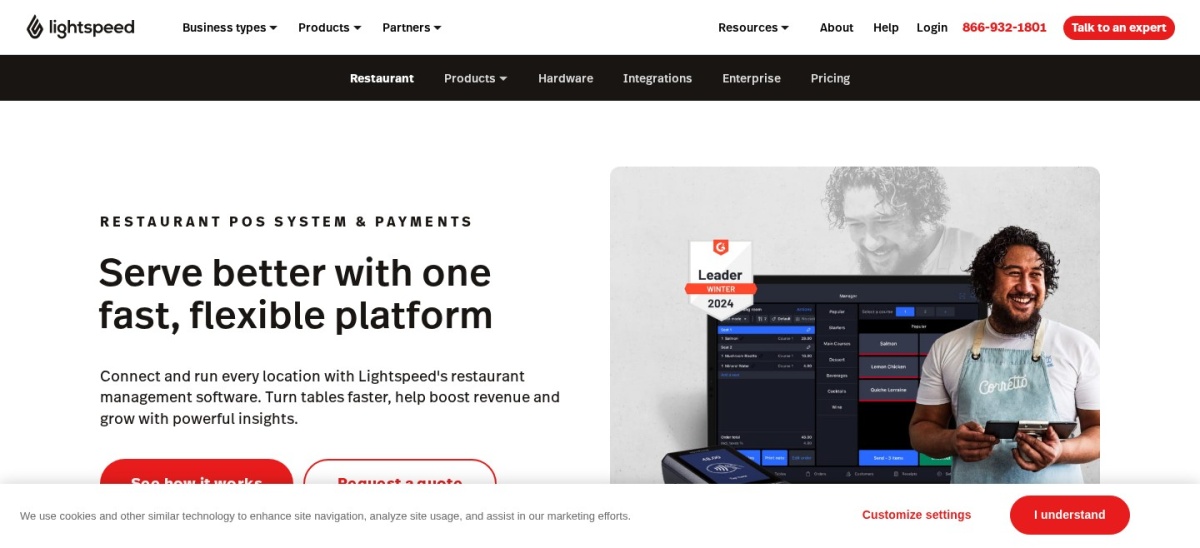
Lightspeed Restaurant homepage, captured Nov 2026.
Lightspeed Restaurant is an iPad-based hospitality POS designed for multi-venue dining groups, bars, and hotel restaurants. Plans start at $69/mo for Starter, $189/mo for Essential, and $399/mo for Premium, offering a Locations Manager that pushes menu updates across branches in seconds alongside consolidated group analytics.
The trade off is that multi-location management, raw API access, and advanced inventory sit on higher tiers, while KDS screens add $30/mo each. It suits established full-service restaurant groups that need granular floorplans, coursing, and multi-revenue-center reporting.
What we like
Locations Manager syncs menus and pricing across branches rapidly
Deep recipe-level inventory and COGS reporting for multi-site kitchens
Supports complex floorplans, coursing, and hotel revenue centers
24/7 support and one-on-one onboarding included
Watch out for
No free plan, and multi-location features require upper-tier plans
Kitchen Display System adds $30/mo per screen
Published rates typically require annual billing commitments
Higher tiers unlock Locations Manager, advanced inventory, raw API access, and multi-site insights.Visit lightspeedhq.com
04
SpotOn
4.2/5on Capterra (370 reviews, checked Nov 2026)
Paid from$55/mo
Best for flexible station-based pricing
Entry paid plan$55/station per month (POS Essentials)
Free tier$0/station (2.79% + $0.20, 2-yr term)
Paid processing2.45% + $0.15 card-present
Multi-unit tierCustom enterprise pricing
spoton.com
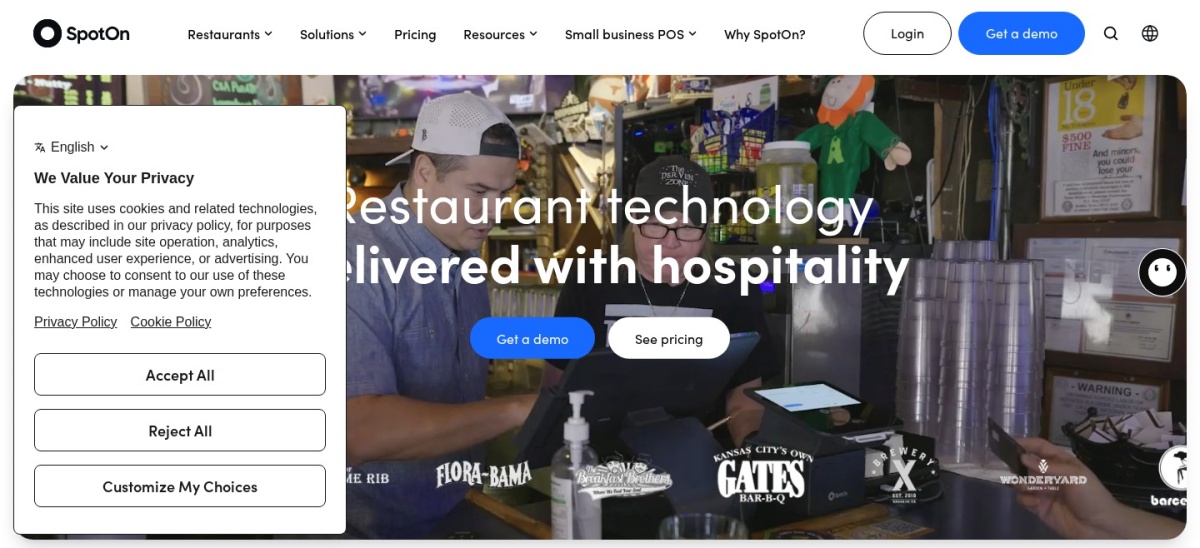
SpotOn homepage, captured Nov 2026.
SpotOn is a cloud restaurant POS platform offering month-to-month POS Essentials software at $55/station per month, alongside a $0/station All-In option with higher processing rates. Multi-unit operators get centralized menu control, labor reporting, and optional Profit Assist P&L analytics across sites.
The trade off is that the $0/station plan carries a two-year processing minimum, and per-station billing adds up in large dining rooms with many terminals. It suits regional restaurant groups that want month-to-month software terms and responsive 24/7 support.
What we like
Month-to-month flexibility on the $55/station POS Essentials plan
Lower 2.45% + $0.15 card-present processing rate on paid plans
24/7/365 support and dedicated onboarding teams
Optional Profit Assist and commission-free SpotOn Order tools
Watch out for
Per-station pricing multiplies costs for high-terminal locations
Free All-In plan requires a 2-year term and processing minimums
Enterprise multi-unit features require a custom quote
Staff & stock add-ons$25/mo ($250/yr) each per store
Included toolsPOS, KDS, loyalty & 31-day reports
loyverse.com
Loyverse POS homepage, captured Nov 2026.
Loyverse POS is a mobile-friendly point-of-sale app for iOS and Android that includes multi-store management, a kitchen display system, and customer loyalty in its $0/mo core plan. Paid add-ons are priced per store: Unlimited Sales History costs $7/mo ($70/yr), while Employee Management and Advanced Inventory cost $25/mo ($250/yr) each.
The trade off is that running all three paid add-ons across every branch brings the bill to $57/mo per store, and Loyverse lacks built-in full-service table coursing. It suits multi-location cafes, bakeries, and quick-service counters that want low software overhead on existing tablets.
What we like
Multi-store management and KDS are included in the $0/mo base software
Runs on existing iOS and Android tablets without proprietary hardware
Annual billing saves two months on every per-store add-on
Built-in customer loyalty program across locations at no extra fee
Watch out for
Free reporting is capped at the last 31 days unless you pay $7/mo per store
Stock transfers and purchase orders require the $25/mo Advanced Inventory add-on
Lighter feature set for complex full-service table management
Paid add-ons ($7–$25/mo per store) unlock unlimited sales history, shift tracking, and stock transfers.Visit loyverse.com
CAKE POS is a restaurant point-of-sale system offering Core, Growth, and Scale tiers, with entry software starting at $69/mo and mid-to-upper tiers reaching $125/mo and $295/mo. Its Scale plan is built specifically for multi-location brands that need centralized customization, deeper cross-site analytics, and a dedicated account manager.
The trade off is that there is no free plan or free trial, and multi-location Scale configurations require a custom quote. It suits quick-service and casual dining chains that want lifetime 24/7 support and optional white-glove installation.
What we like
24/7 support included for the life of your subscription
Online ordering, loyalty, and gift cards bundled into upper plans
Dedicated account manager and multi-location data on the Scale tier
White-glove in-person installation available for Growth and Scale
Watch out for
No free tier or self-serve free trial available
Multi-location Scale pricing is quote-based rather than flat-rate
Core entry tier is geared toward single-location restaurants
Included featuresSmart KDS, QR ordering & offline mode
SupportUnlimited in-house support
rezku.com
Rezku POS homepage, captured Nov 2026.
Rezku POS is an iPad-based restaurant management system starting at $99/mo for up to three POS stations, with hardware bundles available from $19/mo per station. The base subscription includes a Smart Kitchen Display, QR code ordering, branded online ordering, gift cards, and offline mode.
The trade off is a higher $99/mo starting price than single-terminal rivals, and third-party delivery ticket injection can add monthly fees. It suits multi-station pizzerias, bars, and casual restaurants that want KDS and online ordering included without add-on markups.
What we like
Base $99/mo fee covers up to three POS stations per location
Smart KDS, QR ordering, and gift cards included out of the box
Strong offline mode keeps orders and payments moving during outages
High Capterra satisfaction score (4.7/5) for in-house support
Watch out for
Higher $99/mo starting threshold than $49–$69/mo competitors
Smaller user review footprint (42 Capterra reviews) than Toast or Square
Requires iPad hardware for front-of-house terminals
The $99/mo base subscription bundles 3 POS stations, Smart KDS, online ordering, and offline mode.Visit rezku.com
Three fees that inflate multi-location POS budgets
A $69/mo headline software price rarely reflects what a five-location restaurant group actually pays each month. Before signing an order form, calculate the recurring cost of extra terminals, kitchen display screens, and back-office modules across every store.
Kitchen Display Systems (KDS) and handhelds are the most common add-ons. Square charges $20–$30/mo per KDS device, and Lightspeed charges $30/mo per KDS screen—meaning three screens across four locations adds $360/mo in software fees alone.
Payment processing spreads also compound at scale. Moving from Square Free (2.6% + 15¢) to Square Premium (2.4% + 15¢) saves 0.20% on every card swipe, which offsets the higher software fee once a branch processes substantial monthly card volume.
How we chose
We evaluated cloud restaurant point-of-sale platforms that actively support multi-location management, centralized menu updates, and cross-store reporting. Every product on this list is currently maintained and verified through official vendor pricing pages and public Capterra user reviews.
All prices, ratings, and review counts were checked on 30 Nov 2026. Where vendors offer both a free tier and paid plans, we listed the regular monthly price of the cheapest paid tier alongside free plan details so you can compare true ongoing software costs.
We excluded legacy on-premise systems that hide all entry pricing behind sales calls, single-location-only tools without multi-store dashboards, and platforms without sufficient verified customer reviews. No vendor paid for a place, and we do not claim testing for this list.
How to roll out a multi-location restaurant POS
Follow these four steps to compare quotes and standardize your branches without surprise fees.
Audit your terminal and KDS count per store. Count every counter register, server handheld, self-order kiosk, and kitchen screen at each branch so you can compare per-location pricing against per-station pricing accurately.
Verify which tier unlocks central menu publishing. Confirm whether pushing global menu and price updates across all stores is included in the base plan or gated behind an enterprise tier like Lightspeed Premium or CAKE Scale.
Compare effective payment processing rates. Model your average ticket size and monthly card volume across all locations to see whether a higher monthly software plan with lower swipe fees beats a $0/mo plan.
Test offline mode and hardware portability. Check whether terminals store and queue card transactions during internet outages and whether you own your tablets outright if you switch providers later.
FAQ
What is the best POS software for multi location restaurants in 2026?
Toast POS is the top overall choice for multi-location restaurants, starting at $69/mo per location with a $0 Starter Kit and centralized menu publishing. Square for Restaurants ($0–$49/mo per location) is best for smaller budgets, while Lightspeed Restaurant ($69–$399/mo) excels for complex full-service dining groups.
How much does multi-location restaurant POS software cost per month?
Published entry paid plans range from $49/mo per location on Square Plus and $55/station on SpotOn to $69/mo on Toast, Lightspeed, and CAKE POS. Dedicated multi-location enterprise tiers can reach $295–$399/mo per location before hardware and KDS add-ons.
Is there a free POS system that supports multiple restaurant locations?
Yes, both Square for Restaurants and Loyverse POS offer $0/mo plans with multi-location dashboards. Square charges 2.6% + 15¢ per in-person card tap or swipe on its free tier, while Loyverse includes free KDS and loyalty with optional paid add-ons starting at $7/mo per store.
Which POS is easiest for small multi-location cafe or QSR groups?
Square for Restaurants and Loyverse POS are the easiest entry points for small multi-branch cafes and quick-service counters. Both offer $0/mo starting tiers, fast tablet setup, and month-to-month flexibility without long-term hardware leases.
Toast vs Square: which is better for multi-location restaurants?
Square for Restaurants wins on transparent, contract-free pricing ($0 to $149/mo per location) and fast self-setup. Toast POS wins for high-volume full-service and fast-casual chains that need deeper kitchen routing, handheld ordering, and multi-unit benchmarking.
SaaS SEO and WordPress specialist with about 8 years of experience. Rakib compares WordPress plugins, themes, hosting and software using public pricing, documentation and user reviews. See how we rank.