Homebase is the best onboarding software for restaurants for most hourly teams because it pairs digital onboarding with shift scheduling and time clocks, while Gusto suits restaurants that want onboarding bundled directly into full-service payroll. Connecteam fits small teams starting free for up to 10 users, and Square Payroll works well for venues already running on Square.
How we make this list: we compare pricing pages, product documentation and public user reviews, then re-check every price before each update. No product paid for a place. Disclosure.
Homebase starts at $0/mo for 1 location up to 10 employees, with Essentials at $30/mo per location and All-in-One at $120/mo per location.
Gusto starts at $49/mo plus $6/mo per person on Simple and includes self-service onboarding and tax filings.
Connecteam is free for up to 10 users across all hubs, with paid hub tiers starting at $29/mo for the first 30 users billed annually.
Square Payroll lists a $35/mo base fee plus $6/mo per person paid for employees and contractors, including employee self-onboarding.
OnPay lists a $49/mo base fee plus $6/worker/mo for Payroll Essentials, with HR and time tracking available as add-ons or bundles.
How do you choose the best onboarding software for restaurants?
Restaurant onboarding moves fast because front-of-house and kitchen roles turn over frequently. A strong setup gets new hires through tax forms, direct deposit, and policy sign-offs before their first shift without tying managers to a back-office desk.
Many restaurant operators lock onboarding features behind upper tiers or separate add-ons. A scheduling tool with a low entry price may charge extra per onboarding packet, require a top-tier plan, or bundle onboarding only with payroll.
Per-location pricing and per-person pricing scale very differently in food service. Flat per-location plans stay predictable as headcount grows at one venue, whereas per-person fees climb quickly when you add part-time servers, hosts, and seasonal staff.
Deep integration with your time clock, POS, and payroll provider saves hours every pay period. When new-hire profiles flow straight into shift rosters and wage records, managers spend less time re-keying details across separate apps.
4.6/5on Capterra (1,182 reviews, checked Nov 2026)
Paid from$30/mo
Best for restaurant shift teams
Free plan1 location, up to 10 employees
Entry paid tierEssentials at $30/mo per location
Onboarding tierAll-in-One ($120/mo) or Payroll add-on
Capterra rating4.6/5 (1,182 reviews)
joinhomebase.com
Homebase homepage, captured Nov 2026.
Homebase is a workforce management platform built for hourly and restaurant teams, starting with a $0/mo Basic plan for one location and up to 10 employees. Paid plans start with Essentials at $30/mo per location for unlimited employees, while digital onboarding is included in the $120/mo per-location All-in-One plan or with the Payroll add-on.
The trade off is that digital onboarding is not included on the $30/mo Essentials tier, and Payroll costs $49/mo base plus $6/mo per employee paid after an introductory offer. It suits single- and multi-location restaurants that want hiring, scheduling, time tracking, and onboarding under one roof.
What we like
Free Basic tier covers scheduling and time tracking for up to 10 employees at one location
Flat per-location pricing on core plans keeps costs steady as you add hourly staff
Combines hiring, digital onboarding, tip management, and time clocks in one system
Strong adoption among restaurants and hourly hospitality operators
Watch out for
Digital onboarding requires the $120/mo All-in-One plan or the Payroll add-on
Extra add-ons such as Tip Manager ($25/mo per location) add to monthly spend
Some reviewers note occasional app lag or reporting limits
Higher tiers and add-ons unlock digital onboarding, AI scheduling assistance, tip pooling, and integrated payroll.Visit joinhomebase.com
02
Gusto
4.6/5on Capterra (4,614 reviews, checked Nov 2026)
Starts at$49/mo
Best for payroll-first onboarding
Starting base$49/mo on Simple plan
Per-person fee+$6/mo per person on Simple
Higher tiersPlus ($80/mo + $12/person) & Premium
Capterra rating4.6/5 (4,614 reviews)
gusto.com
Gusto homepage, captured Nov 2026.
Gusto is a payroll and HR platform with self-service employee onboarding and automated tax filings, starting at $49/mo plus $6/mo per person on its Simple plan. It supports unlimited payroll runs, direct deposits, and new-hire setup from day one.
The trade off is that per-person fees add up as restaurant headcount grows, and features like time tracking and scheduling or next-day pay cost extra or require higher tiers. It suits restaurants that want smooth digital onboarding paired with reliable payroll and tax compliance.
What we like
Straightforward self-service onboarding alongside automated federal and state tax filings
Includes unlimited monthly pay runs and contractor payments on core plans
Integrates with accounting and operational tools used by small businesses
Watch out for
Base fee plus per-person charges increase total cost with larger restaurant rosters
Features like Time & Attendance Plus cost an extra $6/mo per person on Simple
Less focused on shift-board features than dedicated restaurant schedulers
Plus and Premium tiers add multi-state payroll tools, project costing, and higher-tier support.Visit gusto.com
03
Connecteam
4.6/5on Capterra (5,320 reviews, checked Nov 2026)
Paid from$29/mo
Best for small teams starting free
Free planFree for up to 10 users
Entry paid tier$29/mo per hub (first 30 users, annual)
Connecteam is a mobile workforce app with scheduling, GPS time clocks, checklists, team chat, and HR onboarding tools, offering a free plan for up to 10 users. Paid plans start at $29/mo per hub for the first 30 users when billed annually ($35/mo monthly).
The trade off is that Connecteam prices its hubs separately, so combining Operations, Communications, and HR & Skills multiplies the base subscription. It suits small restaurants and mobile teams that want an app-first workspace without paying per seat on small rosters.
What we like
Free plan covers up to 10 users with mobile access for hourly staff
Flat rate covers the first 30 users per hub before per-user add-ons apply
Combines onboarding checklists, forms, time clocks, and team chat in one app
Watch out for
Separate hub pricing means full-stack setups cost more than a single hub
Higher-tier HR and document controls sit on Advanced and Expert plans
Some reviewers note occasional notification or mobile lag
Advanced ($49/mo) and Expert ($99/mo) hub plans add geofence limits, templates, and automation.Visit connecteam.com
04
Square Payroll
4.7/5on Capterra (622 reviews, checked Nov 2026)
Starts at$35/mo
Best for Square POS restaurants
Full-service plan$35/mo base + $6/mo per person paid
Contractor plan$6/mo per contractor paid
OnboardingEmployee self-onboarding included
Capterra rating4.7/5 (622 reviews)
squareup.com
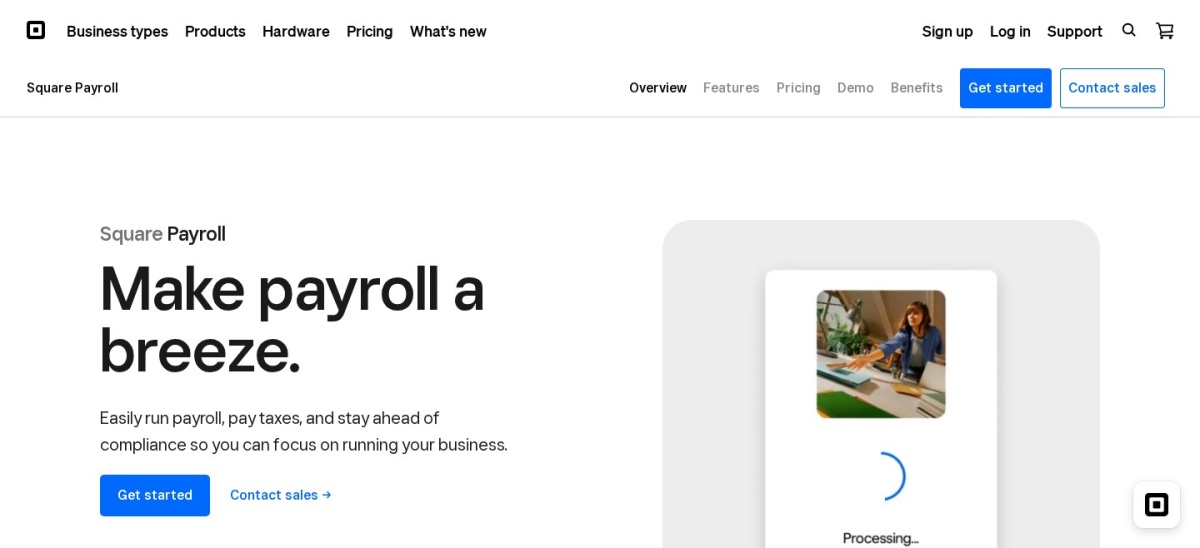
Square Payroll homepage, captured Nov 2026.
Square Payroll handles employee self-onboarding, timecard imports, tip tracking, and tax filings for $35/mo plus $6/mo per person paid on its full-service plan. Team members can enter payment details and complete onboarding before their first pay run.
The trade off is that full-service payroll carries a monthly base fee plus per-person charges, and some extras like mailing paper W-2s or workers' compensation add fees. It suits restaurants already running Square POS that want timecards and tips flowing straight into payroll.
What we like
Employee self-onboarding is included in the base full-service payroll plan
Imports timecards and tracks tips cleanly for restaurant staff
Supports free seasonal inactivity when a venue pauses payroll
Watch out for
Monthly base fee plus per-person charges rise with larger teams
Certain add-ons and paper form mailings carry extra fees
Best fit when paired with Square timecards and POS workflows
Full-service payroll covers automated tax filings, direct deposit, tip tracking, and multi-jurisdiction support.Visit squareup.com
05
OnPay
4.8/5on Capterra (471 reviews, checked Nov 2026)
Starts at$49/mo
Best for flat-structure payroll & HR
Starting base$49/mo base + $6/worker/mo
HR add-on+$15/mo base and $2/worker/mo
Time tracking+$15/mo base and $4/worker/mo
Capterra rating4.8/5 (471 reviews)
onpay.com
OnPay homepage, captured Nov 2026.
OnPay provides payroll, new-hire setup, and optional HR and time-tracking modules starting at $49/mo plus $6/worker/mo for Payroll Essentials. It includes unlimited pay runs, federal and state tax filings, and multi-state support.
The trade off is that HR and time tracking add separate base and per-worker fees unless you pick a bundle. It suits independent restaurants that want transparent payroll pricing and optional HR add-ons without heavy tier lock-in.
What we like
High Capterra rating (4.8/5 across 471 reviews) with transparent base-plus-worker pricing
Includes unlimited pay runs, tax filings, and W-2/1099 year-end forms
Lets restaurants add HR or time tracking only when needed
Watch out for
Add-ons for HR and time tracking increase monthly costs beyond the base plan
Lacks built-in restaurant shift-board forecasting compared with hospitality schedulers
Some reviewers note occasional delays on complex support requests
Adding HR or time-tracking modules unlocks document workflows, time clocks, and bundle discounts.Visit onpay.com
06
7shifts
4.7/5on Capterra (1,212 reviews, checked Nov 2026)
Paid from$40/mo
Best for restaurant scheduling & tips
Free planComp plan for basic scheduling
Entry paid tierEssentials starting at $39.99/mo/location
OnboardingPaperless onboarding; $2.99/package on select plans
Capterra rating4.7/5 (1,212 reviews)
7shifts.com
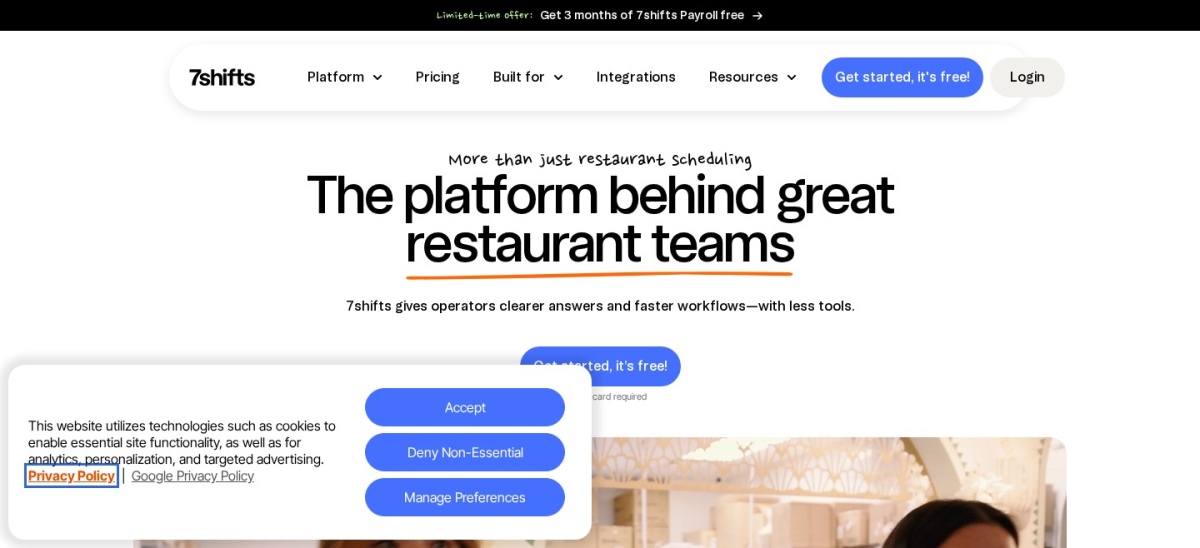
7shifts homepage, captured Nov 2026.
7shifts is a restaurant team management platform built around shift scheduling, labor controls, and staff communication, starting with a free Comp plan and paid Essentials plans from $39.99/mo per location. Its paperless onboarding helps collect tax forms, payment details, and policy acknowledgements.
The trade off is that a $2.99 per-package fee applies when sending onboarding packages on eligible non-included plans, and higher tiers unlock broader features. It suits restaurants that already run 7shifts for scheduling and want new hires onboarded in the same system.
What we like
Purpose-built for restaurants with shift templates, labor budgets, and team messaging
Paperless onboarding collects tax forms, payment info, and policy acknowledgements
Offers a free Comp tier for basic scheduling before upgrading
Watch out for
Per-package onboarding fees ($2.99) apply outside plans that include onboarding
Higher tiers like Pro and Premium raise monthly per-location costs
Some reviewers report occasional POS sync or notification quirks
Higher plans and add-ons expand tip management, task checklists, training, and integrated payroll.Visit 7shifts.com
07
Deputy
4.6/5on Capterra (832 reviews, checked Nov 2026)
Starts at$5/mo
Best for multi-location compliance
Entry paid tierLite at $5/user/mo (annual) or $5.50/mo
HR add-onDeputy HR at $2/user/mo (billed monthly)
Billing floor$30/mo minimum on monthly Lite/Core/Pro
Capterra rating4.6/5 (832 reviews)
deputy.com
Deputy homepage, captured Nov 2026.
Deputy is a shift scheduling and time-tracking platform for hourly teams, starting at $5/user/mo on Lite billed annually ($5.50/mo billed monthly). Paperless onboarding and document management sit inside the Deputy HR add-on at $2/user/mo billed monthly.
The trade off is that paperless onboarding requires the HR add-on on top of a scheduling plan, and monthly plans carry a $30/mo minimum spend. It suits multi-location restaurants that want structured shift compliance and modular HR add-ons.
What we like
Low entry per-user rate on Lite for core scheduling and time tracking
Modular Deputy HR add-on covers paperless onboarding, documents, and leave
Strong multi-site rostering and labor compliance controls
Watch out for
Paperless onboarding is an extra add-on rather than part of the base Lite plan
Every active user with a login counts toward per-user fees, including managers
Monthly Lite, Core, and Pro plans have a $30/mo minimum invoice
Core ($6.50/user/mo annual) and Pro ($9/user/mo annual) add forecasting, labor budgets, and deeper controls.Visit deputy.com
How we chose
We built this list around platforms that restaurants actually use to onboard front-of-house and kitchen staff, alongside shift scheduling and small-business payroll tools that handle new-hire paperwork. Every product included is actively maintained and widely reviewed by hospitality and hourly employers.
All prices, plan tiers, ratings, and review counts were checked on 2026-11-30 from official vendor pricing pages and public Capterra review listings. Where a vendor lists a monthly base fee plus a per-person fee, the price ladder shows the starting base rate for clarity.
We excluded quote-only software without published prices on the vendor's pricing page, closed or unmaintained tools, and platforms where onboarding terms could not be verified directly. No vendor paid for a place, and we do not claim testing for this list.
How to pick onboarding software for your restaurant
Follow four practical steps before signing up for a restaurant onboarding tool.
Check where digital onboarding actually lives in the plan. Confirm whether tax forms, e-signatures, and policy sign-offs are included on the entry tier, locked to a higher plan, or billed per packet.
Model your real headcount and turnover rate. Compare flat per-location pricing against per-person fees so seasonal hiring or high staff turnover does not surprise your monthly budget.
Verify POS, time clock, and payroll connections. Make sure new-hire details and approved hours move cleanly into your scheduling and payroll workflow without duplicate manual entry.
Test the mobile experience for hourly staff. Pick a workflow new hires can complete easily on a phone before day one so managers do not spend opening shifts chasing missing forms.
FAQ
What is the best onboarding software for restaurants in 2026?
Homebase is the best fit for most restaurant shift teams because it connects onboarding with scheduling and time clocks, while Gusto is a strong choice when you want onboarding paired directly with full-service payroll.
How much does onboarding software for restaurants cost?
Costs range from $0/mo on limited free plans up to $30/mo to $120/mo per location or $29/mo to $49/mo base plus per-person fees on paid plans. Total spend depends on your location count, staff size, and add-ons.
Is there free onboarding software for restaurants?
Homebase and Connecteam offer free plans for small teams with limits on users or features, while digital onboarding workflows often require a paid tier or add-on. Check exact plan limits before relying on a free tier.
What is better for a small restaurant: Homebase or Gusto?
Homebase fits small restaurants that prioritize shift scheduling, time clocks, and hourly team workflows, while Gusto fits teams that prioritize payroll processing and automated tax filings alongside new-hire onboarding.
Should restaurants buy standalone onboarding software or an all-in-one tool?
Most independent and small multi-unit restaurants get more value from a scheduling or payroll platform with built-in onboarding than from a separate onboarding-only app. A combined tool reduces extra logins and keeps staff records synced with shifts and pay.
SaaS SEO and WordPress specialist with about 8 years of experience. Rakib compares WordPress plugins, themes, hosting and software using public pricing, documentation and user reviews. See how we rank.