Canva is the best tool for fashion content creators, with a 4.7/5 G2 rating from 7,660 reviews and Pro at $144 a year for templates, brand kits and scheduling. Later is the best scheduler for visual feeds, while CapCut is the fastest free route to Reels and TikTok clips.
How we make this list: we compare pricing pages, product documentation and public user reviews, then re-check every price before each update. No product paid for a place. Disclosure.
Canva leads at 4.7/5 on G2 from 7,660 reviews, with Pro at $144 a year for one person.
Later pairs a visual grid with Link in Bio on every plan, at $18.75 a month billed yearly.
Adobe Express Premium costs $9.99 a month and adds 200M+ stock assets and brand kits.
CapCut is free for 1080p Reels and TikTok clips, but its Trustpilot score is only 1.3/5 from 471 reviews.
Buffer has the cheapest paid plan here at $5 a channel a month, with a free plan for 3 channels.
Linktree Starter costs $7 a month billed yearly and turns one bio link into a small shop.
How do fashion content creators pick the right tools?
Fashion content lives or dies on the look of the feed. A creator needs one design tool, one video editor and one scheduler that keep colours, crops and captions consistent across Instagram, TikTok and Pinterest.
Price matters because most creators pay for these tools themselves. Paid plans in this list run from $5 to $19.99 a month, and every tool except Later has a free plan to start on.
Scheduling is the second decision, not an afterthought. Our guide on scheduling posts in WordPress covers the same planning habit: batch the content, then let the tool publish it on time.
Selling is where the tools split. Linktree and Later both add shoppable links, while Canva and Adobe Express stop at design, so pick the link tool before you pick the design tool if affiliate sales pay your bills.
Canva is a template-led design tool that covers most of what a fashion creator posts in a week: outfit graphics, lookbook pages, sale banners and short video clips. The free plan includes 5GB of storage, while Pro adds 3.6M+ templates, 141M+ premium stock items, background removal and social scheduling.
The trade off is depth. Canva is not a full photo editor, and its best templates sit behind Pro at $144 a year for one person, or $18 a month billed monthly. It suits creators who need polished posts fast and want one tool for design and basic scheduling.
What we like
Largest template library in this list
Rated 4.7/5 on G2 from 7,660 reviews
Brand kits keep colours and fonts consistent
Social scheduling included on Pro
Watch out for
Pro is priced per person, so teams pay per seat
Limited controls for advanced photo editing
Pro adds premium templates, brand kits and schedulingVisit canva.com
02
Later
4.5/5on G2 (384 reviews, checked Nov 2026)
Starts at$18.75/mo
Best scheduler for visual fashion feeds
Free planNo, 14-day trial
Social profiles8 per social set
Posts30 per profile a month
Paid planStarter, $18.75/mo
later.com
Later homepage, captured Nov 2026.
Later is a visual-first scheduler built around Instagram, TikTok and Pinterest, with a drag-and-drop calendar, a grid preview and Link in Bio on every plan. Starter costs $18.75 a month billed yearly, covers 1 social set of 8 profiles and 1 user, and includes best-time suggestions and 5 AI credits a month.
The trade off is that there is no free plan, only a 14-day trial, and Later does not support X at all. It suits fashion creators who plan a whole week of outfits on a visual calendar and want scheduling and a bio link in one bill.
What we like
Grid preview keeps a fashion feed cohesive
Link in Bio included on every plan
Best-time suggestions for Instagram and TikTok
Rated 4.5/5 on G2 from 384 reviews
Watch out for
No free plan, only a 14-day trial
Does not support X
Post caps apply on Starter and Growth
Growth adds approvals, inbox and 180 posts per profileVisit later.com
03
Adobe Express
4.4/5on G2 (1,100 reviews, checked Nov 2026)
Paid from$9.99/mo
Best value design tool for Adobe users
Free planYes, 100,000+ templates
Stock assets200M+ on Premium
AI credits250 on Premium
Paid planPremium, $9.99/mo
adobe.com
Adobe Express homepage, captured Nov 2026.
Adobe Express is a quick design tool for social graphics, with templates, resizing and Adobe Stock built in. The free plan includes 100,000+ templates and 1M+ stock assets, while Premium at $9.99 a month adds 200M+ stock assets, 30,000+ fonts, 250 generative AI credits and brand kits.
The trade off is control. Editing is simpler than full Adobe apps, and the free plan puts a watermark on some exports. It suits creators already in the Adobe world who want fast graphics without opening a desktop app.
What we like
Cheapest design upgrade here at $9.99 a month
200M+ stock assets on Premium
Brand kits and multi-account scheduling on Premium
Rated 4.4/5 on G2 from about 1,100 reviews
Watch out for
Editing controls are limited next to full Adobe apps
1.3/5on Trustpilot (471 reviews, checked Nov 2026)
Paid from$179.99/yr
Best free editor for Reels and TikTok clips
Free planYes, 1080p export
Pro price$19.99/mo
Cloud storageAbout 1TB on Pro
Paid planPro, $179.99/yr
capcut.com
CapCut homepage, captured Nov 2026.
CapCut is a mobile-first video editor built for short-form fashion video: try-on clips, outfit transitions and haul edits. The free version covers the full timeline, auto-captions, trending templates and 1080p export, with 4K export on Pro.
The trade off is trust and price creep. Pro costs $19.99 a month, or $179.99 a year, and its Trustpilot score is 1.3/5 from 471 reviews, driven by billing complaints. It suits creators who edit on a phone every day and stay on the free plan.
Buffer is a simple scheduler that charges per connected channel, not per seat. The free plan covers 3 channels with 10 scheduled posts per channel, and Essentials costs $5 per channel a month billed yearly, or $6 billed monthly, with unlimited scheduled posts and advanced analytics.
The trade off is depth. Analytics are basic next to Later or Planoly, and the bill grows with every channel you add. It suits a solo creator with Instagram, TikTok and Pinterest who wants the cheapest paid scheduling in this list.
What we like
Cheapest paid plan in this list at $5 a channel a month
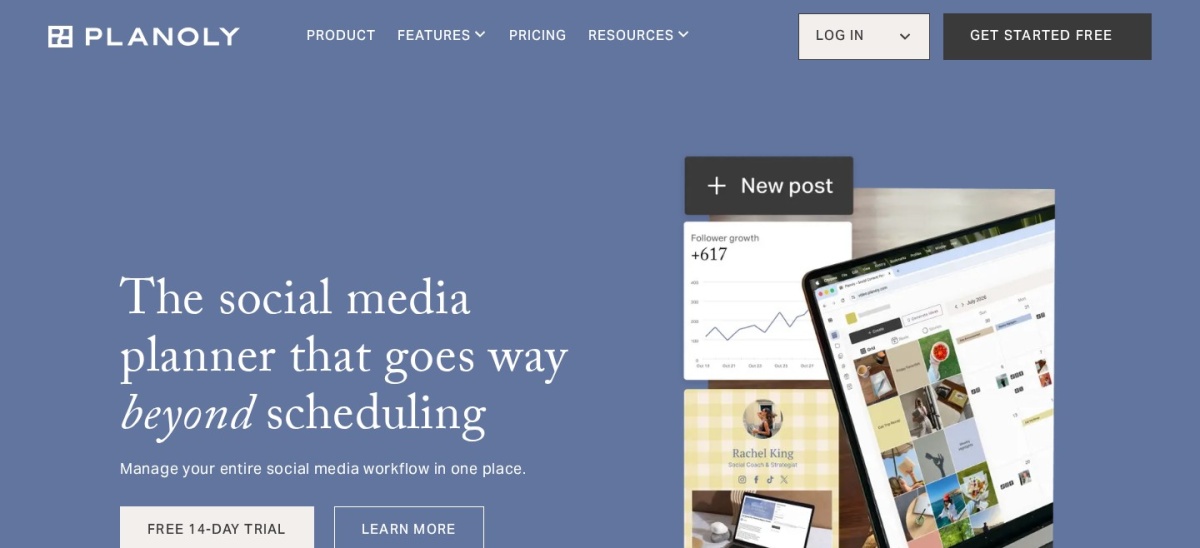
Planoly is a visual planner for Instagram and Pinterest, built around previewing the feed before anything goes live. The free plan on the mobile app allows 10 uploads a month, while Starter costs $14 a month billed yearly for 1 social set, 1 user and unlimited uploads.
The trade off is reliability and reach. Reviewers report auto-posting failures, and some platforms only get posting reminders. It suits creators whose main job is keeping one Instagram grid cohesive and who plan mostly on a phone.
What we like
Grid preview is still the clearest in this list
Link in Bio included on paid plans
Rated 4.3/5 on G2 from 67 reviews
AI captions and auto-posting where platforms allow
Linktree is a link-in-bio page that turns the one link in an Instagram or TikTok bio into a list of links, products and sign-ups. The free plan includes unlimited basic links, while Starter costs $7 a month billed yearly and adds featured links and basic analytics.
The trade off is that the useful parts cost more. Removing Linktree branding and selling with lower fees needs Pro at $14 a month billed yearly, and the free plan charges a 12% seller fee. It suits creators who earn from affiliate links and want one page for every outfit link.
What we like
Fastest way to share many links from one bio
Rated 4.6/5 on G2 from 96 reviews
Selling, tip jar and mailing list integrations on Pro
Free plan includes unlimited basic links
Watch out for
Branding stays until Pro at $14 a month billed yearly
Seller fee is 12% on the free plan
Design options are limited on the free plan
Pro removes branding and adds selling and integrationsVisit linktr.ee
Free vs paid: what you give up
Free plans cover the basics well. Canva, Adobe Express, CapCut, Buffer, Planoly and Linktree all let a creator start without paying, and only Later asks for a card after a trial.
Paid plans mostly add removal of limits. You get more templates, more posts, no watermark and no Linktree branding, rather than a different kind of tool.
If affiliate links pay your bills, pay for the link tool first. A free Linktree page still charges a 12% seller fee, so the fee alone can cost more than Starter at $7 a month billed yearly.
For a creator posting every day, the first paid plan is usually the scheduler. A missed post costs more in lost reach than $5 a channel on Buffer or $14 a month on Planoly.
How we chose
We started from the tools fashion creators name most often for design, video, scheduling and link-in-bio pages, then kept those with a published price and a public G2 or Trustpilot rating.
Prices come from each vendor's pricing page, checked on 29 November 2026, with the regular price shown where a sale was running. Ratings and review counts come from G2 or Trustpilot on the same day.
We left out creator commerce tools with no public rating, including LTK and ShopMy, because a rating could not be verified. No vendor paid for a place, and we do not claim to have used these tools ourselves.
How to choose tools for fashion content creation
Start with the channel that earns you the most, then fill the gaps in order.
Pick one design tool first. Canva covers most fashion posts, while Adobe Express is cheaper if you already use Adobe tools. Do not pay for both at the start.
Add a video editor for short-form clips. CapCut is free for 1080p Reels and TikTok clips. Pay for Pro only when you need 4K export or the full template library.
Choose a scheduler that fits your feed. Later and Planoly show the grid before you post, while Buffer is cheaper if you only need a simple queue for a few channels.
Add a link-in-bio page last. Linktree turns one bio link into a shop. Check the seller fee on your plan before you link products, because it changes what you keep from each sale.
FAQ
What are the best tools for fashion content creators in 2026?
Canva is the best overall tool for fashion content creators, rated 4.7/5 on G2 from 7,660 reviews, with Pro at $144 a year. Later is the best scheduler for visual feeds, and CapCut is the best free editor for Reels and TikTok clips.
How much do tools for fashion content creators cost?
Paid plans in this list run from $5 a channel a month on Buffer to $19.99 a month for CapCut Pro. Canva Pro costs $144 a year, Later Starter costs $18.75 a month billed yearly, and Adobe Express Premium costs $9.99 a month.
Is there a free tool for fashion content creators?
Yes. Canva, Adobe Express, CapCut, Buffer, Planoly and Linktree all have free plans. Later is the exception, with a 14-day trial and no free plan, so start with Canva and CapCut if you want to spend nothing.
Which tool is best for beginners?
Canva is the easiest starting point, with templates for almost every fashion post and a free plan. Buffer is the simplest scheduler for beginners, with a free plan for 3 channels and a clean calendar.
Canva or Adobe Express: which is better for fashion creators?
Canva is better for most fashion creators, with a higher G2 rating of 4.7/5 against 4.4/5 for Adobe Express and a larger template library. Adobe Express is better if you already use Adobe tools and want cheaper Premium access at $9.99 a month.
Later or Planoly: which is better for planning an Instagram feed?
Later is better for most creators, with a 4.5/5 G2 rating, Link in Bio on every plan and scheduling for 8 platforms. Planoly is better if you plan mainly on a phone and want its drag-and-drop grid preview for one Instagram account.
SaaS SEO and WordPress specialist with about 8 years of experience. Rakib compares WordPress plugins, themes, hosting and software using public pricing, documentation and user reviews. See how we rank.