Notion is the best Coda alternative for most teams, with flexible docs, wikis and databases from $10 a user a month on Plus and a 4.6 out of 5 G2 rating. Pick Confluence for a structured company wiki at $6.05 a user a month, or ClickUp when docs must sit beside tasks.
How we make this list: we compare pricing pages, product documentation and public user reviews, then re-check every price before each update. No product paid for a place. Disclosure.
Notion is the closest Coda replacement: docs, wikis and databases in one workspace from $10 a user a month.
Confluence is the cheapest paid start at $6.05 a user a month, and the strongest fit for Jira teams.
ClickUp lists a $12 regular price for Core; the $9 figure on its page is a sale price.
Trello is the cheapest paid plan here at $5 a user a month, but it is a board tool, not a docs tool.
Smartsheet is the only tool here with no free plan, only a 30-day trial, and every editor needs a paid seat.
How do you choose the best Coda alternative?
Coda was renamed Superhuman Docs in July 2026, so buyers looking for Coda alternatives are really choosing a new home for docs, tables and wikis.
The closest replacements pair documents with databases. Notion and Fibery let a page hold tables, linked records and views, which is the part of Coda most teams miss first.
Price spreads are wide. Entry paid plans in this list run from $5 to $12 a user a month, and seat minimums change the real bill: monday.com needs 3 seats, and Smartsheet Business needs 3 members.
A wiki-first team should weigh structure over flexibility. Confluence gives page trees, permissions and Jira links out of the box, while Notion gives freedom that needs templates and agreed rules before it feels organised.
Notion is an all-in-one workspace where docs, wikis and databases live side by side, the closest match to how Coda combined pages and tables. The free plan covers individuals, and Plus at $10 a member a month billed yearly adds unlimited blocks, 5 GB file uploads and 30 days of page history.
The trade off is setup. Notion gives teams a blank canvas, so a wiki needs templates and agreed structure before it feels organised. It suits small teams that want one workspace for notes, project tracking and a shared knowledge base.
Confluence is Atlassian's team wiki, built around spaces, page trees and templates for company knowledge. The free plan covers up to 10 users with 2 GB of storage, and Standard at $6.05 a user a month billed yearly raises storage to 250 GB and adds page permissions.
The trade off is flexibility. Confluence suits structured documentation better than free-form databases, and some teams add paid Marketplace apps for diagrams or whiteboards. It suits larger teams, especially those already using Jira.
ClickUp is an all-in-one workspace that puts Docs, tasks, chat and goals in one place, so meeting notes can link straight to the work they describe. The free plan covers unlimited tasks and members, and Core lists a $12 regular price a user a month billed yearly, with $9 shown as a sale price.
The trade off is complexity. ClickUp packs in so many views and settings that new teams need time to settle on a setup. It suits teams that want docs beside tasks and are ready to learn one big tool.
What we like
Docs, tasks and chat in one workspace
Free plan has no member limit
Gantt charts on Core
Strong automation limits for the price
Watch out for
Steep learning curve, say many reviewers
Every internal member becomes a paid seat
Business adds advanced dashboards and 10,000 automationsVisit clickup.com
04
monday.com
4.7/5on G2 (17,144 reviews, checked Nov 2026)
Paid from$9/mo
Best visual boards beside docs
Free planUp to 2 seats
Entry paid planBasic, $9/seat/mo
DocsYes, monday docs
Paid minimum3 seats
monday.com
monday.com homepage, captured Nov 2026.
monday.com is a visual work platform built on boards where teams plan tasks, share files and track progress in one place. The free plan covers up to 2 seats and 3 boards, and Basic at $9 a seat a month billed yearly adds unlimited items, unlimited free viewers and 200 templates.
The trade off is automation. Basic has no automations or integrations, so teams that want work to move on its own need Standard at $12 a seat a month. It suits teams that want a clear shared board and are happy to update tasks by hand.
Asana is a work management platform where projects, tasks and goals follow a clear structure, with docs attached to the work they support. The free Personal plan covers up to 2 users, and Starter at $10.99 a user a month billed yearly adds Timeline, Gantt and dashboards.
The trade off is the free limit. Two users is a tight cap, so a team of three pays for every seat, and portfolios need Advanced at $24.99 a user a month. It suits cross-functional teams that want a set way of running projects.
Trello is a visual board tool from Atlassian where cards move across lists, so a team can see every task at a glance. The free plan covers 10 boards and 10 collaborators per workspace, and Standard at $5 a user a month billed yearly adds unlimited boards, custom fields and 1,000 automation runs.
The trade off is depth. Trello is a board tool first, so docs, tables and reporting stay light, and Timeline and Dashboard views need Premium at $10 a user a month. It suits small teams that want the simplest way to track work.
Smartsheet is a spreadsheet-style work platform where projects live in grids with Gantt charts, card views and dashboards. Pro at $9 a member a month billed yearly includes unlimited sheets, Gantt views and 250 automation runs a month, for 1 to 10 members.
The trade off is the free plan, or rather the lack of one. There is only a 30-day trial, and every editor needs a paid seat, so a growing team pays for each person. It suits teams that think in rows and columns and run schedule-driven work.
Wrike is a work management platform for teams that run many projects with shared staff and deadlines. The free plan covers basic boards and tasks, and Team at $9.80 a user a month billed yearly adds Gantt charts, shared dashboards and custom workflows for 2 to 25 users.
The trade off is the jump to Business. Team caps at 25 users, and workload views, time tracking and approvals need Business at $24.80 a user a month. It suits teams that need to see who is overloaded before deadlines slip.
What we like
Workload and capacity views on Business
Proofing and approvals built in
Gantt charts on the Team plan
400+ integrations
Watch out for
Team caps at 25 users
Business costs more than double Team
Setup takes time for new teams
Business adds workload, time tracking and approvalsVisit wrike.com
09
Fibery
4.8/5on G2 (125 reviews, checked Nov 2026)
Paid from$12/mo
Best for building a custom workspace
Free planUp to 10 users
Entry paid planStandard, $12/user/mo
DatabasesUnlimited on Standard
GuestsObservers and guests free
fibery.com
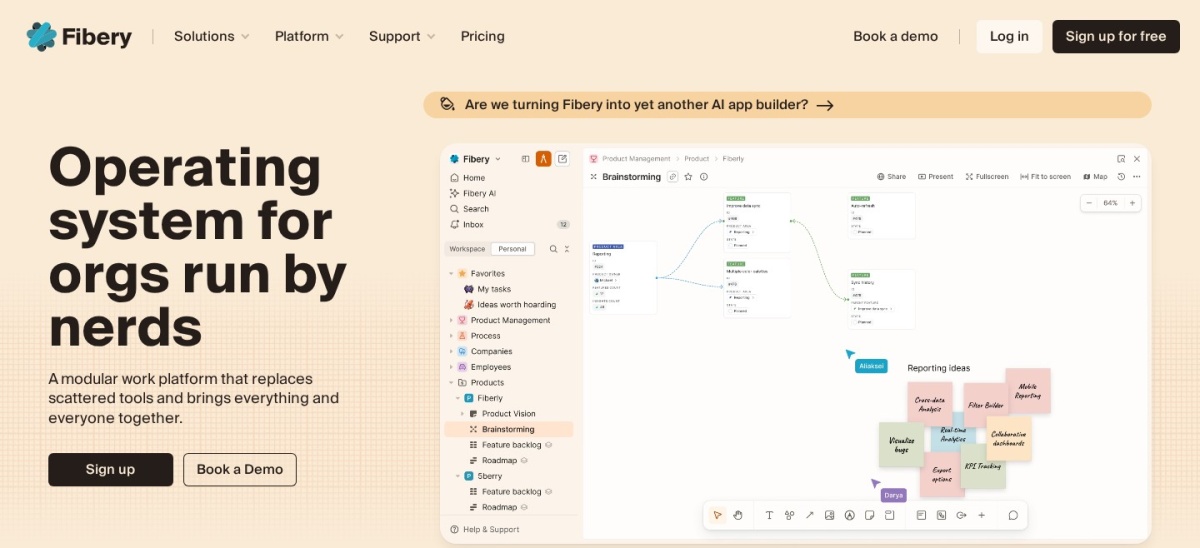
Fibery homepage, captured Nov 2026.
Fibery is a flexible workspace that lets teams build their own databases, docs and whiteboards around how they actually work. The free plan covers up to 10 users with 10 databases, and Standard at $12 a user a month billed yearly adds unlimited databases, charts and whiteboards.
The trade off is the small review base. Fibery holds a 4.8 out of 5 G2 rating, but from only 125 reviews, and its prices are published in euros, so the dollar figure here is the listed $12. It suits product teams that want to shape the tool to their own process.
Free plans cover the basics well. Most include docs, boards and comments, and several allow guests at no cost.
Paid plans mostly add views and automation. Gantt charts, workload views, dashboards and rules usually sit on the first paid tier.
If the team outgrows the free limits, the cheapest paid plan is not always the best value. Trello at $5 and monday.com at $9 look cheap per user, but both need a higher tier for automations.
How we chose
We started from the most widely used docs and work tools on G2, then kept nine with a free plan or trial and published per-user pricing. Coda itself is not in the list, because this is a list of alternatives to it.
Prices come from each vendor's pricing page, checked on 29 November 2026. Ratings and review counts come from G2 on the same day. Where a vendor shows a sale, the list shows the regular price.
We left out tools with no published price and tools built only for software developers. No vendor paid for a place, and we do not claim to have used these tools ourselves.
How to choose a Coda alternative
Start with what your team writes most: docs, tables or tasks, then pick the tool built around that.
List what Coda did for you. Docs only, docs plus tables, or docs plus project tracking. The answer points to Notion, Confluence or ClickUp.
Count the people who need to edit. Free plans cap at 2, 5 or 10 users, and Smartsheet has no free plan, so a team of 11 pays everywhere.
Check the cheapest paid plan, not the headline. Trello at $5 and Confluence at $6.05 are the cheapest starts, but check what the next tier costs before you commit.
Try the free plan with real docs. Move one live project across and see whether links, tables and permissions survive the move.
FAQ
What is the best Coda alternative in 2026?
Notion is the best Coda alternative for most teams. It combines docs, wikis and databases in one workspace, costs $10 a user a month on Plus, and holds a 4.6 out of 5 G2 rating from more than 13,000 reviews.
What is the best free alternative to Coda?
Notion has the strongest free plan for individuals, while Confluence is free for up to 10 users and Trello is free for 10 boards and 10 collaborators. Smartsheet is the exception here, with no free plan at all.
How much do Coda alternatives cost?
Entry paid plans in this list run from $5 to $12 a user a month billed yearly. Trello is cheapest at $5, Confluence follows at $6.05, and Notion, ClickUp and Fibery sit at $10 to $12.
Is Notion or Confluence better than Coda?
Notion is closer to Coda, because it pairs docs with flexible databases and views. Confluence is better for a structured company wiki with page trees, permissions and Jira links, but it is weaker for free-form tables.
Which Coda alternative is best for a small team?
Notion Plus at $10 a user a month suits most small teams that live in docs. Trello at $5 is the cheapest start for simple boards, and Fibery is free for up to 10 users.
What happened to Coda?
Coda was renamed Superhuman Docs in July 2026. Searches for Coda alternatives now mean tools that replace its docs, tables and wikis, which is what this list compares.
SaaS SEO and WordPress specialist with about 8 years of experience. Rakib compares WordPress plugins, themes, hosting and software using public pricing, documentation and user reviews. See how we rank.